Administrator’s Guide(CP45FV) Eng.pdf - 第219页
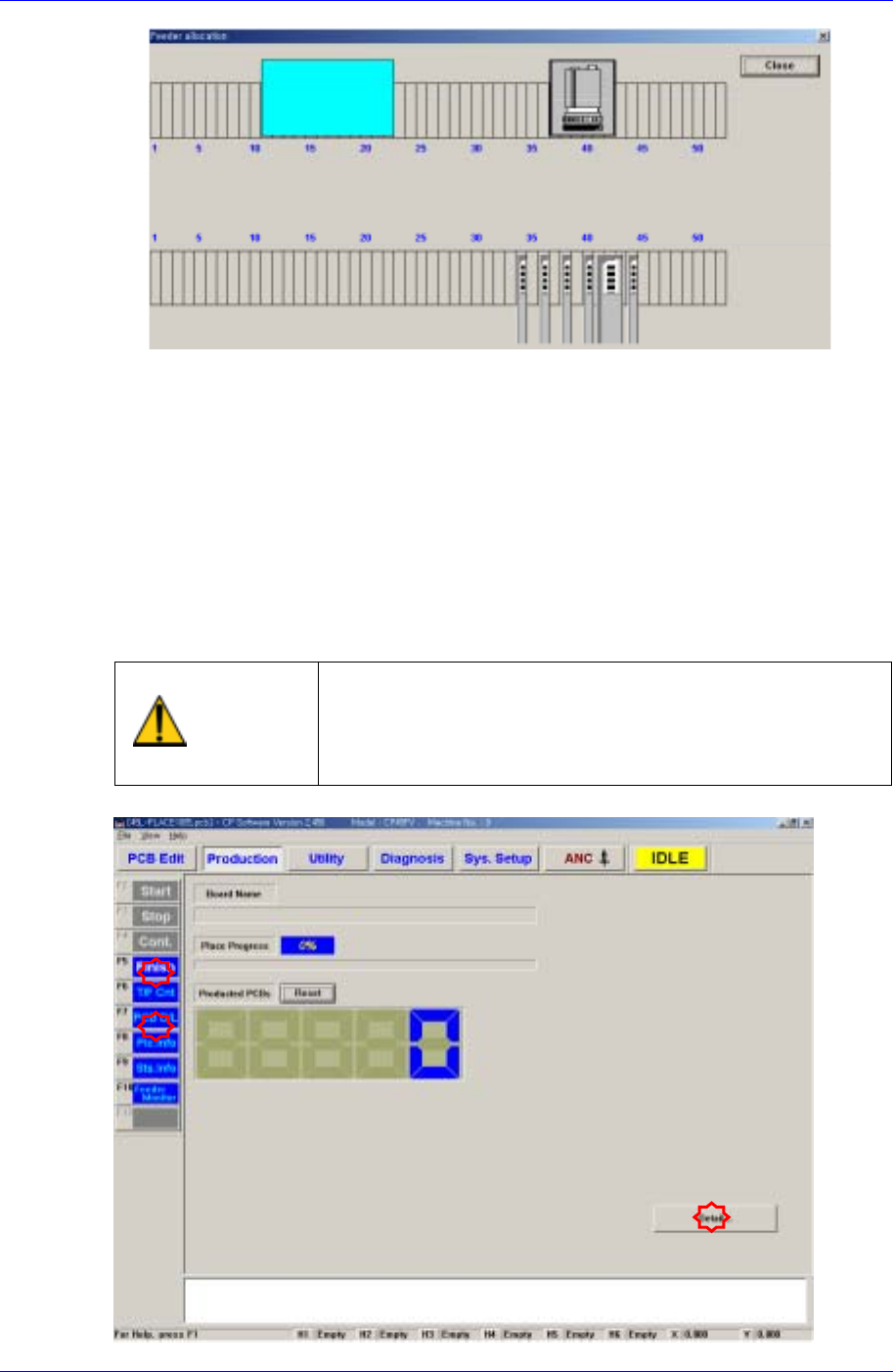
Placement T est 14-5 PCB Edit Finish Click the <Finish> submenu to conclude the PCB Edit. PCB File Downloading Click the <PCB D/L> submenu to download t h e completed PCB file to the machine. If there i…
Samsung Component Placer CP45FV Administrator’s Guide
8. When the door is opened to install the feeder, EMG error occurs. Press the <Stop>
button on the front control panel and then press the <Reset> button to install the
feeder with the machine in <Idle> state.
9. Once the feeder is installed, press <Ready> on the front control panel to supply
power to the motor.
14.2. Placement Test
Place the component on a PCB according to the PCB and machine setups and check the
result.
Warning
Pressing the Start switch without checking the presence
of worker nearby could cause injury.
Be sure to check if there is any worker near the machine
before pressing the Start switch.
14-4
Placement Test
14-5
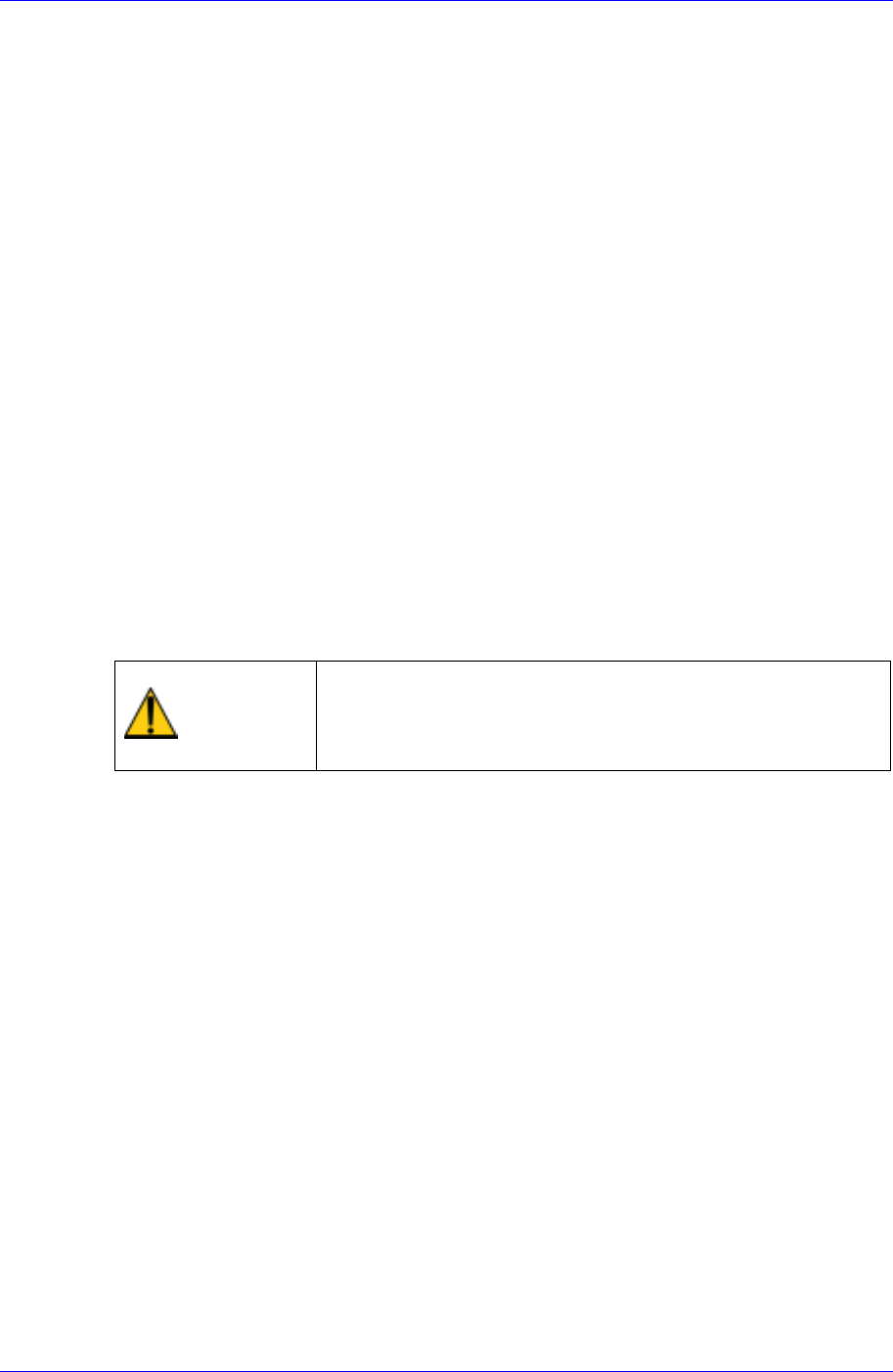
PCB Edit Finish
Click the <Finish> submenu to conclude the PCB Edit.
PCB File Downloading
Click the <PCB D/L> submenu to download the completed PCB file to the machine.
If there is no problem with the PCB file data, “Download All OK” is indicated at the
bottom of the screen.
If the <Detail…> button is clicked in the <Production> dialog box, a more detailed
screen is displayed.
Start
If there is no problem with the download and other PCB data, click <Start> after
completing all other preparation works and then press the <Start> button on the front
control panel.
14.3. Measures against Error during Placement Test
When error occurs during placement, stop the machine temporarily to examine the cause
of error for proper action and begin the work again.
The type of generally occurring errors includes PCB File Load Error, Fiducial Mark
Recognition Error, Component Pickup Error, Component Recognition Error and
Component Placement Error.
Warning
Adjusting the sensor or correcting an error while the
machine is ready could result in personal injury.
Be sure to adjust the sensor or correct an error in the stop
status (idle mode) after canceling the ready status.
14.3.1. PCB File Download Error
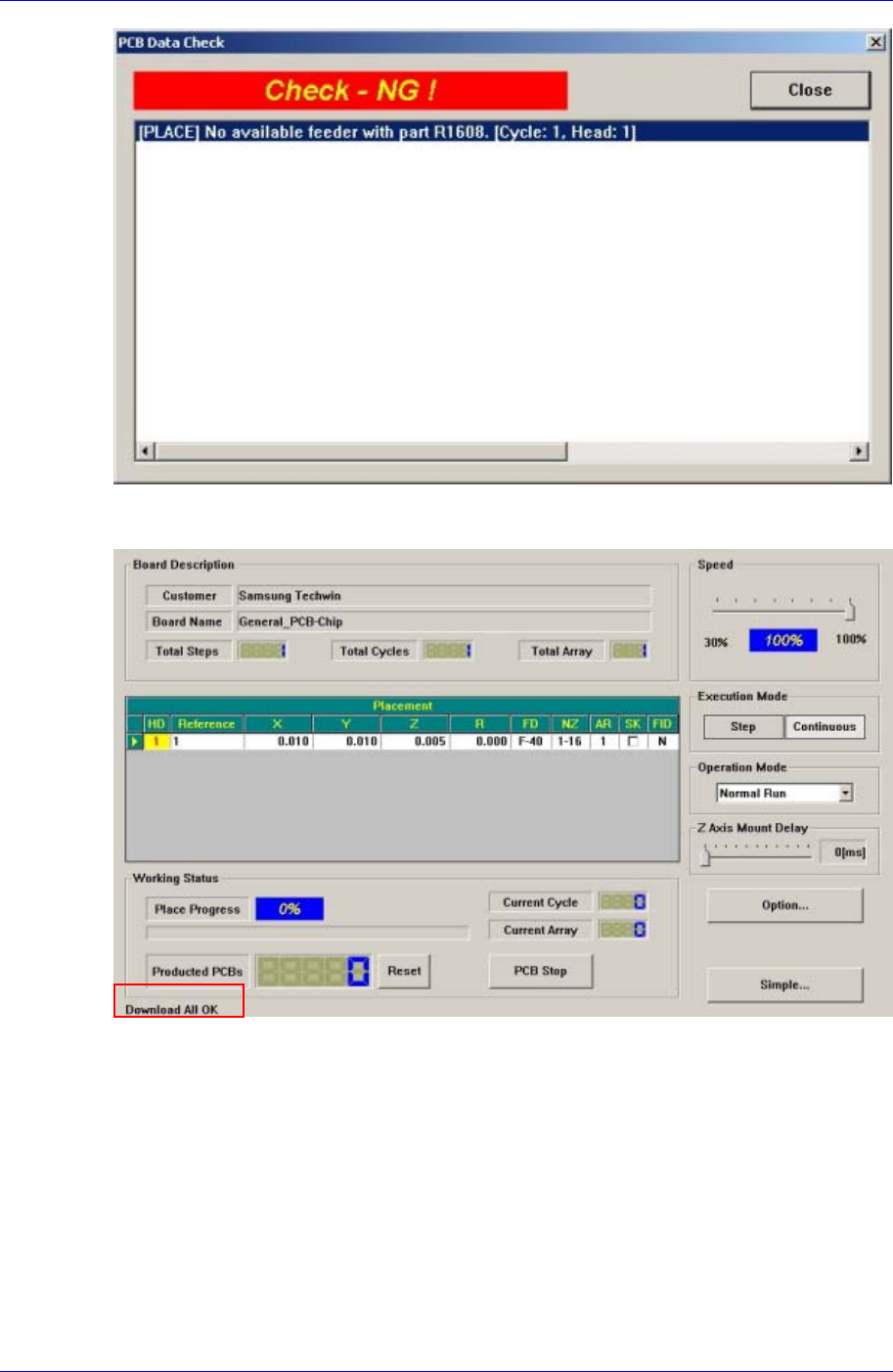
Click the <PCB D/L> submenu on the left of the screen in the production menu to
download a PCB file. If an error occurs during this process, the following message
window is displayed.
Samsung Component Placer CP45FV Administrator’s Guide
After checking the listed contents of the error, take proper action. If the program is
prepared properly, the PCB Download Error does not occur as shown below.
The above screen shows the dialog box that is displayed after clicking the <Detail…>
button in the <Production> dialog box.
14.3.2. Fiducial Mark Recognition Error
This refers to the error occurred since the fiducial mark on the PCB cannot be recognized.
When such an error occurs, check the data related to the fiducial mark in the board dialog
box and examine the cause of the error through the recognition test to take proper
measure.
14-6