Administrator’s Guide(CP45FV) Eng.pdf - 第39页
S tructur e of MMI Menu 2-5 Sets the origin of each component of the machine. Dump Sets the data related to the Dump Box. Tr a y Sets the data related to the T ray Feeder . Camera Sets various data on the Camer…

Samsung Component Placer CP45FV Series Administrator’s Guide
Checks the overall operation of the System.
2.1.2.2.3. The submenu tool-bars of the Utility menu tool-bar
Print
Used to print a PCB file or system data.
Pd. Info
Displays various production management data for the machine(total time, placement
information, and error information).
Copy
Use it to copy the existing PCB file data to other PCB files.
File Man
Use it to copy, delete, rename and clear the files related to MMI.
By Pass
Use it to bypass a PCB on the conveyor without placement operation.
Warmup
Warms up the driving axis after power supply.
2.1.2.2.4. The submenu tool-bars of the Diagnosis menu tool-bar
I / O
Check the I/O status.
Conveyor
Checks the Stopper, Backup Table, Hole/Edge Fixture, and Conveyor Flow.
Light
Checks the Camera Light.
Vacuum
Checks the Vacuum of each head
Jogbox
Checks the Jogbox function.
Tray
Checks the Tray Feeder function.
2.1.2.2.5. The submenu tool-bars of the Sys. Setup menu tool-bar
Head
Displays and sets the status of Head Block.
Limit
Sets the position limit for each axis to move.
Offset
Sets the offset value of the actual position of each device from the reference value of
the installation position.
Origin
2-4
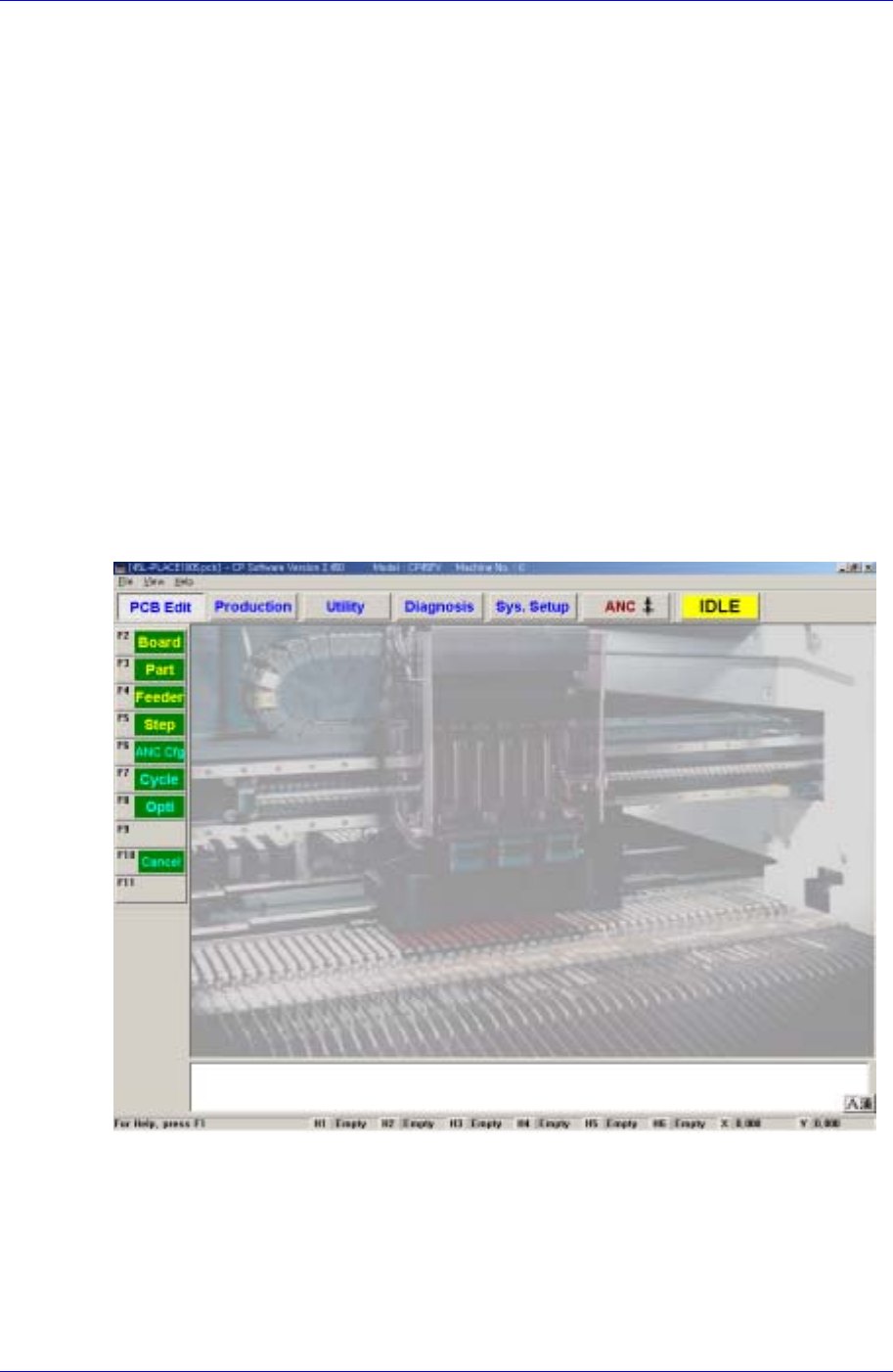
Structure of MMI Menu
2-5
Sets the origin of each component of the machine.
Dump
Sets the data related to the Dump Box.
Tray
Sets the data related to the Tray Feeder.
Camera
Sets various data on the Camera and executes camera calibration.
Preference
Sets various options necessary for machine operation.
Device
Manages data related to the Tape, Stick, and Nozzle.
2.1.2.2.6. ANC menu tool-bar
Register various information on ANC(Auto Nozzle Changer).
2.1.2.3. Methods for selecting a command
Figure 2-2. MMI main screen
The methods for selecting a command are as follows;
When the icon is displayed, click on the desired icon.
Display pull down menu and click on the command.
When the pull down menu is displayed, enter the underlined letter of each command
using the keyboard.
Samsung Component Placer CP45FV Series Administrator’s Guide
Use shortcut keys. When the command is underlined, press Alt + the underlined letter,
and the cursor moves to that position or executes the command.
For the command that is marked Ctrl (or Alt)+□ after the pull down menu command,
shortcut keys can be used. The shortcut key is a method to select a command directly
without using the cursor by pressing Ctrl (or Alt) key together with the designated key
simultaneously. In this manual, shortcut key is indicted by a “[ ]” after the command.
Example: New [Ctrl+N]
Memo
2-6