Administrator’s Guide(CP45FV) Eng.pdf - 第166页
Samsung Component Placer CP45FV Series Administrator ’ s Guide When all the unregistered part informati on is registered, they are displayed as follows. <Export…> button Converts the step data created by this m…
Step Programming
9-13
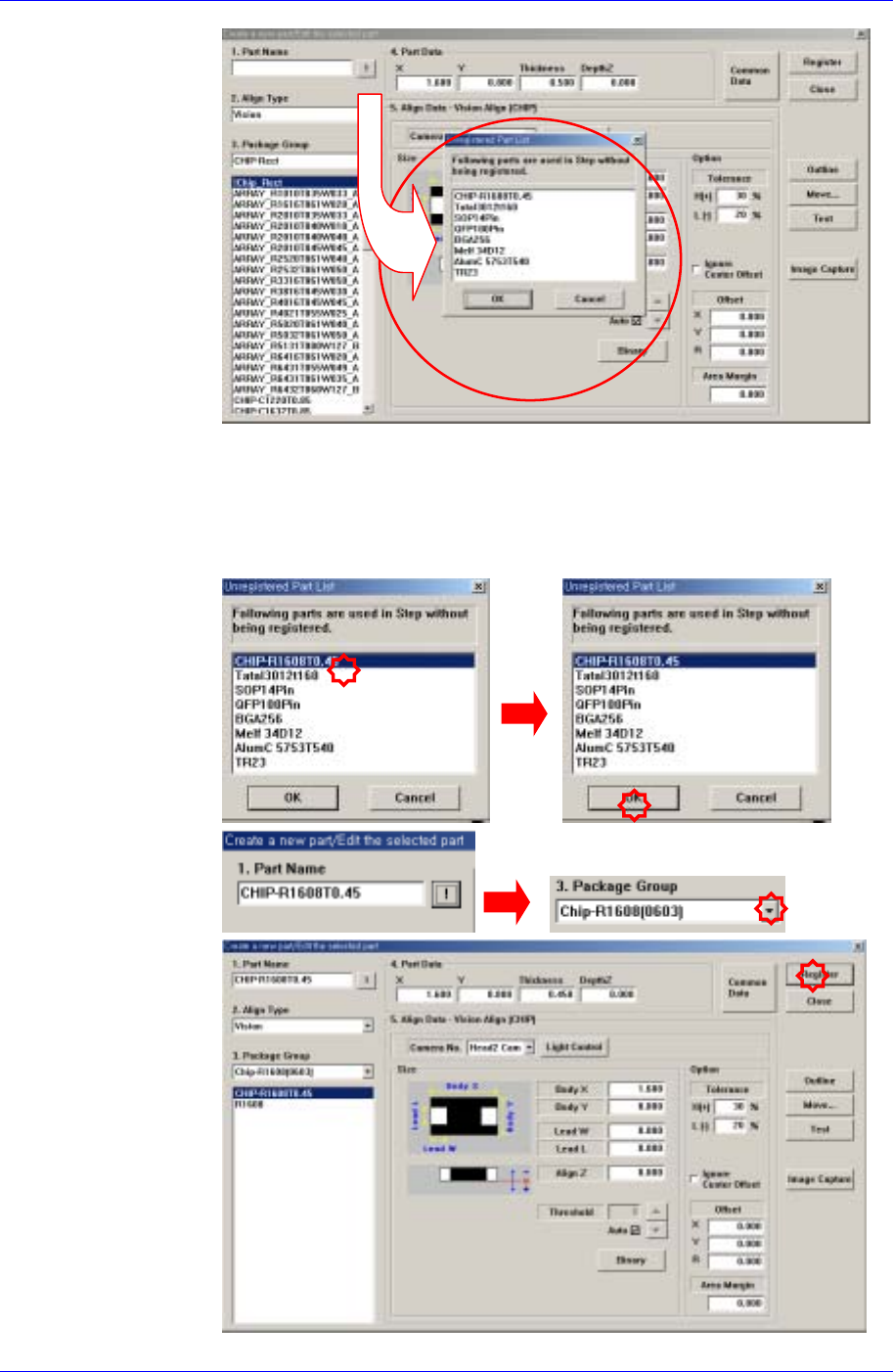
When the <OK> button is clicked after selecting a component, the name of
the selected file is inputted in the <1.Part Name> edit box.
Select the <Package Group> corresponding to the selected component and
revise the component profile according to the selected component.
Click the <Register> button to register the component to the PCB Part List.
Samsung Component Placer CP45FV Series Administrator’s Guide
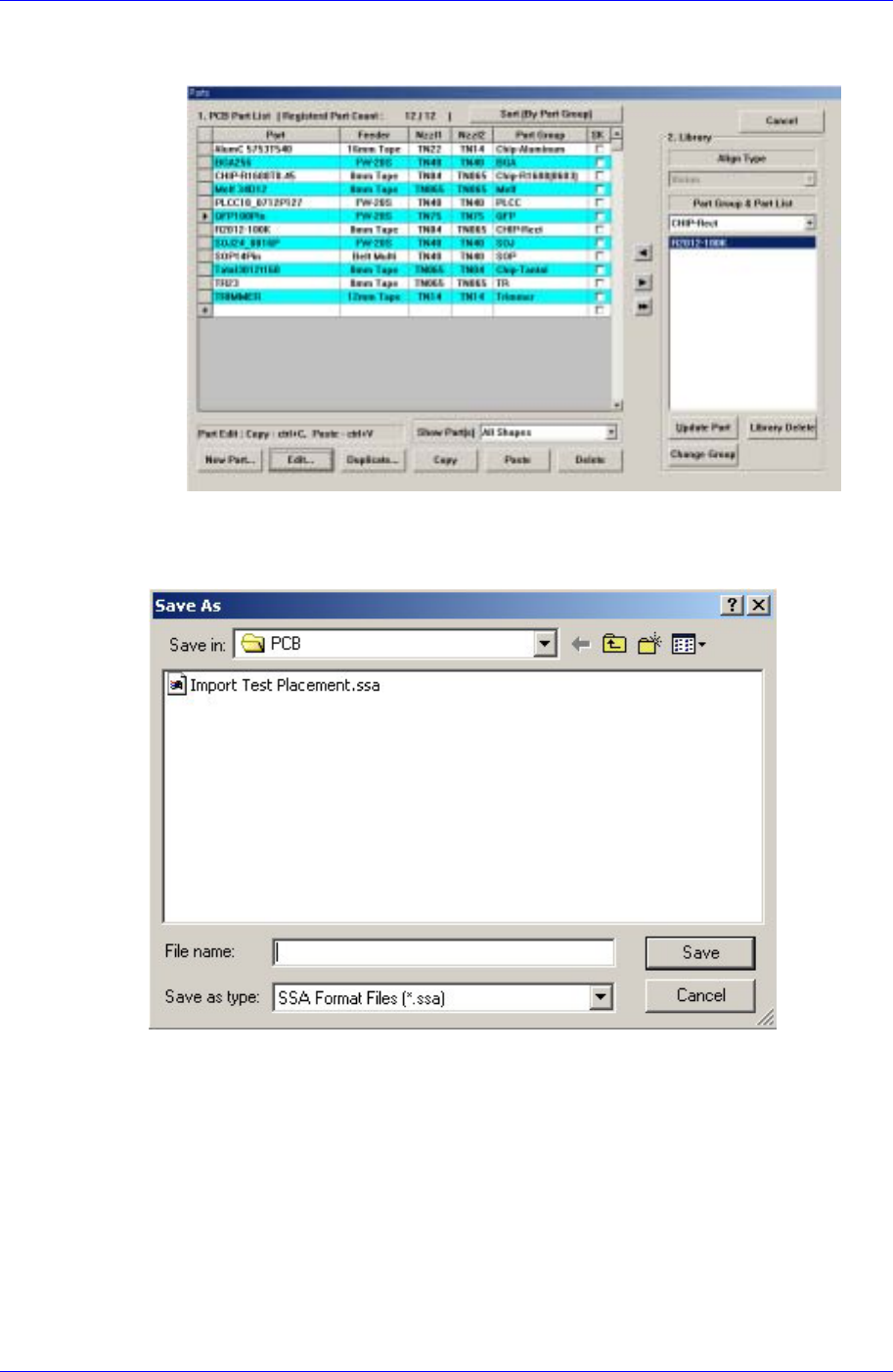
When all the unregistered part information is registered, they are displayed as
follows.
<Export…> button
Converts the step data created by this machine into other format(SSA Format) ASCII
File. When this button is clicked on, the following dialog box is displayed.
When the “Save” button is clicked on after the ASCII File name has been set, converts
the step data into SSA format and saves the data under the set file name.
<Cancel> button
Cancels the edited data.
9-14
Optimization
Chapter 10. Optimization
10-1
The Optimizer automatically creates a program to maximize the production efficiency by
optimizing the arrangement position and operation order of tape feeder, nozzle, ANC, and
others. The method to achieve the maximum production efficiency is as follows.
Minimize the number of nozzle changes
Maximize the number of simultaneous pickups by the feeder
Arrange the feeders so that the time for XY gantry movement is minimized
Decide the order of optimum mounting operation
The Optimizer takes into account of various operation conditions and executes the
optimum algorithm to achieve these results. In this chapter, the structures of various
setting screens and setting methods necessary to execute the Optimizer are explained.
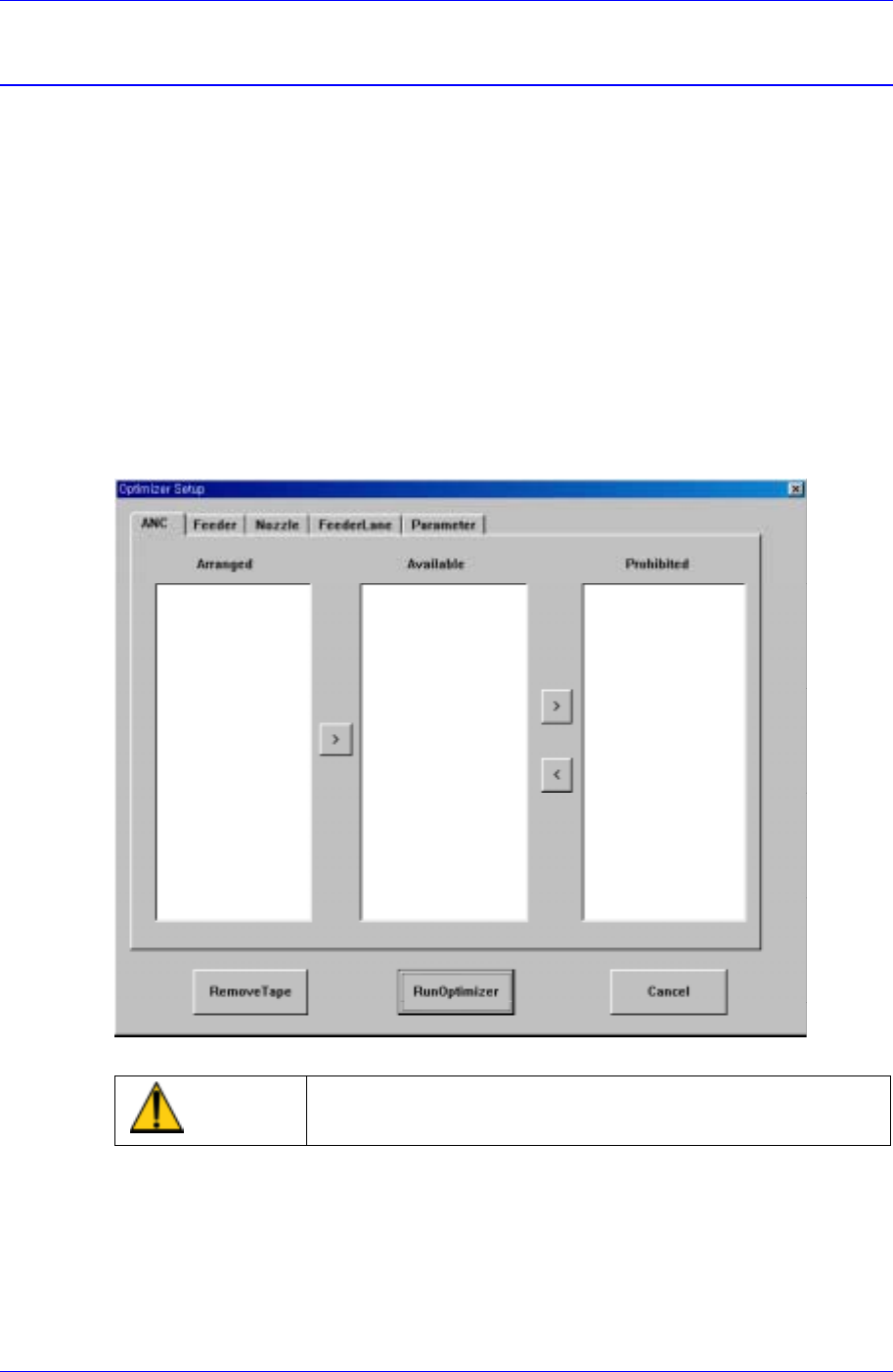
10.1. Setup Menu/ANC
Figure 10-1. "Optimizer Setup: ANC" dialog box
Caution
If you move to another screen while editing the “Step”
dialog box, the edited content is saved automatically.