Administrator’s Guide(CP45FV) Eng.pdf - 第70页
Samsung Component Placer CP45FV Series Administrator ’ s Guide Closes without saving the edited data. <Fiducial Mark…> button If there is a fiducial mark on the PCB, set the position of the fiducial mark and mark…
Board Definition
6-9
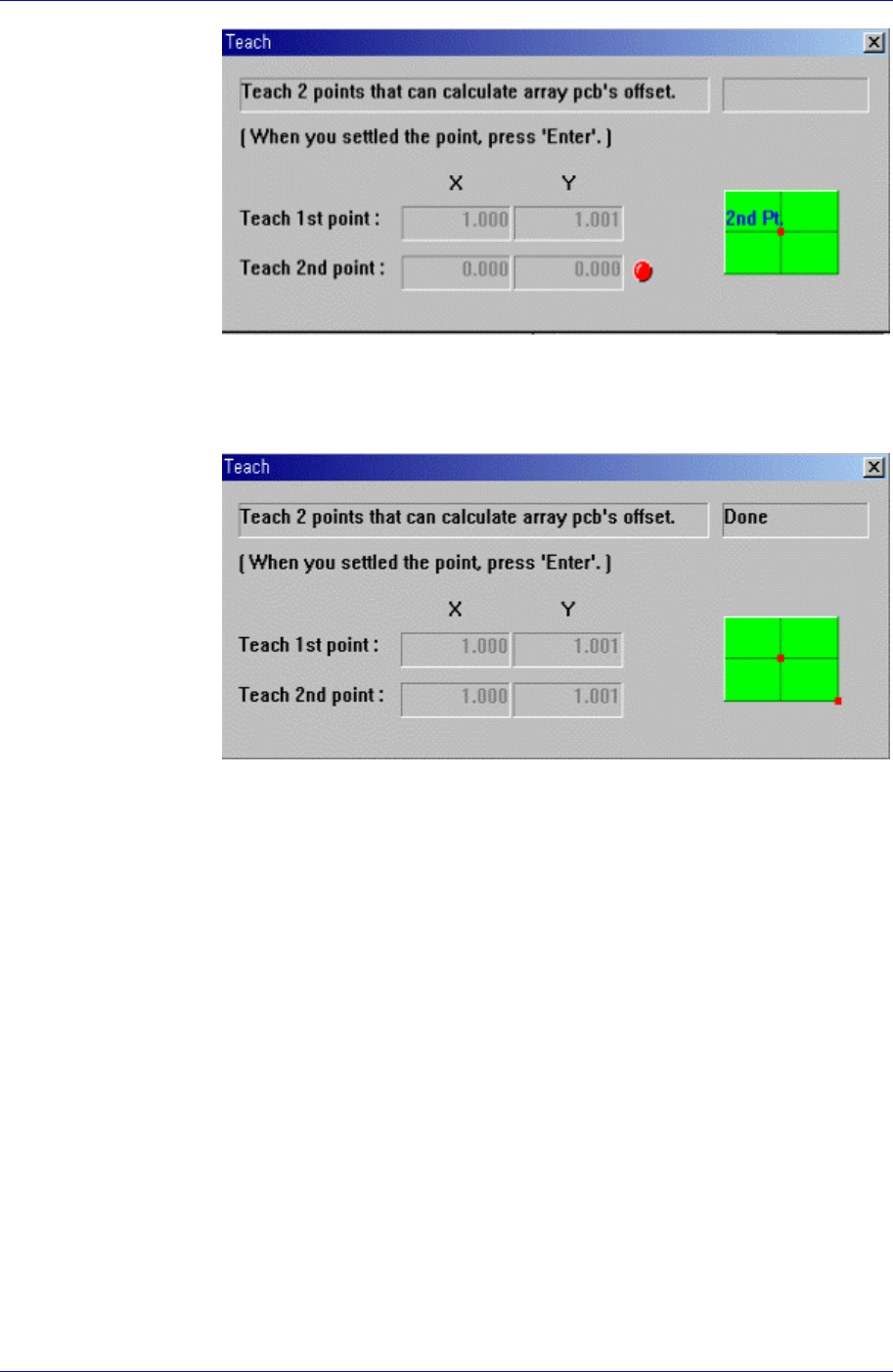
Figure 6-10. Screen showing second point teaching for Array PCB Offset
Teach the origin of the Array PCB on the position that can determine the
offset. When the “Enter” key is pressed after teaching, the following screen is
displayed.
Figure 6-11. Screen showing completion of Array PCB Offset Teaching
Press the “Enter” key to complete the Array PCB offset value teaching
operation.
<Apply> button
Automatically creates Array PCB data with the value set in this group.
<5. Add Value> group
Set the values of X, Y, and R to be added to the grid line of the <1. Array> group.
When the “Add” button is clicked on after setting the desired values, the values
are added to the corresponding grid lines.
<Array Skip/Work Tools> group
All Skip: Set “Skip” for all of the array PCBs.
All Work(No Skip): Release ‘Skip’ settings for all of the array PCBs.
Skip: Set the ‘Skip’ for the array PCB having the number that is inputted in the
‘Array No’.
Work Release ‘Skip’ setting for the array PCB having the number that is inputted
in the ‘Array No’.
<OK> button
Saves the edited data and closes the screen.
<Cancel> button
Samsung Component Placer CP45FV Series Administrator’s Guide
Closes without saving the edited data.
<Fiducial Mark…> button
If there is a fiducial mark on the PCB, set the position of the fiducial mark and mark
data. When this button is clicked on, the following dialog box is displayed.
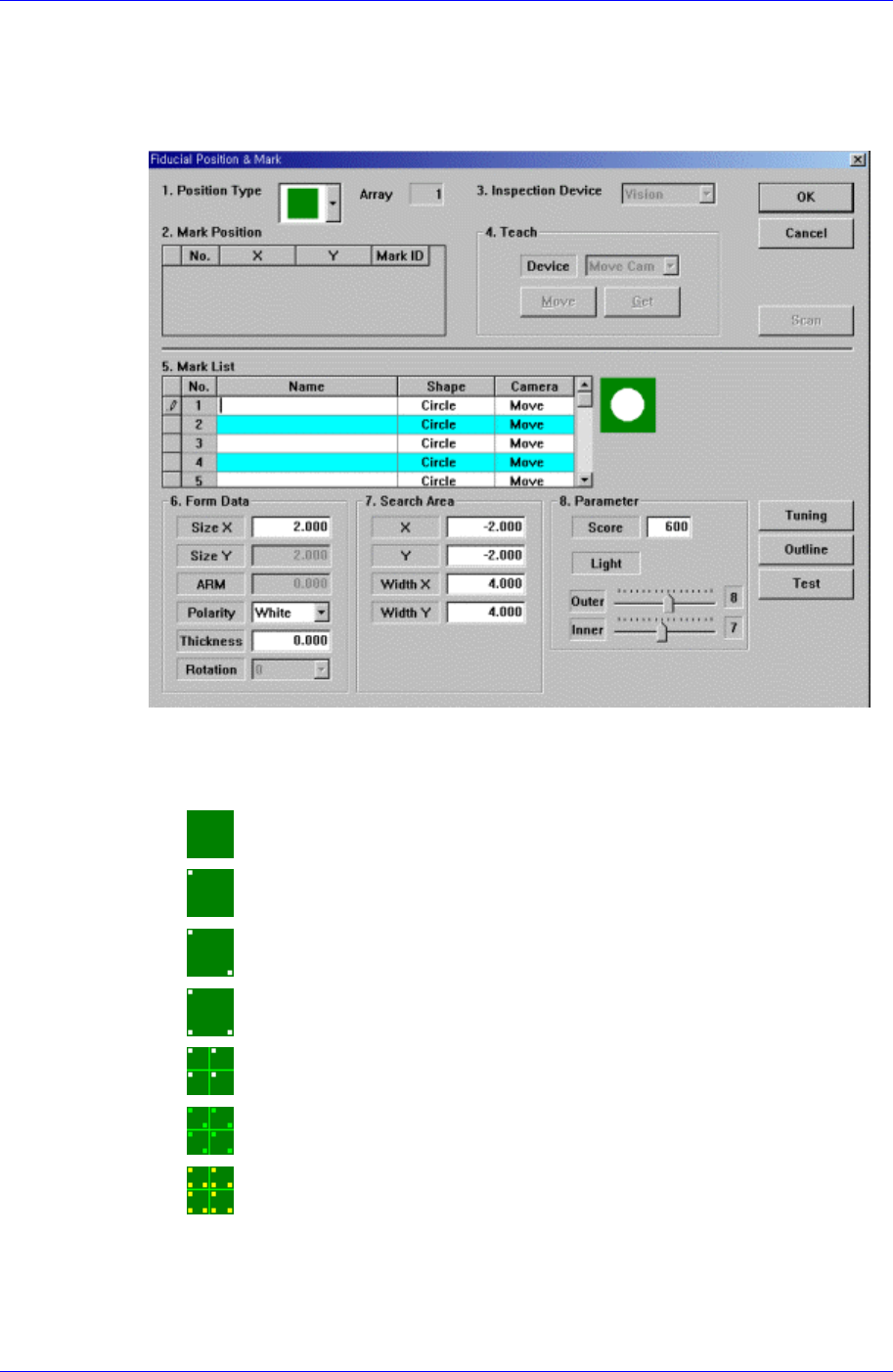
Figure 6-12. “Fiducial Position & Mark” dialog box (When the Position Type is “None”)
<1. Position Type> combo box
Select the number of fiducial marks. Available numbers are as follows.
None: No fiducial mark.
1 Panel: 1 fiducial mark for PCB correction.
2 Panel: 2 fiducial marks for PCB correction.
3 Panel: 3 fiducial marks for PCB correction.
1 Array: 1 fiducial mark for Array PCB correction in each Array PCB.
2 Array: 2 fiducial marks for Array PCB correction in each Array PCB.
3 Array: 3 fiducial marks for Array PCB correction in each Array PCB.
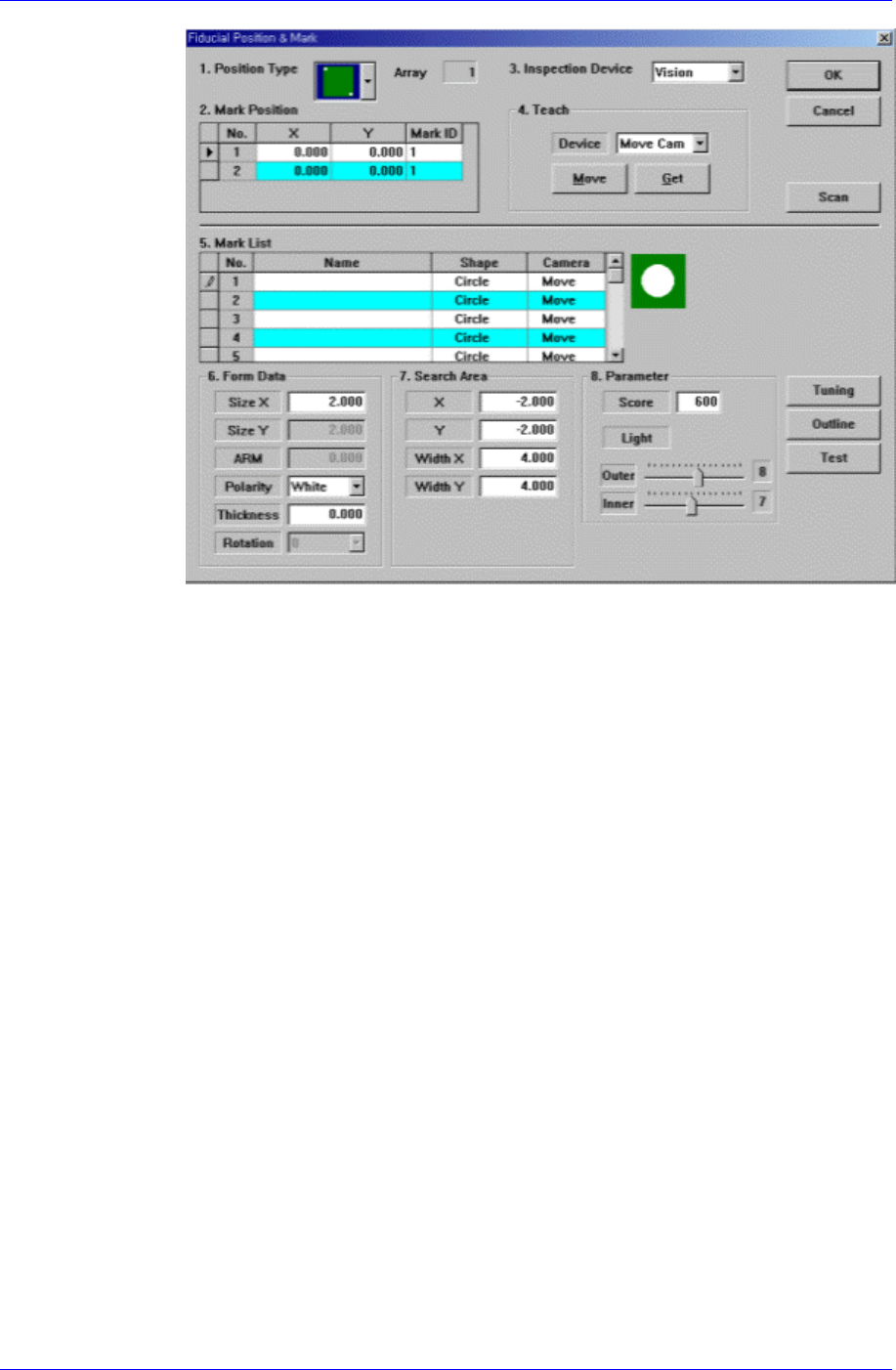
<2. Mark Position> group
If <Position Type> is not “None”, the number of data corresponding to the
number of fiducial marks selected are generated. For example, when “2 Panel” is
selected, the following dialog box is displayed.
6-10
Board Definition
6-11
Figure 6-13. “Fiducial Position & Mark” dialog box (When the Position Type is “2
Panel”)
<No> column
A serial number of the position of fiducial mark.
<X> column
The X position value of fiducial mark.
<Y> column
The Y position value of fiducial mark.
<Mark> column
The mark ID value of fiducial mark. This value must be set from a series of
numbers in <5. Mark List>.
<3. Inspection Device> combo box
Select the device to inspect the fiducial mark. Available devices are as follows.
Vision: Recognizes with the move camera(fiducial camera) in the head assembly.
<4. Teach> group
Used to move the head assembly to the designated position by rotating the
driving shaft of the X and Y-axes motors or obtain the current position of the
shafts of the X and Y-axes motors.
<Device> combo box
Selects the corresponding device to move the head assembly by rotating the
driving shafts of the X and Y motors or obtains the current coordinate of the
device to be selected. Available devices are as follows;
Move Cam: Selects Teaching Camera.
Head1: Selects Head 1.