Administrator’s Guide(CP45FV) Eng.pdf - 第31页
System Administrator Passwor d Chapter 1. System Administrator Password 1-1 The CP45FV Series machine needs the system ad ministrator password in order to use the system setup menu of the machine. Setup the system admini…

Samsung Component Placer CP45FV Series Administrator’s Guide
Standard Part DB
Refers to the database containing profile data of standard components that are
installed automatically during installation of the MMI.
Component Pocket
In the case of the tape feeder, the reel containing a roll of component tape and
components is mounted in the tape feeder. The component tape is divided into two
types: transfer tape containing components and cover tape sealing the component tape
so that components do not escape. The component pocket here designates the transfer
tape pocket.
U
pp
er cover ta
p
e
Transfer tape
Lower cover ta
p
e
Gray Level
Refers to a particular degree of black and white image, which varies from an image
consisting of absolute black and white.
Tolerance
Refers to the value of normally occurred error that can be allowed. Even though the
certain result value does not match with the set value accurately, if it is within the
allowable error range, it can be considered acceptable.
ASCII File
ASC is a 7 bit code for interchanging information that is standardized in the USA.
The file created according to the ASCII code standard is called ASCII file.
SSA Format
Refers to a type of file developed by Samsung Techwin, which is compatible to
machines manufactured by Samsung Techwin in storing various types of information
related to the PCB file.
Software Limit
Limits the movement of the head assembly by setting the movement limit range by
software in the MMI, rather than by mechanism.
Calibration Plate
Refers to one of the tools used to perform calibration.
xvi
System Administrator Password
Chapter 1. System Administrator
Password
1-1
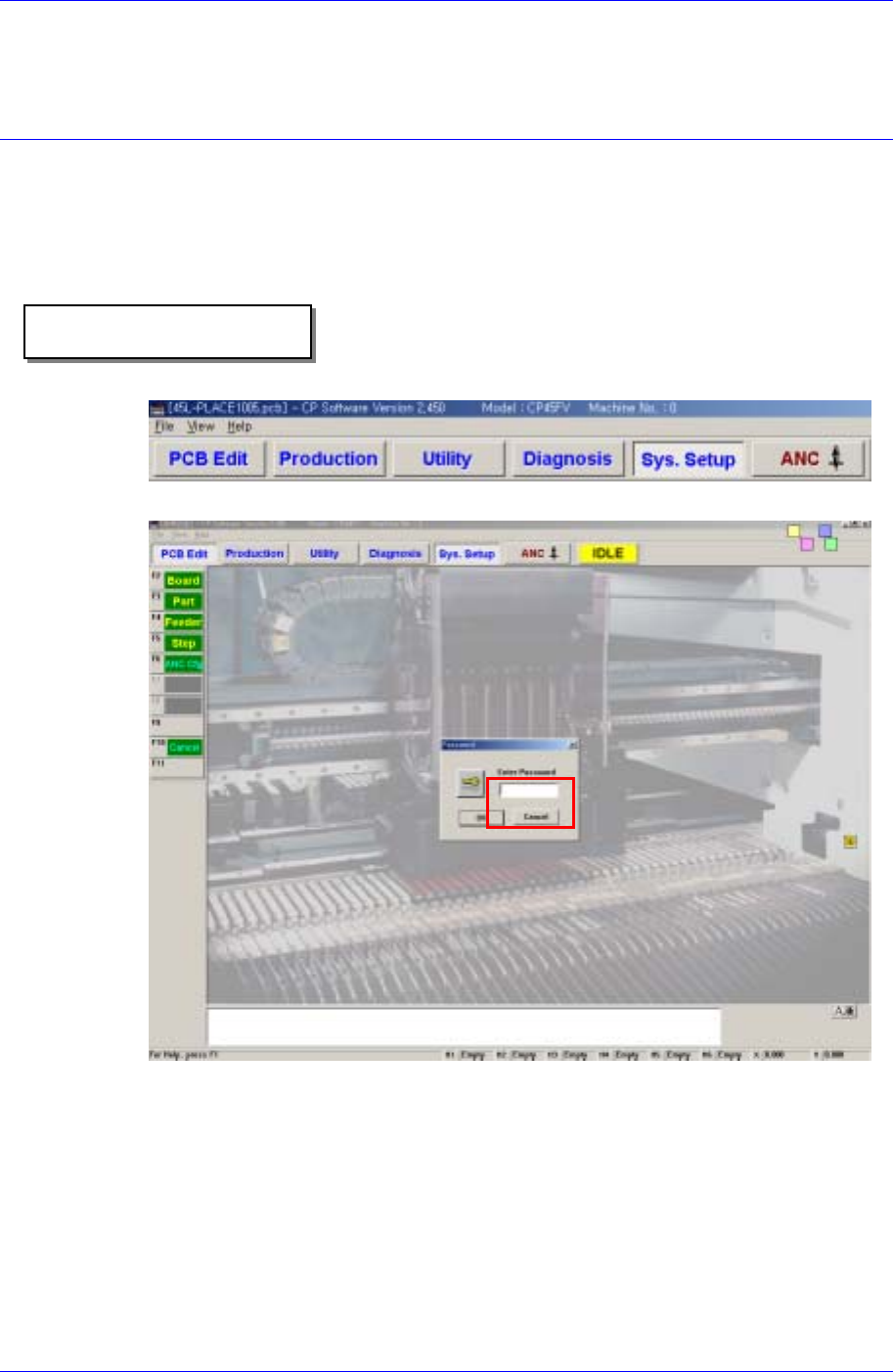
The CP45FV Series machine needs the system administrator password in order to use the
system setup menu of the machine.
Setup the system administrator password in the following manner;
Operational procedure
Selects the System Setup Menu.
Enter the system administrator password in the password window.
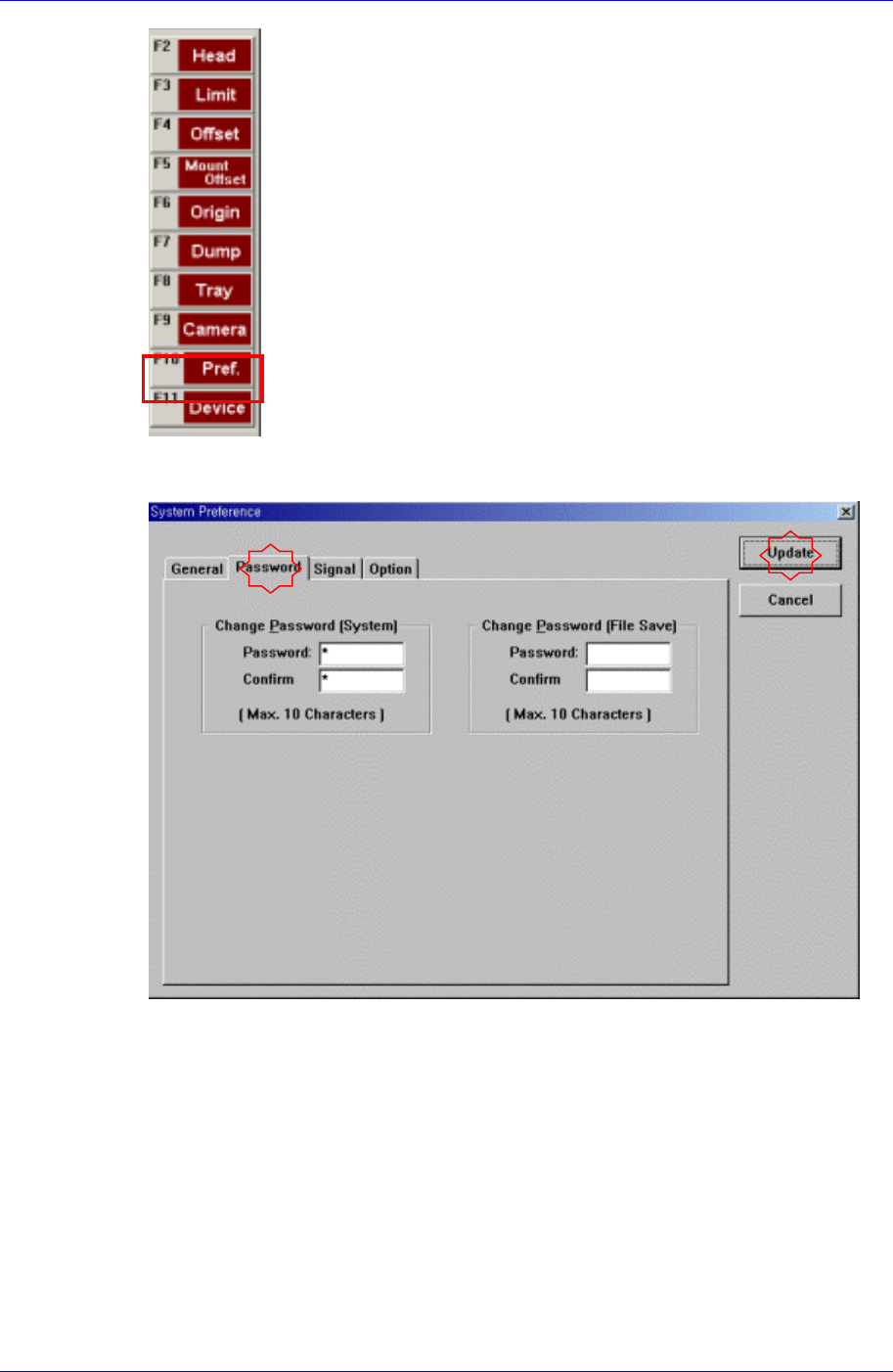
Selects the Pref. [F10] Menu.
Samsung Component Placer CP45FV Series Administrator’s Guide
Select the <Password> tab in the System Preference dialog box to display the
following dialog box.
Enter the password in the <Password> edit box.
Re-enter the password in the <Confirm> edit box in order to confirm the set password.
Then click the <Update> button to reflect the change.
.
1-2