Administrator’s Guide(CP45FV) Eng.pdf - 第235页
Placement T est 14-21 T each the origin point of the Array PCB 1. Pressing the “ Enter ” key after teachi ng will display the following screen. 1 St Pt. 2 nd Pt. T each the origin point of the Array PCB that is at the po…
Samsung Component Placer CP45FV Administrator’s Guide
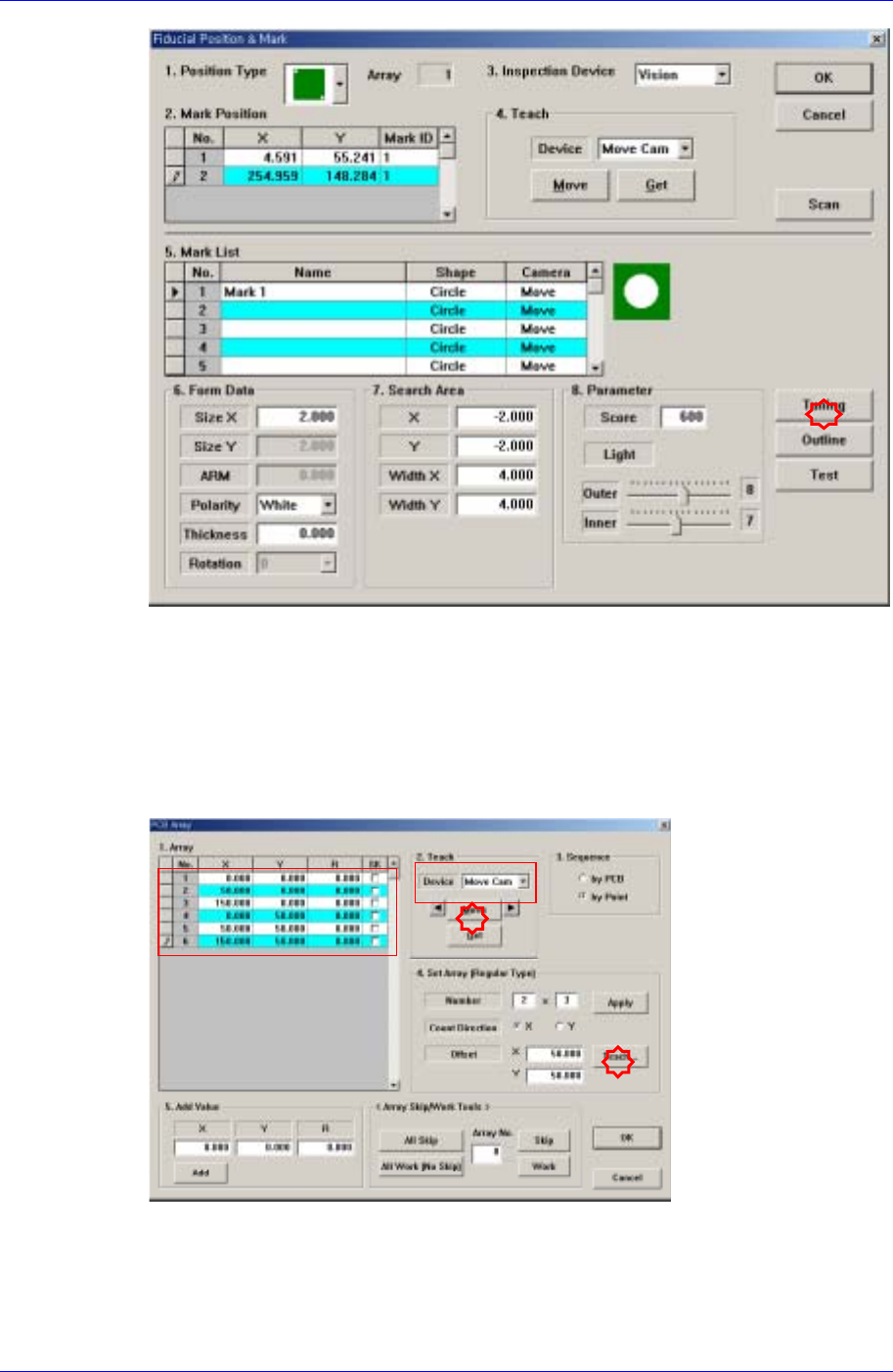
Obtain correct size, center coordinate and accurate tuning of the fiducial mark.
Array Setup Error
Refers to the placement position error that occurred to the components placed on the
specific block in the case of the Array PCB.
An error may occur due to an incorrect array coordinate. Move the “Move Camera”
to the actual Array coordinate and check for the error through the vision monitor,
changing the coordinate if any error is found.
Move and place the machine at the corresponding location using the teaching box.
14-20
Placement Test
14-21
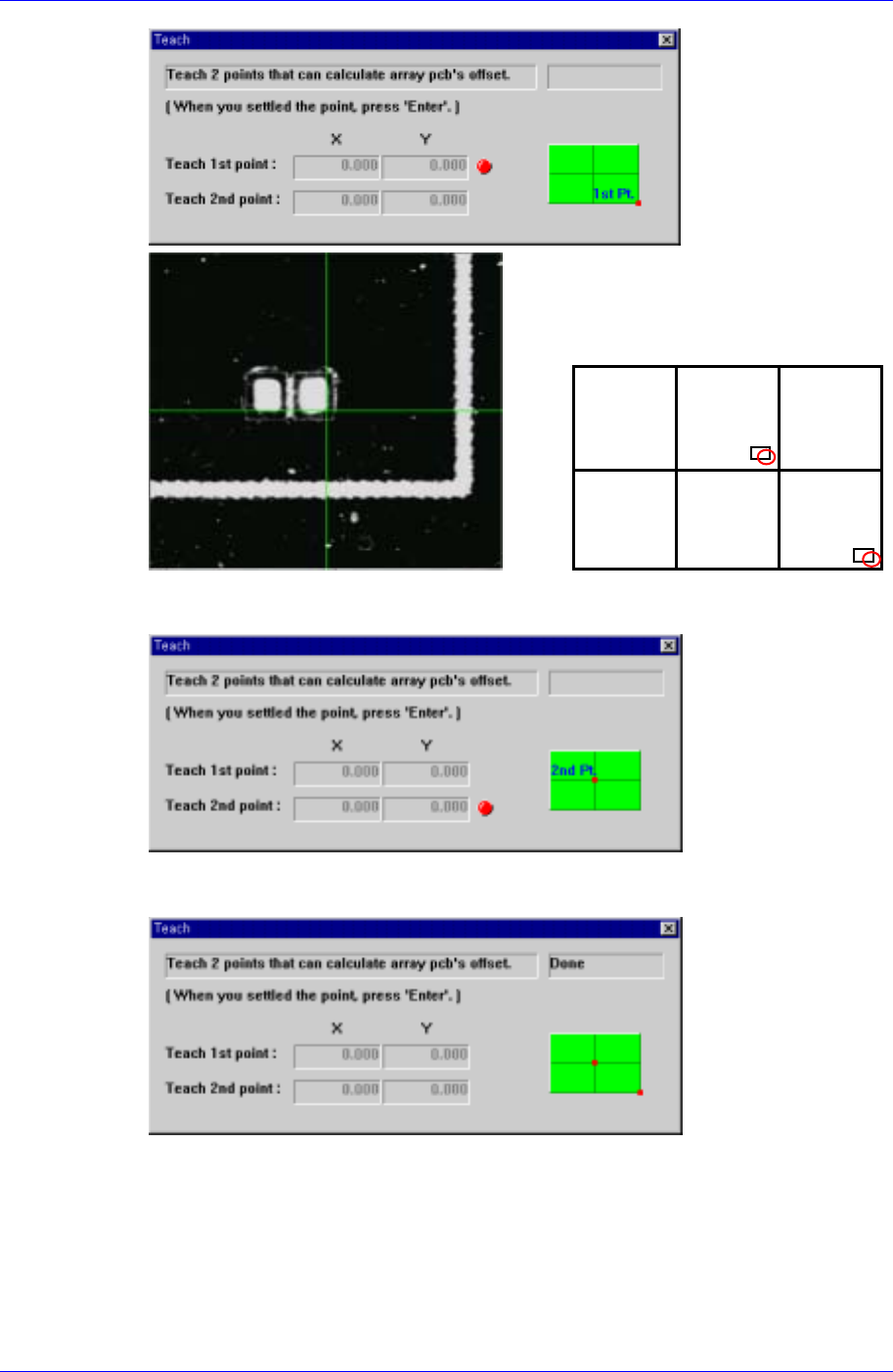
Teach the origin point of the Array PCB 1. Pressing the “Enter” key after teaching will
display the following screen.
1
St
Pt.
2
nd
Pt.
Teach the origin point of the Array PCB that is at the position that can determine the
offset. Pressing the “Enter” key after teaching will display the following screen.
If the “Enter” key is pressed, the teaching of the Array PCB offset is completed.
14.4.4. Placement Error of the Component Placed Using Specific Head
If a placement error occurs only to the component placed using a specific head, it may
have occurred due to a problem with the head.
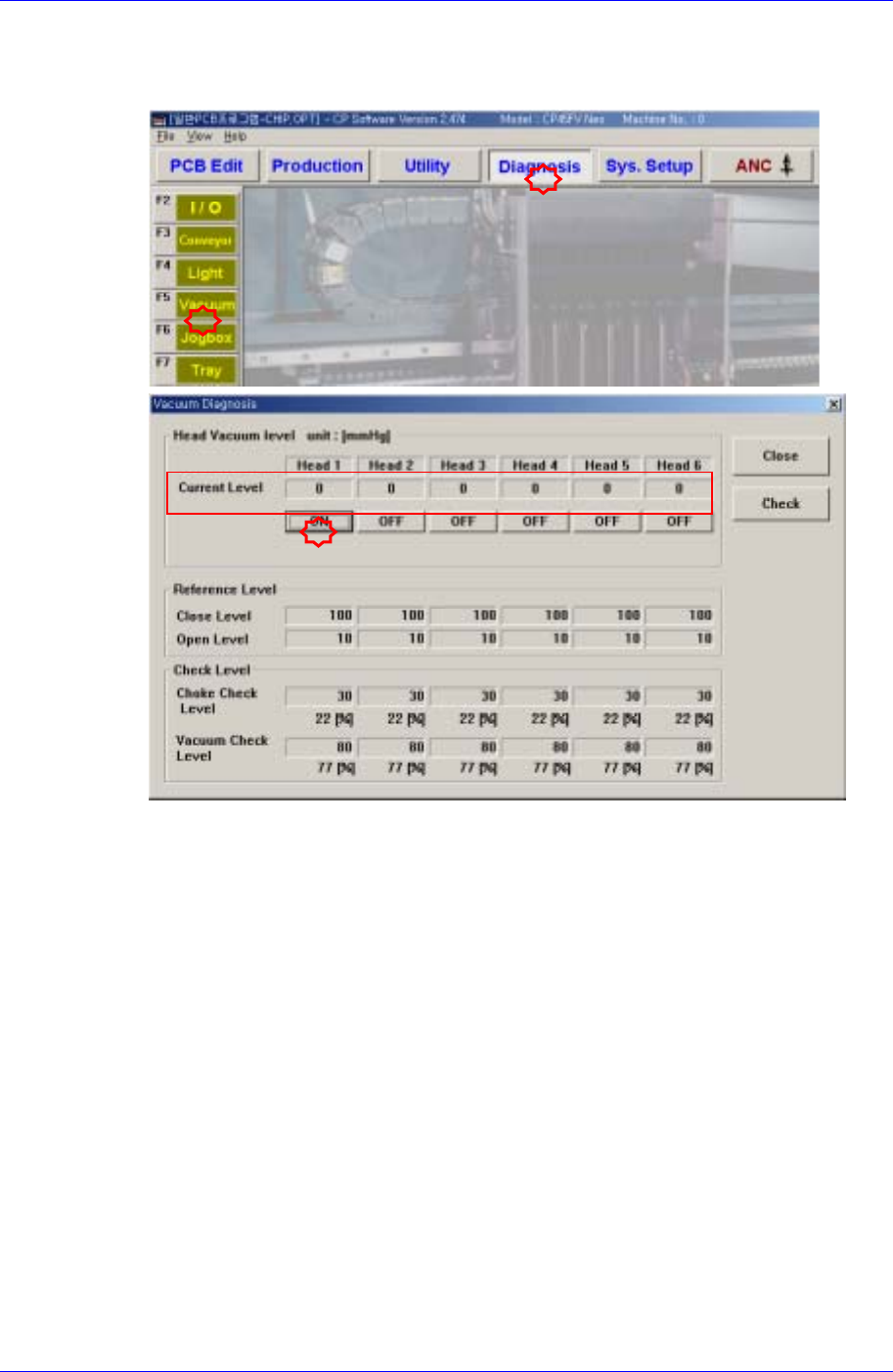
Air blow and vacuum function problem of a specific head
Samsung Component Placer CP45FV Administrator’s Guide
Occurs when placement cannot be performed properly due to an air blow and vacuum
function problem with the specific head. Select the Vacuum submenu of the
Diagnosis menu to check the air blow and vacuum function.
Spindle problem of a specific head
The placement position may be distorted due to mechanical error of the specific head
spindle. In such case if the problem is found to have occurred due to a mechanical
error, the spindle must be replaced.
14-22