Administrator’s Guide(CP45FV) Eng.pdf - 第226页
Samsung Component Placer CP45FV Administrator ’ s Guide Nozzle name Minimum component wi d th Major component types TN-03 0.3 ~ 1.5 0603,1005 Only TN-04 0.5 ~ 1.25 1005, 1608, 2012,3216, SOT(Molded part 0.8 X 1.6) TN-065…
Placement Test
14-11
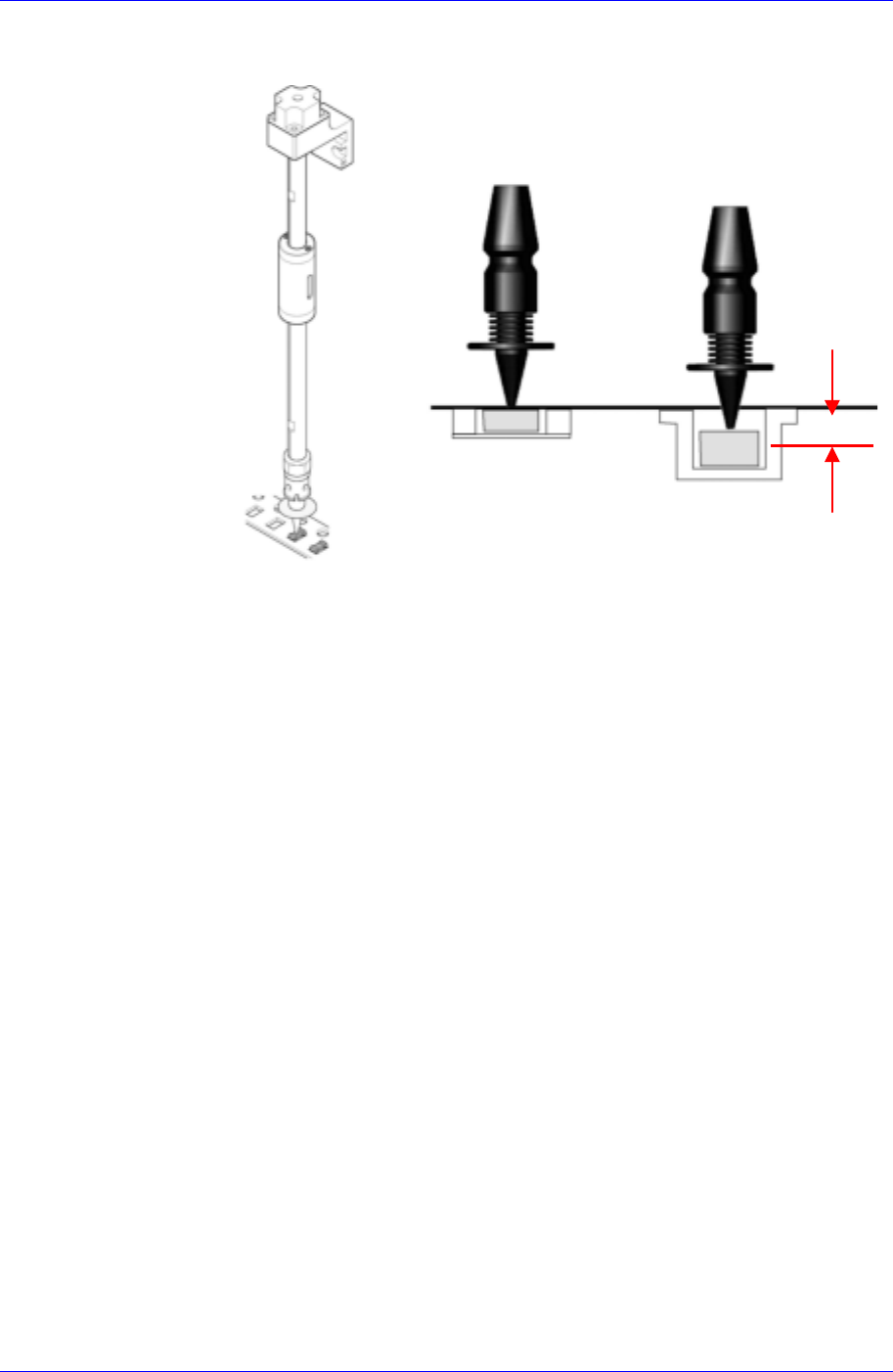
vacuum for component pickup is different from the actual component pickup
height.
Reference
Surface
Z = 0
Paper
Tape
Embossed
Tape
The Z value of the pickup point is applied in various ways according to the types
of tape feeders. In addition, it varies depending on the types of supplied tape. In
the case of the embossed tape, the height must be set lower than that of the paper
tape.
For embossed tape, set the Z value of the pickup point properly referring to the
component tape standards.
Nozzle Defect
Occurs when a standard nozzle is not used or the nozzle is clogged with foreign
matter or a nozzle suitable to the component is not used.
If the standard genuine nozzle is not used, vacuum is not created properly
and the component may not be picked up. Therefore, a standard genuine
nozzle must be used.
When the nozzle is clogged, clean the nozzle referring to the “2.1 Nozzle” of
the Maintenance Reference.
Use only the nozzle suitable to the component referring to the following table.
Samsung Component Placer CP45FV Administrator’s Guide
Nozzle
name
Minimum
component
width
Major component types
TN-03
0.3 ~ 1.5 0603,1005 Only
TN-04
0.5 ~ 1.25 1005, 1608, 2012,3216, SOT(Molded part 0.8 X 1.6)
TN-065
0.8 ~ 2.5 1608, 2012, 3216, MELF(Molded part 1.2 X 2.0), SOT23
TN-14
2.5 ~ 4.0
Aluminum electrolytic capacitor(Small), Tantalum capacitor,
Trimmer
TN-22
4.0 ~ 7.0
Aluminum electrolytic capacitor(Medium), SOP(Narrow), SOJ,
Connector
TN-40
7.0 ~ 10.0
Aluminum electrolytic capacitor(Large), SOP(Wide), TSOP,
QFP, PLCC, SOJ, Connector
TN-75
10.0 ~ QFP(Medium), PLCC(Medium)
TN-110
20.0 ~ QFP(Medium), PLCC(Large)
CN20 Calibration Tool(Nozzle) for Flying Vision
Vacuum Defect
Occurs when the vacuum of the corresponding head is not created normally.
Check if the vacuum of the corresponding head is normal.
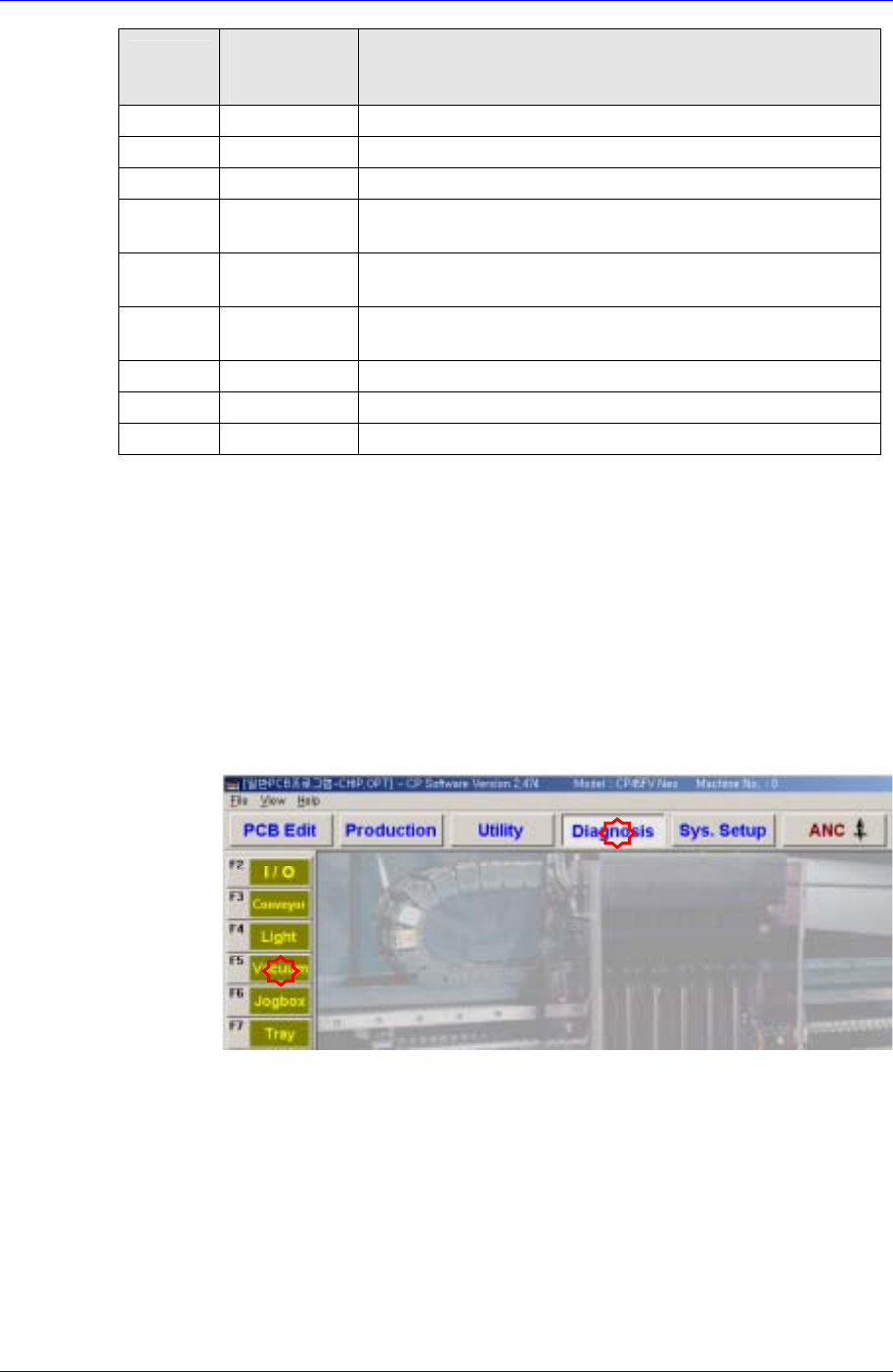
Select the “Diagnosis” menu and then select the submenu of the “Vacuum”
menu at the left of the screen.
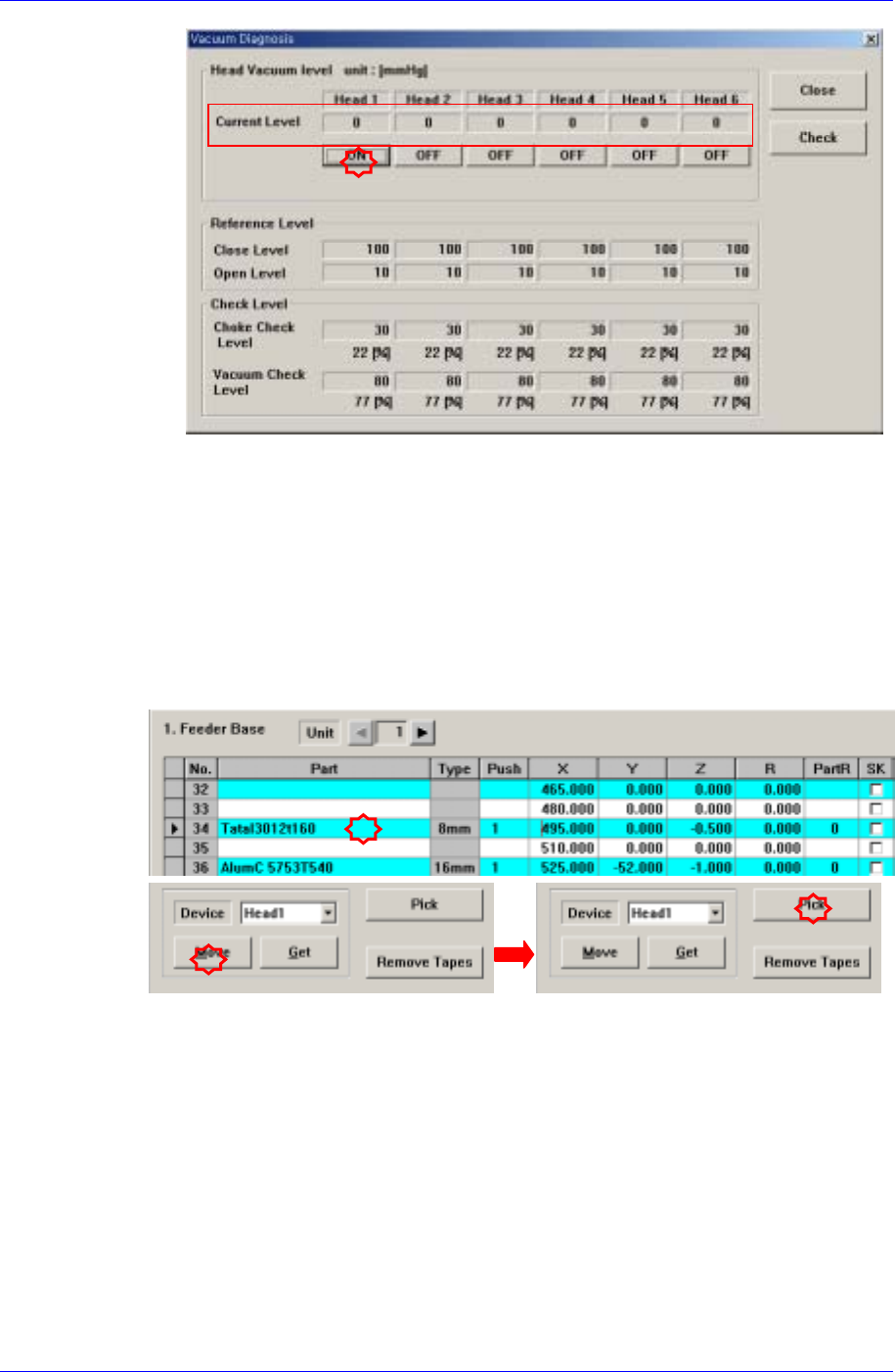
Check if the current vacuum level is higher than 600mmHg by turning on the
vacuum clicking the <ON> button of the corresponding head in the
<Vacuum Diagnosis> dialog box with the nozzle tip covered with a finger.
If the current vacuum level is below 600mmHg, there is a problem with the
vacuum function. Contact our designated CS company (STS) or local agent.
14-12
Placement Test
14-13
14.3.4. Component Recognition Error
Occurs when the component is not recognized through the vision system. Generally, it
occurs when the registered component data or the lighting for component recognition is
inappropriate.
When the component recognition error occurs, stop the work and perform test pickup
for the component to which the error occurred and check the align data.
The following example assumes that an error occurred when the Head 1 picked up the
‘Tantal3012t160’ component fed to the 8mm Tape Feeder mounted on the No. 34 slot.
Select the feeder mounted on the No. 34 slot in the “Feeder” dialog box with the
component mounted on the Head 1.
If the <Move> button is clicked after selecting the Head 1 in the <Device> combo
box, the Head 1 moves to the placement point of the corresponding feeder.
If the <Pick> button is clicked, the following dialog box is displayed. When the <Part
Align> is clicked in the dialog box, the machine will perform component recognition.
If the component is recognized successfully, the following “Vision Status” window is
displayed.