Administrator’s Guide(CP45FV) Eng.pdf - 第260页
Samsung Component Placer CP45FV Administrator ’ s Guide <Head - Fly Offset> button Calibrates the offset of the fly camera. T o perform this procedure, arrange the calibration nozzle on the ANC1 pocket. Here, mea…
Machine Calibration
15-21
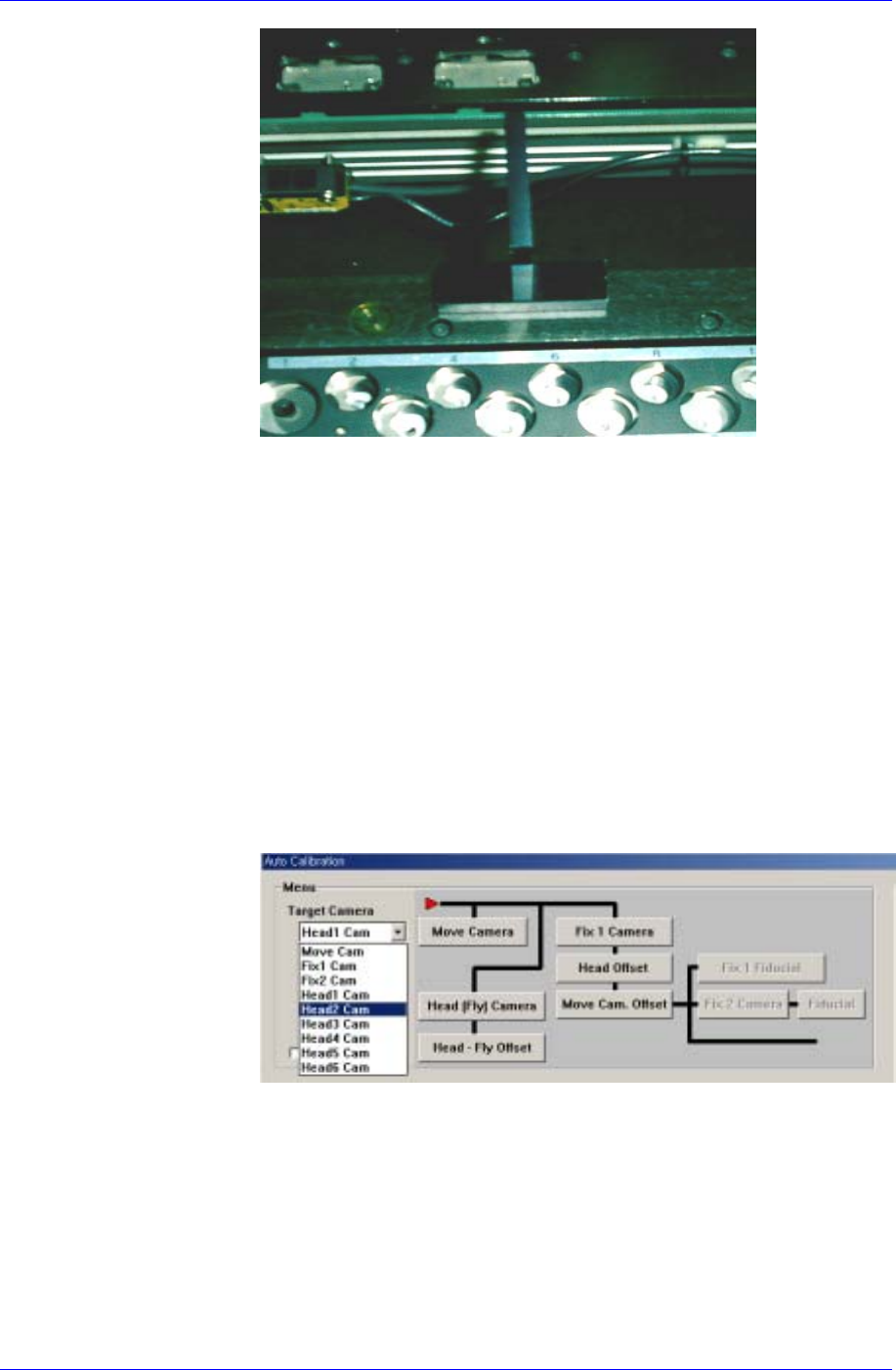
Install the calibration tool so that it is aligned with the inner surface.
Install it perpendicular to the conveyor.
9. Move the X and Y axes slowly using the teaching box to adjust the
installed calibration tool so that it can be seen through No. 1 Fly Camera
(Head1 Cam).
10. If the message, “Adjust between vision screen center to mark center” is
displayed, align the center of the black circle on the calibration tool with
the cross hair center of the vision screen facing the left vision monitor
screen. Then click the <Next> button.
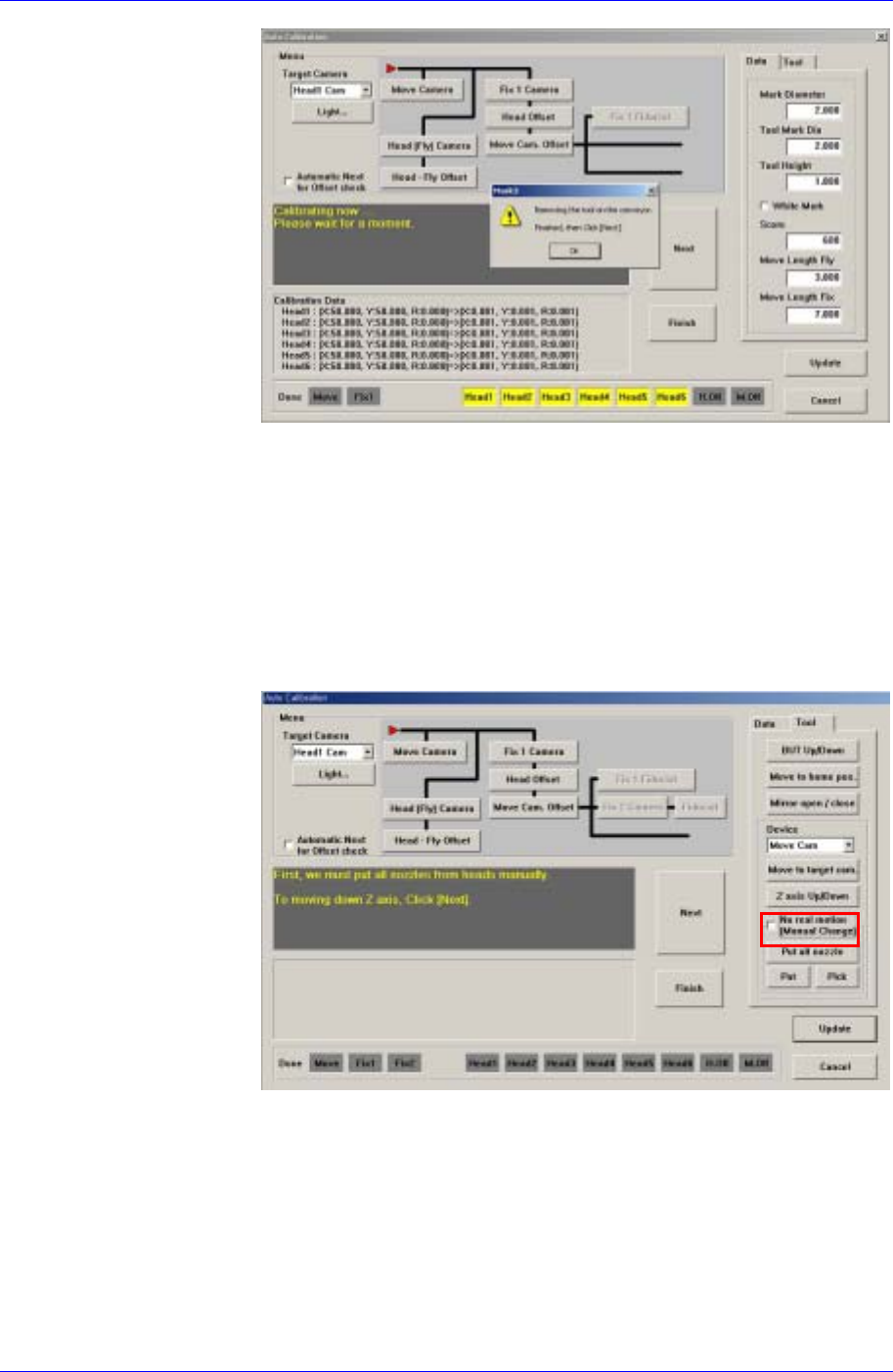
11. At this time, calibration is performed with X and Y axes moving. If this
procedure is completed normally, the calibration procedure for the Fly
Camera of the Head2 is performed automatically.
12. Select the calibration camera in the <Target Camera> combo box and
perform calibration of the Fly Camera of the heads up to Head6 in the
same manner.
13. If the message, “Removing the tool on the conveyor finished, then click
[Next]” is displayed, remove the calibration tool installed on the
conveyor and click the <Next> button.
If the calibration tool is not removed, it may collide with the mirror
when the mirror is closed.
Samsung Component Placer CP45FV Administrator’s Guide
<Head - Fly Offset> button
Calibrates the offset of the fly camera. To perform this procedure, arrange the
calibration nozzle on the ANC1 pocket.
Here, measure the offset from the nozzle center to the center of the
component to be recognized.
The Fly Camera offset calibration procedure is as follows;
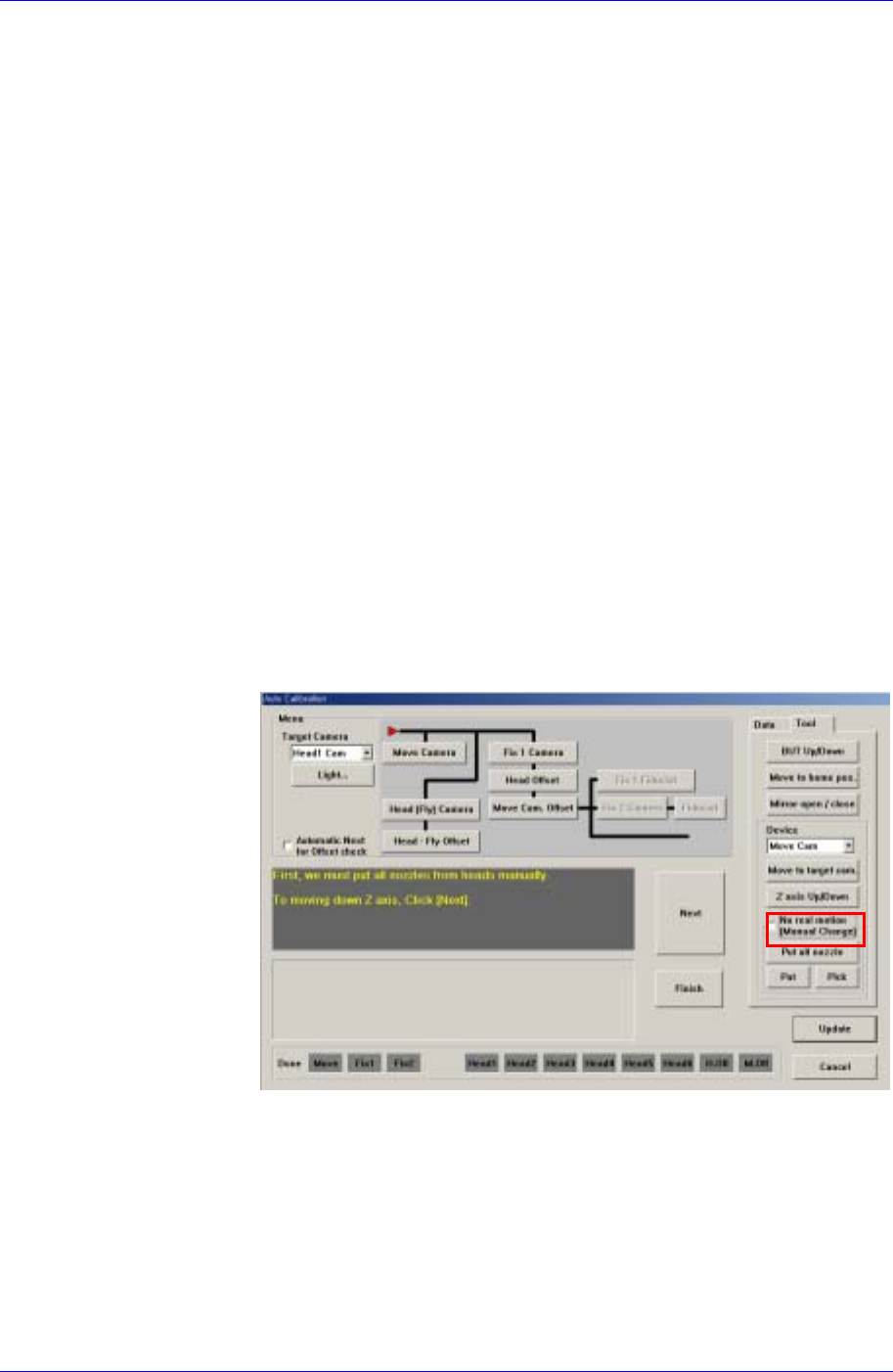
1. Do not select the <No Real Motion [Manual]> check box as shown in
the following figure, or the nozzle will have to be mounted on or
removed from the head manually.
2. If there is a nozzle on the head, click the <Put> button in the ANC dialog
box and place the nozzle on the pocket.
3. Click the <Head-Fly Offset> button in the menu group of the Auto
Calibration dialog box.
4. If the message, “First, we must put all nozzles from heads manually. To
moving down Z axis, Click [Next].” is displayed, click the <Next>
button.
15-22
Machine Calibration
15-23
5. If the message, “Get tool from ANC to Head1. To Get it, Click [Next]”
is displayed, click the <Next> button. Then the calibration nozzle is
mounted on the head while the Z-axis is moving down.
6. If the message, “Up to align height and mirror close. To move, click
[Next]” is displayed, click the <Next> button. Then the Z-axis of the
head is moved to the calibration position, closing the mirror.
7. If the message, “Calibration is prepared. To Calibrate, Click [Next].” is
displayed, click the <Next> button. Then the calibration is performed.
8. When the calibration is completed, the calibration value is displayed.
9. Perform the calibration for the other heads from Head2 to Head6 in the
same manner.
10. When the above procedure is completed, click the <Update> button to
apply the changed value.
<Fix 1 Camera> button
Calibrates the fix camera. To perform this procedure, arrange the calibration
nozzle on the ANC 1 pocket.
The fix camera calibration procedure is as follows;
1. Click the <Calibration> button in the Camera Setting dialog box.
2. Display the Auto Calibration dialog box and click the <Fix Camera>
button in the <Menu> group.
3. Do not select the <No Real Motion [Manual]> check box as shown in
the following figure, or the nozzle will have to be mounted on or
removed from the head manually.
4. If there is a nozzle on the head, click the <Put> button in the ANC dialog
box and place the nozzle on the pocket.
5. If the message, “First, we must put all nozzles from heads manually. To
moving down Z axis, Click [Next].” is displayed, click the <Next>
button.
6. If the message, “Get tool from ANC to Head1. To get it Click [Next]” is
displayed, click the <Next> button. Then the calibration nozzle is
mounted on the head while the Z-axis is moving down.