Administrator’s Guide(CP45FV) Eng.pdf - 第54页
Samsung Component Placer CP45FV Series Administrator ’ s Guide Edge Fixer: A method of arrangement by pushing the PCB from the side with a device attached to the conveyor. Edge Fixer2: It is the same as the “ Edge Fixer …
View Menu
4-3
<Get> button
Gets the coordinates of the current motor-axis and displays it in the <Position> group.
<Home> button
Moves the axis to the Home position
4.1.2. Conveyor Dialog Box
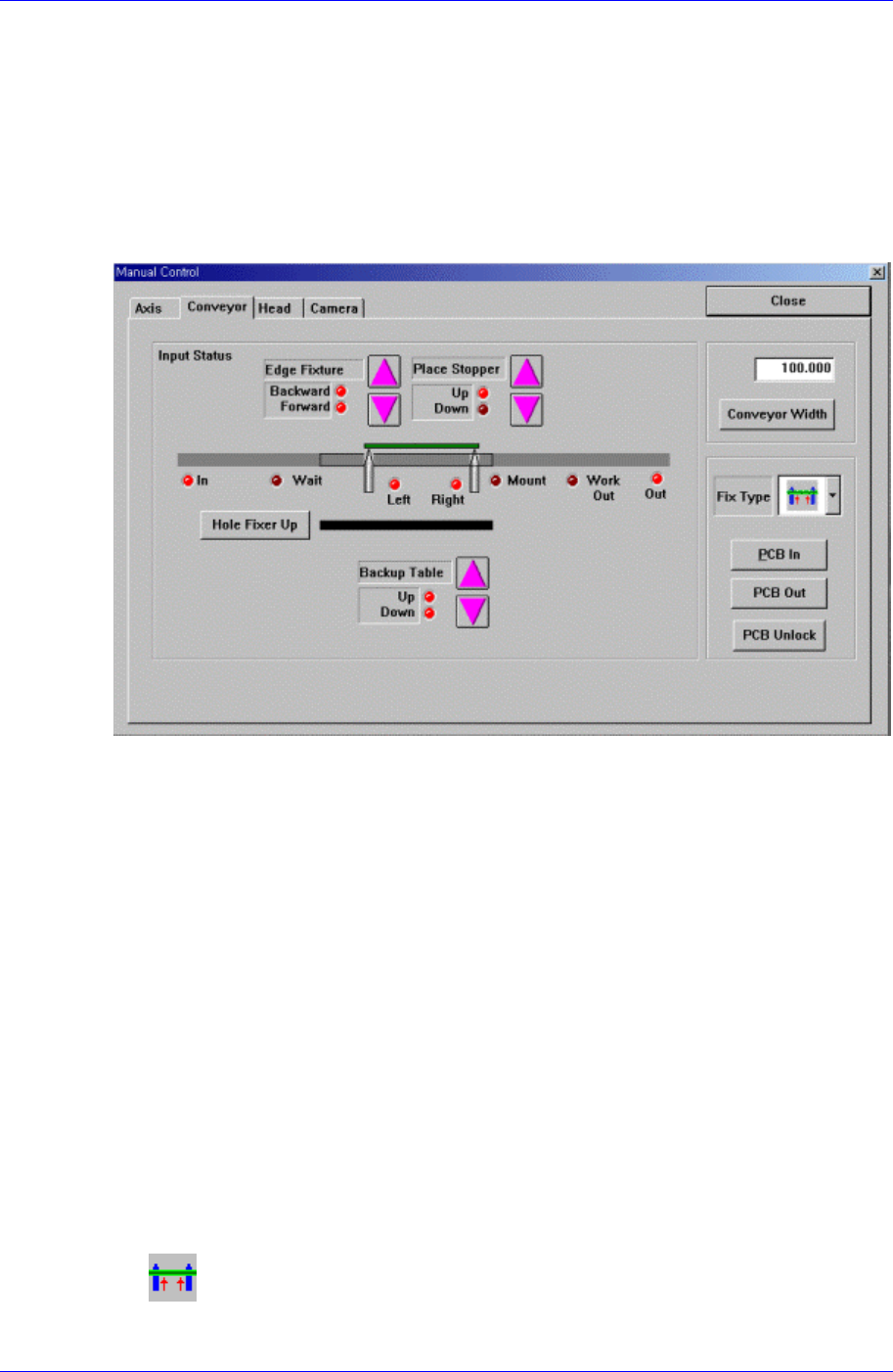
Operates the conveyor and the devices attached to the conveyor.
Figure 4-3. “Manual Tools – Conveyor” dialog box
<Edge Fixture> button
Moves backward or forward the edge fixer.
<Place Stopper> button
Moves up or down the place stopper.
<Backup Table> button
Moves up or down the backup table.
<Hole Fixer Up> button
Moves up the hole fixer.
<Conveyor Width> edit box
Enter the conveyor width.
<Conveyor Width> button
Automatically adjusts the conveyor width to the value entered in the <Conveyor
Width> edit box.
<Fix Type> combo box
Select the PCB arrangement method.
Hole Fixer: A method of arrangement by inserting pins in the holes of the
PCB.
Samsung Component Placer CP45FV Series Administrator’s Guide
Edge Fixer: A method of arrangement by pushing the PCB from the side with
a device attached to the conveyor.
Edge Fixer2: It is the same as the “Edge Fixer” method, but it is a method of
arrangement by pushing twice from the side.
<PCB In> button
Loads the PCB in the work area. Before executing this function, the PCB
arrangement method must be set in <Fix Type>.
<PCB Unlock> button
Releases the PCB fixed in the work area.
<PCB Out> button
Releases the PCB in the operation area to the next machine.
4.1.3. Head block Dialog Box
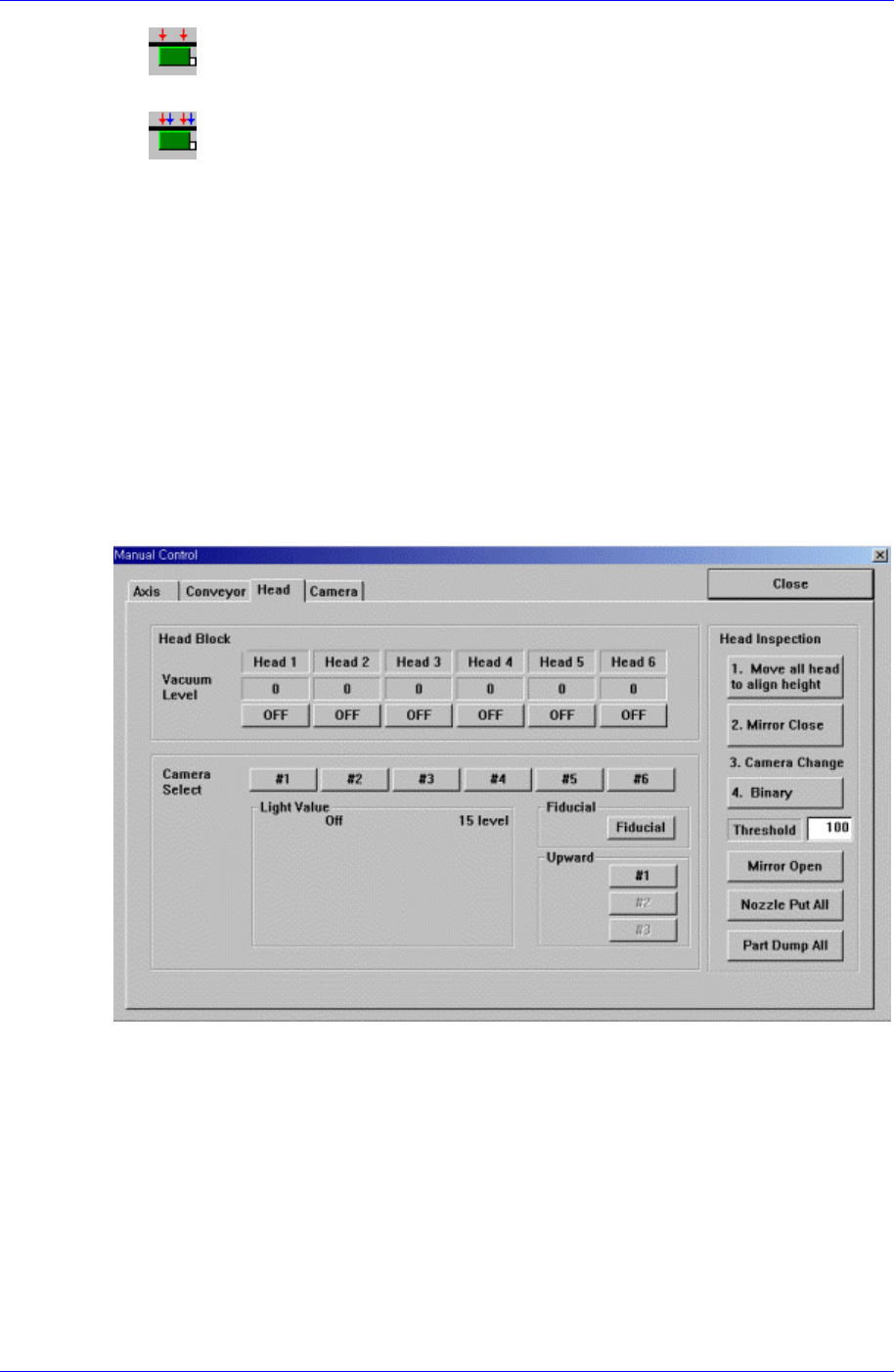
Used to turn on/off the air pressure of each head, set the light value of each camera,
open/close the mirror of the head block, and put all nozzles.
Figure 4-4. “Manual Tools – Head block” dialog box
<Vacuum level> group
Turns on/off the air pressure of each head.
<Camera Select> group
Sets the light value of the fiducial camera, fly camera, and upward camera.
<Head Inspection> group
<Move all head to align height> button
Moves the Z axis of the head to the Align height to test the head.
<Mirror Close> button
4-4
View Menu
4-5
Closes the Mirror.
<Mirror Open> button
Opens the Mirror.
<Real Display/Binary> button
Displays the actual image and the processed image (binary) on the vision screen.
<Nozzle Put All> button
Puts all Nozzles.
<Part Dump All> button
Dumps all picked parts.
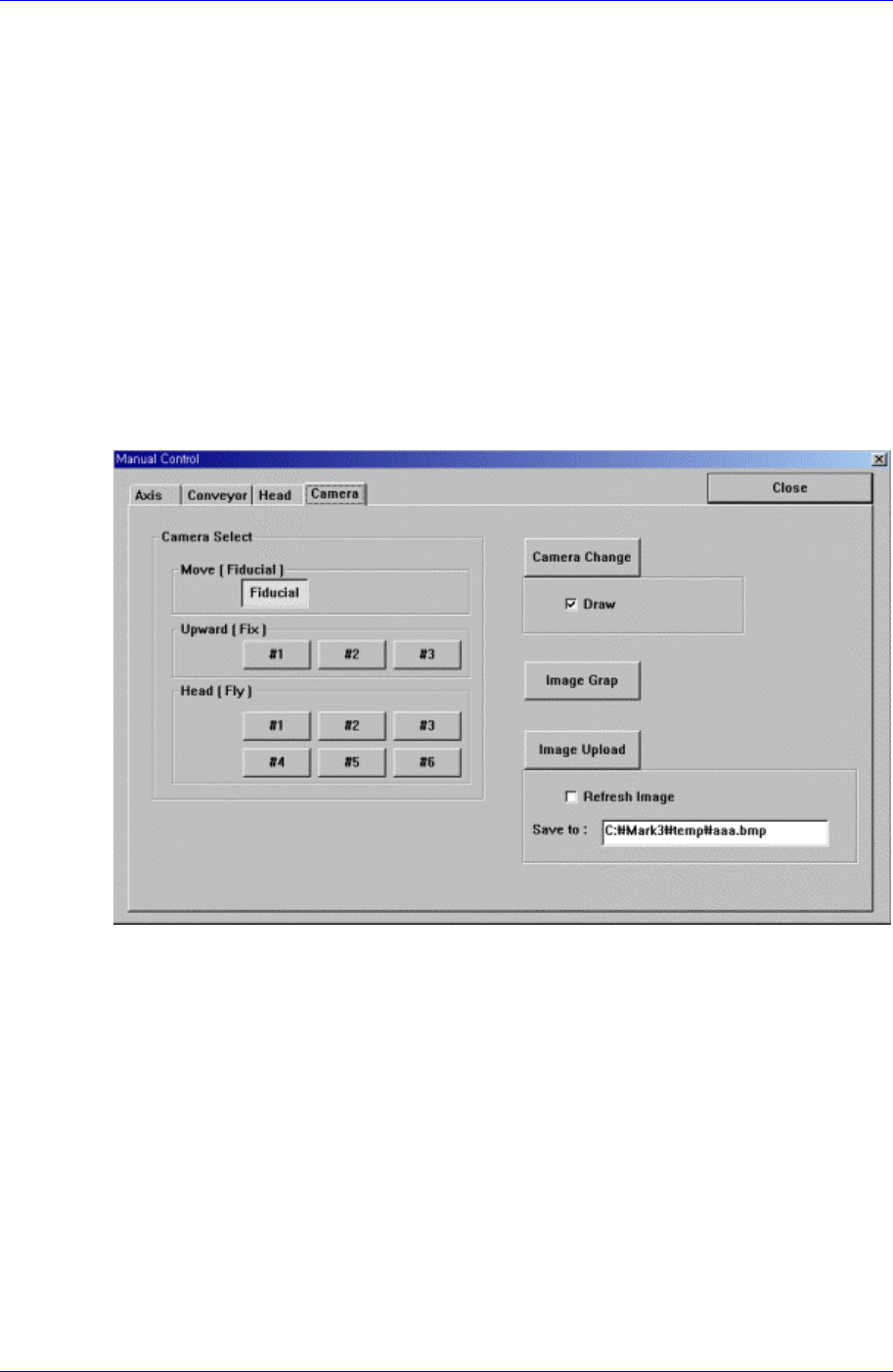
4.1.4. Camera Dialog Box
It tests the status of each camera through the vision monitor according to the image grab
and lighting
Figure 4-5. “Manual Tools – Camera” dialog
4.2. Current Position
<Position Window> command displays the current position of each axis and the name of
the nozzle installed on the head in real time. When this command is selected, the
following window is displayed on the MMI main screen.