Administrator’s Guide(CP45FV) Eng.pdf - 第149页
Feeder Setup 8-17 As shown in the following figure, input the coordinates of the center point of any one pocket in the X direction, the coordinates of the two corners in the diagonal position of the second pocket and the…
Samsung Component Placer CP45FV Series Administrator’s Guide
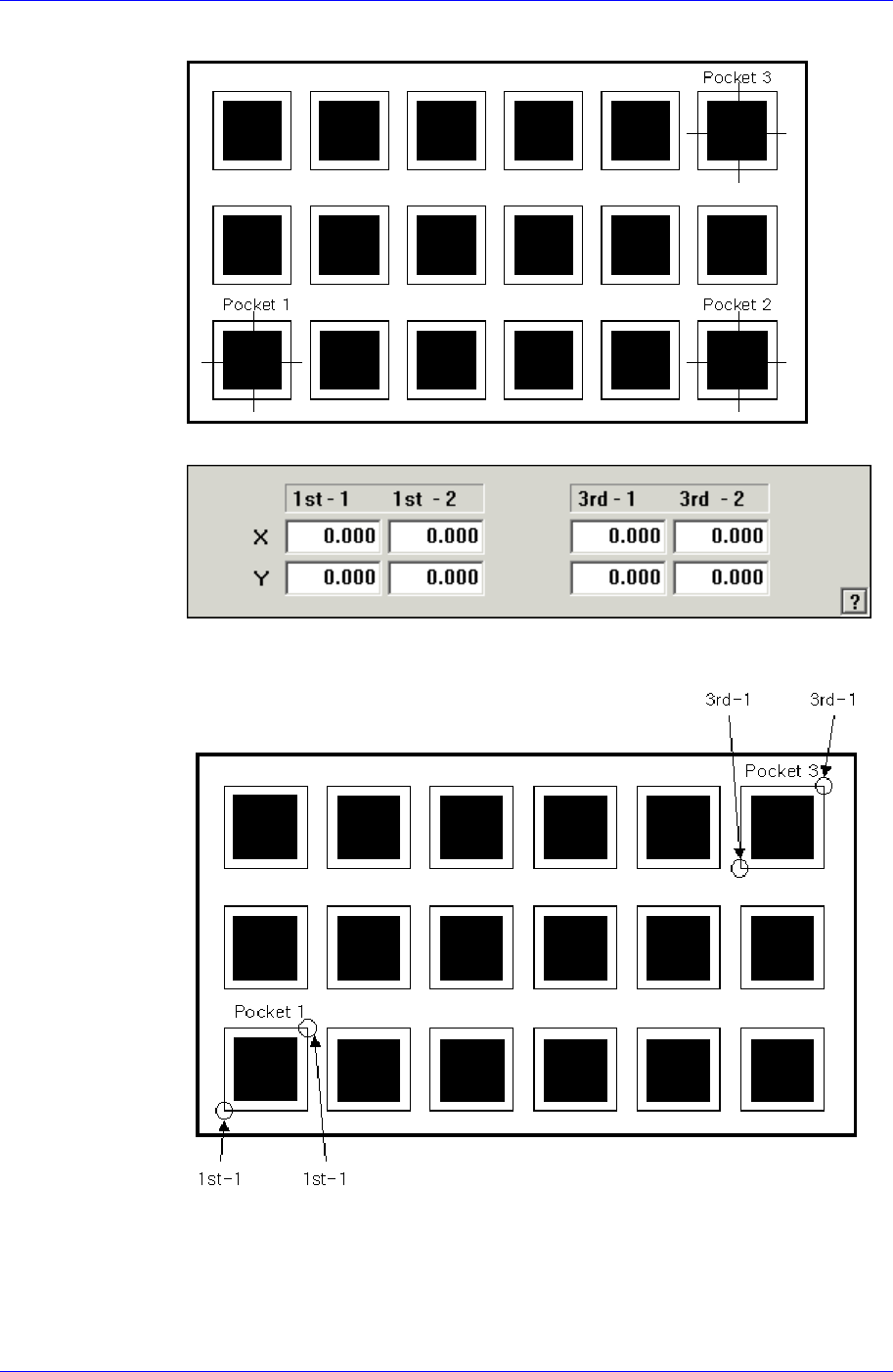
pocket No’s. 1, 2 and 3.
<2Pocket Diagonal>
As per the following figure, input two corner points of pocket No’s. 1, 2 and 3
that face each other diagonally.
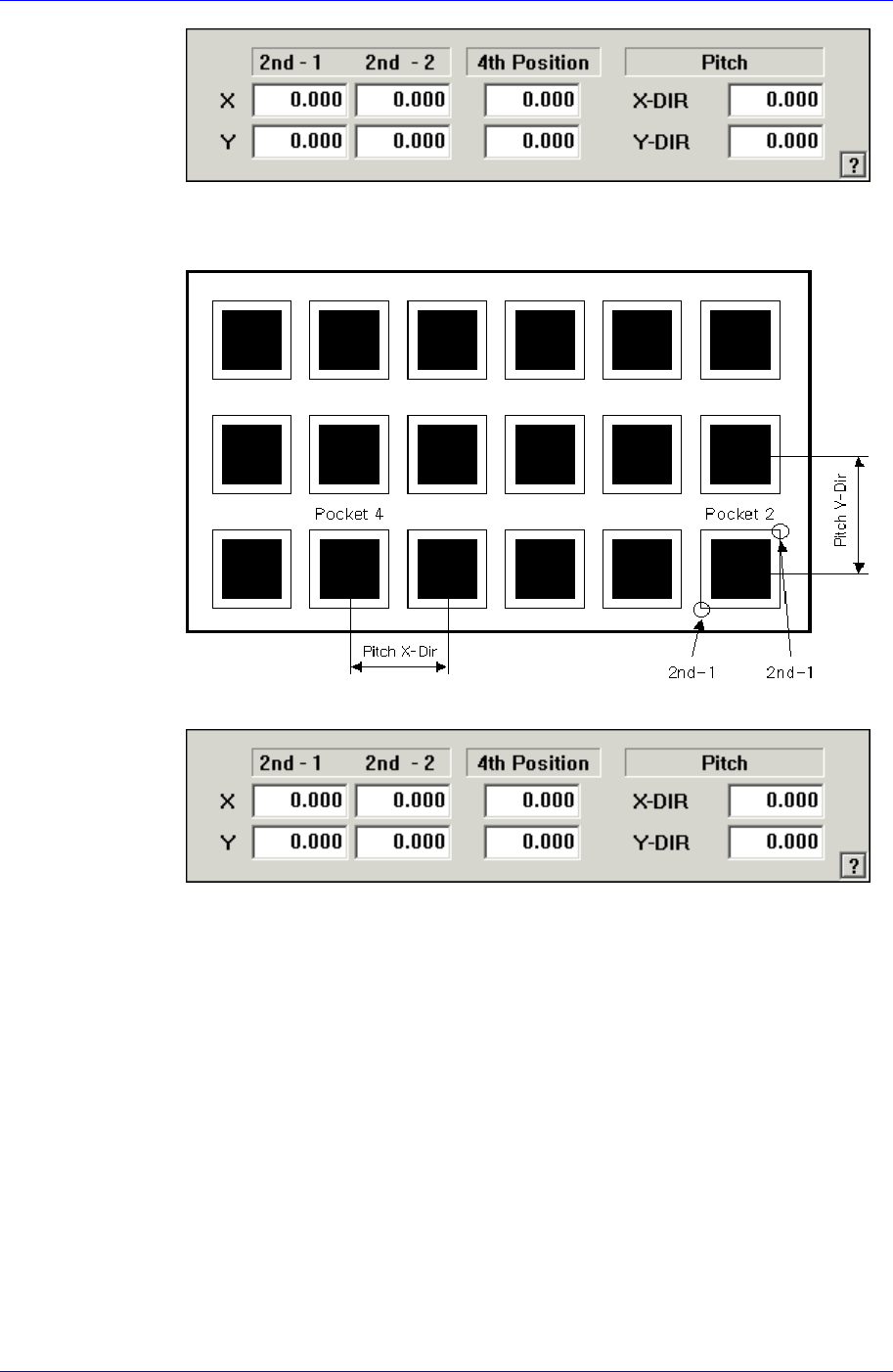
<2Pocket X-Axis>
8-16
Feeder Setup
8-17
As shown in the following figure, input the coordinates of the center point of any
one pocket in the X direction, the coordinates of the two corners in the diagonal
position of the second pocket and the pocket pitch in the X and Y directions.
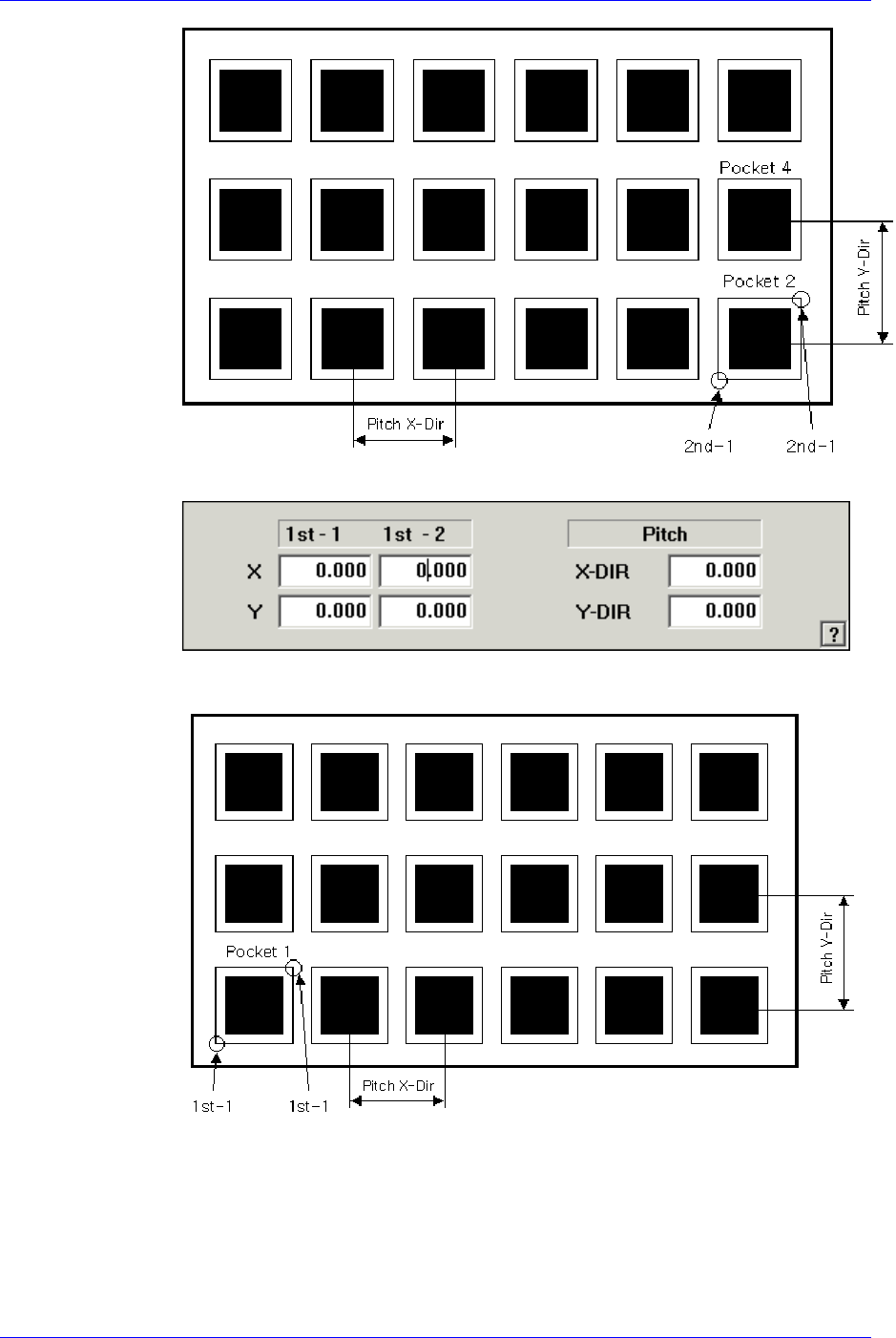
<2Pocket Y-Axis>
As shown in the following figure, input the coordinates of the center point of any
one pocket in the Y direction, the coordinates of the two corners in the diagonal
position of the second pocket and the pocket pitch in the X and Y directions.
Samsung Component Placer CP45FV Series Administrator’s Guide
<1Pocket>
As shown in the following figure, input the coordinates of the center point of
pocket No. 1 and the pocket pitch in the X and Y directions.
<JEDEC>
8-18