Administrator’s Guide(CP45FV) Eng.pdf - 第188页
在线预览 Administrator’s Guide(CP45FV) Eng.pdf PDF 文档。

Production Setup
11-9
<Stop> Time
Displays the time in the stopping status from power supply to the present
moment.
<The Rate of Operation> percentage
Displays the placement time as a percentage of running time.
<Product Information> group
Displays the production a.
<Bad Mark Skipped PCB Count>
Displays the total number of PCBs skipped because of bad mark indication.
<PCB In Count used for In-Line>
Displays the total number of PCBs loaded on the machine.
<Fiducial Skip Count>
Displays the total number of PCBs for which the fiducial mark inspection have
been skipped.
<Part Count>
Displays the total number of components placed.
ANC Menu
Chapter 12. ANC Menu
12-1
The ANC menu performs functions related to ANC setting including the arrangement of
nozzles on the ANC(Auto Nozzle Changer), nozzle pickups, and attachment. When this
button is clicked on, the following dialog box is displayed.
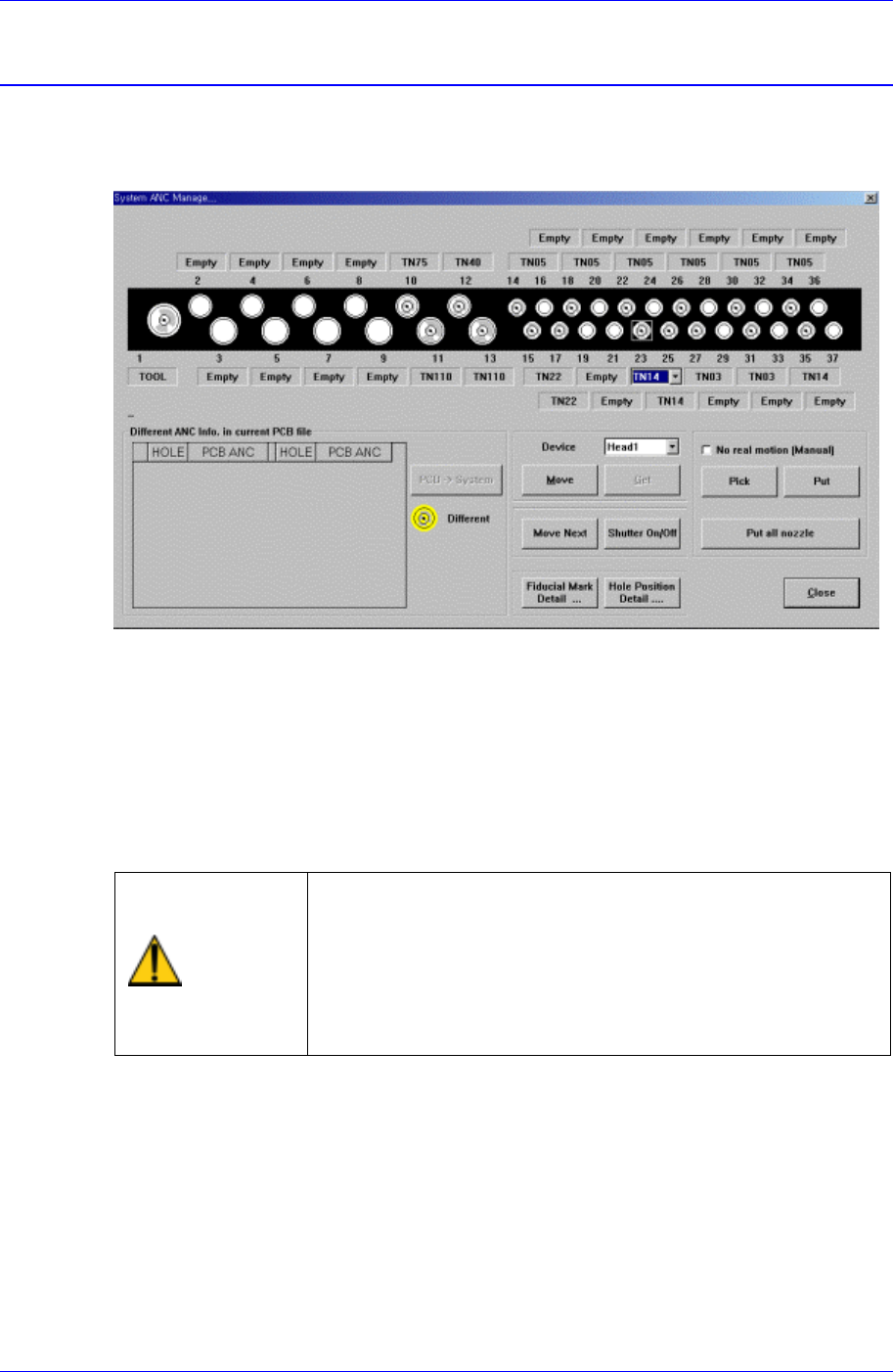
Figure 12-1. “ANC Setting…” dialog box
<Select> option button
Select the ANC number to set.
<Different ANC Info.In Current PCB file> list box
Shows the difference between the ANC setting of the currently loaded PCB file and
the ANC setting of the currently working machine system. To change the system
setting to the PCB file setting, click on the <PCB->System> button on the right and
change the nozzles in other holes with different settings to fit the setting.
Warning
When the nozzle is needed to arrange manually, Open the
ANC shutter using <Shutter On/Off> button and after
pushing the <EMG> switch in the front operation panel or
in the rear operation panel, arrange the nozzle manually.
And release the <EMG> switch and push the <Reset>
switch. If this procedure is not followed, personal injury
could occur. Be sure to follow this procedure.
<Device> combo box
To move or to read in the position of the XY axis, select the corresponding device.
Available devices are as follows.
Move Cam: Selects Teaching Camera.
Head1: Selects Head1.
Head2: Selects Head2.
Head3: Selects Head3.
Head4: Selects Head4.