Administrator’s Guide(CP45FV) Eng.pdf - 第222页
Samsung Component Placer CP45FV Administrator ’ s Guide 14.3.3. Component Pickup Error This refers to the error occurred while th e component is picked up from the feeder . Causes of the component pickup error includes c…
Placement Test
14-7
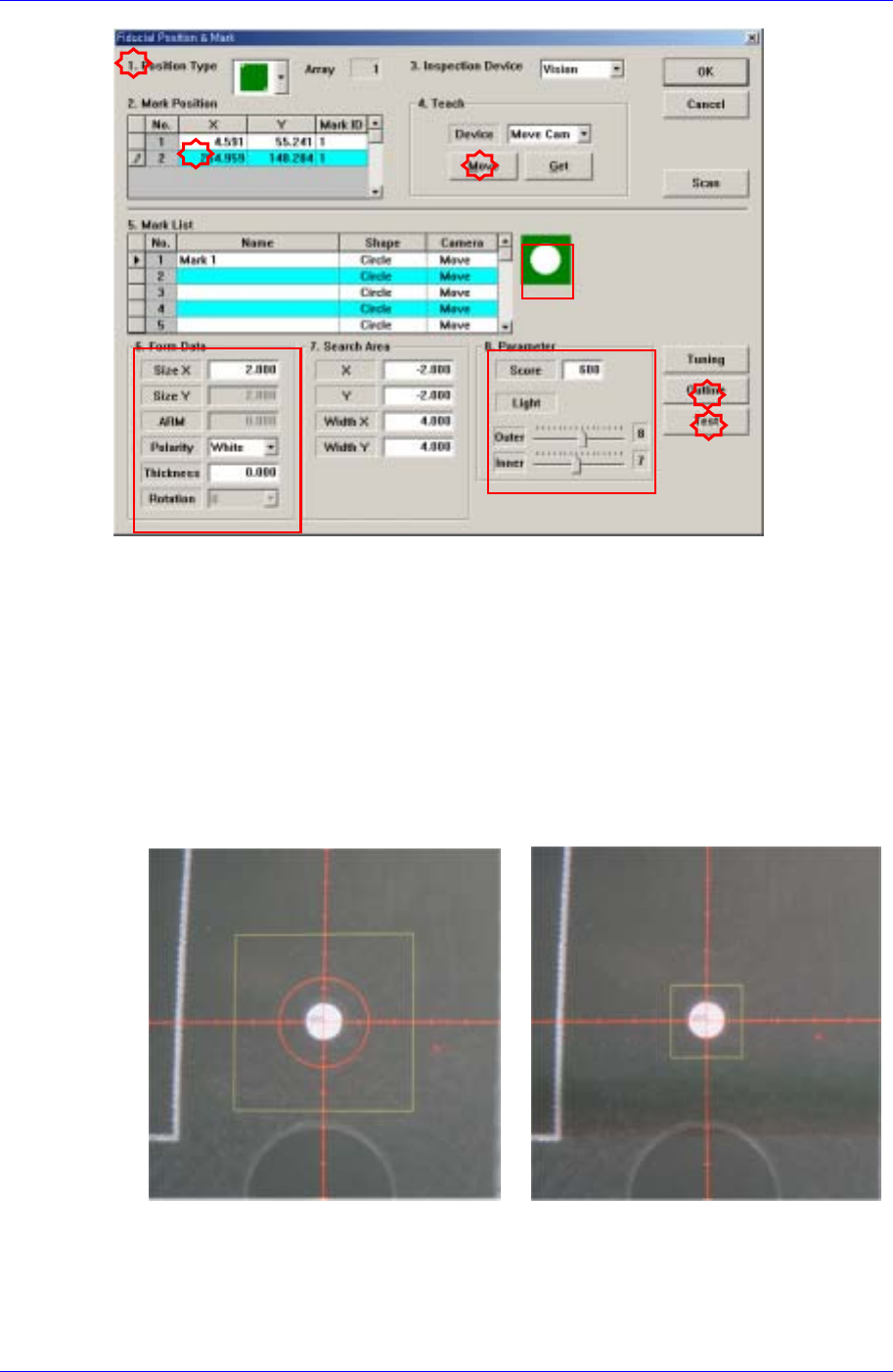
Check if the position type selected from the <1. Position Type> is identical to that of
the fiducial mark on the PCB, and also check if the shapes of the fiducial marks are
identical.
Select the coordinate of the position of the fiducial mark in the <2. Mark Position>
group and click the <Move> button in the <4. Teach> group to check the shape of the
fiducial mark selected through the vision monitor.
If the fiducial mark is not seen clearly, adjust the brightness of the lighting in the <8.
Parameter> group to make it clearer.
Click the <Outline> button to ensure that the shapes of the set fiducial mark and
actual fiducial mark are identical. If not, adjust the data in the <6. Form Data> to
make them identical.
<Outline and Fiducial Mark not Identical> <Outline and Fiducial Mark Identical>
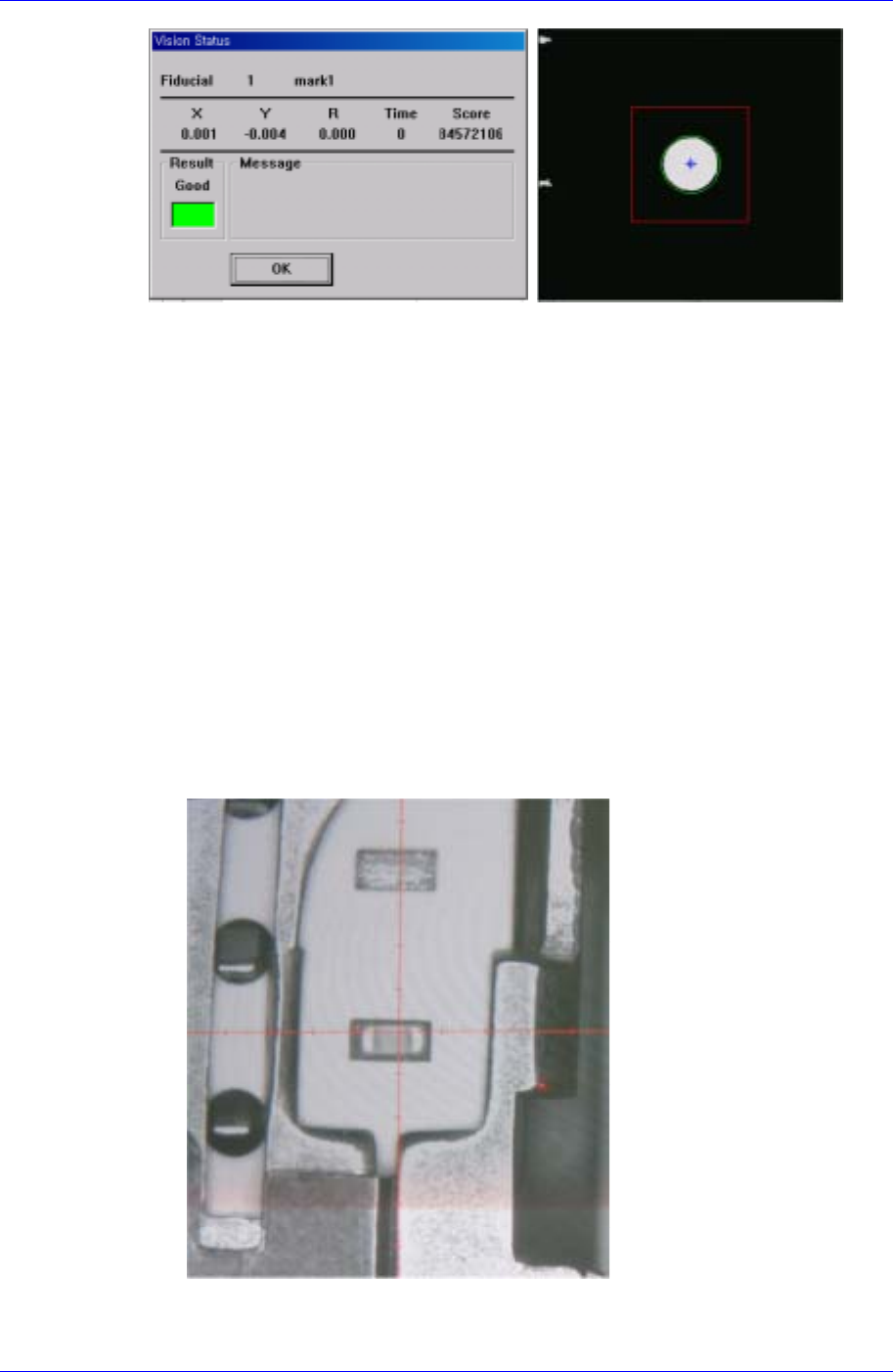
Lastly, click the <Test> button to perform the fiducial mark recognition test.
By using the registered mark information, finds the exact size of the mark.
Samsung Component Placer CP45FV Administrator’s Guide
14.3.3. Component Pickup Error
This refers to the error occurred while the component is picked up from the feeder.
Causes of the component pickup error includes component feed defect, pickup point error,
nozzle defect and vacuum defect.
Component feed defect
Occurs when there is no component in the feeder or when the components are not fed
smoothly due to the defective operation of the feeder. Check the feeder by performing
component feeding several times. If there is any problem, replace it with another
feeder.
Pickup Position Error
Occurs when the coordinate of the pickup position is out of the component pickup
area as in the following cases: 1) The X and Y coordinates of the pickup position are
out of the area where the component can be picked up; 2) The component pickup
height is different from the position of the actual component pickup height.
When X and Y coordinates of the pickup position are out of the area where the
component can be picked up
The above figure shows that the X and Y coordinates of the pickup position are
out of the area where the component can be picked up.
14-8
Placement Test
14-9
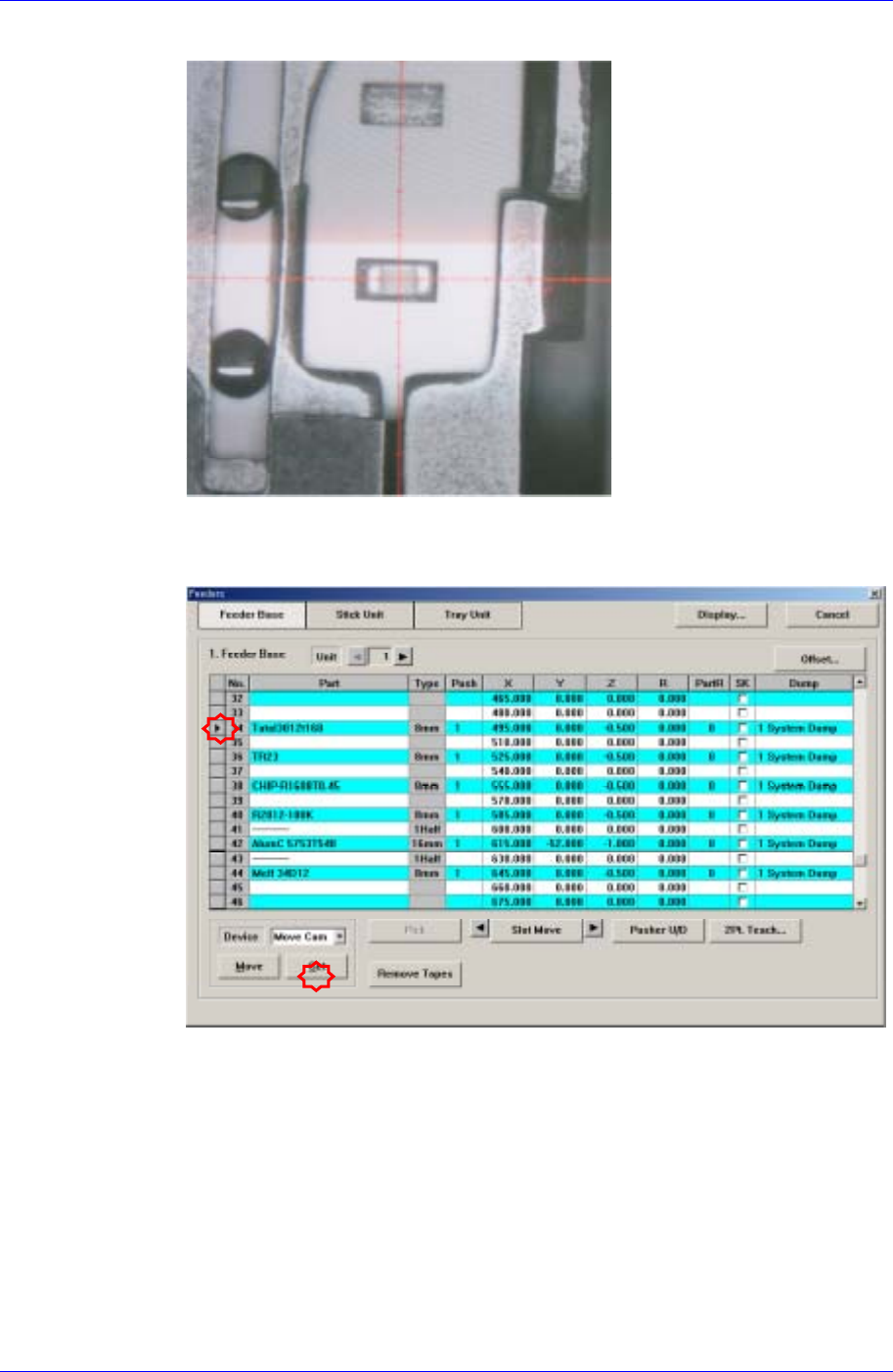
After correcting the X and Y coordinates using the teaching box, select the feeder
to be corrected from the following dialog box and then click the <Get> button to
reflect the changed coordinates.