Administrator’s Guide(CP45FV) Eng.pdf - 第231页
Placement T est 14-17 Please refer to “ Figur e 7-6 (Page 7-6) " . 14.4. Position Correction After the placement test, any error related to the placement position shall be solved through position calibration. 14.4.1…
Samsung Component Placer CP45FV Administrator’s Guide
If the standard genuine nozzle is not used, vacuum is not created properly so that
the component may not be picked up. Therefore, a standard genuine nozzle must
be used.
When the nozzle is clogged, clean the nozzle referring to the “2.1 Nozzle” of the
Maintenance Reference.
Use the nozzle suitable to the component.
When the component placement height setup is incorrect.
The component thickness is set incorrectly in the component profile.
The Backup Pin position setup is inappropriate or there is a problem with the
flatness of the PCB due to improper clamping.
When the air blow or vacuum function is not working properly and the placement
related parameter setup is inappropriate.
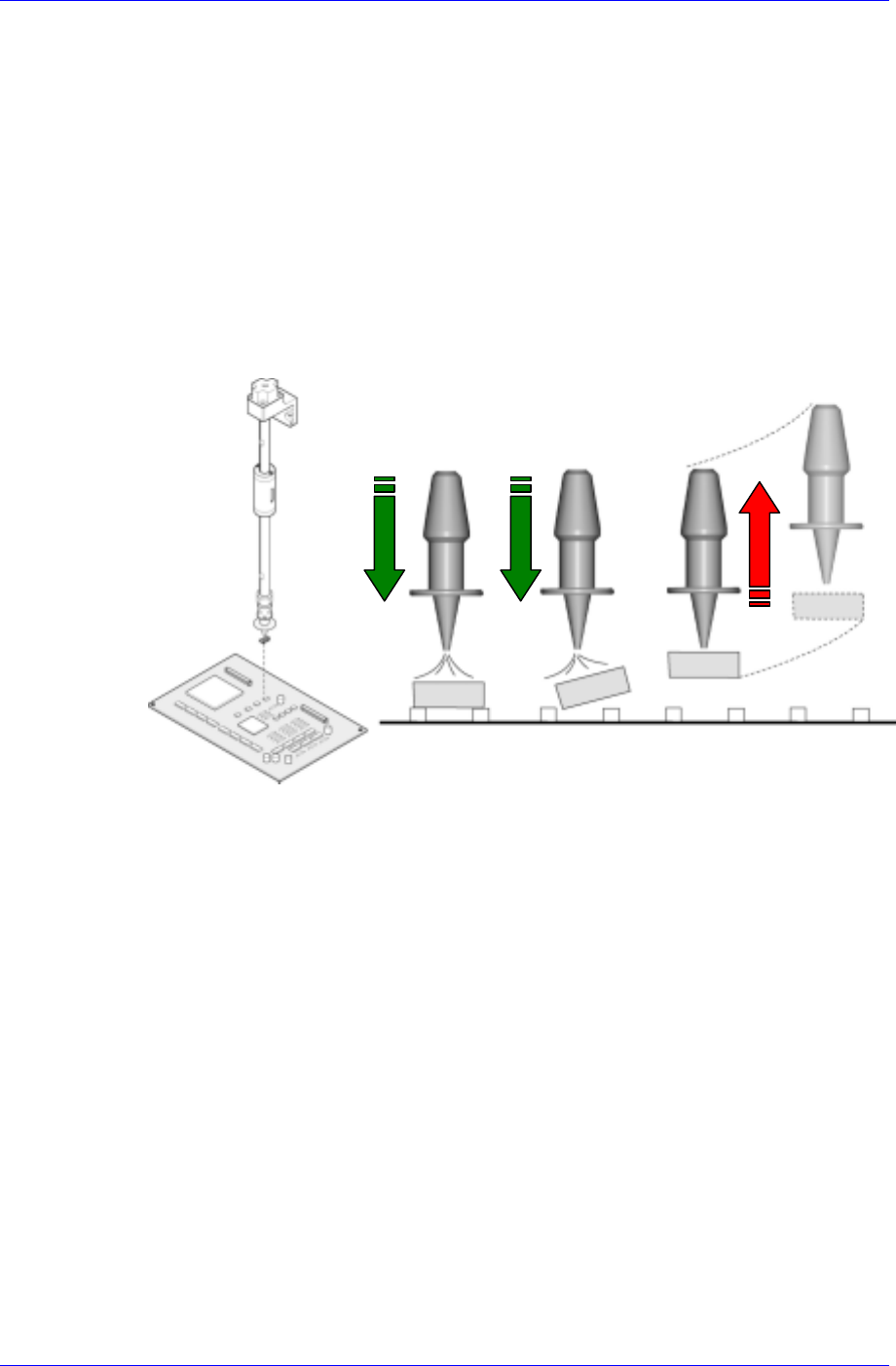
A B C
Case A: Air blow is setup normally. The air volume and the delay are accurate.
Case B: The air volume is too much or the delay is too long.
Case C: The air volume is too small or the delay is too short. In such case, the
placement error occurred due to the component being lifted up to the nozzle tip
prior to placement of the component.
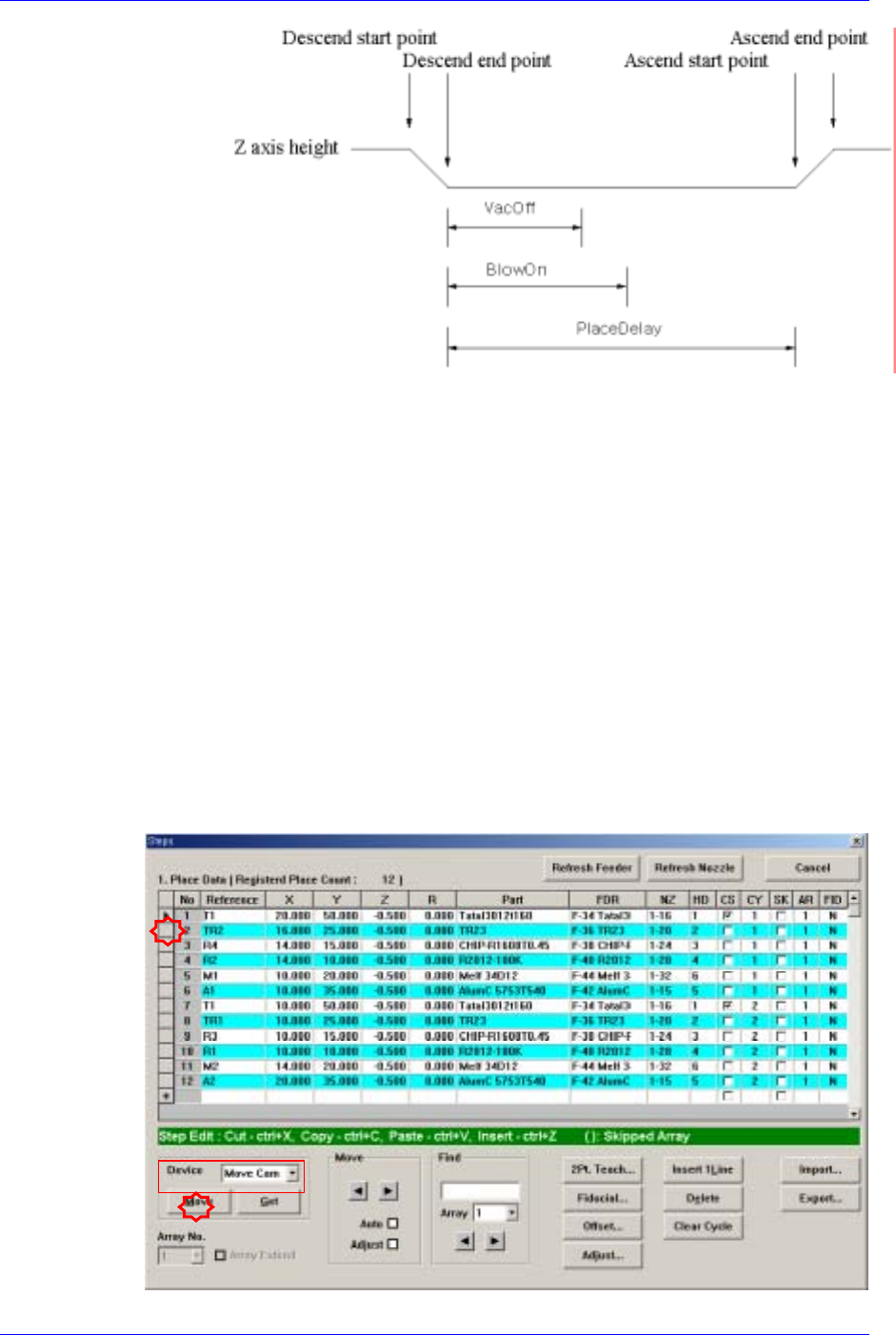
The following figure shows the setup of the air blow and vacuum for component
placement.
14-16
Placement Test
14-17
Please refer to “Figure 7-6 (Page 7-6)" .
14.4. Position Correction
After the placement test, any error related to the placement position shall be solved
through position calibration.
14.4.1. Specific Placement Point Position Error
Even though the components were placed on the PCB normally, placement position error
may occur at one specific point and it may have been caused by the incorrect coordinate
of the corresponding position.
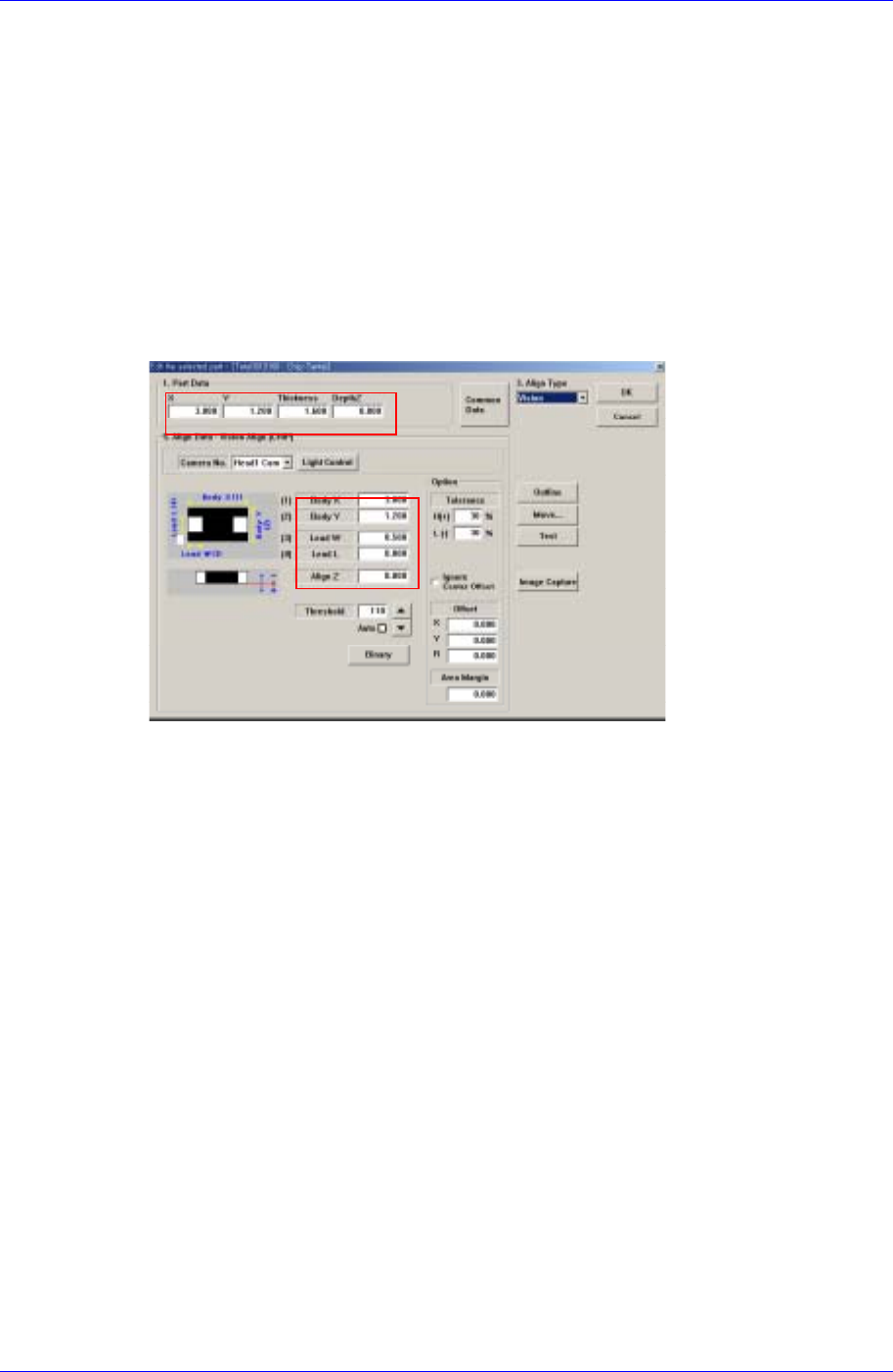
Checking position on the PCB
Move the “Move Camera” to the actual position on the PCB corresponding to the
coordinate of the placement point where placement position error has occurred, and
check the placement position through the vision monitor.
Samsung Component Placer CP45FV Administrator’s Guide
Changing placement position
If the corresponding position deviates off the actual placement center, change the
coordinate of the placement position once again by teaching the placement point.
14.4.2. Movement of Specific Component Placement Position
When placing the specific component, if the position where the actual component is
placed is deviated from the placement position in the same pattern, the component profile
may have a problem.
Component profile change
Check Align Data in the corresponding component profile. Check if the size and
thickness of the actual component has been entered incorrectly. If so, change the error.
14.4.3. Change of Placement Position on the Entire Block or Some Part of the
Block
If placement position is moved for all components placed on the PCB in the same form,
an error may occur in the PCB origin, initial theta or fiducial mark position.
PCB Origin Error
If the coordinate of the PCB origin is setup incorrectly, the coordinates of all
placement points are likewise setup differently from the actual positions.
Move the “Move Camera” to the PCB Origin position set in the “Board” dialog box to
check for any error and if there is, change the coordinate.
14-18