Administrator’s Guide(CP45FV) Eng.pdf - 第198页
Samsung Component Placer CP45FV Administrator ’ s Guide <1. Position T ype> combo box Select the number of fiducial marks. A vailable nu mbers are as follows. ( Selects2 Panel. ) 2 Panel: 2 fiducial marks for PCB…
Teaching
Chapter 13. Teaching
13-1
Teaching is performed to inform the MMI of the X and Y coordinates of a desired point in
the machine. The device used for teaching is called “Teaching Device”, which is mainly a
camera or a head designated by the user.
Teaching includes fiducial mark teaching, placement point teaching, feed pickup point
teaching, and teaching for calibration.
Warning
During teaching, the operator or people near the operator
could be injured due to operation error or insufficient
checking of surroundings.
Before start teaching, check the device to teach one more
time, and check whether there is any worker near the
machine.
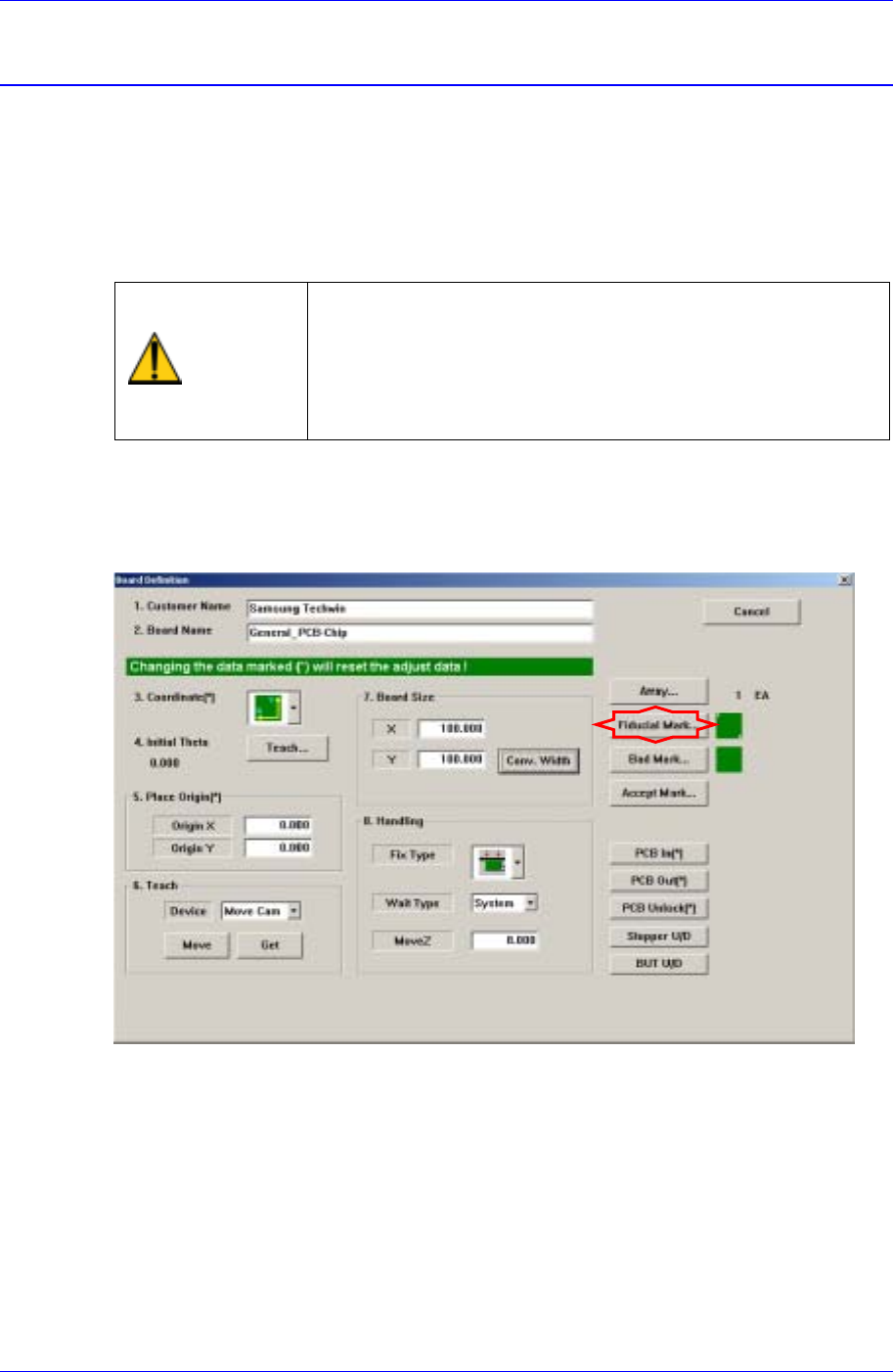
13.1. Fiducial Mark Teaching
Set the fiducial mark position and mark data when there is a fiducial mark on the PCB.
Samsung Component Placer CP45FV Administrator’s Guide
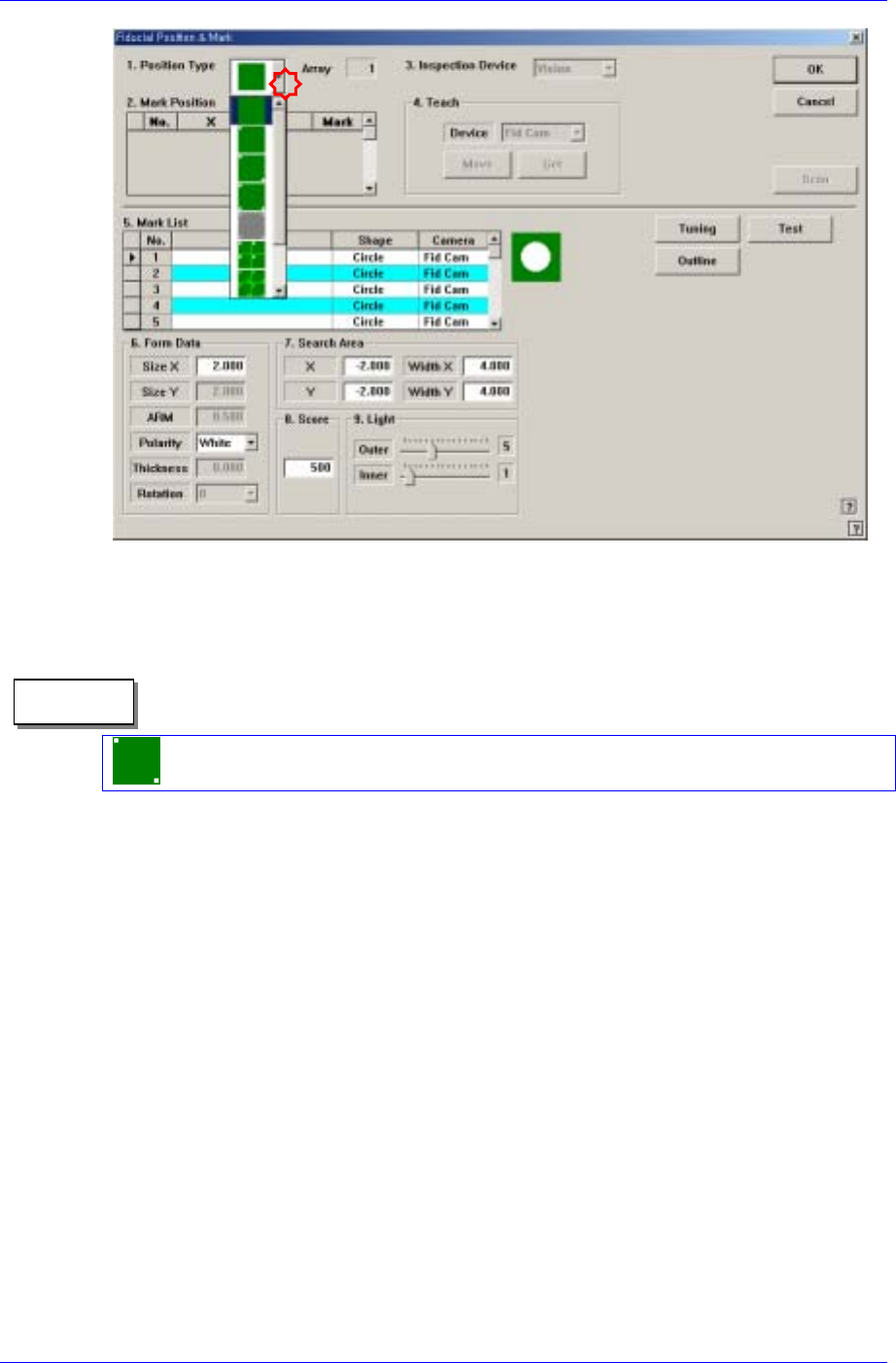
<1. Position Type> combo box
Select the number of fiducial marks. Available numbers are as follows. (Selects2
Panel.)
2 Panel: 2 fiducial marks for PCB correction.
Memo
<2. Mark Position> group
If <Position Type> is not “None”, the number of data corresponding to the number of
fiducial marks selected are generated. For example, when “2 Panel” is selected, the
following dialog box is displayed.
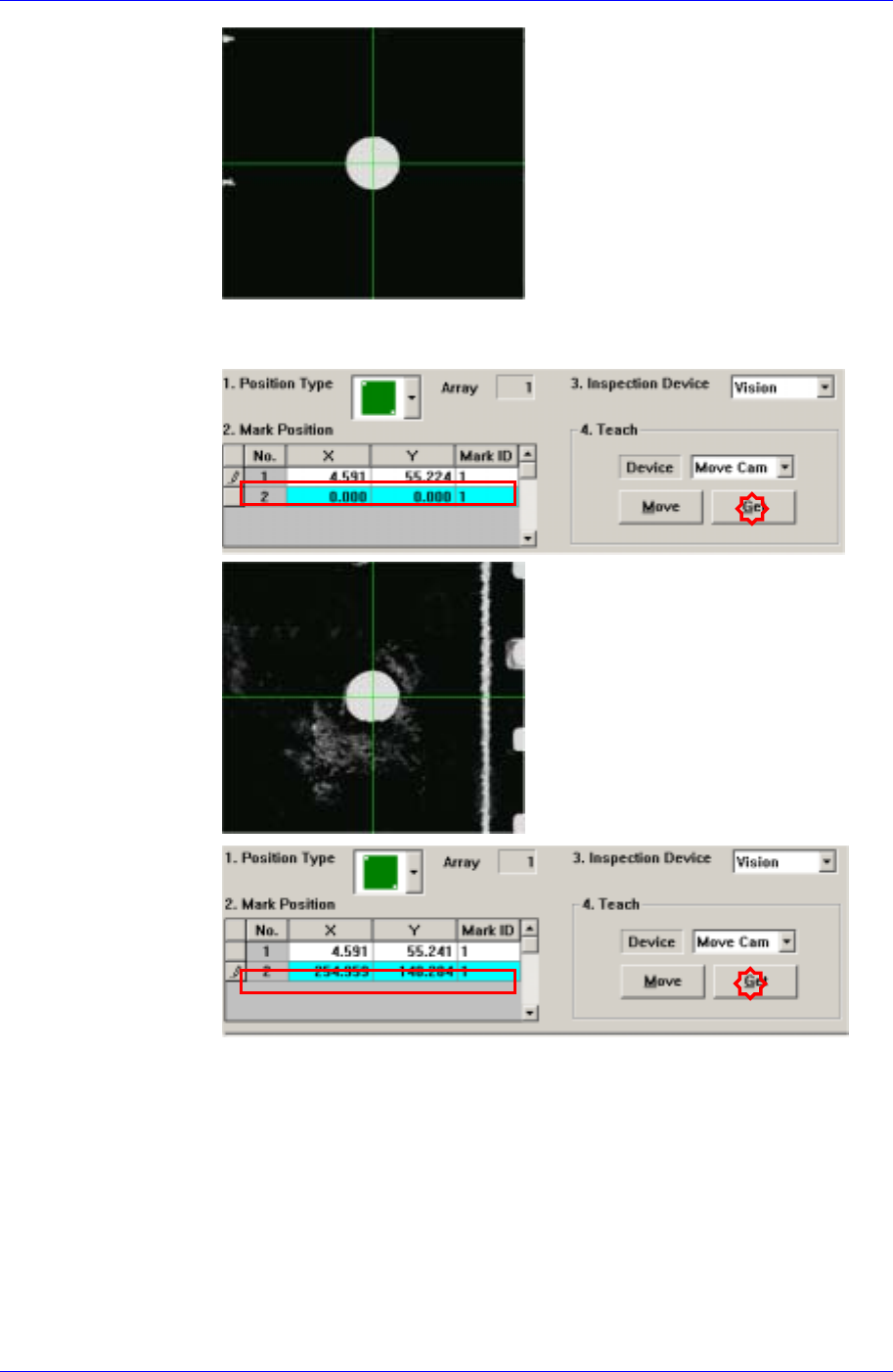
Perform teaching of the center of two fiducial marks using a fiducial camera and
enter their coordinates.
First, adjust the lighting of the Fiducial Camera (Move Camera) so that the fiducial
mark can be clearly seen.
Fiducial mark teaching procedure
Select the “MoveCam” from the <Device> combo box in the <4.Teach>
group.
Move the Fiducial Camera (Move Camera) on the head above the fiducial
mark to teach using the teaching box.
Move the head so that the fiducial mark center falls on the center of the cross
hair of the vision monitor.
13-2
Teaching
13-3
(First Fiducial Mark)
Click the <Get> button in the <4.Teach> group and enter the current position
in the <2.Mark Position> group.
(Second Fiducial Mark)