Administrator’s Guide(CP45FV) Eng.pdf - 第207页
T eaching 13-1 1 The following figure shows the import completed screen. When the component imported from the CAD data is not registered, the unregistered component must be registered. As for the component displayed in…
Samsung Component Placer CP45FV Administrator’s Guide
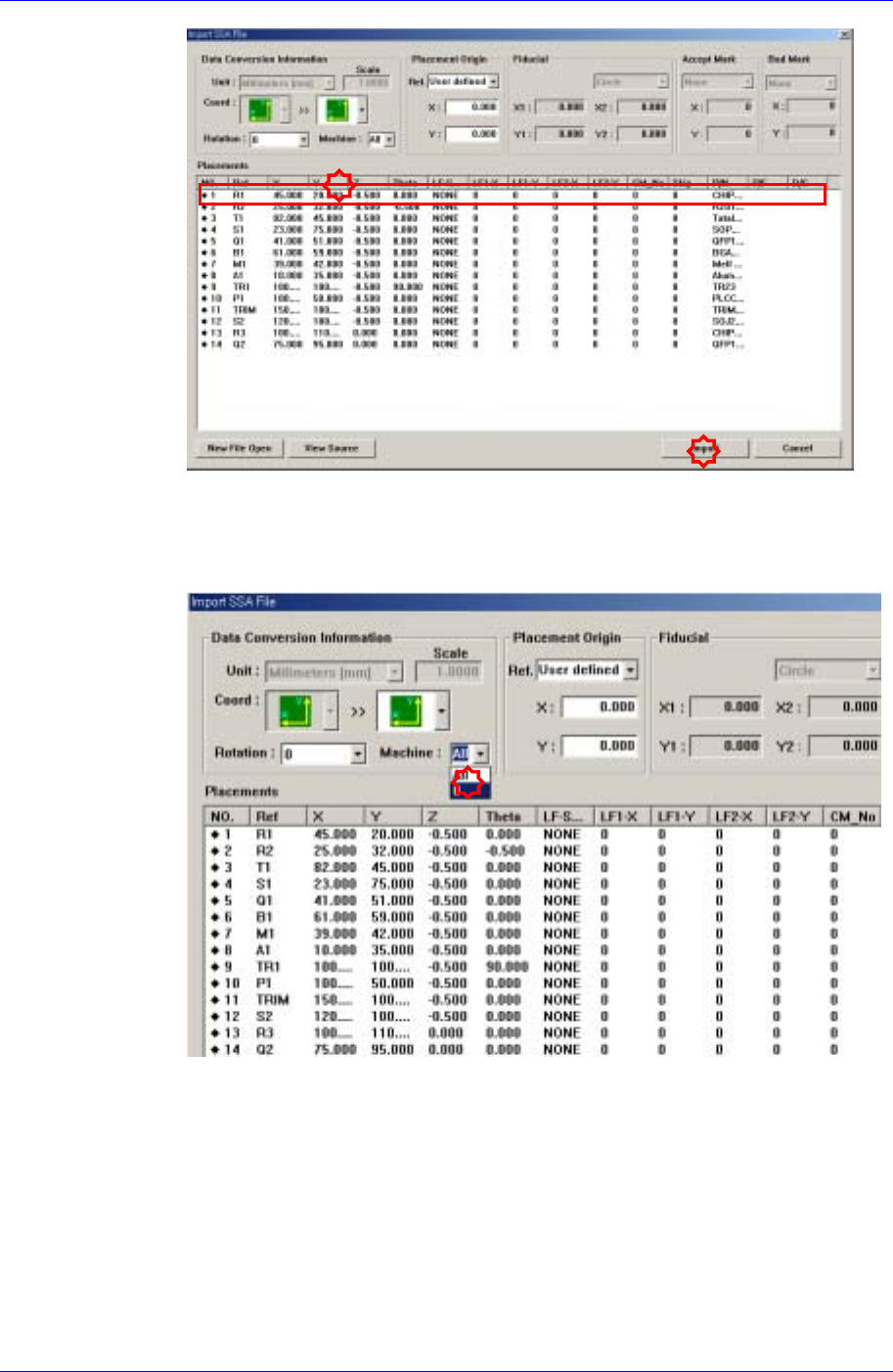
Select the machine to be operated using the imported SSA file.
Select the imported machine and confirm the name of the corresponding row of
placements. In the case of our standard format (SSA), the row value need not be
changed.
Executes Import.
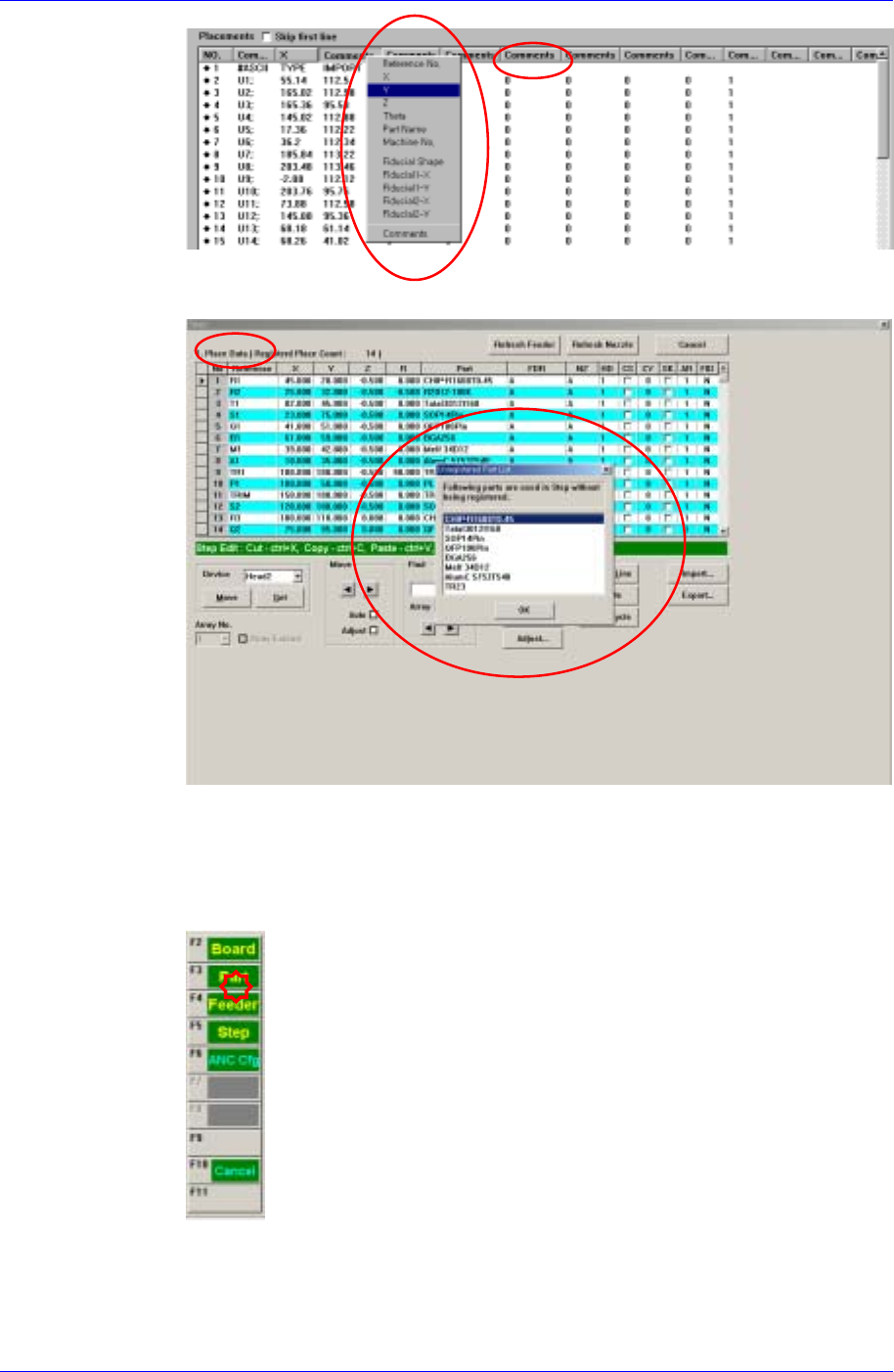
When importing a file in a format other than our standard format, the
corresponding information is indicated in a comment column as follows. Place
the mouse point on the column whose name is to be changed and right click the
mouse to display the menu and select the corresponding name. At this time, when
there is no column name corresponding to the column to be imported, set the
column name in the comment column.
13-10
Teaching
13-11
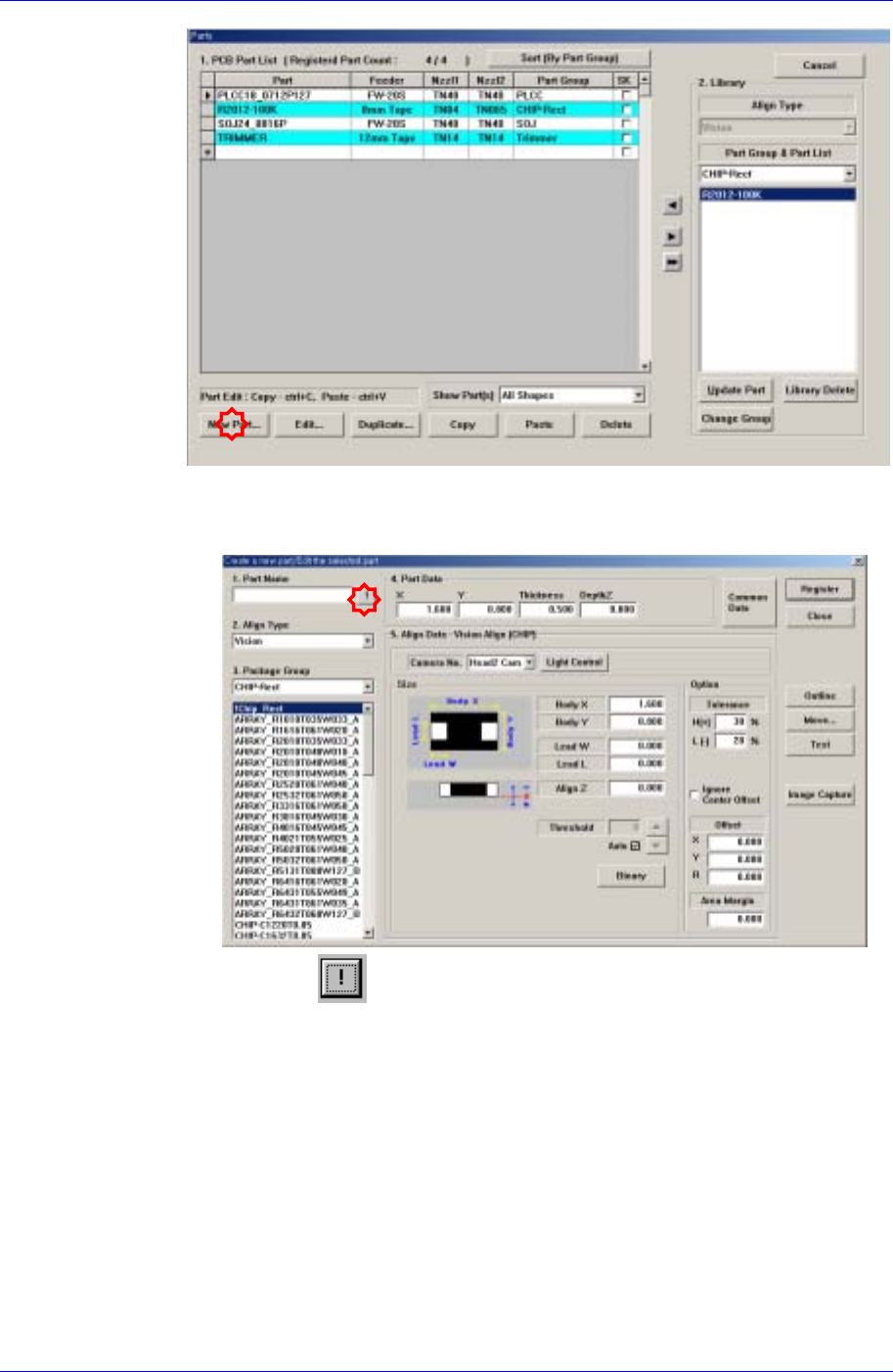
The following figure shows the import completed screen.
When the component imported from the CAD data is not registered, the
unregistered component must be registered.
As for the component displayed in the Unregistered Part List containing the
component information being used in the Place Data, which is not registered in
the machine database, register it to the PCB Part List.
Samsung Component Placer CP45FV Administrator’s Guide
The component that has already been registered in the Local Part DB is
registered automatically as can be seen above. Click the <New Part…>
button and execute the <Part Edit> dialog box.
When the
button is clicked, the unregistered part list is displayed as
shown in the following figure.
13-12