Administrator’s Guide(CP45FV) Eng.pdf - 第266页
在线预览 Administrator’s Guide(CP45FV) Eng.pdf PDF 文档。

Machine Calibration
15-27
Set the distance to move the calibration tool for the fix camera.
<BUT Up/Down> button
Moves up/down the BUT(Back Up Table).
<Download cam. info> button
Downloads the camera data to the machine.
<Move to home pos.> button
Moves the device selected in <Device> to Home.
<Mirror open / close> button
Opens or closes the mirror .
<Device> combo box
Selects the corresponding device to move the head assembly by rotating the
driving shafts of the X, Y and Z-axes motors, move or rotate the spindle or obtain
the current coordinate of the device to be selected. Available devices are as
follows;
Move Cam: Selects Teaching Camera.
Head1: Selects Head1.
Head2: Selects Head2.
Head3: Selects Head3.
Head4: Selects Head4.
Head5: Selects Head5.
Head6: Selects Head6.
Beam: Selects Beam.
<Move to fix 1 Cam.> button
Moves the device selected in the Device to the position of the fix camera.
<Z axis Up/Down> button
Lowers the Z axis of the head selected in the Device.
<No real motion> check box
Determines whether to really execute the nozzle pick/put motion or to manipulate
the data only. When it is checked, only the data is manipulated.
<Put all nozzle> button
Puts all nozzles in the head.
<Put> button
Puts the nozzle in the head selected in the Device.
<Pick> button
Picks the calibration tool with the head selected in the Device.
<Update> button
Saves the set data and closes the screen.
<Cancel> button
Ignores the set data and closes the screen.
System Setup
Chapter 16. System Setup
16-1
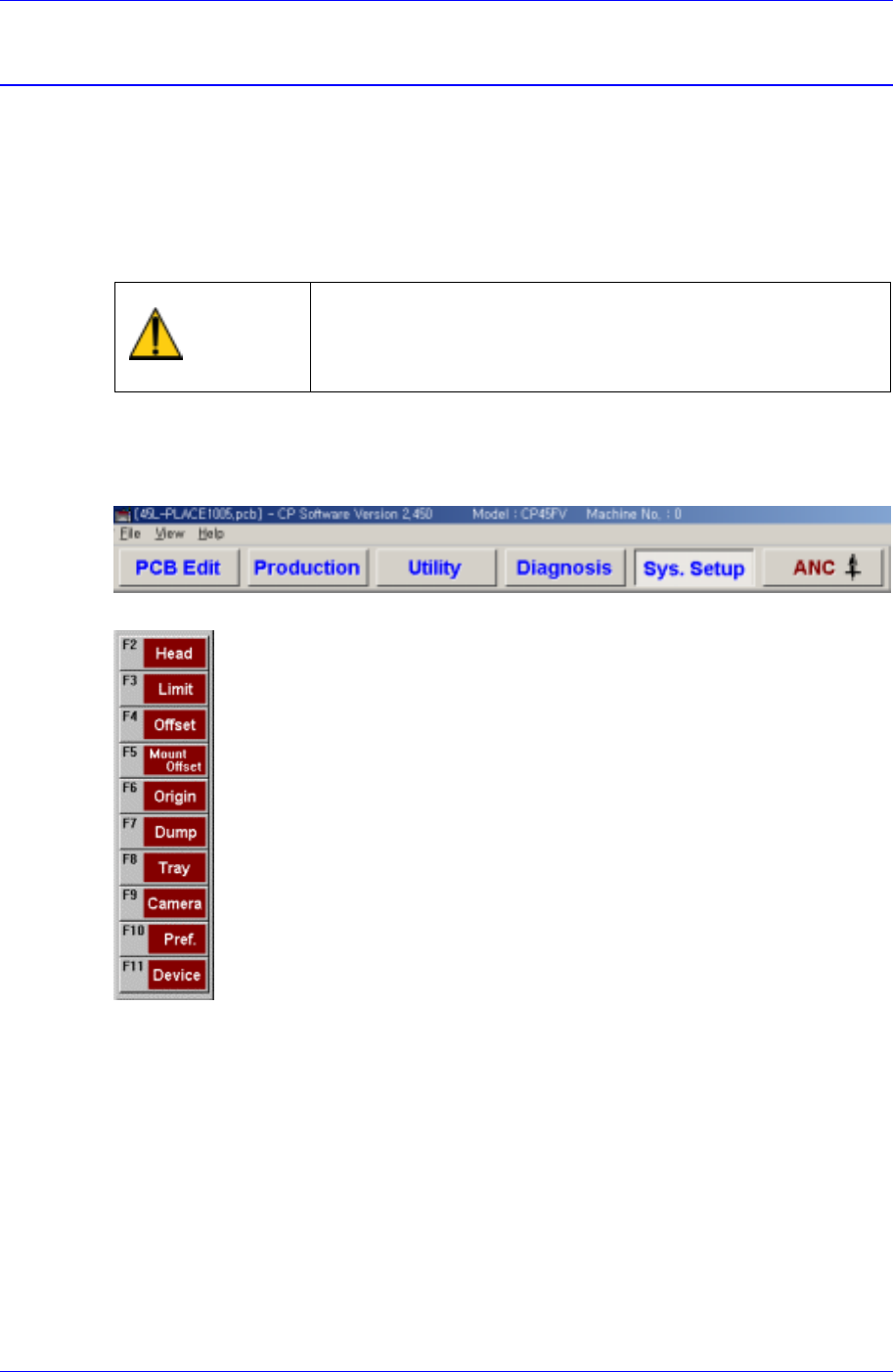
The Sys. Setup menu is composed of ten submenus: Head, Limit, Offset, Mount Offset,
Origin, Dump, Tray, Camera, Pref., and Device.
Items in this menu are set prior to the delivery of the machine. Therefore, do not
perform Calibration (System Setup) except when reset is needed due to the
maintenance of the machine.
Warning
Changing the set up status by an unauthorized user could
damage the machine or result in personal injury.
Unauthorized user must not change the set up status of
the machine.
When a submenu of the <Sys. Setup> menu is selected, corresponding dialog box is
displayed on the screen. While the corresponding dialog box is displayed, selecting the
menu once more activates the dialog box.
Figure 16-1. When the Sys. Setup Command is Selected
Figure 16-2. Submenus of the Sys. Setup command