Administrator’s Guide(CP45FV) Eng.pdf - 第251页
Machine Calibration 15-13 When using the FO V 15mm F ly Camer a When using the FO V 25mm F ly Camer a
Samsung Component Placer CP45FV Administrator’s Guide
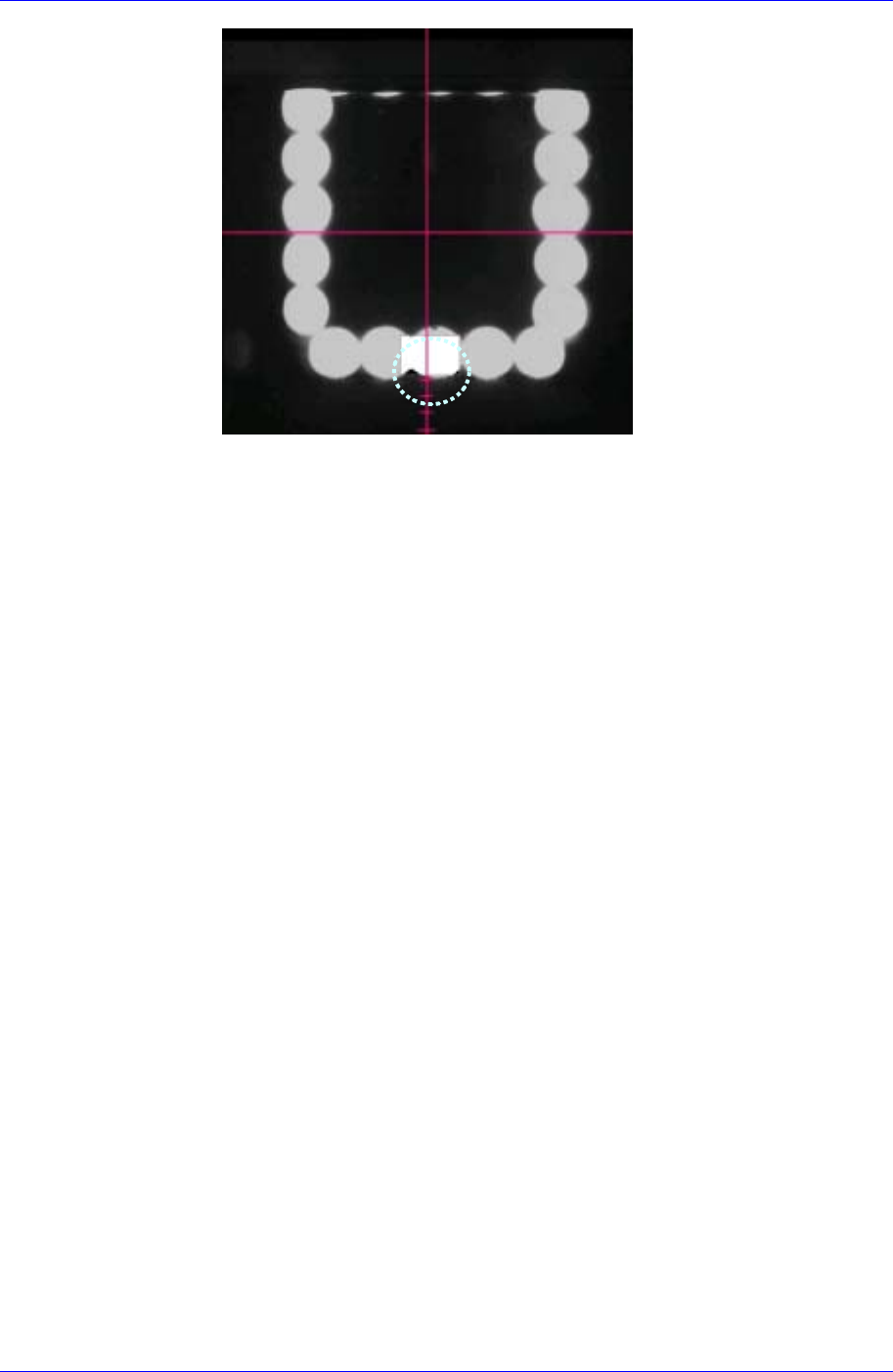
The vision screen after the
<Test> button is clicked
Nozzle Count Teaching
1. If the Offset X and Y cells are clicked, the <Test> button is activated. At this
time click the <Test> button.
2. The test area is displayed as a box on the vision screen. Set the Count X
(Width) and Count Y (Height) of the test box so that the Pixel Count
Percentage becomes greater than 70% when clicking the test box. The box
size changes based on the previously set Offset X and Y values.
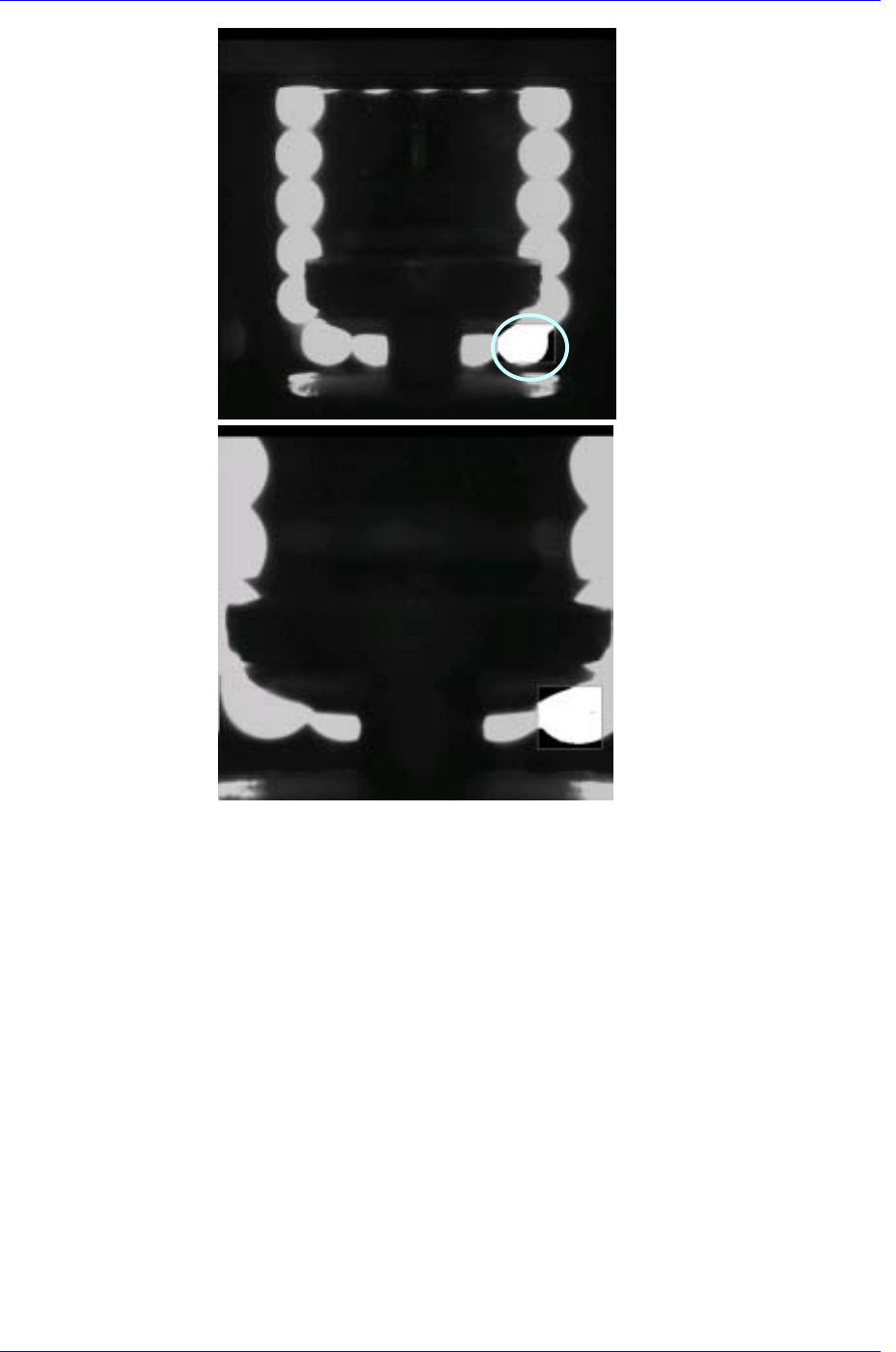
Light Offset Teaching
This is performed in preparation for a case in which the light is not turned on
when the Pixel Count Percentage value below 30 is obtained, which means that a
nozzle is mounted. Set this area after mounting the largest nozzle.
The only difference between Nozzle Offset Teaching and Nozzle Count
Teaching is the position of the test box.
1. If the Offset X and Y cells are clicked, the <Test> button is activated. At this
time click the <Test> button.
2. When clicking the <Test> button, the test box is the bright area (LED) on the
bottom right. Set the Pixel Count Percentage to a value greater than 70% for
testing.
15-12
Machine Calibration
15-13
When using the FOV
15mm Fly Camera
When using the FOV
25mm Fly Camera
Samsung Component Placer CP45FV Administrator’s Guide
15.2. Camera [F8]
Sets various data on the camera and performs camera calibration.
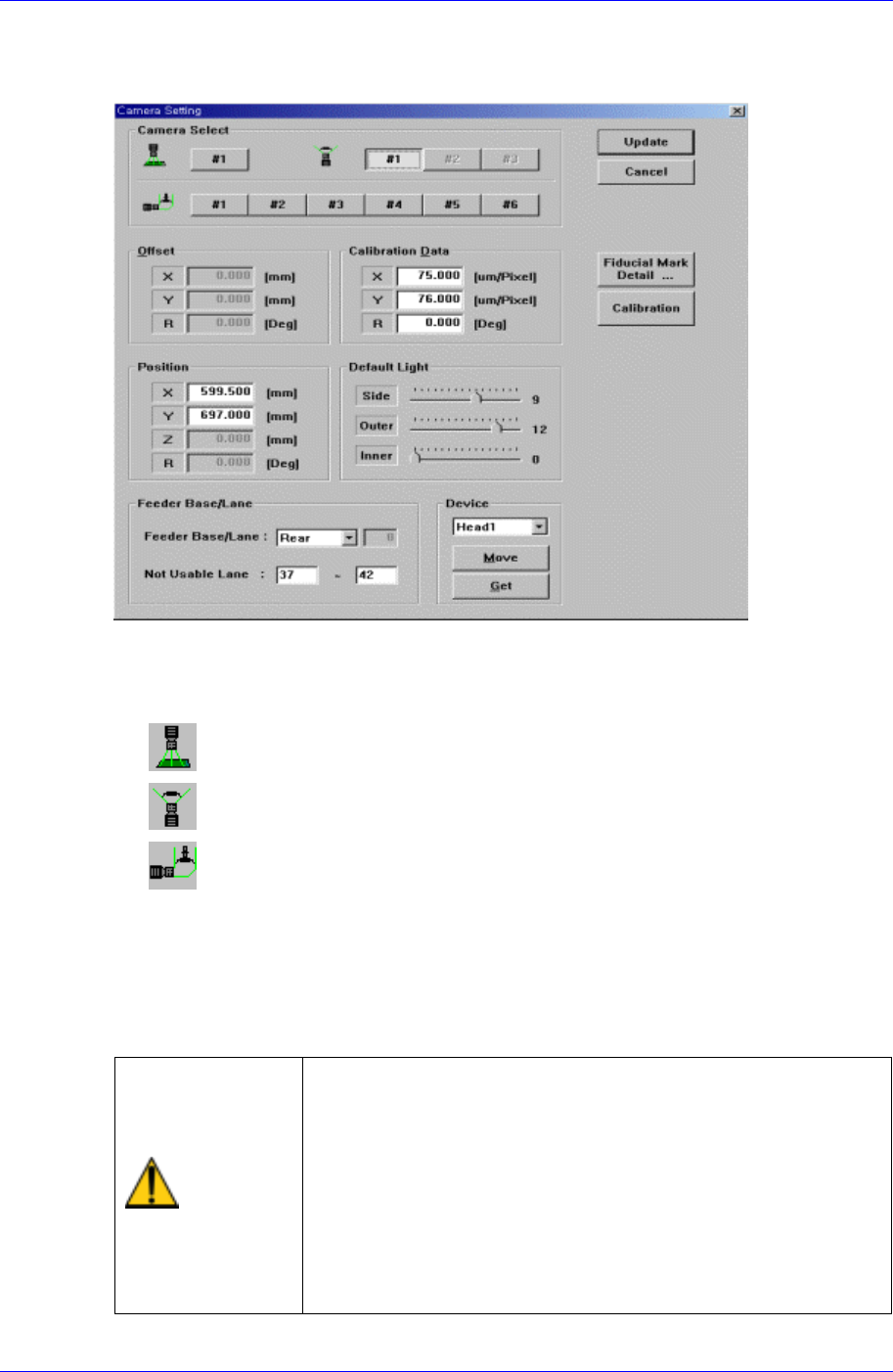
Figure 15-3. “Sys. Setup : Camera Setting – Move Camera” dialog box
<Camera Select> option button group
Select the camera type to set. Available camera types are as follows.
Move Camera : Camera used for position teaching or fiducial mark check.
Fix Camera : Camera used for component check, it is fixed on the feeder lane.
Fly Camera : Camera used for component check, it is attached to each head.
<Camera No> option button
Selects the camera number for each camera type.
For the move camera, no.1, for the fix camera, nos. 1-3, and for the fly camera nos.1-
6 can be selected.
Above screen is the case where the camera type is set to “Move Camera”.
Warning
Operation error caused by unauthorized or untrained
personnel or insufficient checking before calibration could
severely damage the machine
or the set up data, or it could cause personal injury of the
operator or the worker near the machine.
Before carrying out calibration, check the item to be
calibrated and check if there is any worker near the
machine.
And calibration must be carried out by an authorized and
trained user only.
15-14