Administrator’s Guide(CP45FV) Eng.pdf - 第311页
Utility 18-3 18.2. Pd. Info[F3] Displays the production management data. Please refer to “ 19.1 Pr oduction Information Management(Page 19-1) ” . 18.3. Copy…[F4] The <Copy data between PCB files> command performs t…
Samsung Component Placer CP45FV Administrator’ Guide
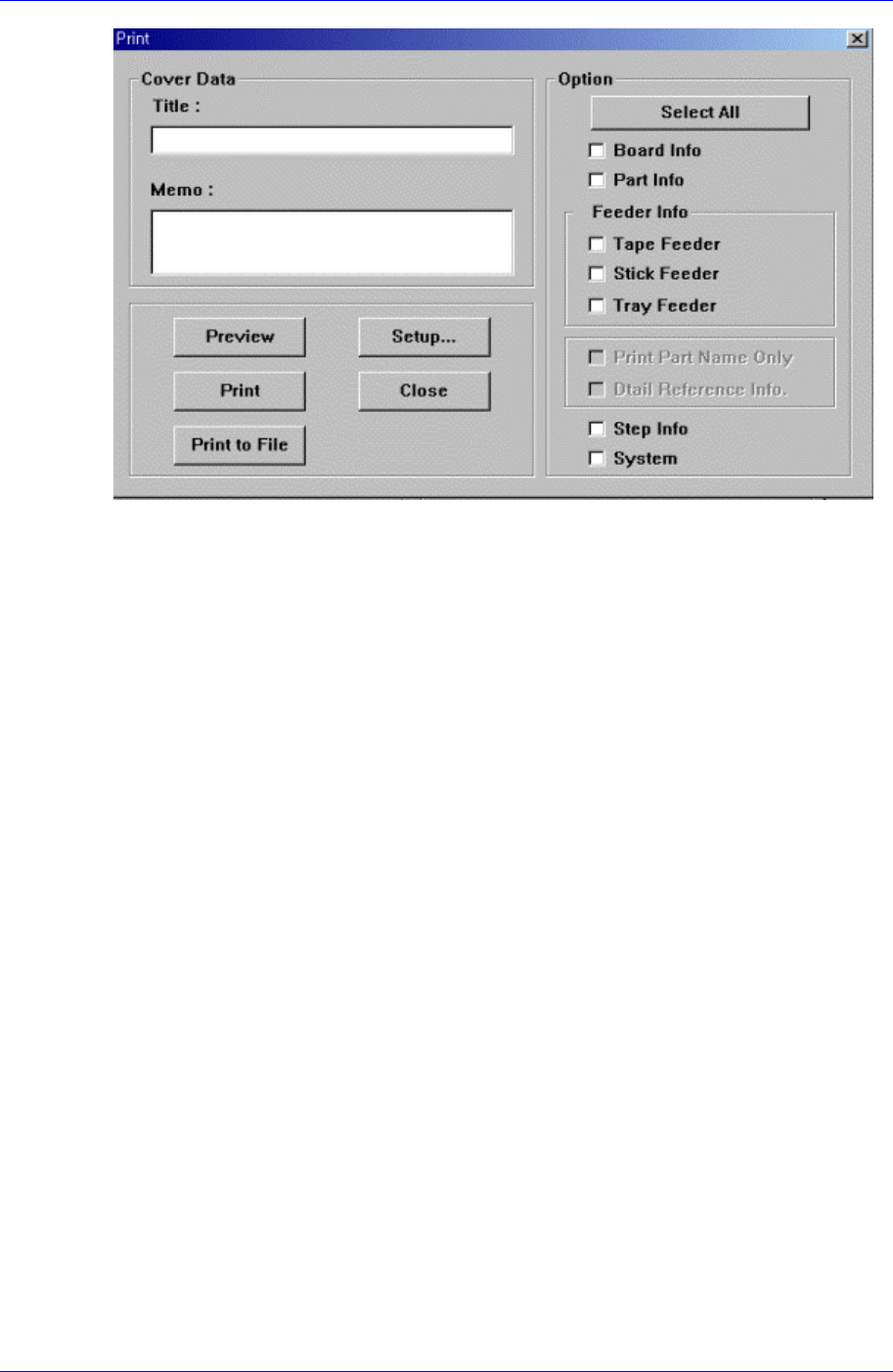
Figure 18-3. “Print “dialog box
<Cover Data> group
Used to enter necessary information when a cover for the output is wanted. Enter the
title of the output in the “Title” edit box, and enter a short message to be displayed on
the cover in the “Memo” edit box.
<Option> group
<Clear All.> button
Returns the displayed contents of the items to be output to the unchecked state.
<Board Info.>check box
Select the information on PCB Boards.
<Part Info.> check box
Select the information on components.
<Feeder Info> check box
Select the information on the feeder to print.
<Step Info.>check box
Select the information on operation sequence.
<System>check box
Select the information on the system parameter of the machine.
<Preview> button
Displays the content to be printed on the screen first.
<Setup…> button
Sets the printer.
<Print> button
Prints the checked content and closes the “Print “ dialog box.
<Cancel> button
Cancels the execution of <Print> command and closes the “Print “ dialog box.
18-2
Utility
18-3
18.2. Pd. Info[F3]
Displays the production management data. Please refer to “19.1 Production Information
Management(Page 19-1)”.
18.3. Copy…[F4]
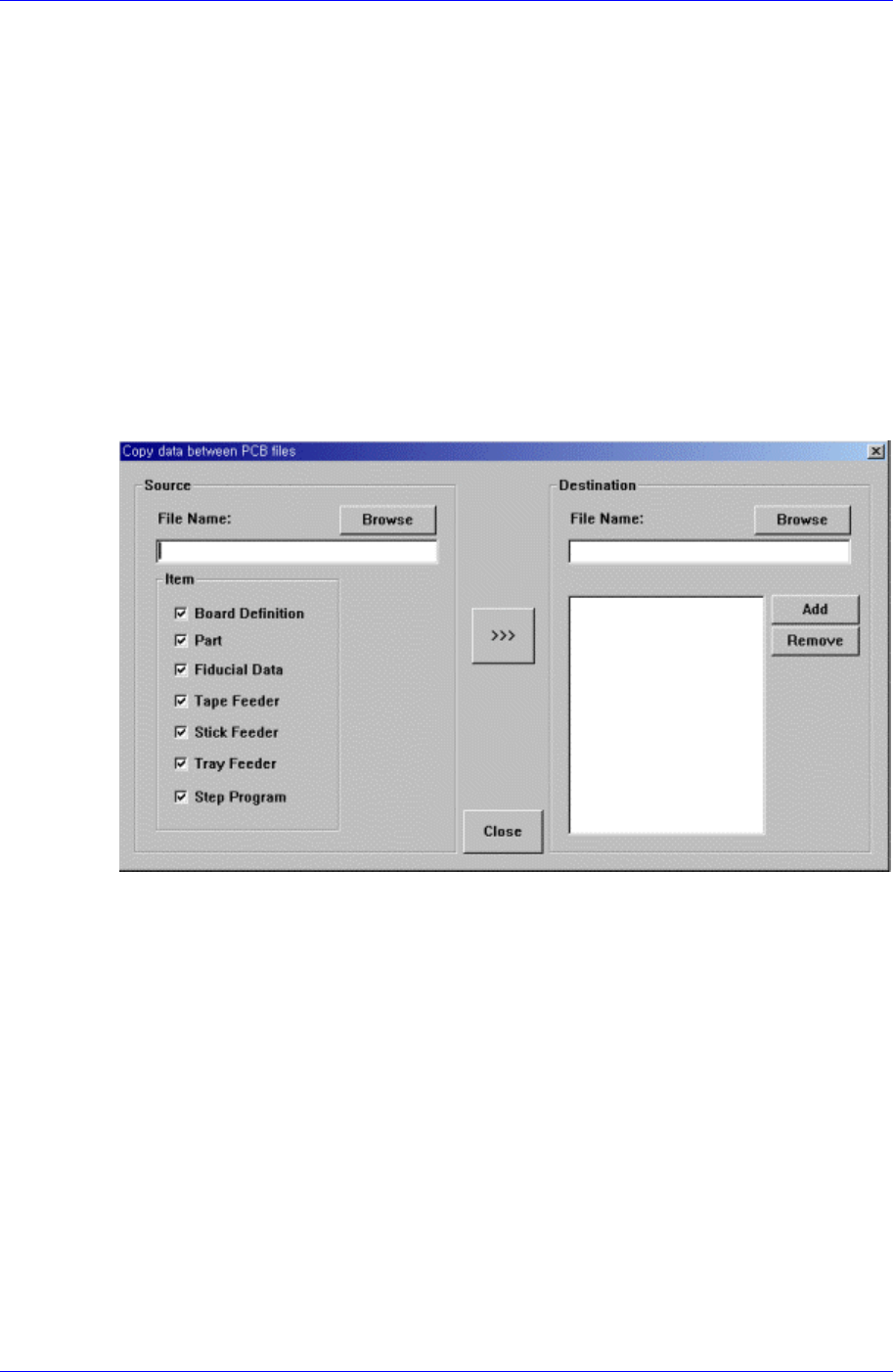
The <Copy data between PCB files> command performs the similar function as
the<Browse> function of the <New> command, but it does not create a new PCB file. A
preexisting file is copied to a designated PCB file.
When the <Copy data between PCB file> command is selected, the following dialog box
is displayed.
Figure 18-4. “Copy data between PCB files” dialog box
<Source File> edit box
The source file to be copied. The source file name can be selected by entering the
name of the source file directly or by clicking on the <Browse...> button on the right.
<Browse…> button
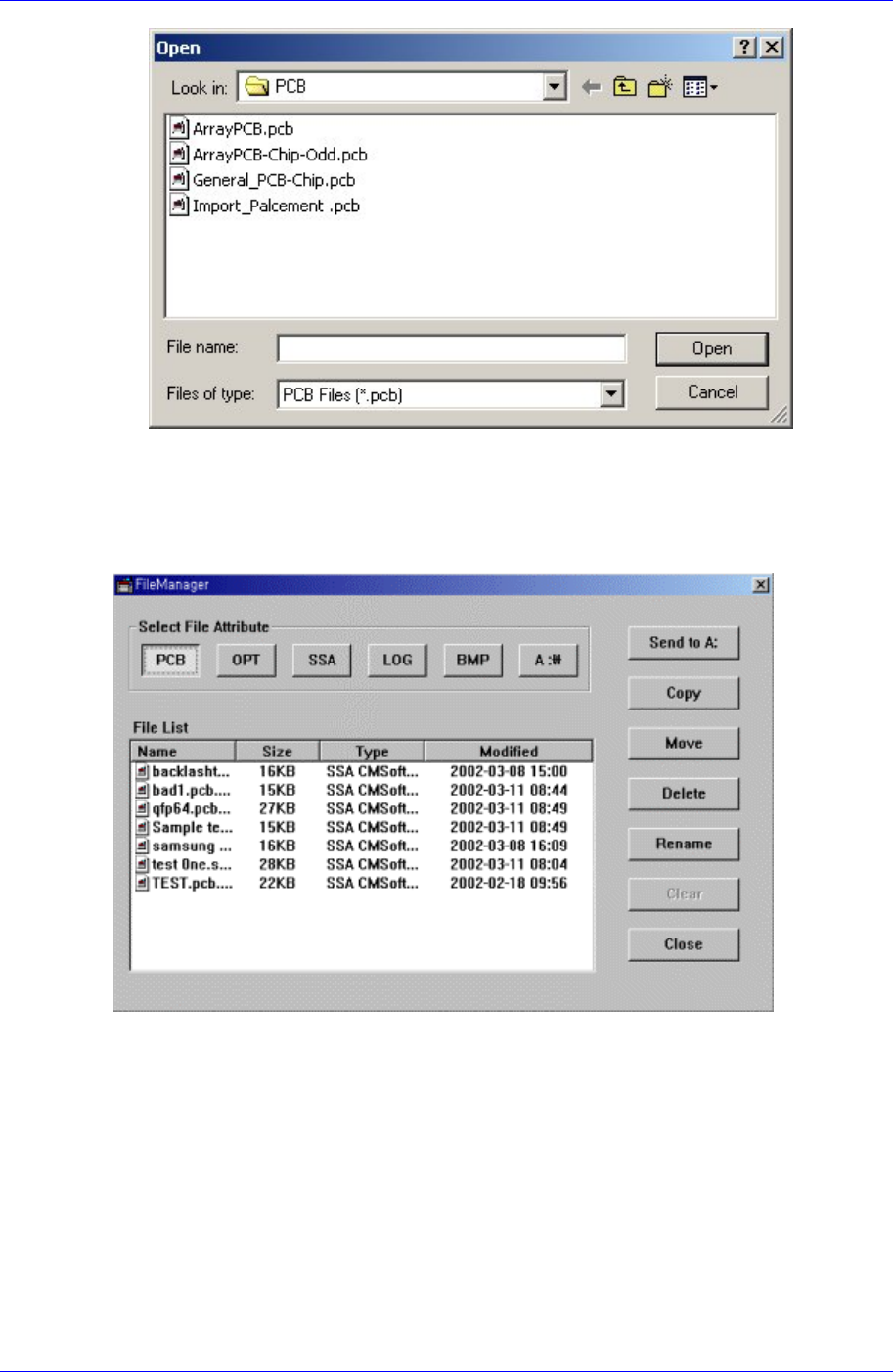
Displays the location of the source file to be copied. When this button is clicked on,
the following dialog box is displayed.
Samsung Component Placer CP45FV Administrator’ Guide
Figure 18-5. . “Open” dialog box
18.4. File Man…[F5]
Figure 18-6. “File Manager” dialog box
<Select File Attribute:> group
When the extension file button in the Select File Attribute group is clicked, the
corresponding contents are indicated in the list.
<Send To A:> button
Copies the selected file on a floppy disk.
<Copy> button
Makes a copy of the selected file and as the original file exists under its original name,
saves the copied file under a different file name when using the copy command.
<Move> button
18-4