Administrator’s Guide(CP45FV) Eng.pdf - 第150页
Samsung Component Placer CP45FV Series Administrator ’ s Guide <1Pocket> As shown in the following figure, input the coordinates of the center point of pocket No. 1 and the pocket pitc h in the X and Y directions…
Feeder Setup
8-17
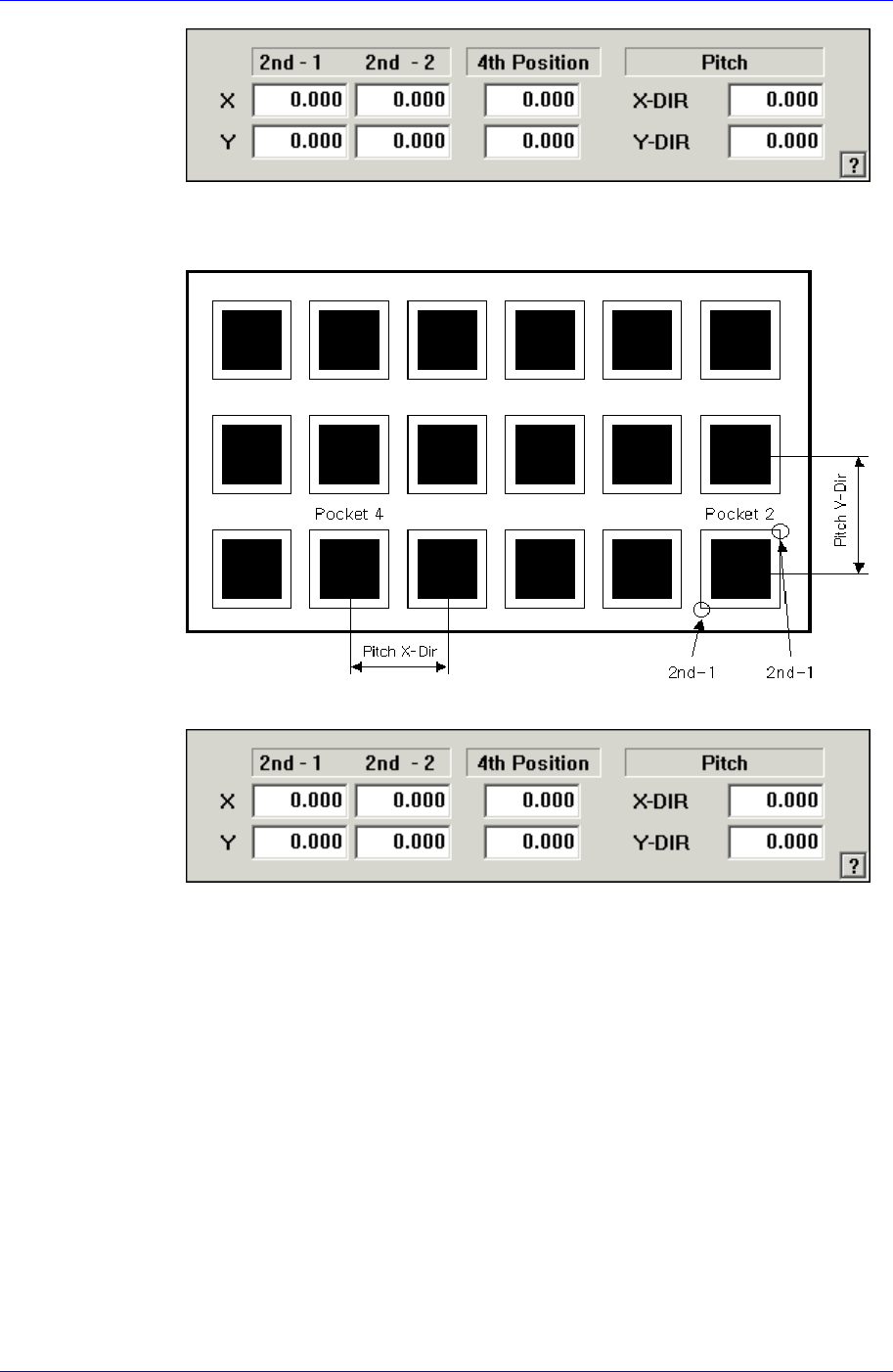
As shown in the following figure, input the coordinates of the center point of any
one pocket in the X direction, the coordinates of the two corners in the diagonal
position of the second pocket and the pocket pitch in the X and Y directions.
<2Pocket Y-Axis>
As shown in the following figure, input the coordinates of the center point of any
one pocket in the Y direction, the coordinates of the two corners in the diagonal
position of the second pocket and the pocket pitch in the X and Y directions.
Samsung Component Placer CP45FV Series Administrator’s Guide
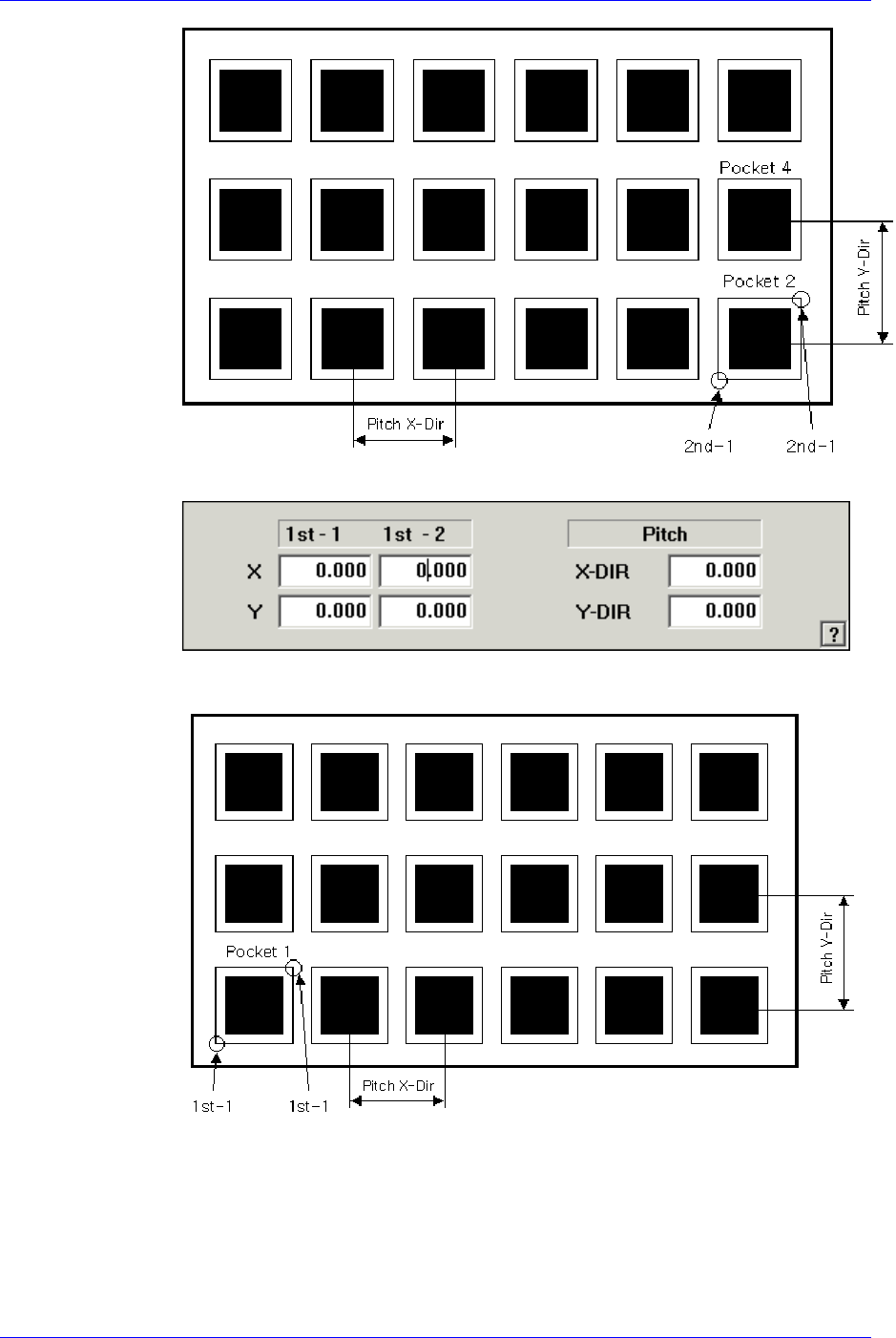
<1Pocket>
As shown in the following figure, input the coordinates of the center point of
pocket No. 1 and the pocket pitch in the X and Y directions.
<JEDEC>
8-18
Feeder Setup
8-19
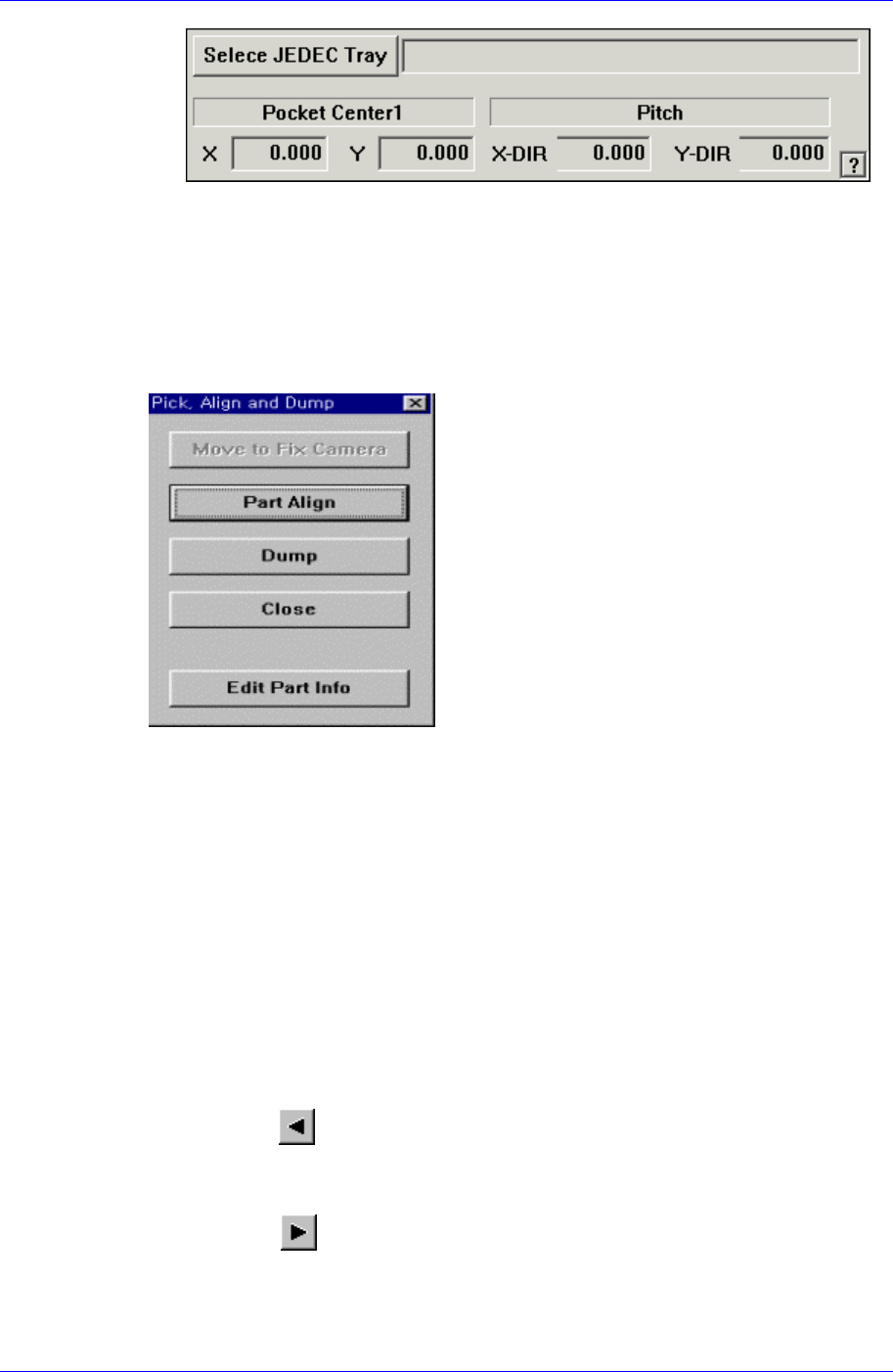
<Select JEDEC Tray> edit box
This brings the information of the tray that will be worked on from the
JEDEC tray DB.
<Pick> button
Executes component pickups from the tray feeder installed on the current line in the
grid. At this time, the device must be selected first. When pickups is successful, the
following dialog box is displayed.
<Move to Fix Camera> button
It is activated only when the corresponding component is aligned by the vision
camera and the alignment camera is the fix camera. When this button is clicked
on, the head block is moved to the fix camera.
<Part Align> button
Executes alignment of the corresponding component.
<Dump> button
Dumps the corresponding component to the specified dump box.
<Close> button
Closes the dialog box.
<Pocket Move> button
Moves the selected device to the pocket number set in <Current Pocket>.
<Move Prev>
button
Moves the selected device to the pocket number previous to the number set in
<Current Pocket>..
<Move Next> button
Moves the selected device to the pocket number next to the number set in <Current
Pocket>.