Administrator’s Guide(CP45FV) Eng.pdf - 第139页
Feeder Setup 8-7 cell in the grid corresponding to the desired position must be clicked on. <Get> button Reads in the current position of the XY axis of the device selected in <Device>. Before executing…
Samsung Component Placer CP45FV Series Administrator’s Guide
<2Pt. Teach…> button
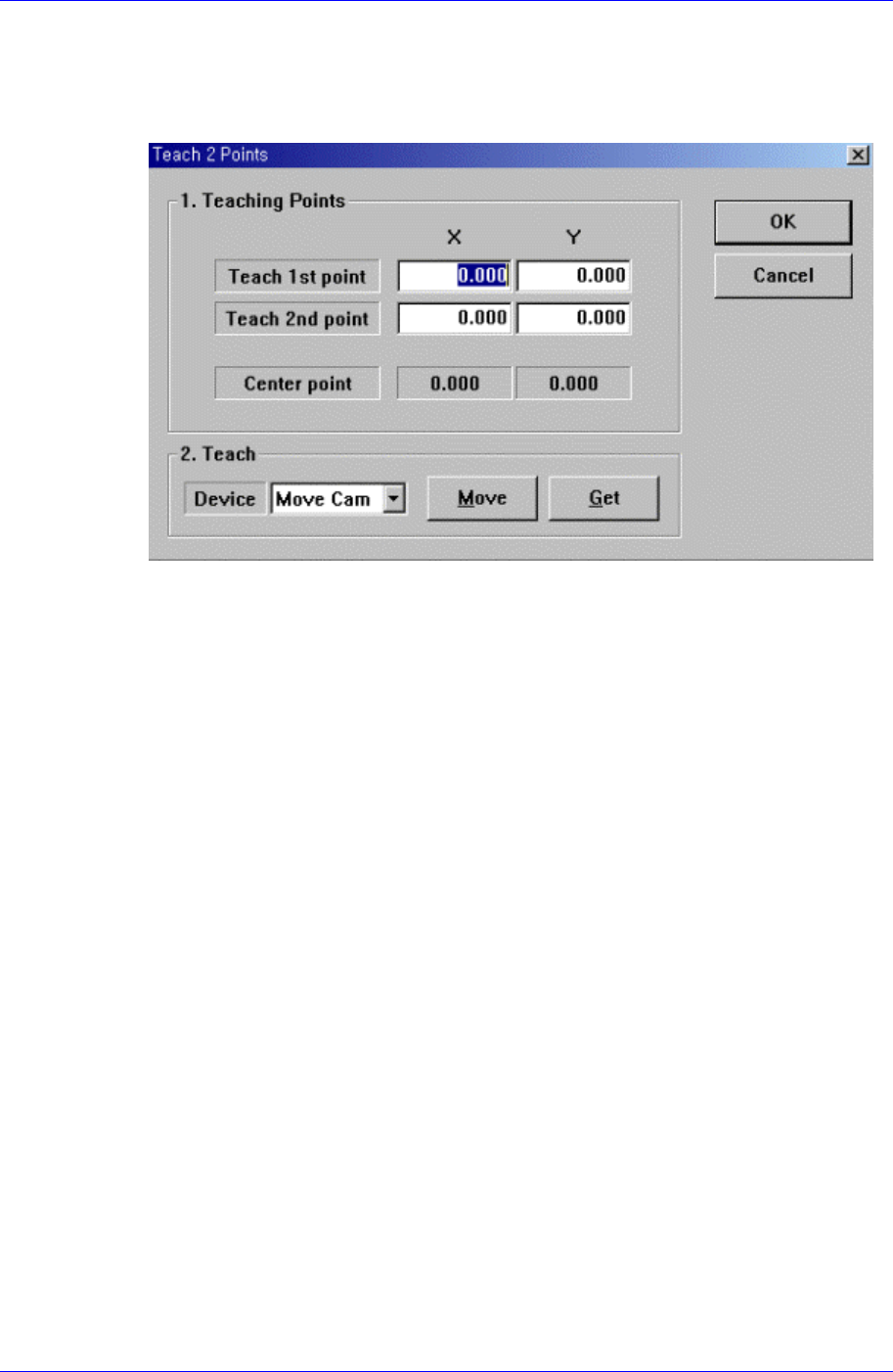
When teaching the tape feeder pickups point, finds the center point by teaching two
corner points at opposite angles of the pocket containing the component. When this
button is clicked on, the following dialog box is displayed.
Figure 8-4. “Feeder :2 point teaching in the Feeder Base” dialog box
<1. Teaching Points> group
Set the position of two corner points to find the center point.
Teach 1st point: Set the first point.
Teach 2nd point: Set the second point.
Center point: Finds the center point from the two corner points and displays it.
<2. Teach> group
Used to move the head assembly to the designated position by rotating the
driving shaft of the X and Y-axes motors or obtain the current position of the
shafts of the X and Y-axes motors.
<Device> combo box:
Selects the corresponding device to move the head assembly by rotating the
driving shafts of the X and Y motors or obtains the current coordinate of the
device to be selected. Available devices are as follows;
Move Cam: Selects Teaching camera.
Head1: Selects Head1.
Head2: Selects Head2.
Head3: Selects Head3.
Head4: Selects Head4.
Head5: Selects Head5.
Head6: Selects Head6.
Beam: Selects Beam.
<Move> button:
Moves the head assembly by rotating the shafts of the X, Y-axes driving
motors using the device selected from the <Device> combo box. “Move”, the
8-6
Feeder Setup
8-7
cell in the grid corresponding to the desired position must be clicked on.
<Get> button
Reads in the current position of the XY axis of the device selected in
<Device>. Before executing “Get”, the cell in the grid corresponding to the
desired position must be clicked on.
<OK> button
Sets the obtained center point as the new pickups point and closes the dialog box.
<Cancel> button
Ignores the obtained center point and closes the dialog box.
8.1.2. Stick Feeder
Install stick feeder and set data on the stick feeder.
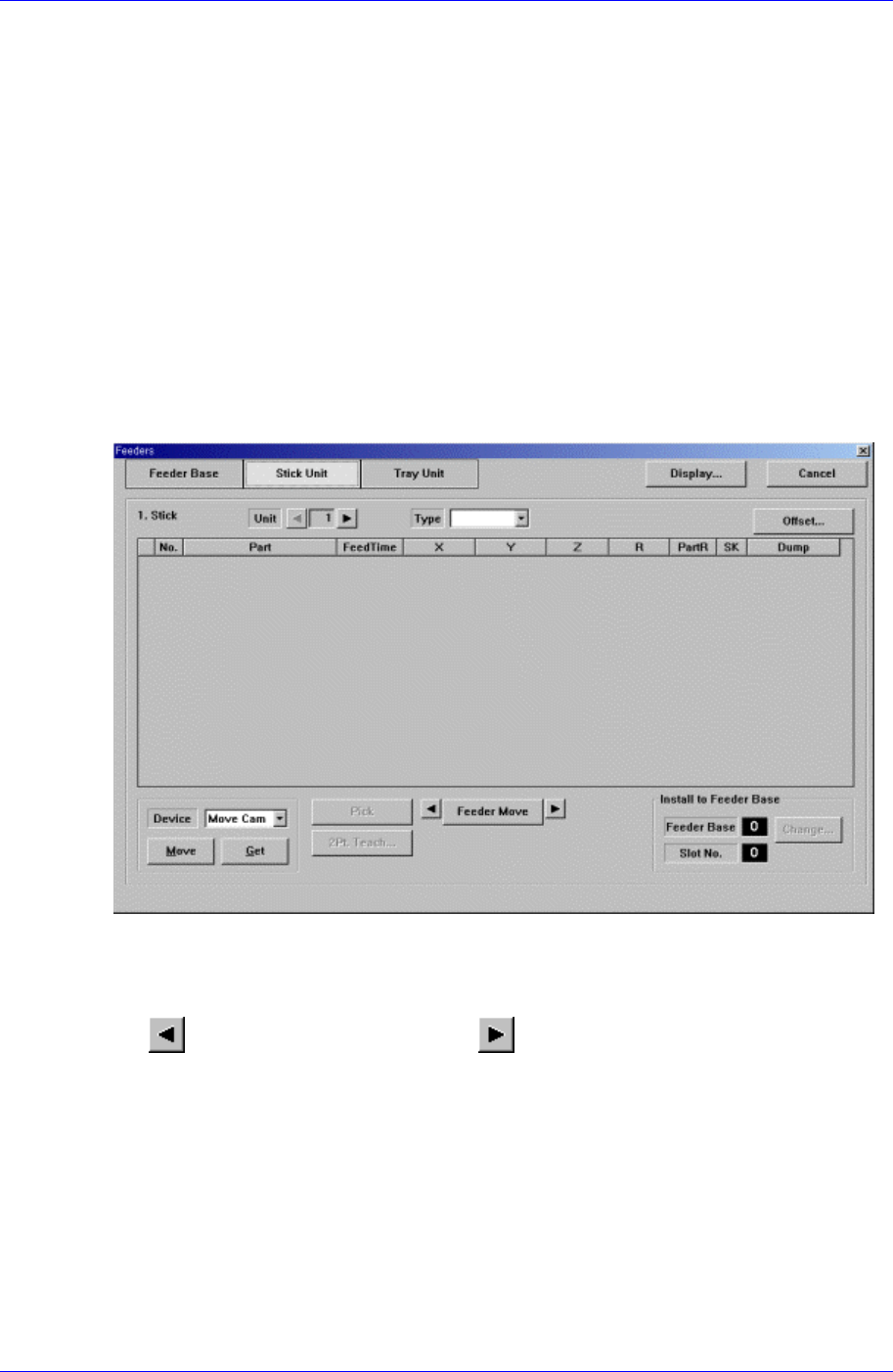
When “Stick Unit” is selected, the initial screen looks as follows.
Figure 8-5. “Stick Unit” dialog box
<Unit> group
Select the stick unit to edit.
button selects the previous unit, button selects the next unit.
<Type> combo box
Select the type of stick unit to install. Available types are as follows.
Stack Stick: Stick unit where the same type of components are installed vertically.
Multi Stick: One or many types of components are installed horizontally.
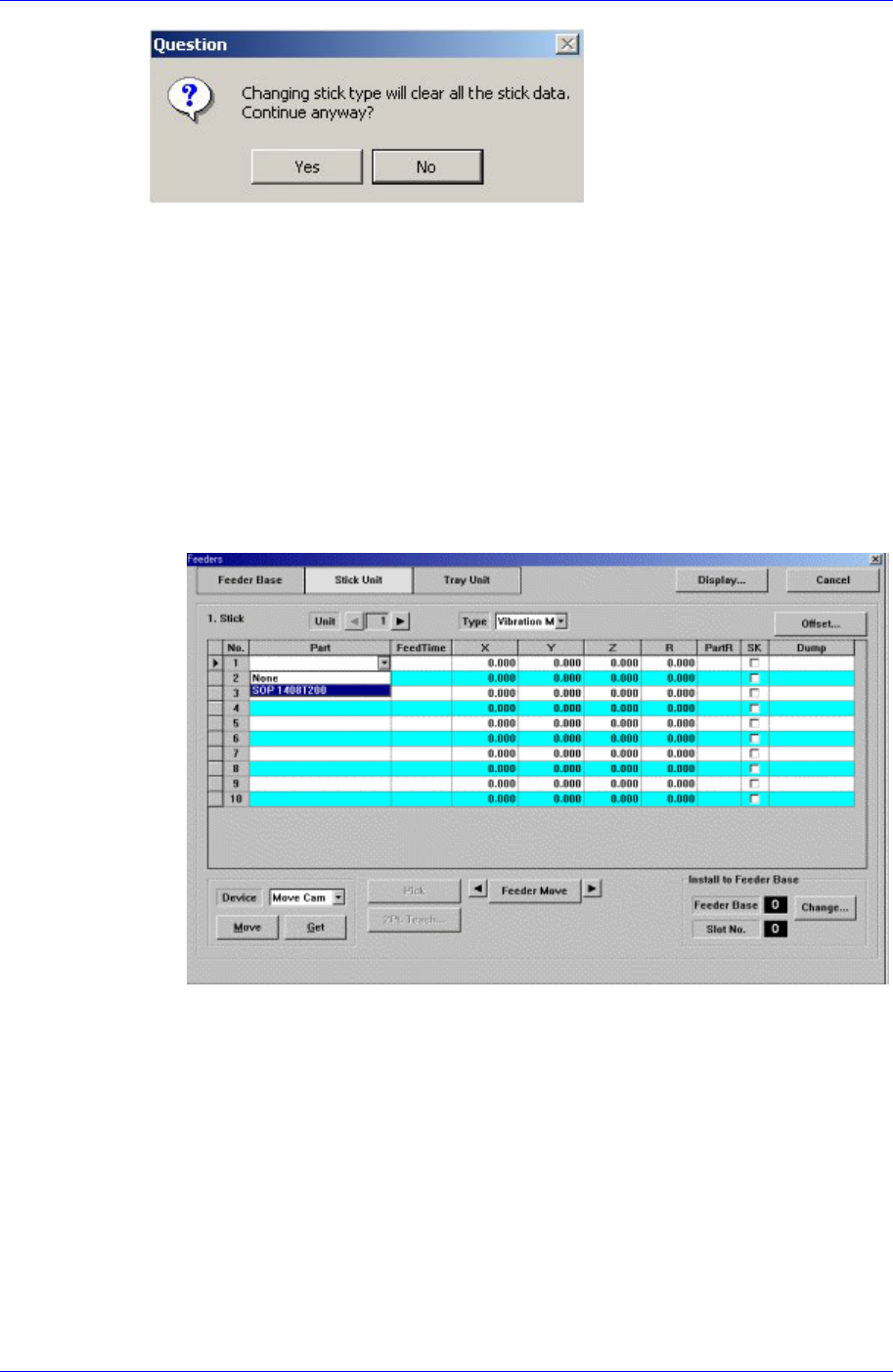
When the type is specified, the following message box is displayed. To install the
specified type stick unit, click on the <Yes> button.
Samsung Component Placer CP45FV Series Administrator’s Guide
<Stick> group
Create and edit data according to the stick unit type selected in the <Type> combo
box. If “Multi Stick” is selected for <Type>, the following dialog box is displayed.
<No> column
A serial number of the stick unit slots. Basically, “Stack Stick” has 1, “Multi
Stick” has 10 slots.
<Part> column
Select the part to install in the corresponding slot. When the <Part> column is
clicked on, a combo box is displayed, and of the components registered in <1.2
Part>, a list of parts to be supplied to “Stick” are displayed. Select the component
to install in this list. Next is a screen showing component selection in the combo
box of <Part> column.
<FeedTime> column
When a stick feeder is installed in the corresponding slot, set the component
supply time of the stick feeder. Basically stick feeders are vibration type,
therefore certain time interval is necessary after a component is picked up until
the next component moves to the pickups position. The time is set here.
<X> column
When the stick feeder is installed in the corresponding slot, set the X position to
pick up the component supplied from the stick feeder.
<Y> column
When the stick feeder is installed in the corresponding slot, set the Y position to
pick up the component supplied from the stick feeder.
<Z> column
8-8