Administrator’s Guide(CP45FV) Eng.pdf - 第160页
Samsung Component Placer CP45FV Series Administrator ’ s Guide <Delete> button Deletes the placement point in the selected area in the grid. <Import…> button Converts externally created ASCII data into st…
Step Programming
9-7
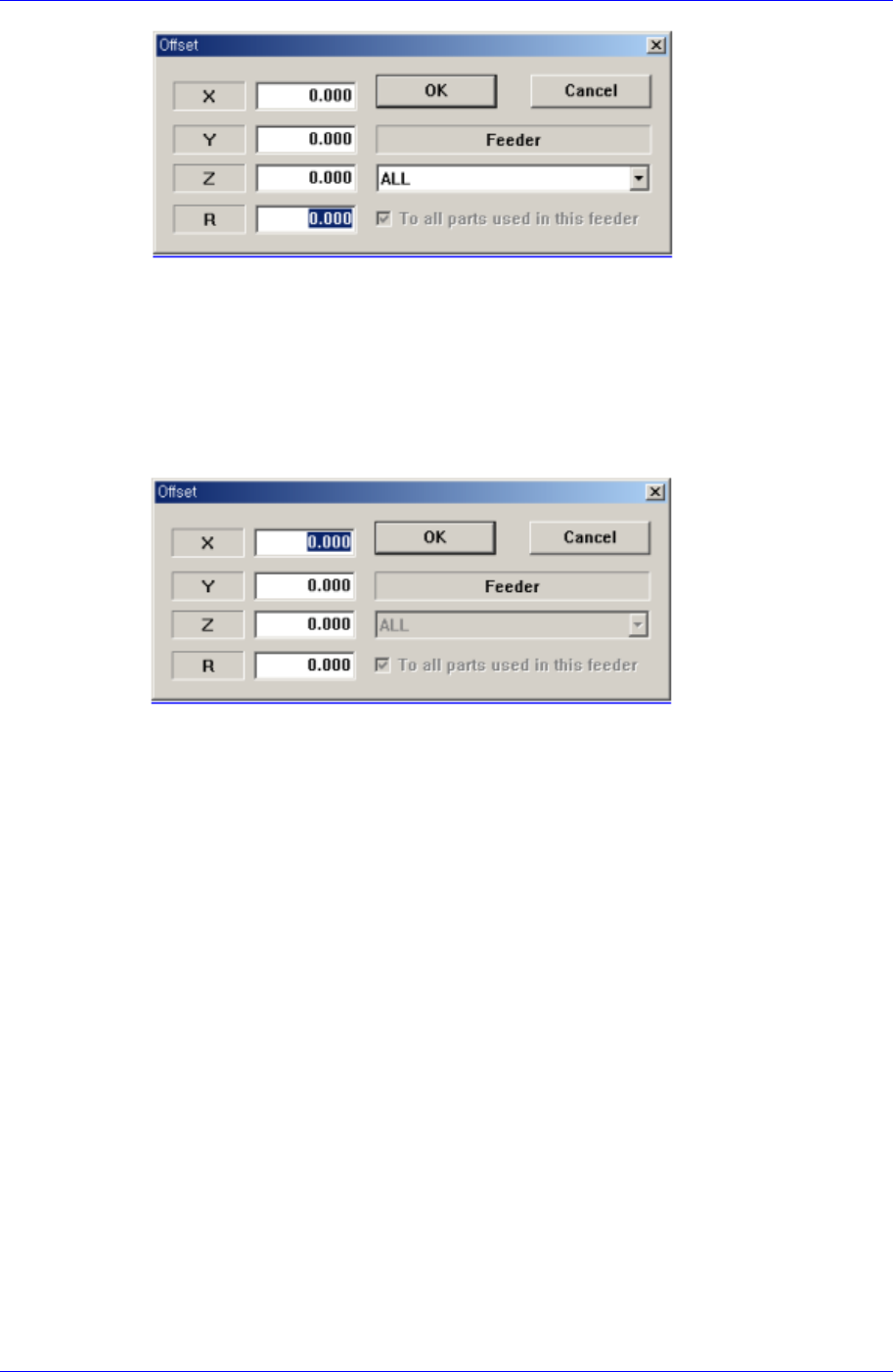
<The case to select a column>
The case to select a column
If the Feeder item is selected as ‘All’, it will be applicable to all steps.
In case a particular feeder is selected as the Feeder item, the offset value will be
applicable only for the step that uses the particular feeder. However, in case “To
all parts used in this feeder” is set, the offset value is applied to all the steps that
have the part names identical with the ones of the feeder being selected currently.
<The case to select a line>
<X> edit box
Set the X offset value.
<Y> edit box
Set the Y offset value.
<Z> edit box
Set the Z offset value.
<R> edit box
Set the R offset value.
<OK> button
Closes the dialog box and adds the set offset value to the selected line in the grid.
<Cancel> button
Ignores the set offset value and closes the dialog box
<Adjust…> button
It is a function used to change the PCB step coordinate or to check and adjust the gap
between the previous fiducial mark coordinate and the current fiducial mark
coordinate to use the previous step coordinate when the backup table is down
accidentally.
<Insert 1Line> button
Inserts a new placement point before the currently selected line in the grid.
Samsung Component Placer CP45FV Series Administrator’s Guide
<Delete> button
Deletes the placement point in the selected area in the grid.
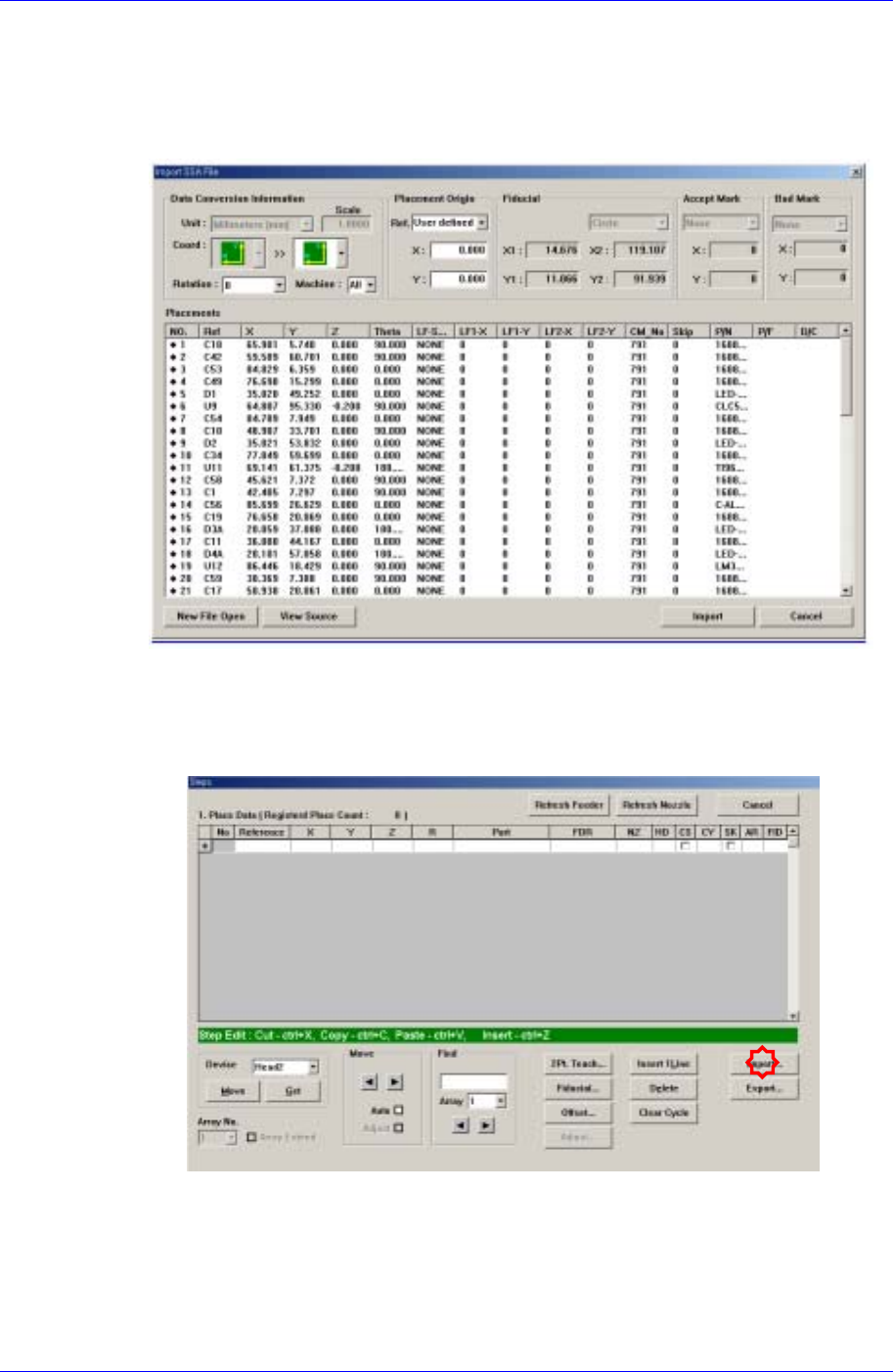
<Import…> button
Converts externally created ASCII data into step data for this machine.
Figure 9-3 “Import SSA File” dialog box
If the <Import> button is clicked, the process that converts the corresponding data to
the step data is initialized.
Click the <Import> button in the <Steps> dialog box.
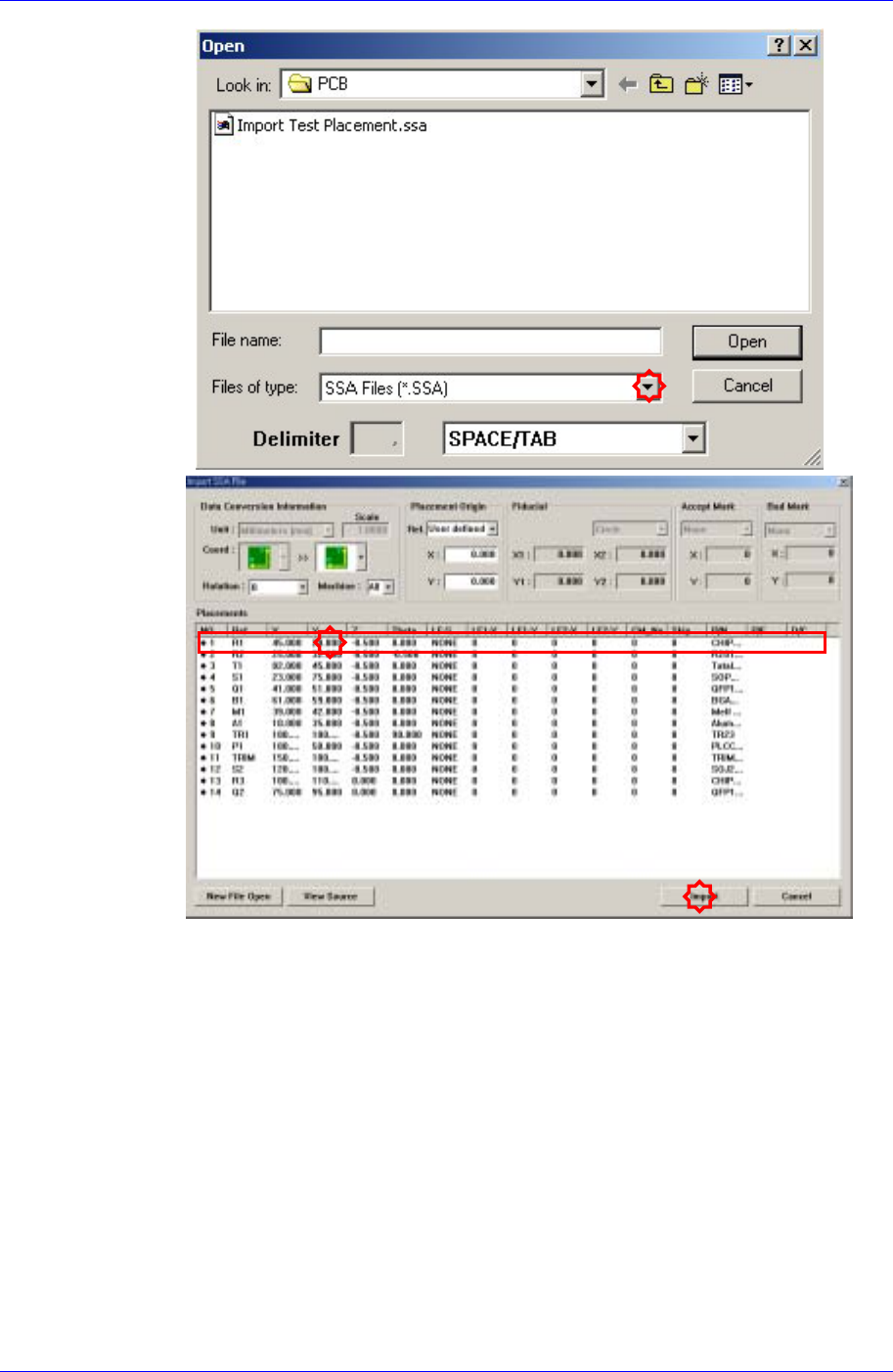
Locate and select the location and file name of the CAD file to be imported.
9-8
Step Programming
9-9
Select the machine to be operated using the imported SSA file.
Select the imported machine and confirm the name of the corresponding row of
placements. In the case of our standard format (SSA), the row value need not be
changed.