Administrator’s Guide(CP45FV) Eng.pdf - 第267页
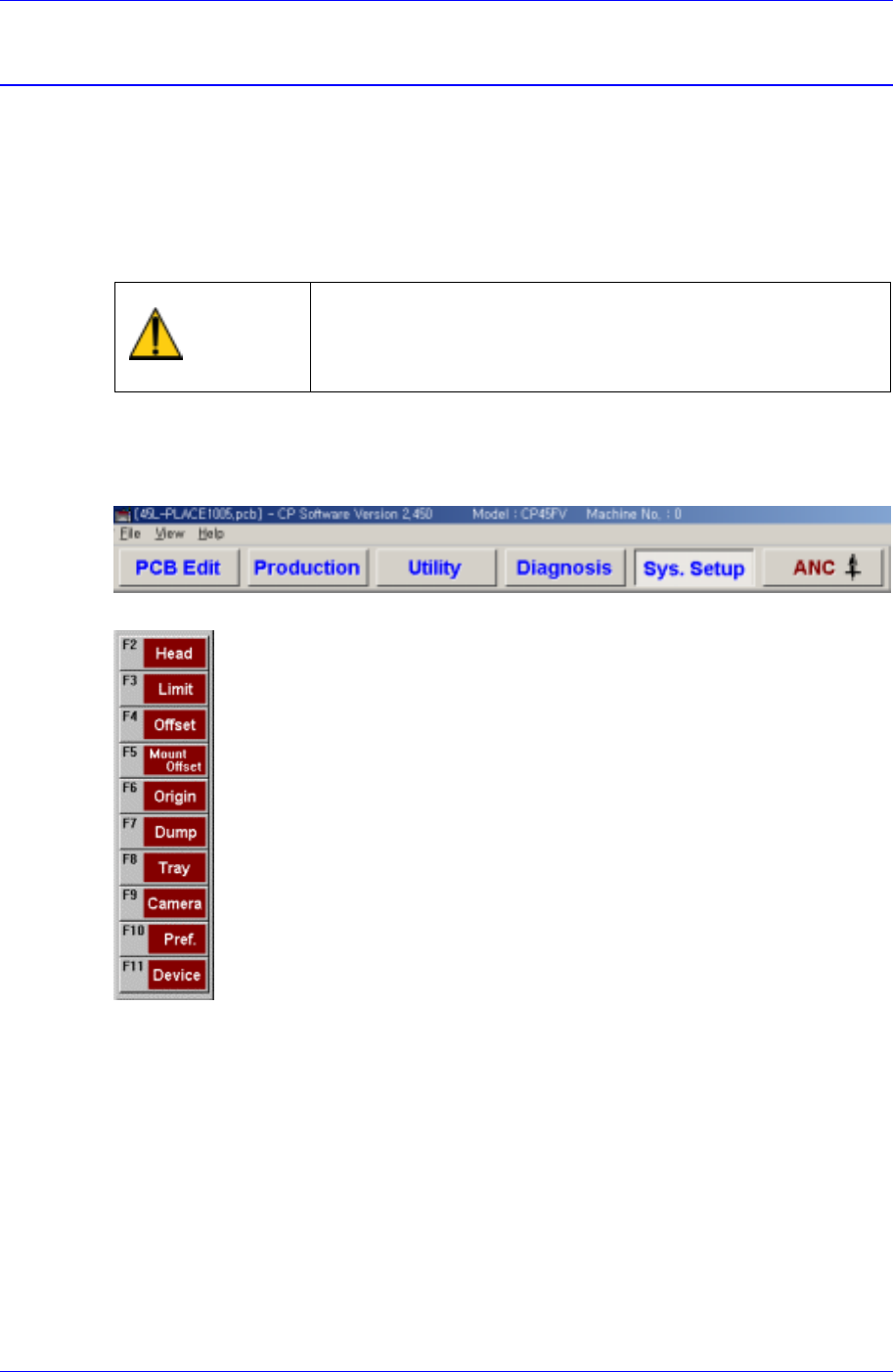
System Setup Chapter 16. System Setup 16-1 The Sys. Setup menu is composed of ten s ubm enus: Head, Limit, Offset, Mount Of fset, Origin, Dump, T ray , Camera, Pref., and Device. Items in this menu are set prior to the d…
System Setup
Chapter 16. System Setup
16-1
The Sys. Setup menu is composed of ten submenus: Head, Limit, Offset, Mount Offset,
Origin, Dump, Tray, Camera, Pref., and Device.
Items in this menu are set prior to the delivery of the machine. Therefore, do not
perform Calibration (System Setup) except when reset is needed due to the
maintenance of the machine.
Warning
Changing the set up status by an unauthorized user could
damage the machine or result in personal injury.
Unauthorized user must not change the set up status of
the machine.
When a submenu of the <Sys. Setup> menu is selected, corresponding dialog box is
displayed on the screen. While the corresponding dialog box is displayed, selecting the
menu once more activates the dialog box.
Figure 16-1. When the Sys. Setup Command is Selected
Figure 16-2. Submenus of the Sys. Setup command
Samsung Component Placer CP45FV Administrator’ Guide
16.1. Limit [F3]
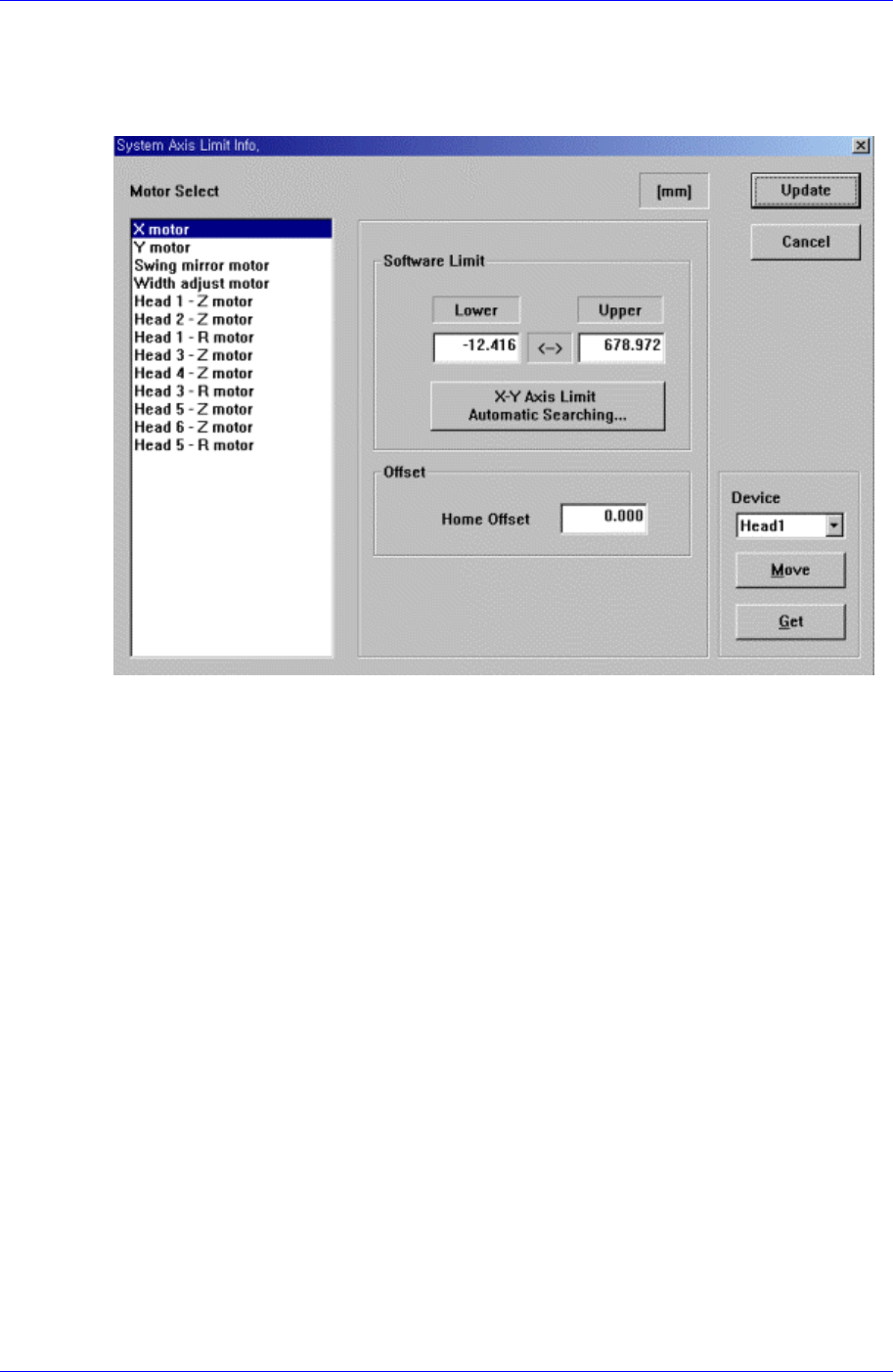
The <Limit> command sets the limit position of each axis to move.
When this button is clicked on, the following dialog box is displayed.
Figure 16-3. “Sys. Setup : System Axis Limit Info.” dialog box
<Motor Select> group
Select the motor axis for which to set the limit. Available axes are as follows.
X motor: X axis of XY Frame
Y motor: Y axis of XY Frame
Swing mirror motor: Mirror axis of the head block.
Width adjust motor: Width motor axis of conveyor.
Head1 – Z motor: Z axis of Head1
Head2 – Z motor: Z axis of Head2
Head1 – R motor: R axis of Head1
Head3 – Z motor: Z axis of Head3
Head4 – Z motor: Z axis of Head4
Head3 – R motor: R axis of Head3
Head5 – Z motor: Z axis of Head5
Head6 – Z motor: Z axis of Head6
Head5 – R motor: R axis of Head5
The swing mirror motor setup procedure is as follows;
1. Select “Current Position” in the View menu and execute the dialog box.
2. Execute the homing of the machine using the teaching box.
16-2