Administrator’s Guide(CP45FV) Eng.pdf - 第315页
Utility 18-7 When this button is clicked on, stops the <W arm-up> operation. <Close> button Closes the dialog box. Caution To raise the level of placement precision, Warming UP must be done. To raise the le…
Samsung Component Placer CP45FV Administrator’ Guide
18.6. WarmUp[F9]
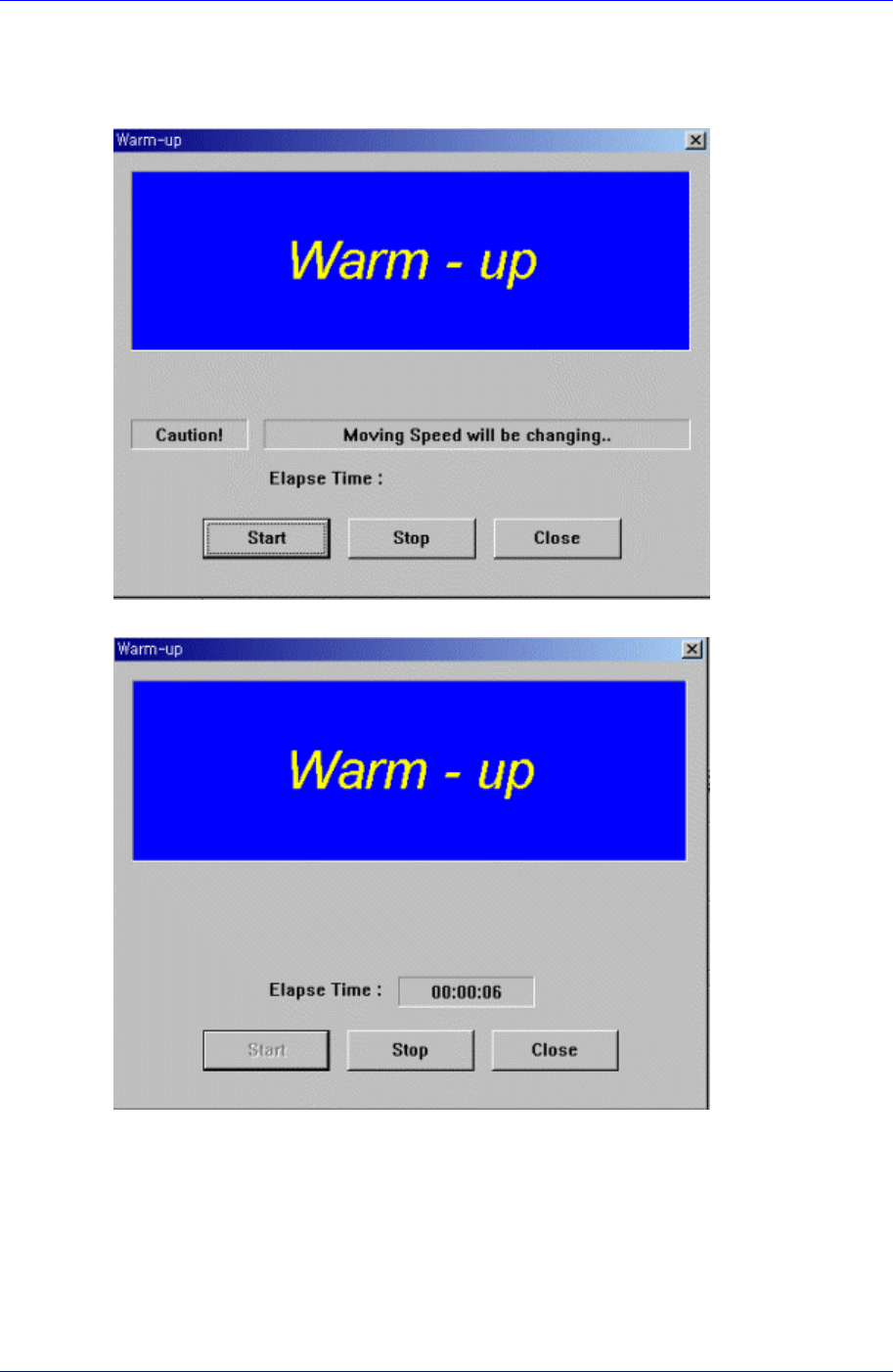
The <WarmUp> command is used to warm up each axis after power supply. When this
command is selected, the following dialog box is displayed.
Figure 18-8. . “Warm-Up” dialog box
Figure 18-9. “Warm-Up” dialog box, After pressing the Start Button
<Start> button
Starts the warm up operation. When this button is clicked on, starts the warm-up
operation and the elapsed time is displayed in the “Warm-up” dialog box. When this
button is clicked on again, stops the warm up operation and closes the “Warm-up”
dialog box.
<Start> button
18-6

Utility
18-7
When this button is clicked on, stops the <Warm-up> operation.
<Close> button
Closes the dialog box.
Caution
To raise the level of placement precision, Warming UP
must be done.
To raise the level of placement precision, be sure to carry
out warm up before operating the machine.