Administrator’s Guide(CP45FV) Eng.pdf - 第308页
在线预览 Administrator’s Guide(CP45FV) Eng.pdf PDF 文档。

Diagnosis
17-11
Displays the number of the palette currently taken out.
<Status> message box
Displays the status of command handling.
<Execution Time> Static box
Displays the time taken to handle the command.
Utility
Chapter 18. Utility
18-1
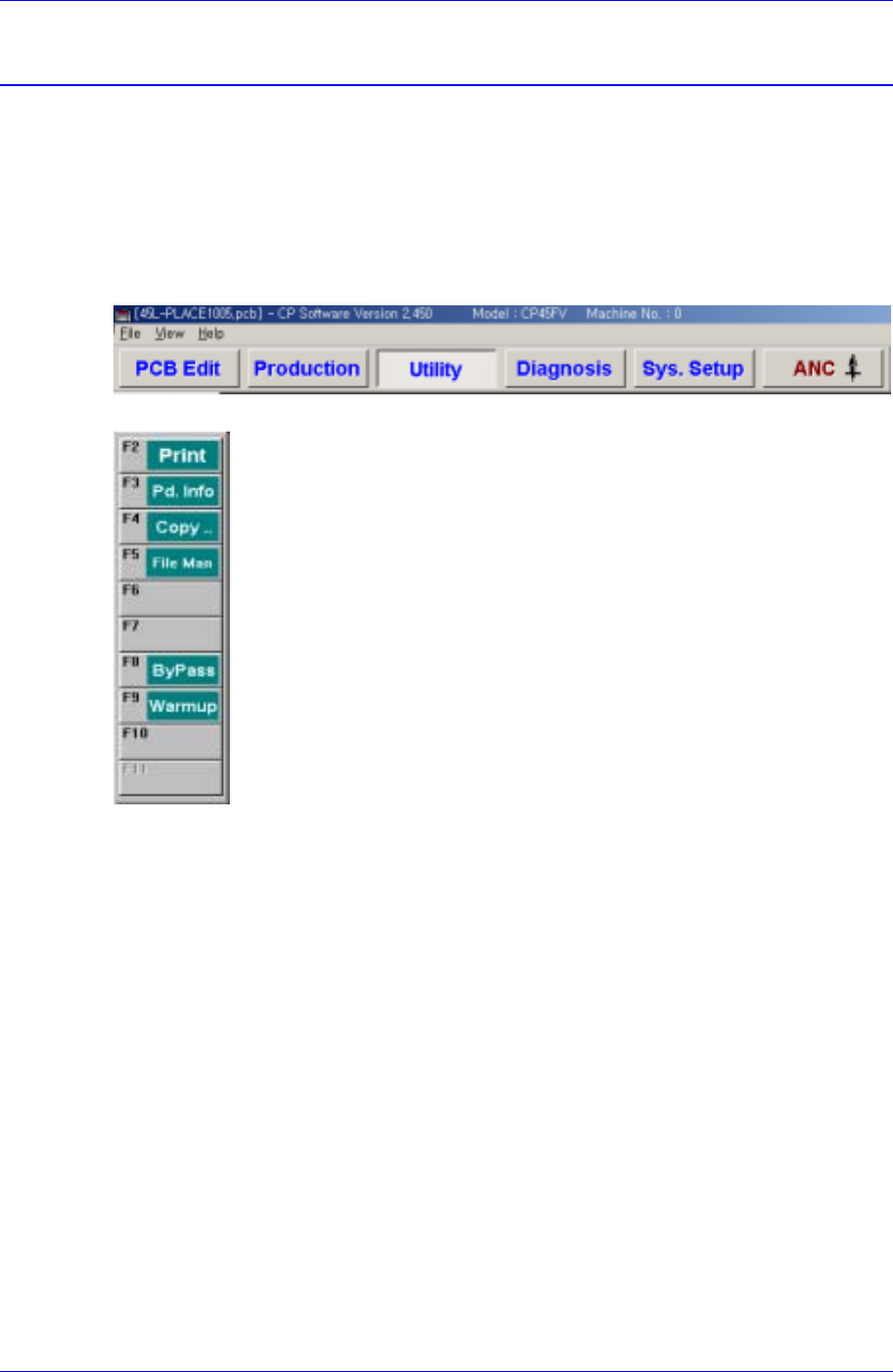
The utility menu is composed of 6 submenus: Print, Production Information, Copy
Between PCB Files, File Manager, Bypass, and Warmup.
This menu provides convenience of operation and provides product information when the
machine is started.
When a submenu of the <Utility> menu is selected, the corresponding dialog box is
displayed on the screen. While the dialog box corresponding to the submenu is displayed,
selecting the menu again activates the corresponding dialog box.
Figure 18-1. When the Utility command is selected
Figure 18-2. Submenus of the Utility command
18.1. Print... [F2]
The <Print...> command is used to print PCB files. When this command is selected, the
following dialog box is displayed.