Administrator’s Guide(CP45FV) Eng.pdf - 第32页
Samsung Component Placer CP45FV Series Administrator ’ s Guide Select the <Password> tab in the System Preference dialog box to display the following dialog box. Enter the password in the <Password> edit bo…
System Administrator Password
Chapter 1. System Administrator
Password
1-1
The CP45FV Series machine needs the system administrator password in order to use the
system setup menu of the machine.
Setup the system administrator password in the following manner;
Operational procedure
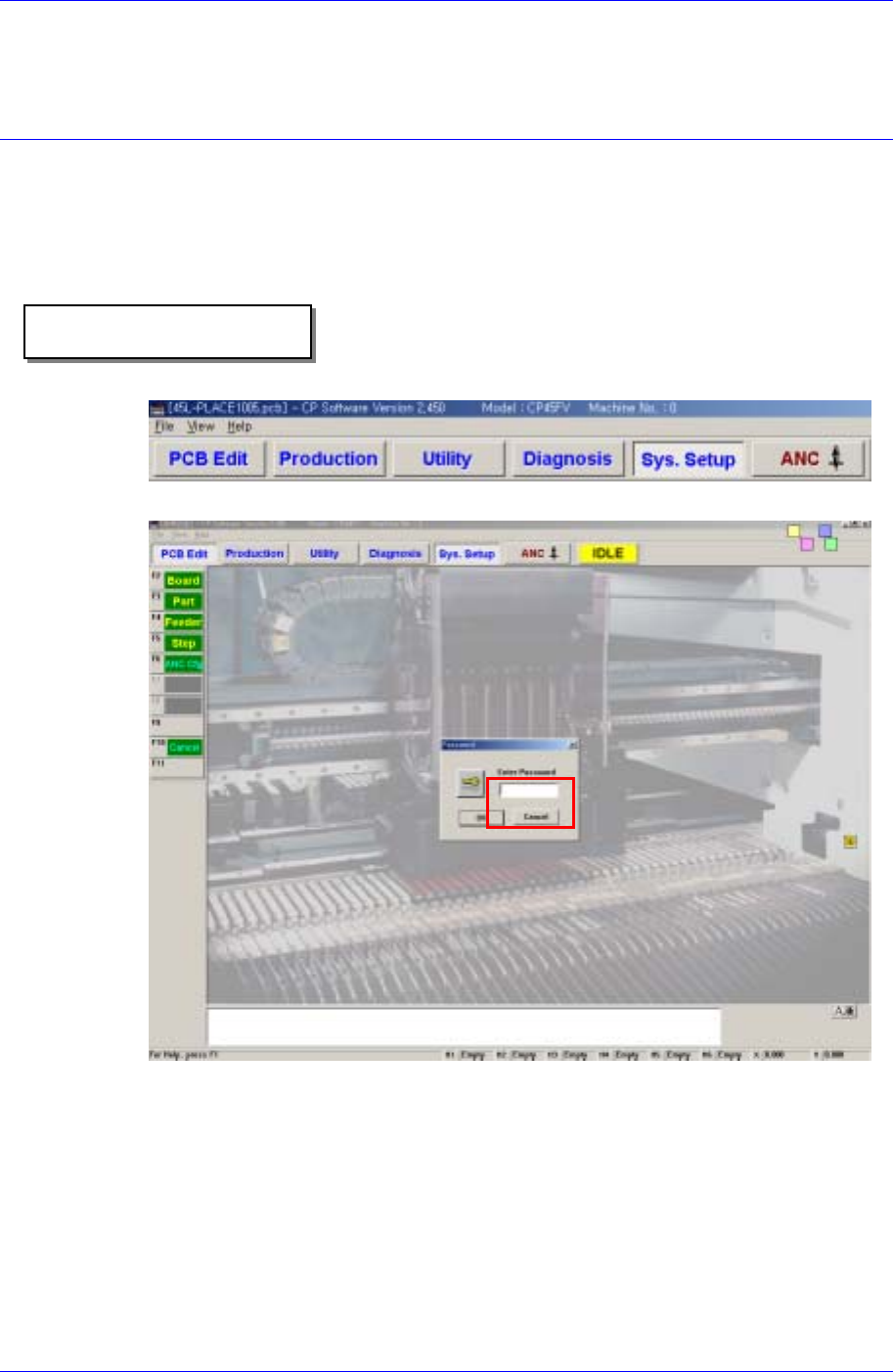
Selects the System Setup Menu.
Enter the system administrator password in the password window.
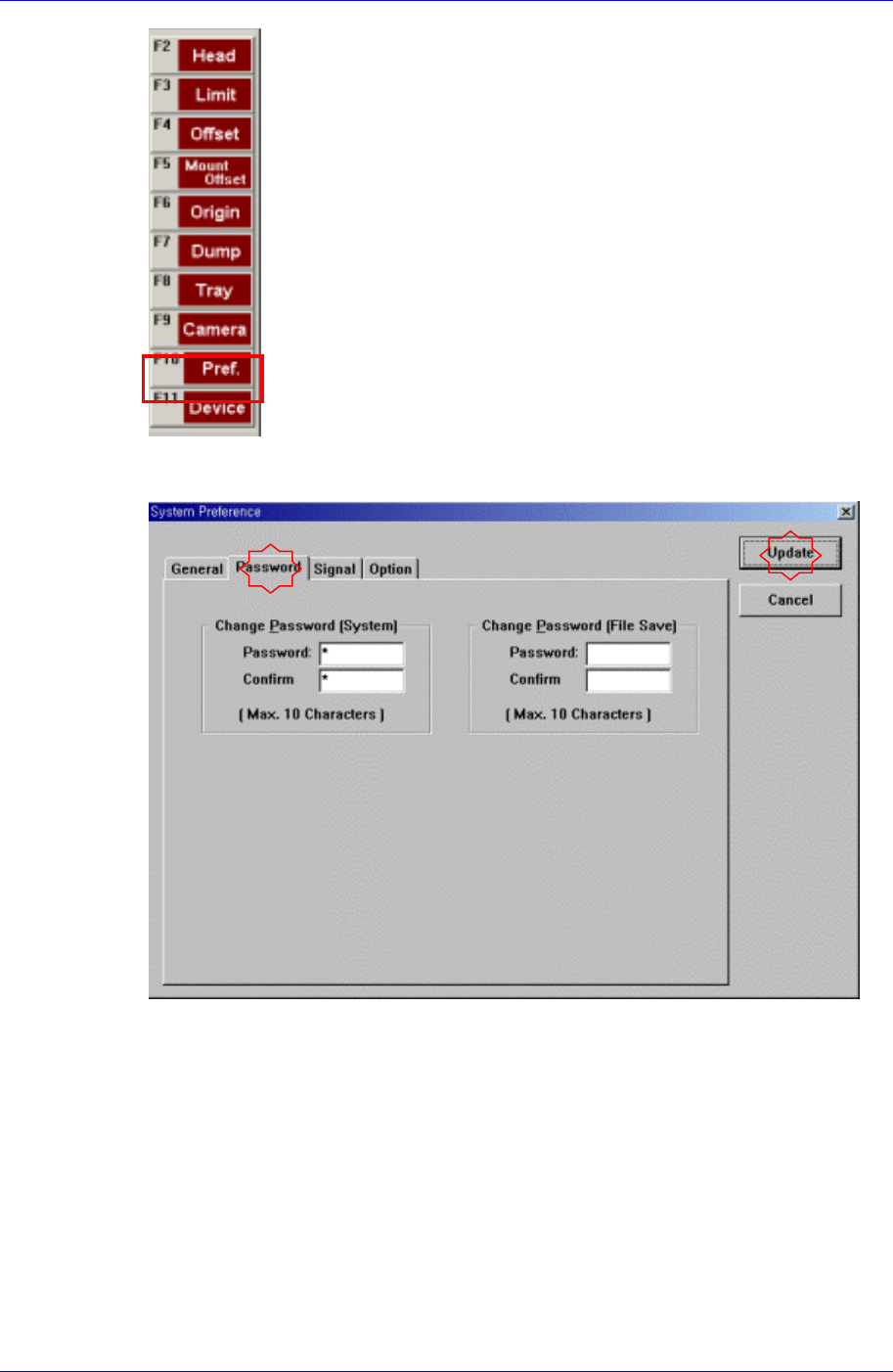
Selects the Pref. [F10] Menu.
Samsung Component Placer CP45FV Series Administrator’s Guide
Select the <Password> tab in the System Preference dialog box to display the
following dialog box.
Enter the password in the <Password> edit box.
Re-enter the password in the <Confirm> edit box in order to confirm the set password.
Then click the <Update> button to reflect the change.
.
1-2

Programming
Reference