Administrator’s Guide(CP45FV) Eng.pdf - 第287页
System Setup 16-21 Figur e 16-1 1. “ Sys. Setup : System Pr efer ence - Signal ” dialog box <T ype> combo box Select the signal tower type. Available types are as follows. Red – Yellow – Green: When the signa…
Samsung Component Placer CP45FV Administrator’ Guide
command is transferred to the machine, displays the confirm message box if
the command is for Z axis movement.
<XY, Z axis> option button: If this button is selected, when the movement
command is transmitted to the machine, displays the confirm message box if
the command is for XY, and Z axes movement.
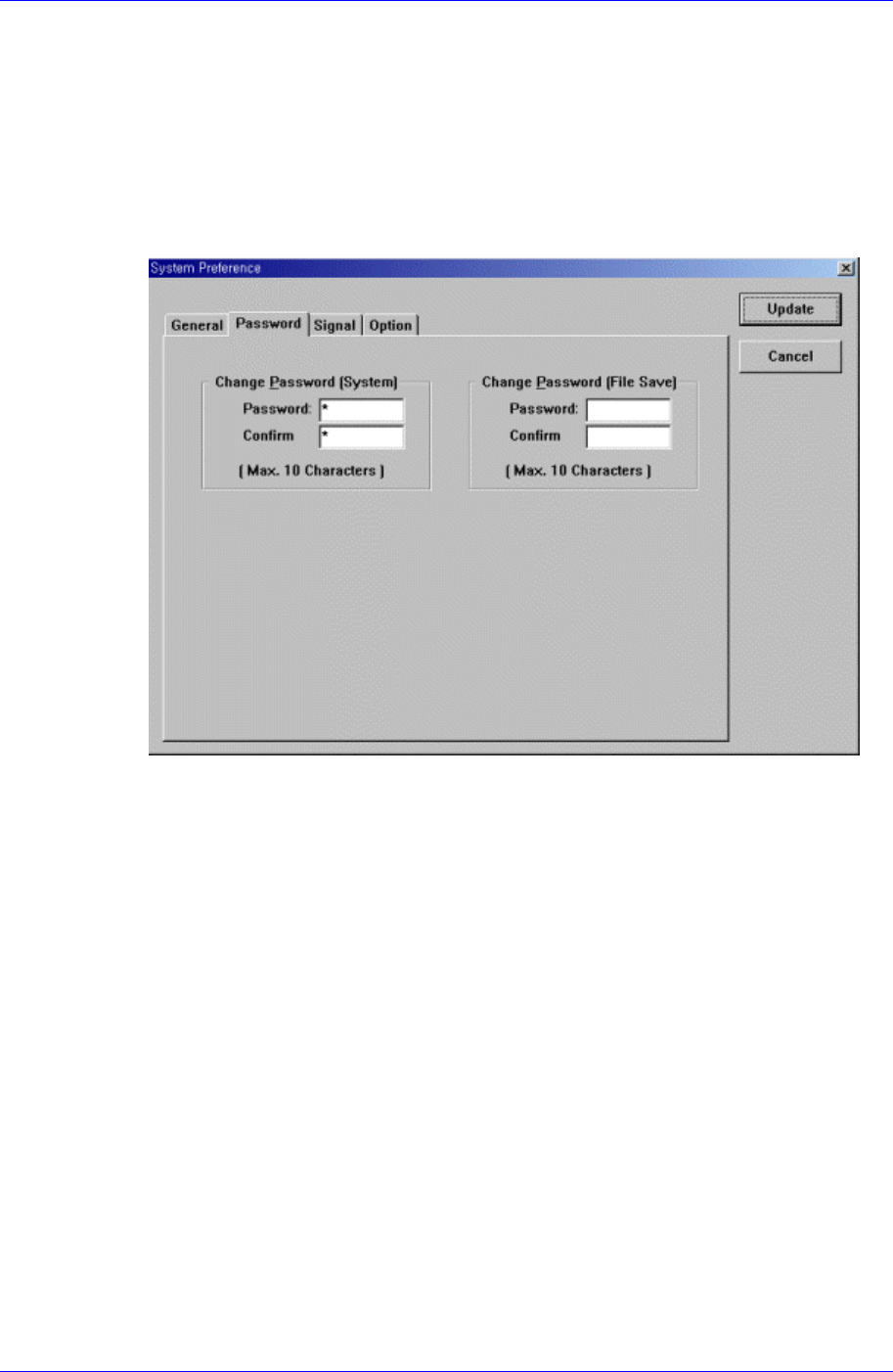
<Password> tab dialog
A password is necessary for system setup. Select the password to use. When this
button is selected, the following screen is displayed.
Figure 16-10. “Sys. Setup : System Preference - Password” dialog box
<Password> edit box
Set the password.
<Confirm> edit box
Set again to confirm the set password.
<Signal> tab dialog
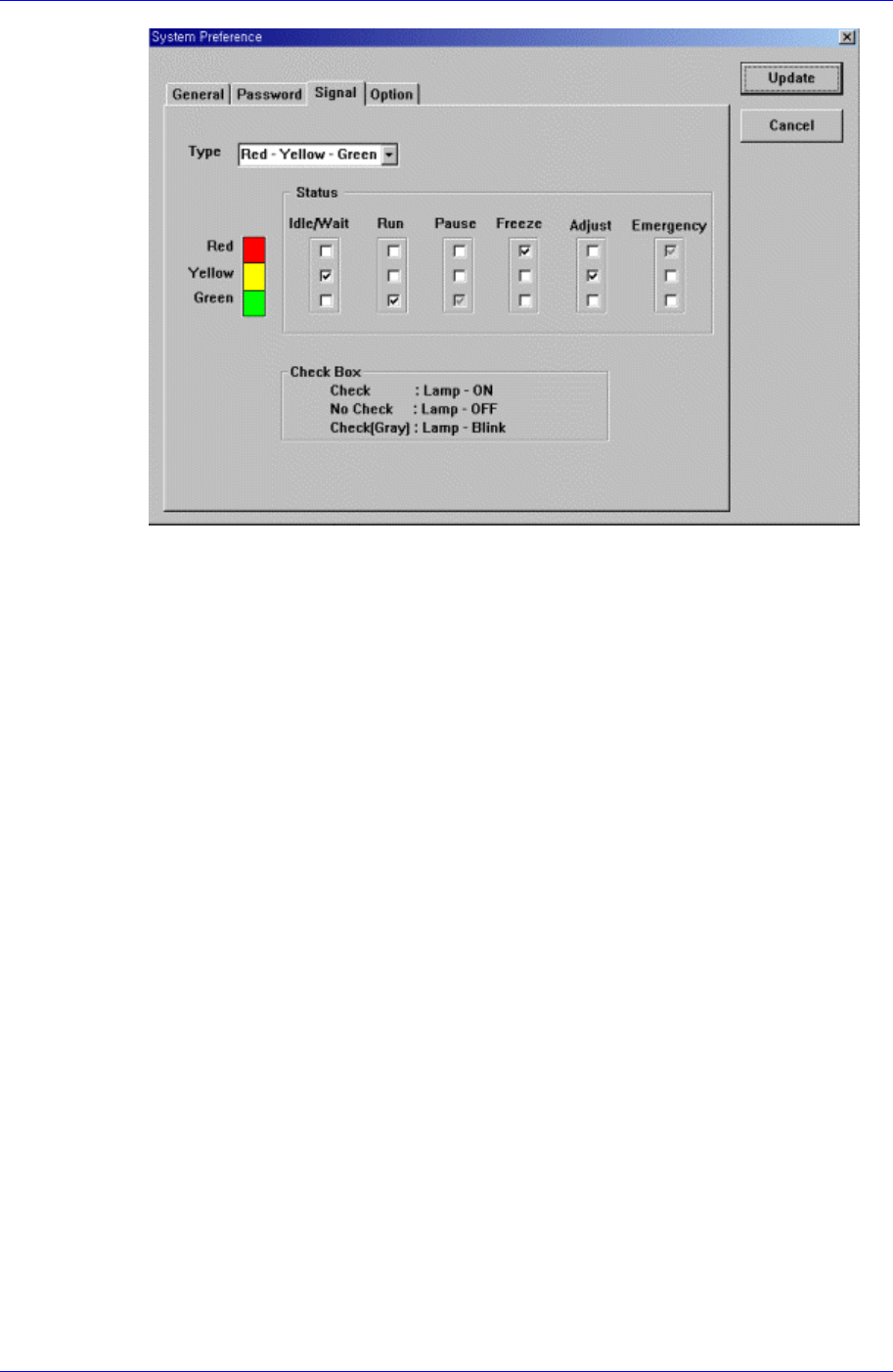
Set the status of the signal tower lamp. When this button is selected, the following
screen is displayed.
16-20
System Setup
16-21
Figure 16-11. “Sys. Setup : System Preference - Signal” dialog box
<Type> combo box
Select the signal tower type. Available types are as follows.
Red – Yellow – Green: When the signal tower lamp consists of “Red – Yellow –
Green”.
Red – Blue – Green: When the signal tower lamp consists of “Red – Blue –
Green”.
<Status> group
Set the status of the signal tower lamp corresponding to the machine status.
For example, if you want to turn on the “Yellow” lamp of the signal tower in the
idle/wait status, check the corresponding “Yellow” lamp check box among the 3
check boxes under the Idle/Wait.
The status and meanings of the check boxes are as follows.
Checked: Turns on the corresponding lamp.
Not checked: Turns off the corresponding lamp.
Checked in gray: Flickers the corresponding lamp.
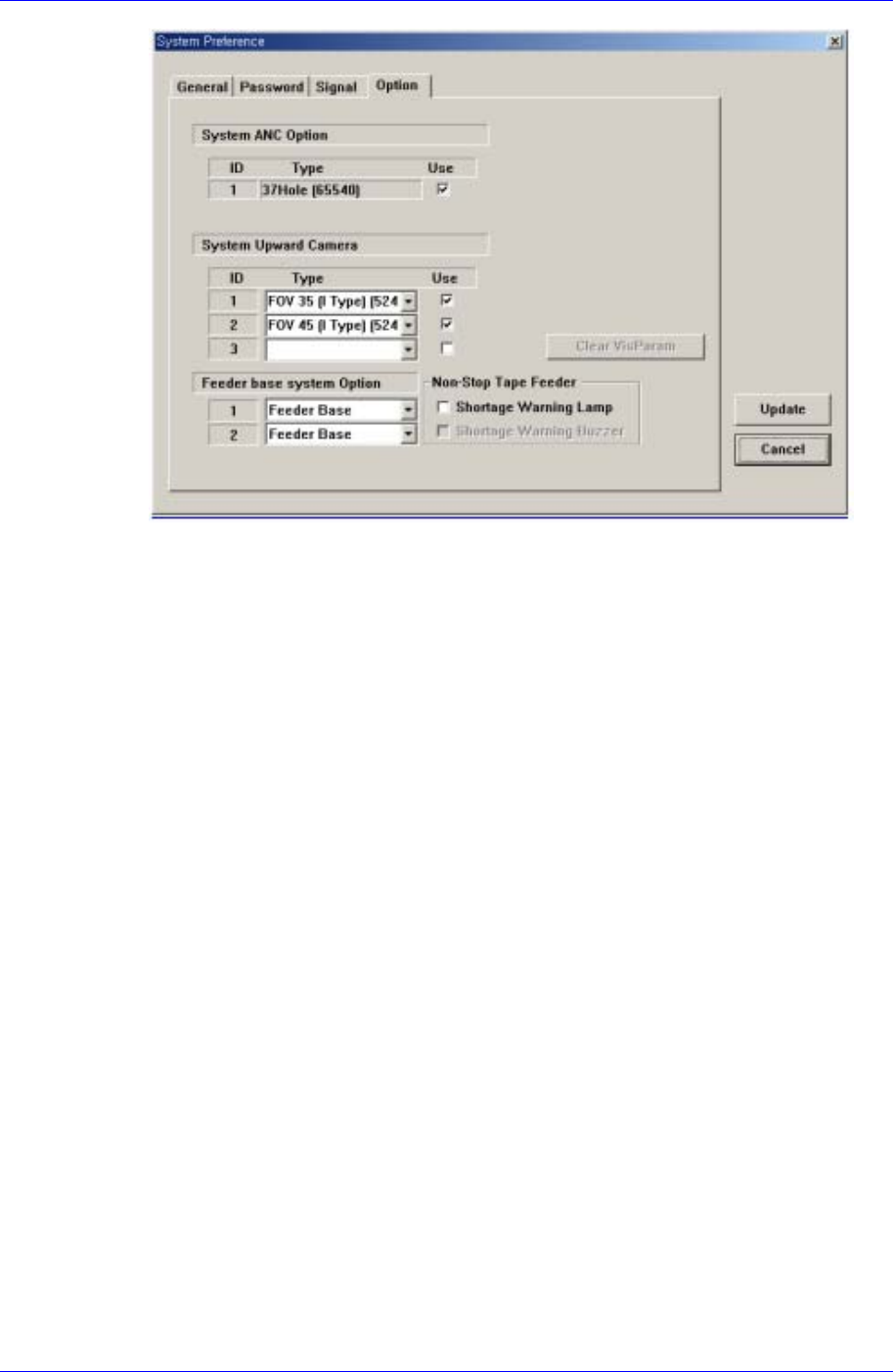
<Option> tab dialog
Set whether to use or not to use the ANC and camera and set the constant parameter
to be used for the vision system. When this button is selected, the following screen is
displayed.
Samsung Component Placer CP45FV Administrator’ Guide
Figure 16-12. “Sys. Setup : System Preference - Option” dialog box
<System ANC Option> check box
Set whether to use or not to use the ANC type available for the machine. To use
the corresponding ANC type, check the check box.
<System Upward Camera> check box
Set whether to use or not to use the fix camera type available for the machine. To
use the corresponding camera type, check the check box.
<Vis. Option Parameter> Grid group
Set the constant parameter available for the vision system. The number of
available parameters is 20.
<Use Non Stop > check box
Check it only when the user uses the Non Stop Feeder. Classified into Feeder
Base, Feeder Base Docking, and Feeder Base Docking+IQ according to the
supply method of the feeder.
<Shortage Warning Lamp>check box
If this check box is checked, when the work is performed with the Non Stop
Feeder, the tower lamp will flicker in case that the remaining quantity of parts is
less than the basic required quantity.
<Shortage Warning Buzzer> check box
When this check box is checked, a sound signal is produced if the number of
remaining components is less than the standard value while working with the
Non Stop Feeder.
<Update> button
Transmits the set option to the machine and closes the dialog box.
<Cancel> button
Ignores the set option and closes the dialog box.
16-22