Administrator’s Guide(CP45FV) Eng.pdf - 第56页
Samsung Component Placer CP45FV Series Administrator ’ s Guide Figur e 4-6. “ Position ” message box X Displays the current position of Head1 in X-direction from the mechanical origin. Y Displays the cu…
View Menu
4-5
Closes the Mirror.
<Mirror Open> button
Opens the Mirror.
<Real Display/Binary> button
Displays the actual image and the processed image (binary) on the vision screen.
<Nozzle Put All> button
Puts all Nozzles.
<Part Dump All> button
Dumps all picked parts.
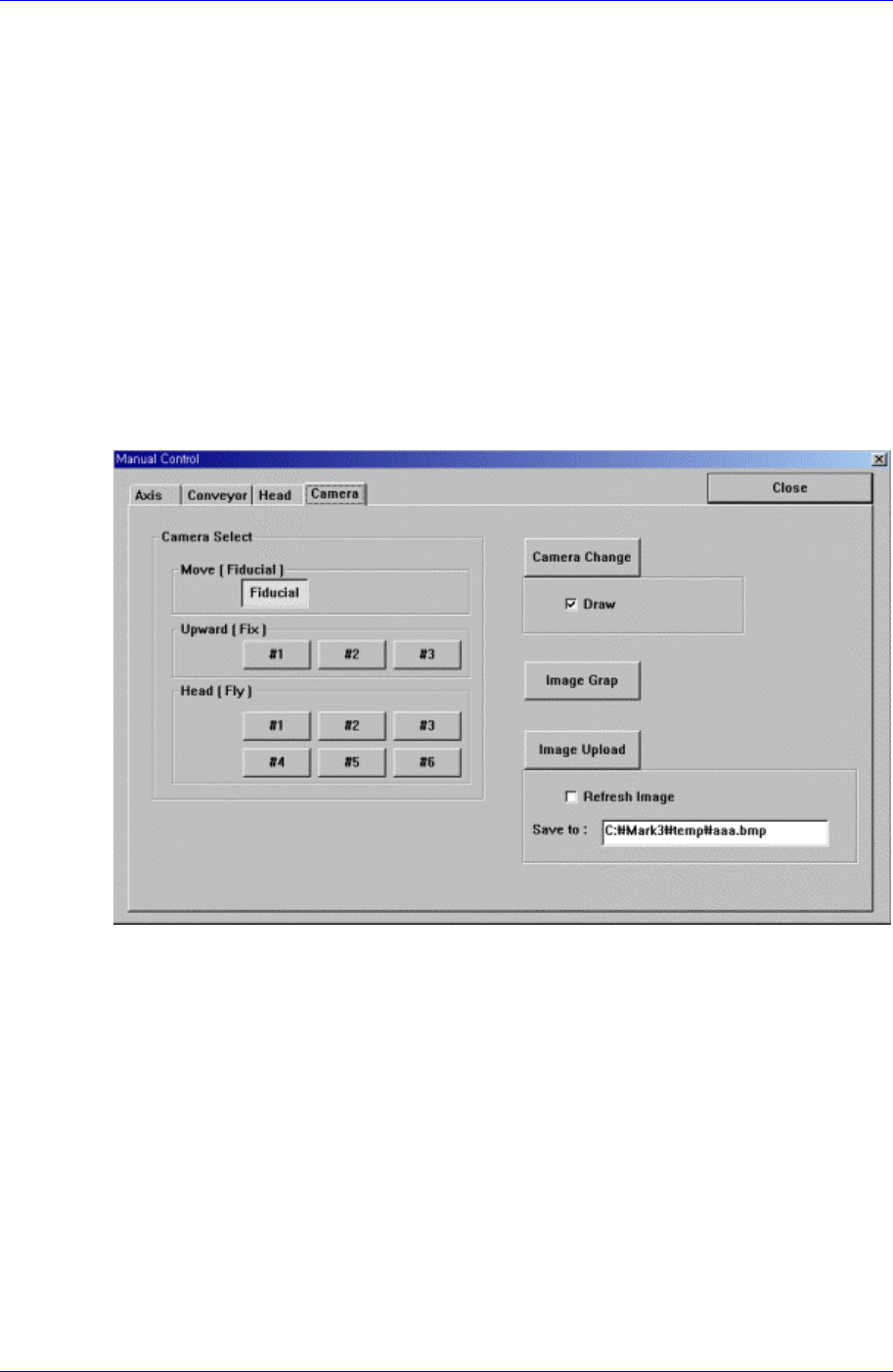
4.1.4. Camera Dialog Box
It tests the status of each camera through the vision monitor according to the image grab
and lighting
Figure 4-5. “Manual Tools – Camera” dialog
4.2. Current Position
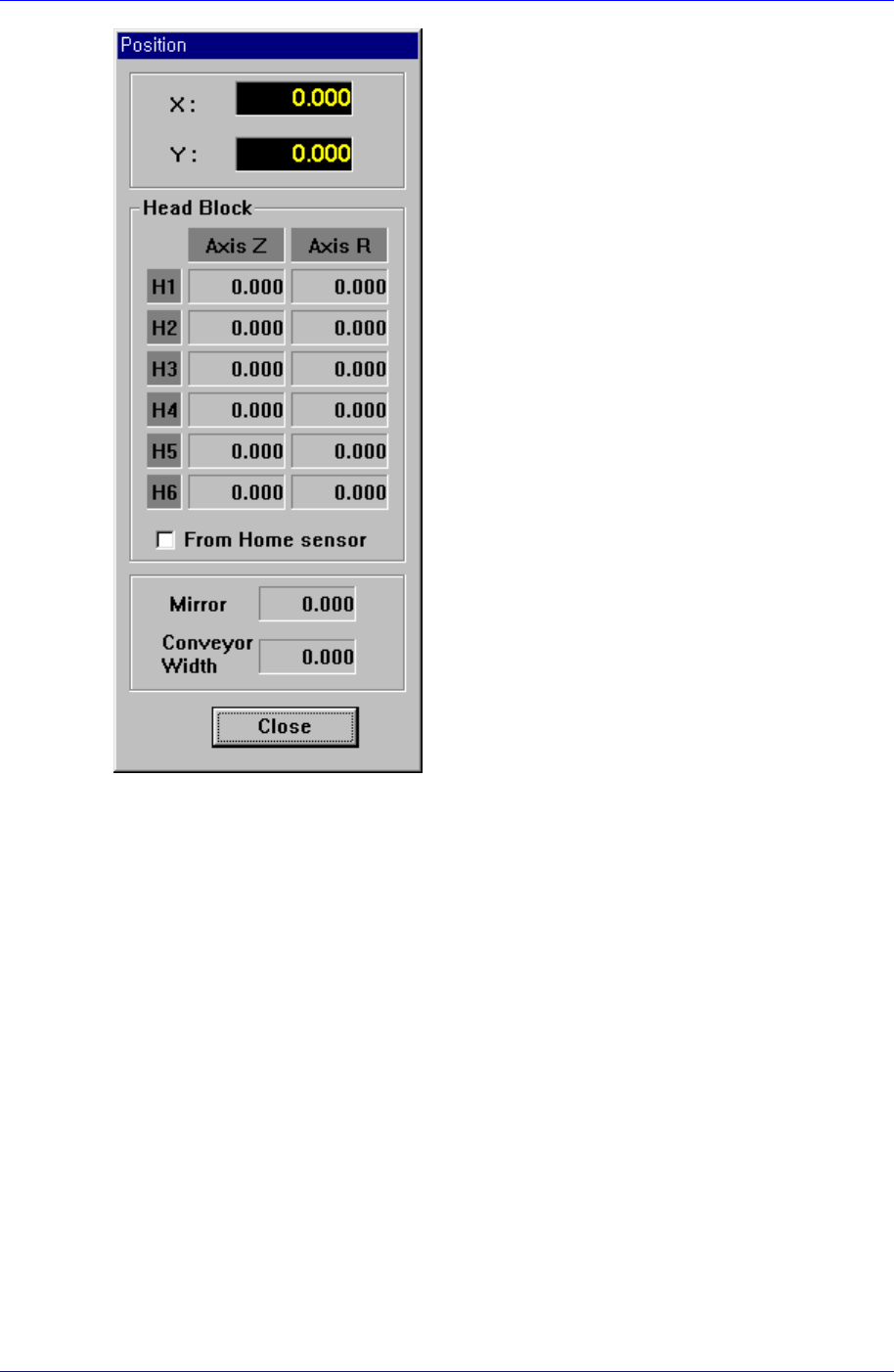
<Position Window> command displays the current position of each axis and the name of
the nozzle installed on the head in real time. When this command is selected, the
following window is displayed on the MMI main screen.
Samsung Component Placer CP45FV Series Administrator’s Guide
Figure 4-6. “Position” message box
X
Displays the current position of Head1 in X-direction from the mechanical origin.
Y
Displays the current position of Head1 in Y-direction from the mechanical origin.
Head Block Group
Head1/Axis Z
Displays the current height of Head1.
Head1/Axis R
Displays the current rotational angle of Head1.
Head2/Axis Z
Displays the current height of Head2.
Head2/Axis R
Displays the current rotational angle of Head2.
Head3/Axis Z
Displays the current height of Head3.
Head3/Axis R
4-6

View Menu
4-7
Displays the current rotational angle of Head3.
Head4/Axis Z
Displays the current height of Head4.
Head4/Axis R
Displays the current rotational angle of Head4.
Head5/Axis Z
Displays the current height of Head5.
Head5/Axis R
Displays the current rotational angle of Head5.
Head6/Axis Z
Displays the current height of Head6.
Head6/Axis R
Displays the current rotational angle of Head6.
Mirror
Displays the current location of the mirror for the fly camera.
Conveyor Width
Displays the current location of conveyor width.
<Close> button
Closes the “Position” message box and finish <Current Position> command.
4.3. System Error Message
The <System Error Message> command is used to check the error message window
which is displayed when there is an machine error.
4.4. Place Error
The <Place Error> command is used to check the message window related to the dumped
components and feeders.
4.5. Tool bar Position
Set the location of the auxiliary menu tool bar of the menu tool bar on the screen.
Left side : Places it on the left of the screen.
Right side : Places it on the right of the screen.
Bottom side : Places it on the bottom of the screen.