Administrator’s Guide(CP45FV) Eng.pdf - 第161页
S tep Pr ogramming 9-9 Select the machine to be operated using the imported SSA file. Select the imported machine and confir m the name of the corresponding row of placements. In the case of our standard fo rmat (SSA),…
Samsung Component Placer CP45FV Series Administrator’s Guide
<Delete> button
Deletes the placement point in the selected area in the grid.
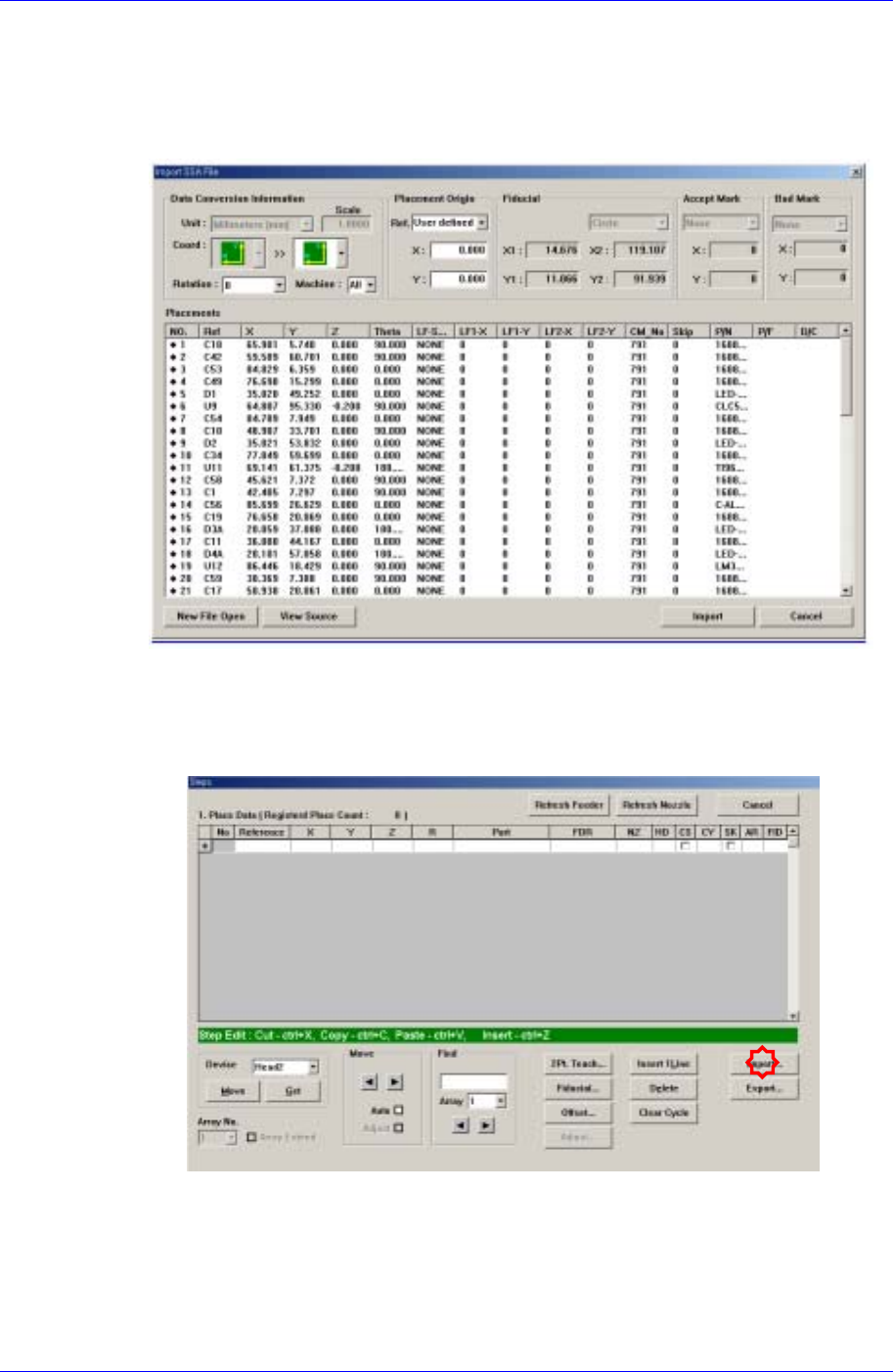
<Import…> button
Converts externally created ASCII data into step data for this machine.
Figure 9-3 “Import SSA File” dialog box
If the <Import> button is clicked, the process that converts the corresponding data to
the step data is initialized.
Click the <Import> button in the <Steps> dialog box.
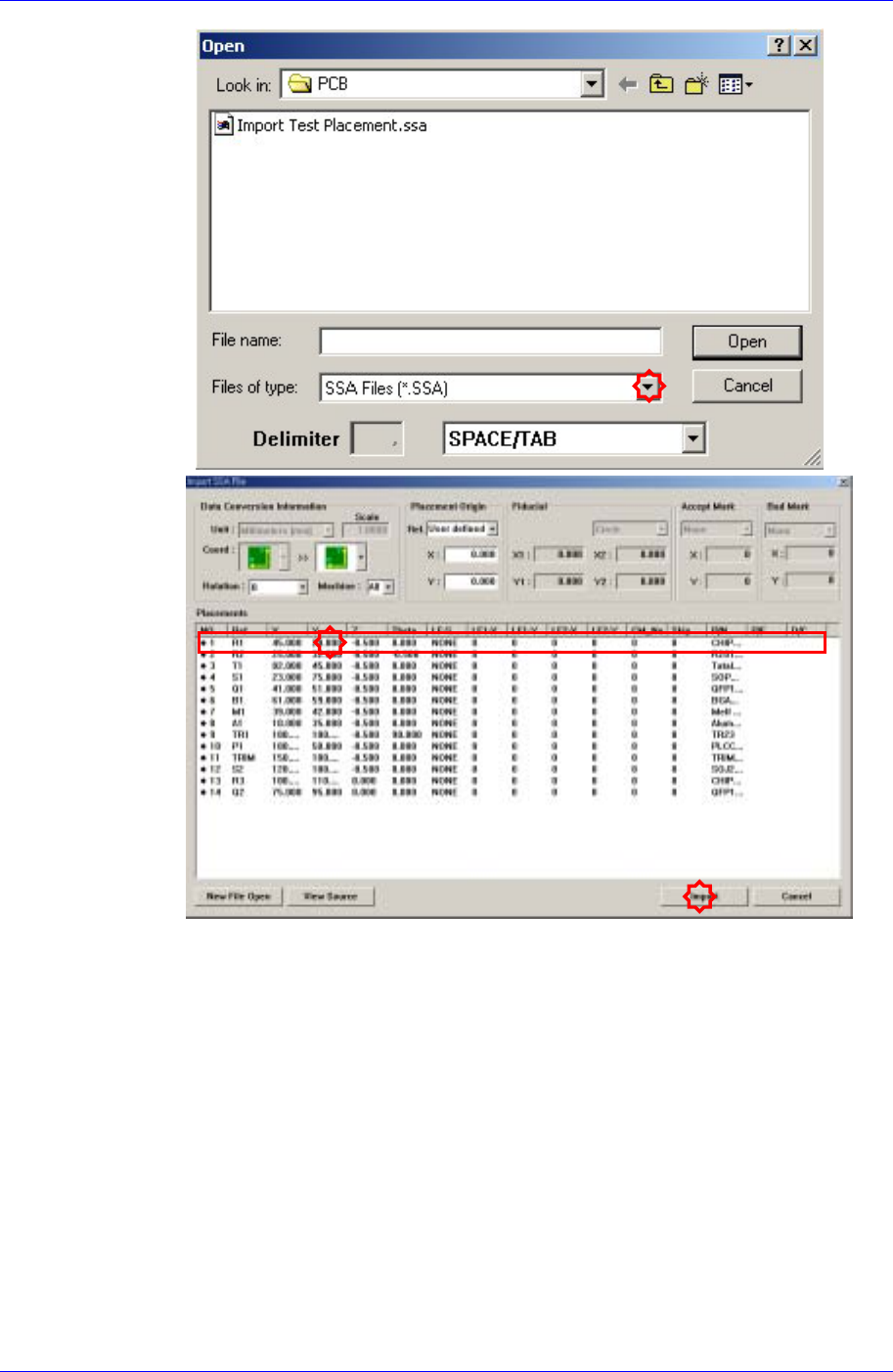
Locate and select the location and file name of the CAD file to be imported.
9-8
Step Programming
9-9
Select the machine to be operated using the imported SSA file.
Select the imported machine and confirm the name of the corresponding row of
placements. In the case of our standard format (SSA), the row value need not be
changed.
Samsung Component Placer CP45FV Series Administrator’s Guide
Executes Import.
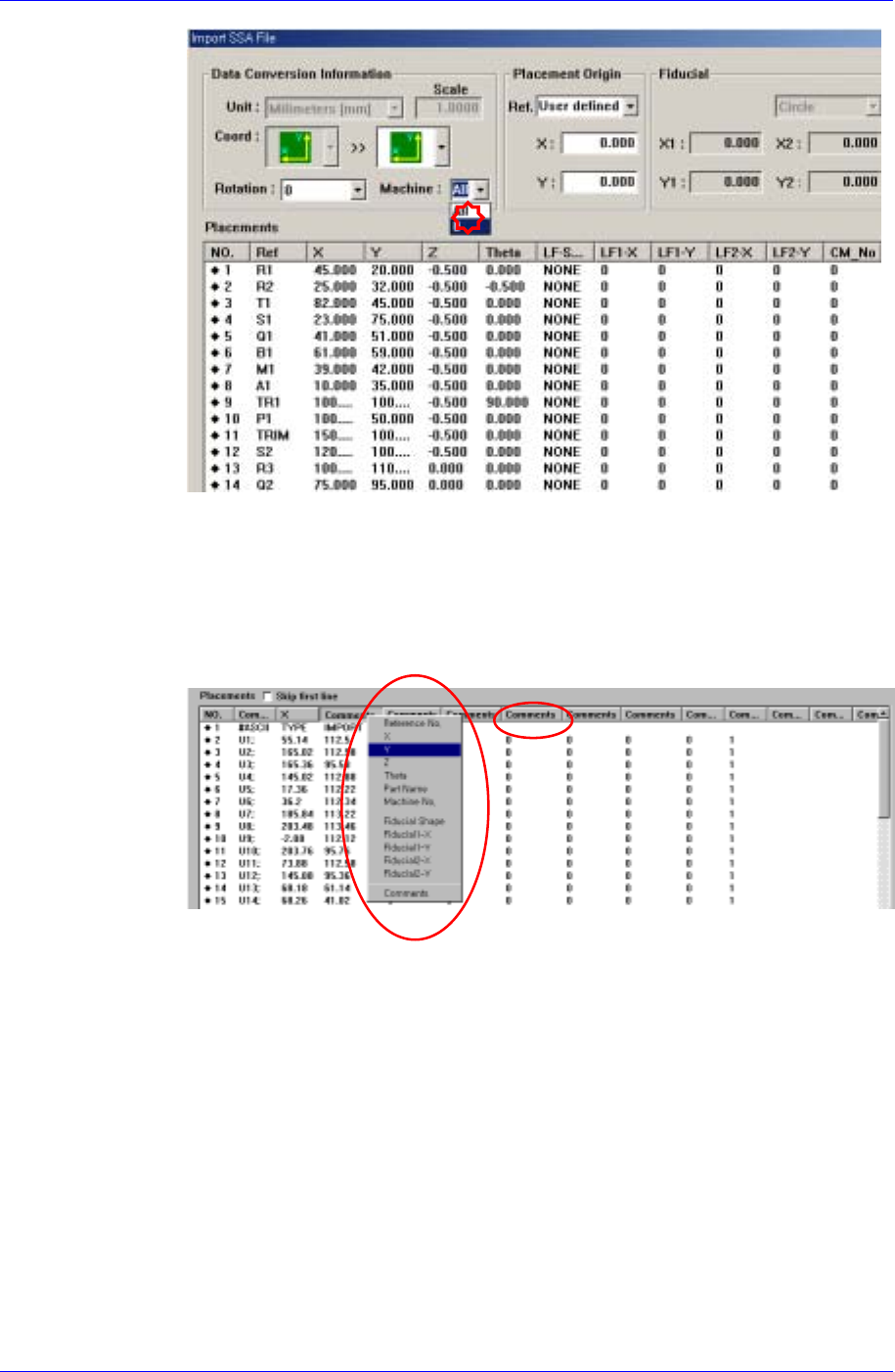
When importing a file in a format other than our standard format, the
corresponding information is indicated in a comment column as follows. Place
the mouse point on the column whose name is to be changed and right click the
mouse to display the menu and select the corresponding name. At this time, when
there is no column name corresponding to the column to be imported, set the
column name in the comment column.
The following figure shows the import completed screen.
9-10