Administrator’s Guide(CP45FV) Eng.pdf - 第245页
Machine Calibration 15-7 (FOV 25) (FOV15) <When the nozzle is mounted on the head> (FOV 25) (FOV 15) <When the nozzle is not mounted on the head> <Manual T ools> button Clicking this button will execu…
Samsung Component Placer CP45FV Administrator’s Guide
nozzle is mounted or not using the fly camera, the area where the lighting condition is
checked must be setup.
This area is displayed in the form of a rectangular box on the vision screen.
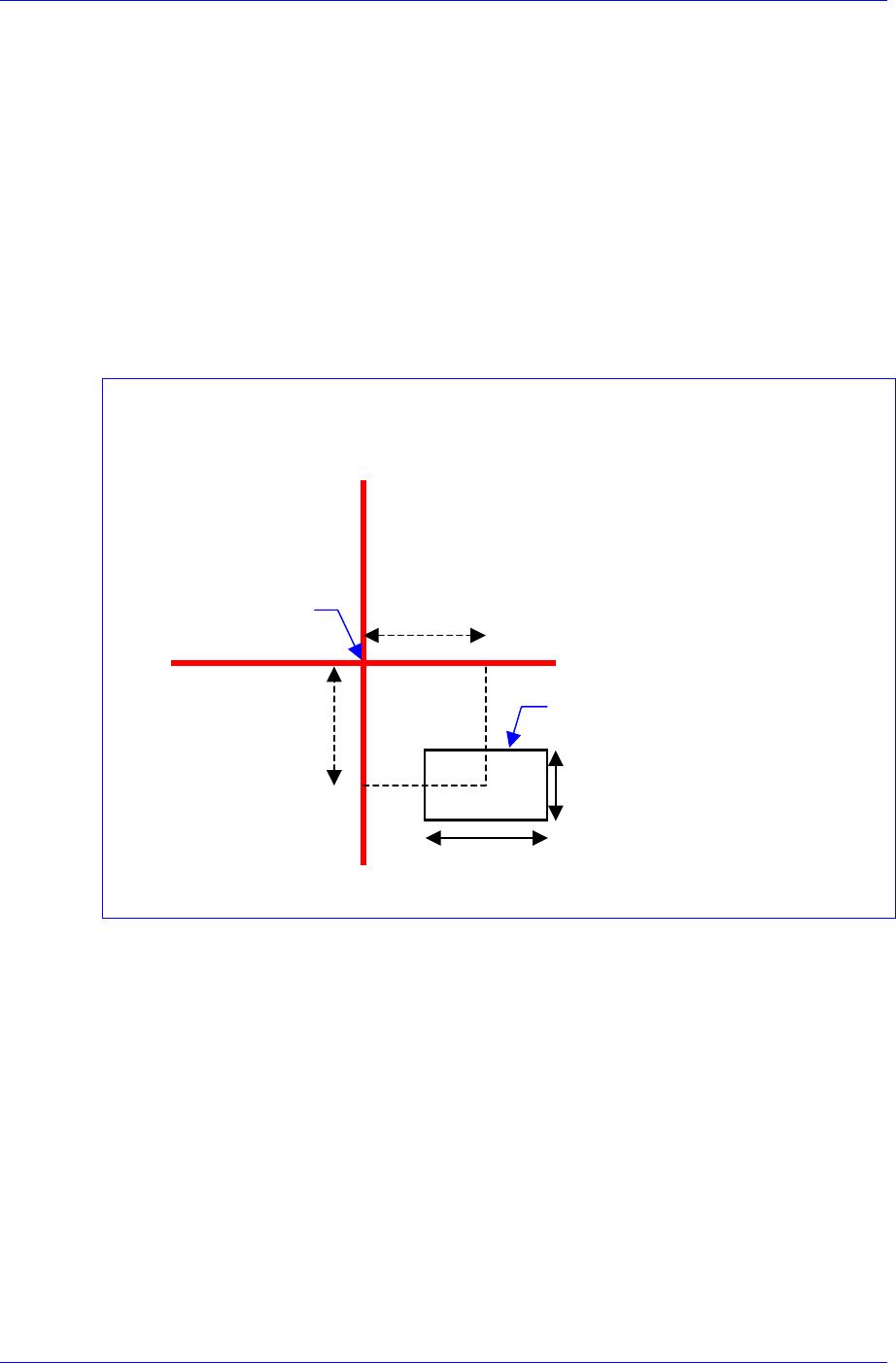
Offset X / Offset Y
When indicating the distance from the cross hair center of the vision screen to the
center of this rectangular box, i.e. test box in the Right-Down Coordinate System,
the distance in the X-axis direction is called Offset X and the distance in the Y-
axis direction is called Offset Y.
Count X / Count Y
The size of the test box in the X-axis direction is called Count X, and the size of
the test box in the Y-axis direction is called Count Y.
When activating the <Test> button, the Offset / Count cell must be clicked.
The coordinate system in the following figure is obtained from the cross hair center of the
vision screen.
Offset X
Offset Y
Cross hair Cente
r
Count Y
Count X
Test Box
Threshold
Refers to the reference value for distinguishing the white pixel and black pixel when
calculating the binary pixel count. This has the value between 0 and 255. The default
is 100.
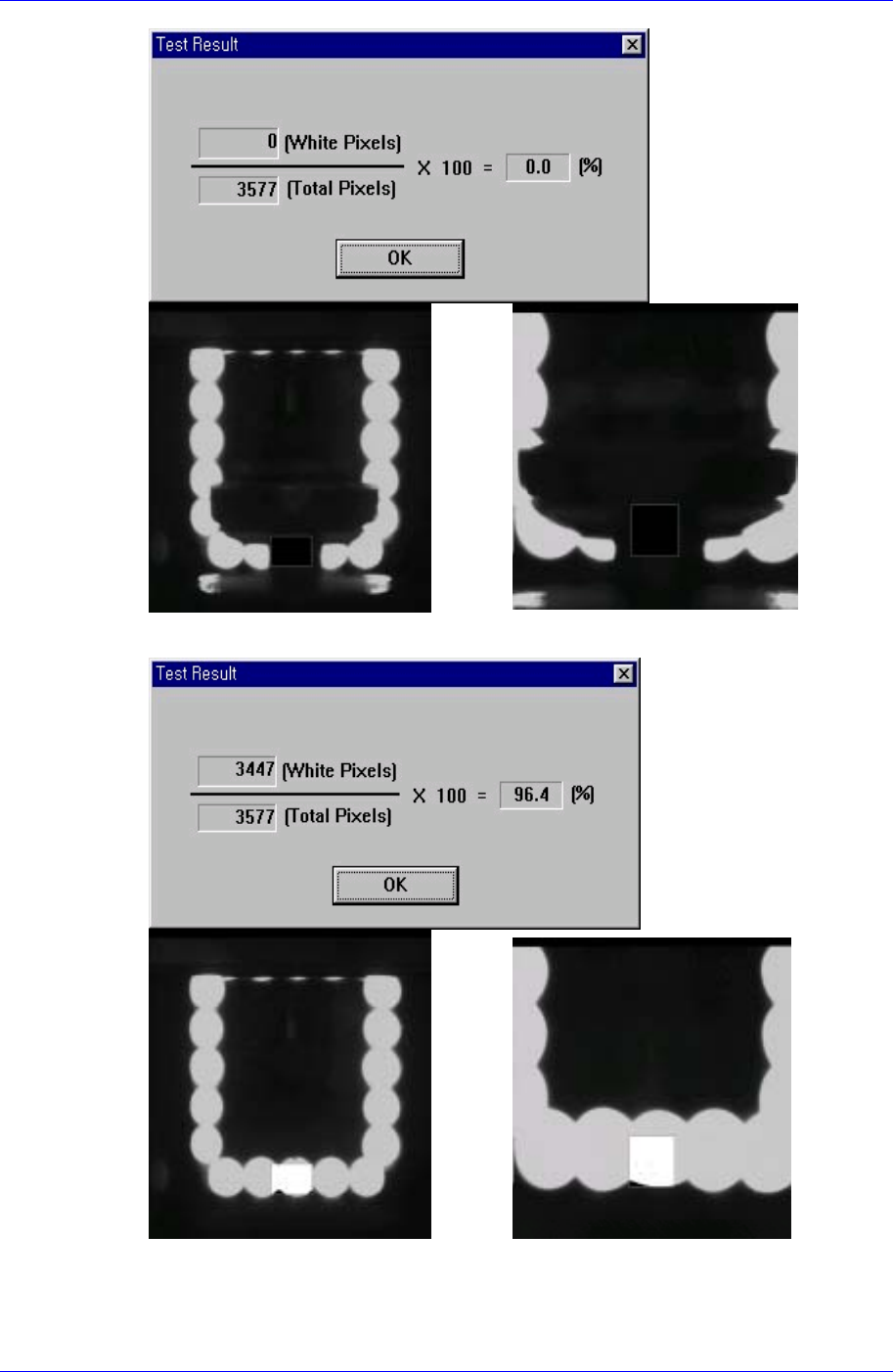
<Test> button
Sets the nozzle recognition condition and lighting condition by testing the binary
value of the pixel for the certain area (test box) that is set using the fly camera.
When the binary value of the pixel for the area that is used to check whether the
nozzle is mounted or not is below 30%, the nozzle is considered to be mounted. If the
value is above 30%, the nozzle is not considered to be mounted.
15-6
Machine Calibration
15-7
(FOV 25) (FOV15)
<When the nozzle is mounted on the head>
(FOV 25) (FOV 15)
<When the nozzle is not mounted on the head>
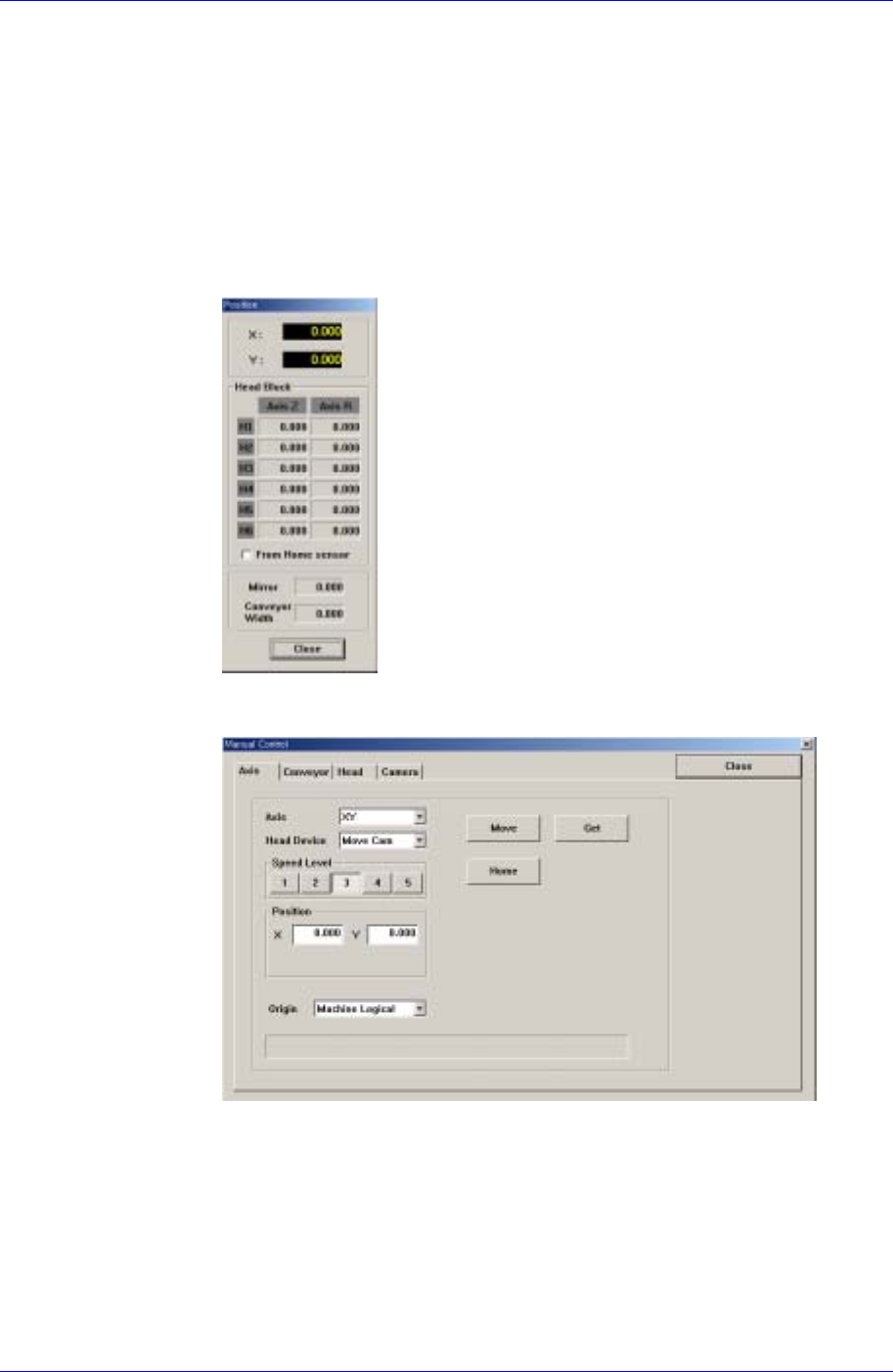
<Manual Tools> button
Clicking this button will execute the “Manual Control” dialog box by performing the
Samsung Component Placer CP45FV Administrator’s Guide
same function as selected by the manual tool in the View menu.
The following is the procedure to perform calibration of the positions of the Z-axis
and mirror axis, nozzle recognition condition and lighting condition. Perform this
procedure from head mirror teaching to light count teaching in order;
Head Mirror Teaching
The default value is 57.
1. Select the Current Position in the View menu to execute the “Position” dialog
box.
2. Click the <Manual Tools> button in the Nozzle Check Setting Tab dialog
box to execute the “Manual Control” dialog box.
3. Select Mirror in the <Axis> combo box of the Axis Tab dialog box.
15-8