Administrator’s Guide(CP45FV) Eng.pdf - 第217页
Placement T est 14-3 5. Check if the definitions concerning other boards and related setup are correct. (Fiducial Mark, Fix T ype, MoveZ, Array , etc.) 6. Place the PCB on the conveyor so that th e detection sensor locat…
Samsung Component Placer CP45FV Administrator’s Guide
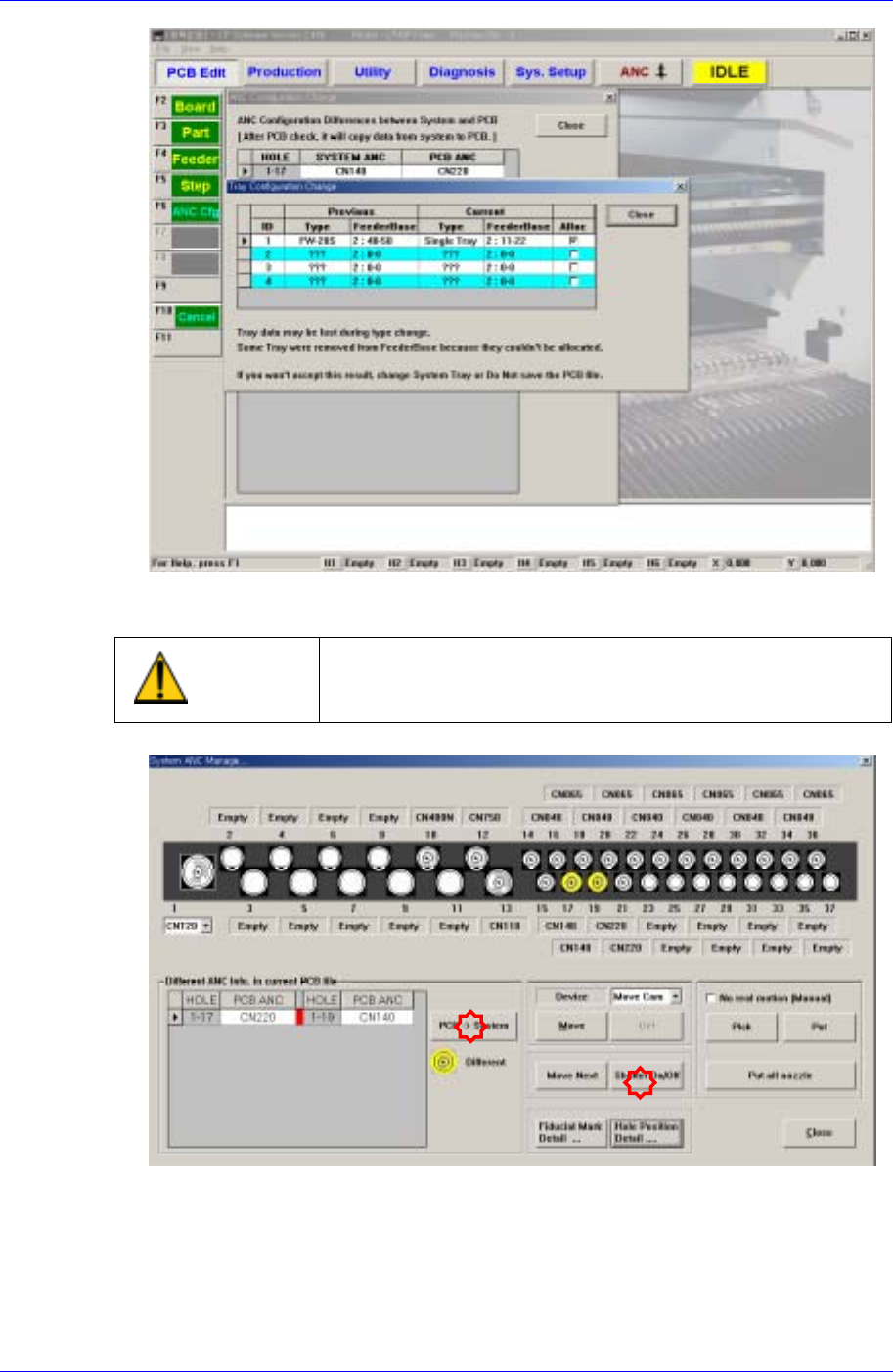
Click the <Shutter On/Off> in the ANC dialog box to open the shutter and arrange the
nozzle manually.
Warning
Operating the shutter while a finger is inserted in the ANC
could result in severe injury. Do not insert a finger into the
ANC Hole.
3. Click the <PCB->System> button, and correct the nozzle arrangement manually
comparing the nozzle arrangement of the actual machine with that in the PCB file.
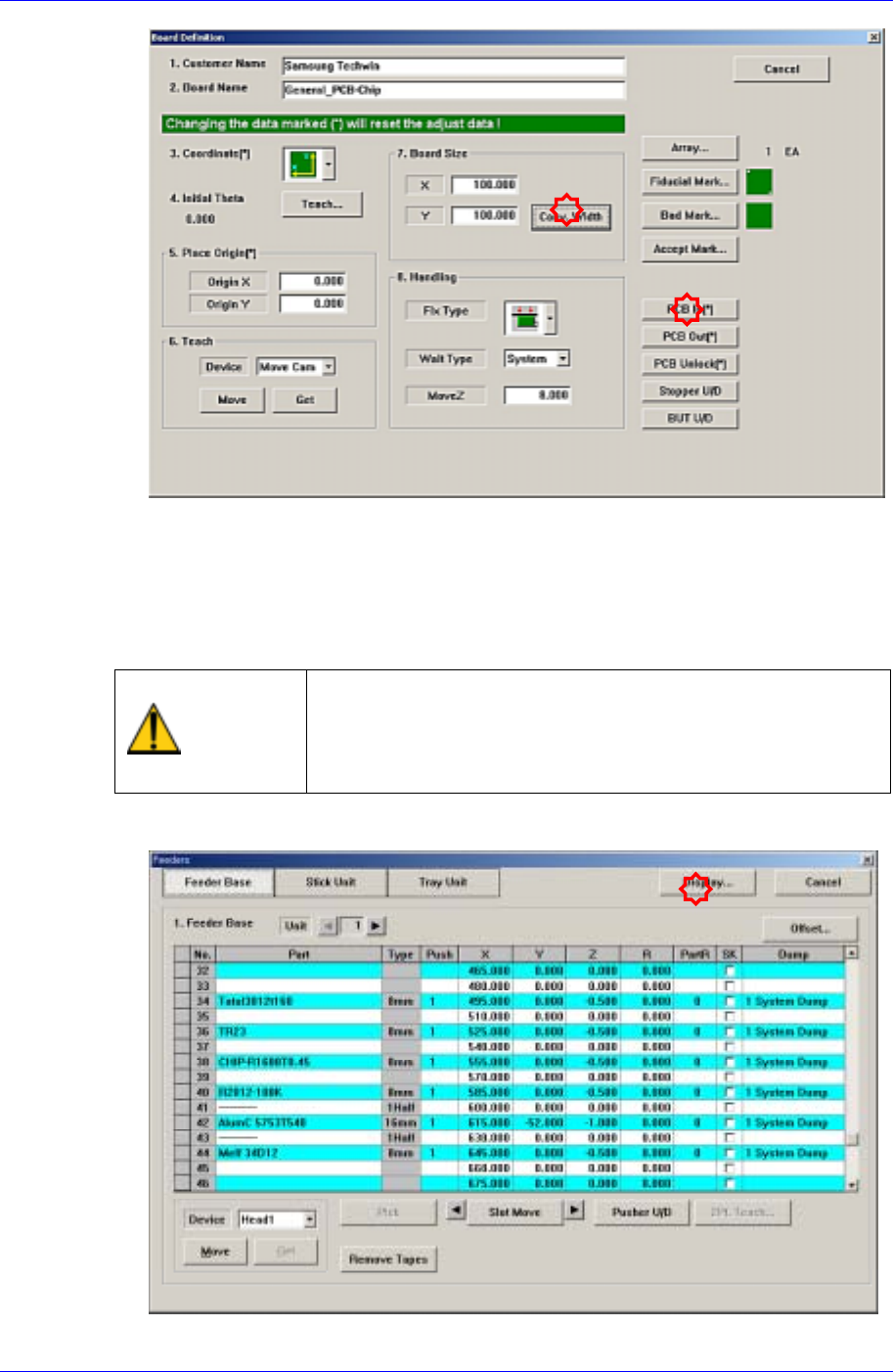
4. Adjust the conveyor width to suit the width of the board to be tested for placement.
14-2
Placement Test
14-3
5. Check if the definitions concerning other boards and related setup are correct.
(Fiducial Mark, Fix Type, MoveZ, Array, etc.)
6. Place the PCB on the conveyor so that the detection sensor located at the conveyor
inlet can recognize it and click the <PCB In> button to fix the test PCB on the
working area of the conveyor. At this time, double-sided adhesive tape may be used
on the placement surface of the PCB.
Warning
Inserting a part of body while the machine is in operation or
in temporary stop could result in severe injury.
Do not insert a part of body while the machine is in
operation or in temporary stop.
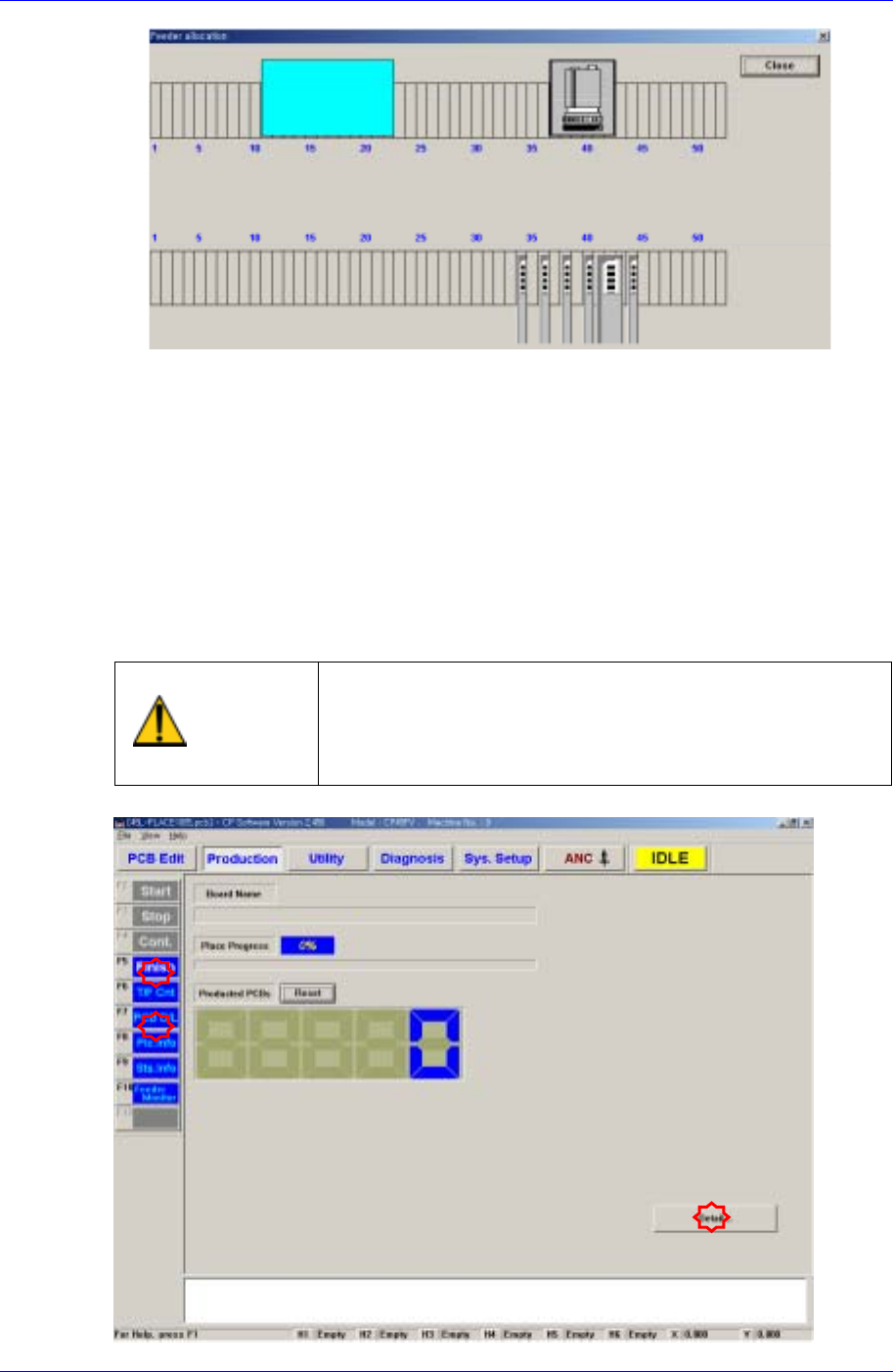
7. Install the feeder in the actual machine in the same manner referring to the setup in
the “Feeder” dialog box.
Samsung Component Placer CP45FV Administrator’s Guide
8. When the door is opened to install the feeder, EMG error occurs. Press the <Stop>
button on the front control panel and then press the <Reset> button to install the
feeder with the machine in <Idle> state.
9. Once the feeder is installed, press <Ready> on the front control panel to supply
power to the motor.
14.2. Placement Test
Place the component on a PCB according to the PCB and machine setups and check the
result.
Warning
Pressing the Start switch without checking the presence
of worker nearby could cause injury.
Be sure to check if there is any worker near the machine
before pressing the Start switch.
14-4