Administrator’s Guide(CP45FV) Eng.pdf - 第215页
Placement T est Chapter 14. Placement T est 14-1 The placement test must be performed to ch eck if the PCB file setup and machine setup have been performed properly . Incorrect set up may be corrected through the placeme…
Placement Test
Chapter 14. Placement Test
14-1
The placement test must be performed to check if the PCB file setup and machine setup
have been performed properly. Incorrect setup may be corrected through the placement
test.
14.1. Preparation for Placement Test
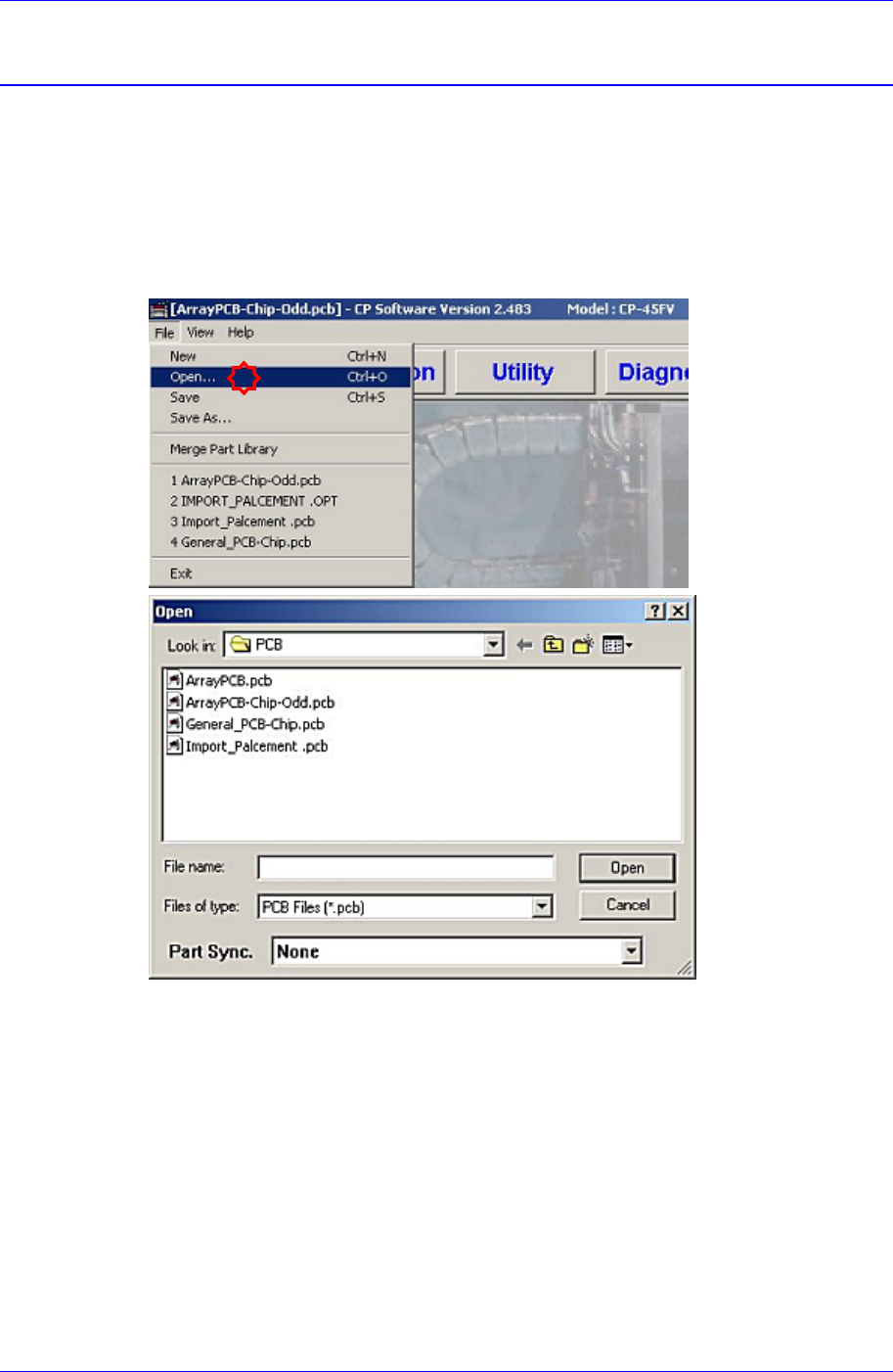
1. Load the prepared PCB file to the MMI (Application Program). (File opening)
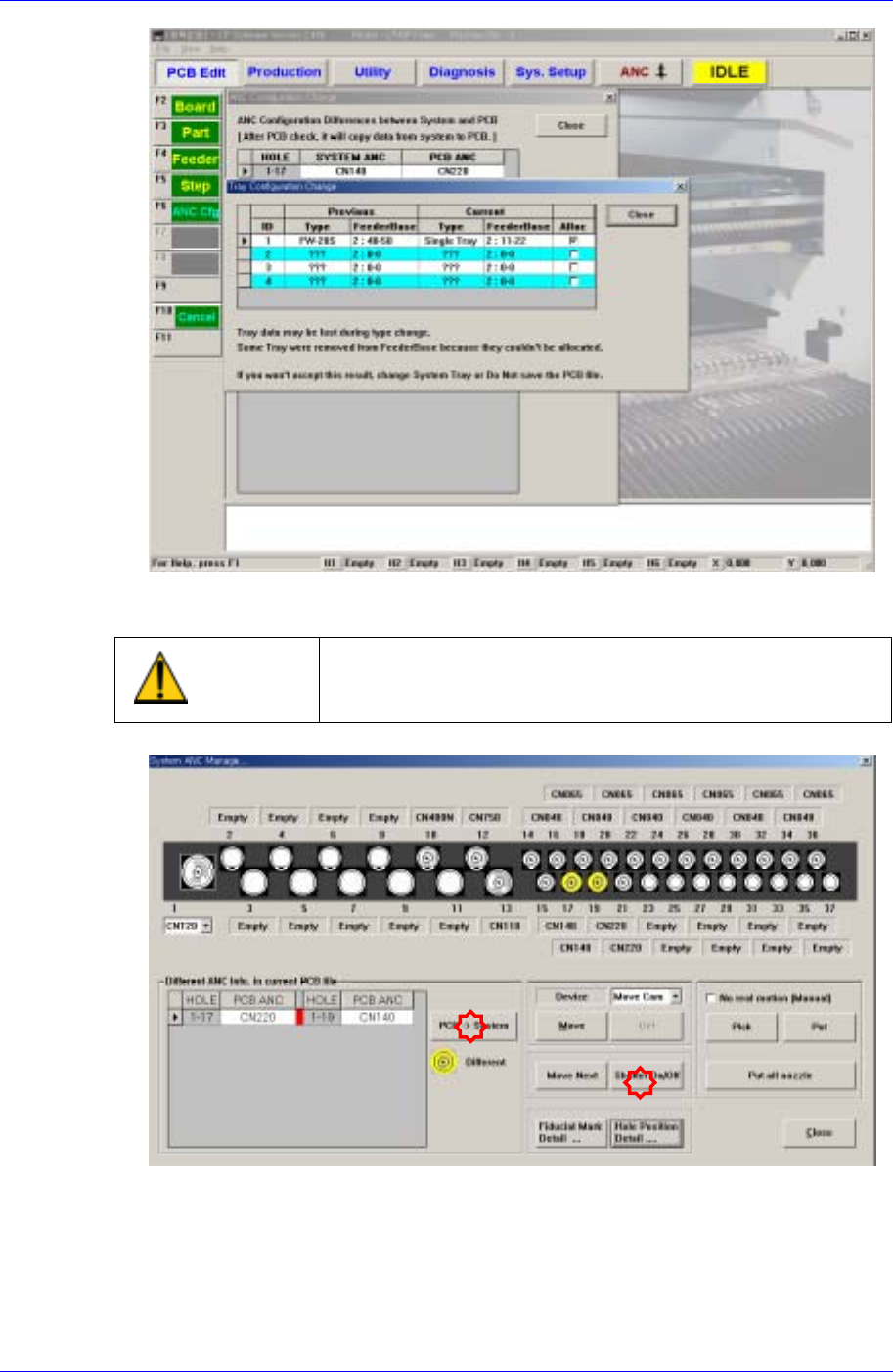
2. Once the PCB file is selected and loaded, the following message dialog box may be
displayed. This is displayed when the current machine setup is different from that of
the PCB file to be loaded.
The “Tray Configuration Change” screen indicates that the type of the tray feeder that
is setup in the actual machine (or that is setup in the PCB file) is different from the
type of the tray feeder that is setup by the PCB file to be loaded.
The “ANC Configuration Change” screen indicates that the nozzle arrangement in the
ANC that is setup in the actual machine (or that is setup in the last PCB file loaded
previously) is different from the nozzle arrangement in the ANC that is setup by the
PCB file to be loaded.
When such message dialog box is displayed, correct the setup of the actual machine
so that it is identical to the setup in the PCB file to be loaded directly.
Samsung Component Placer CP45FV Administrator’s Guide
Click the <Shutter On/Off> in the ANC dialog box to open the shutter and arrange the
nozzle manually.
Warning
Operating the shutter while a finger is inserted in the ANC
could result in severe injury. Do not insert a finger into the
ANC Hole.
3. Click the <PCB->System> button, and correct the nozzle arrangement manually
comparing the nozzle arrangement of the actual machine with that in the PCB file.
4. Adjust the conveyor width to suit the width of the board to be tested for placement.
14-2