Administrator’s Guide(CP45FV) Eng.pdf - 第50页
在线预览 Administrator’s Guide(CP45FV) Eng.pdf PDF 文档。
File Menu
3-9
3.6. Exit [Alt+F4]
Use the <Exit> command to end an MMI application session. When the <Exit> command
is selected, any MMI session is terminated. This command can be used only on the MMI
main screen. If there are any window that are currently open, the following dialog box is
displayed. Just click on the <OK> button and close all the windows and then execute the
<Exit> command.
Caution
System needs to be shut down after normally ending the
MMI, otherwise, the machine might be damaged and injury
could occur due to system error caused by irregular shut
down. Be sure to shut down the system after normally
ending the MMI.
View Menu
Chapter 4. View Menu
4-1
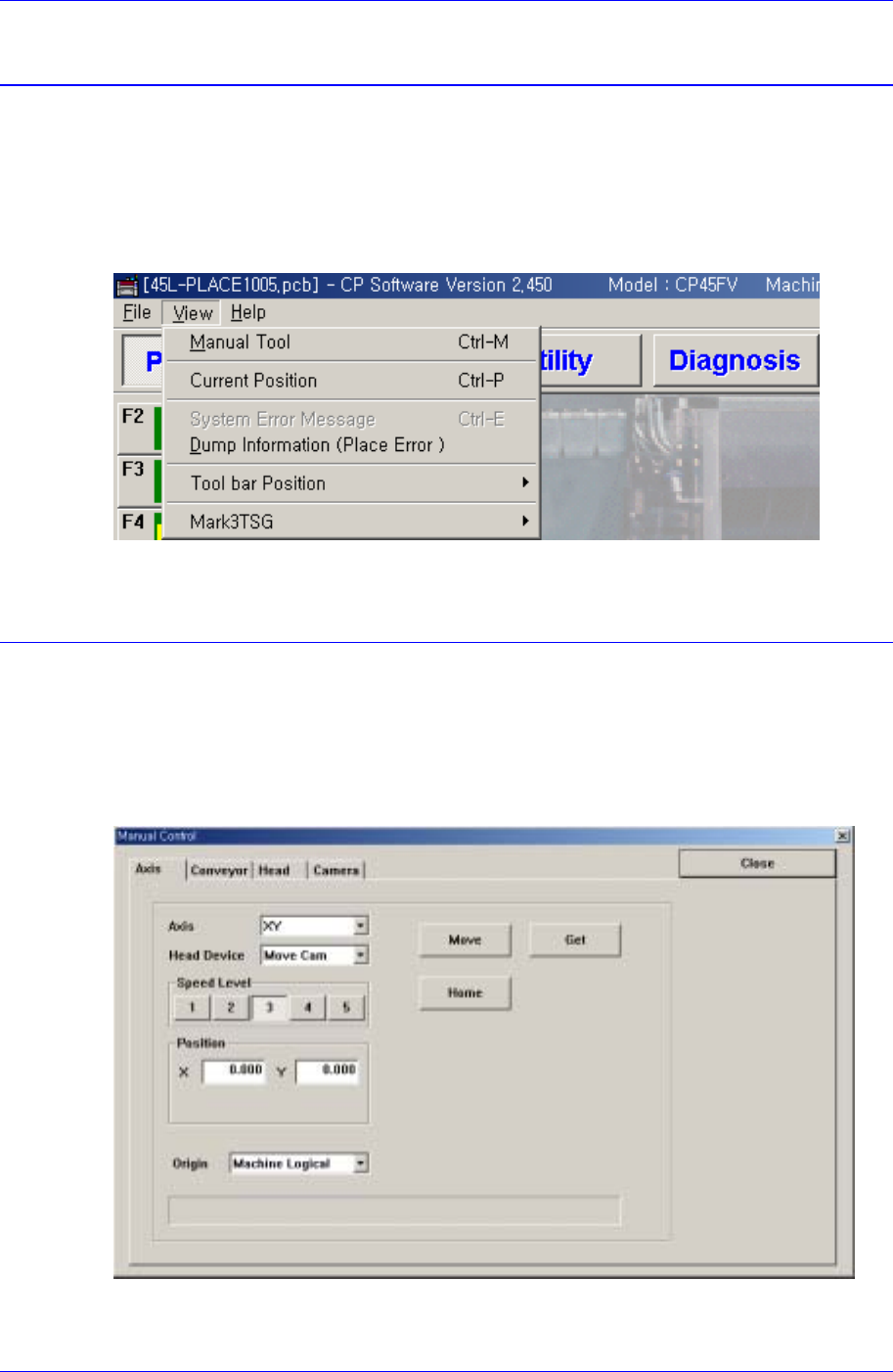
The <View> menu is composed of the six submenus: Manual Tool, Current Position,
System Error Message, Dump Information, Tool bar Position, Mark3TSG.
When a submenu of <View> menu is selected, check mark() appears in front of the
submenu (except for some commands), and the corresponding message box is displayed
on the main screen. If the menu is selected again, the check mark disappears and the
corresponding message box also closed.
Figure 4-1. View Menu and Submenus
4.1. Manual Tool
Executes a manual operation of the machine. When this command is selected, the
following dialog box is displayed.
4.1.1. Axis Moving Dialog Box
Used to move or to get the current position coordinates of each motor-axis.
Figure 4-2. “Manual Tools – Axis Moving” dialog box
Axis combo box