Administrator’s Guide(CP45FV) Eng.pdf - 第147页
Feeder Setup 8-15 of the component supplied from the tray feeder. <SK> column When a tray feeder is installed on the corresponding tray, select whether to pick up the component supplied from the tray feeder…
Samsung Component Placer CP45FV Series Administrator’s Guide
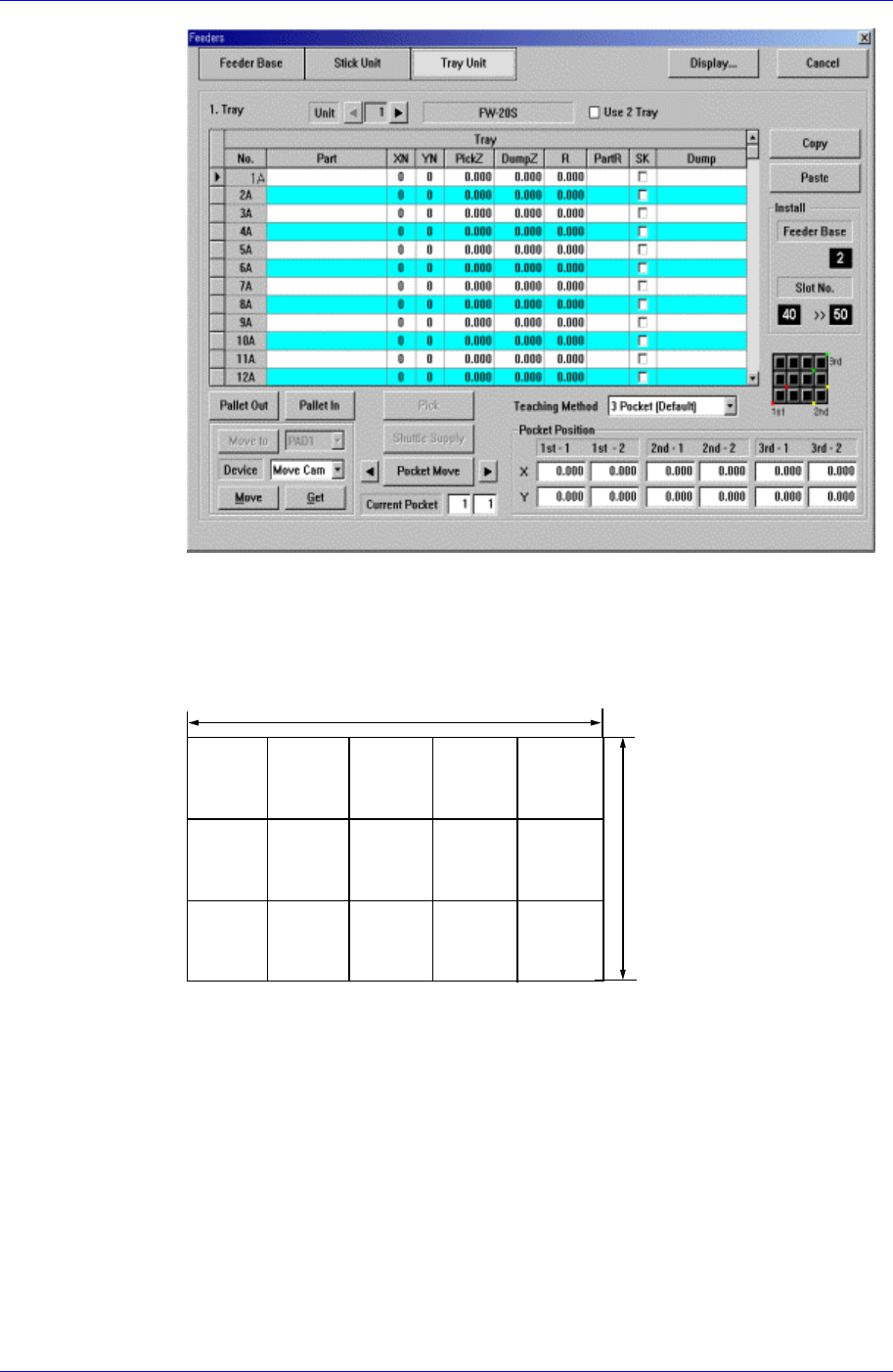
<XN> column
Set the number of components arranged on the tray in X direction.
<YN> column
Set the number of components arranged on the tray in Y direction.
XN=5
YN=3
<PickZ> column
When a tray feeder is installed on the corresponding tray, set the Z position to
pick up the component supplied from the tray feeder.
<DumpZ> column
When component pickups fails, set the Z position to dump( At this time, the
dump box should be already set to tray).
<R> column
When a tray feeder is installed on the corresponding tray, set the R
position(rotation angle of the head) to pick up the component supplied from the
tray feeder.
<PartR> column
When a tray feeder is installed on the corresponding tray, set the placement angle
8-14
Feeder Setup
8-15
of the component supplied from the tray feeder.
<SK> column
When a tray feeder is installed on the corresponding tray, select whether to pick
up the component supplied from the tray feeder or not.
To pick up the component, leave the check box as it is, and not to pick up the
component, check the check box.
<Dump> column
When a tray feeder is installed on the corresponding tray, select the dump box for
the component supplied from the tray feeder. Available dump boxes are as
follows.
Return to Tray: Dumps to the tray from which the component was picked up.
User Dump: Sets the dump box set by the user in the system..
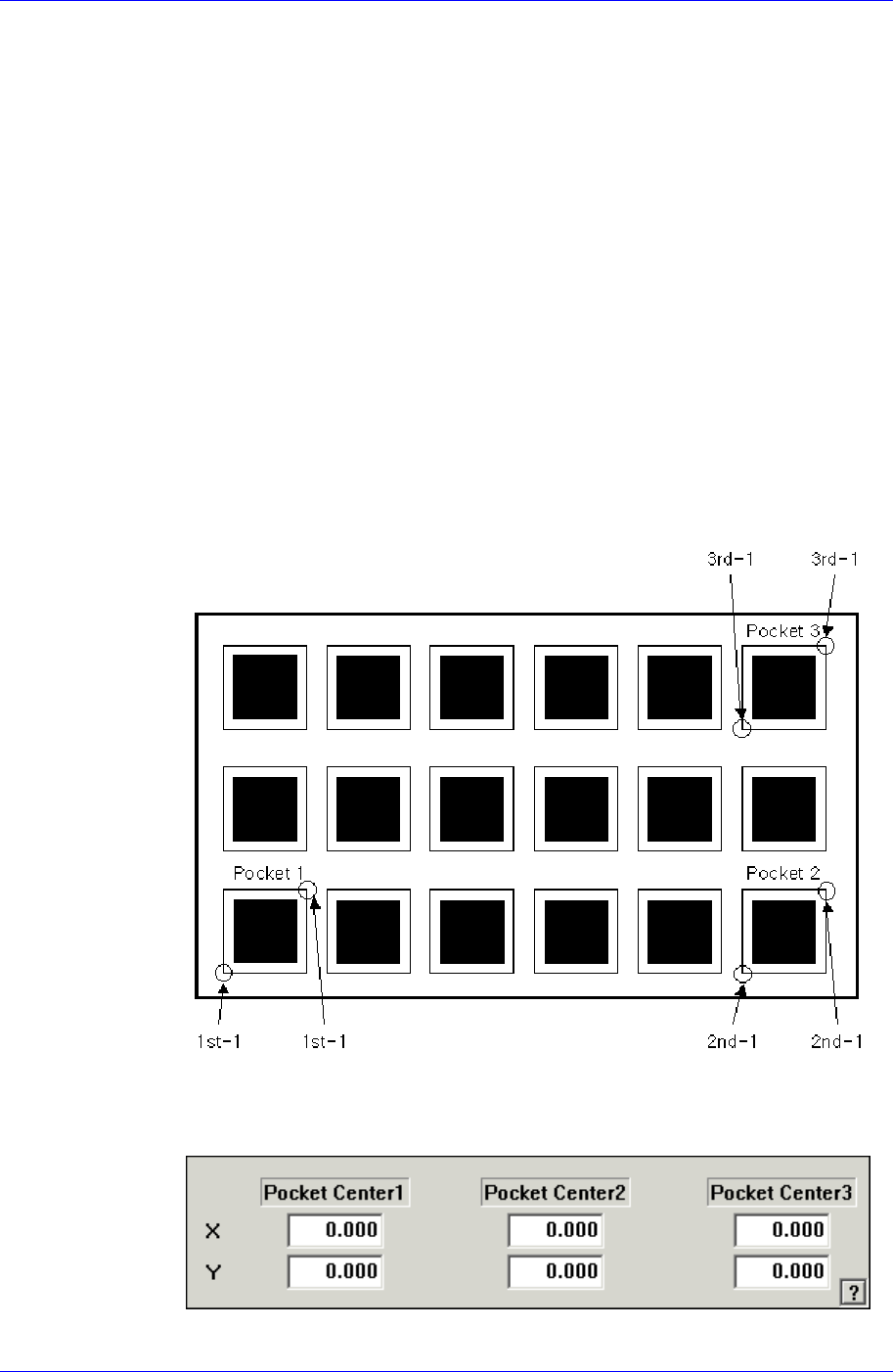
<Teaching method> combo-box
This selects the method of determining the tray feeder parts pick-up position.
3Pocket [Default]
As shown in the following figure, input the positions of the two corner points
facing each other diagonally for 3 pockets.
The pick-up position of the parts can also be designated using the following
method.
<3Pocket Center>
As shown in the following figure, input the coordinates of the center points of
Samsung Component Placer CP45FV Series Administrator’s Guide
pocket No’s. 1, 2 and 3.
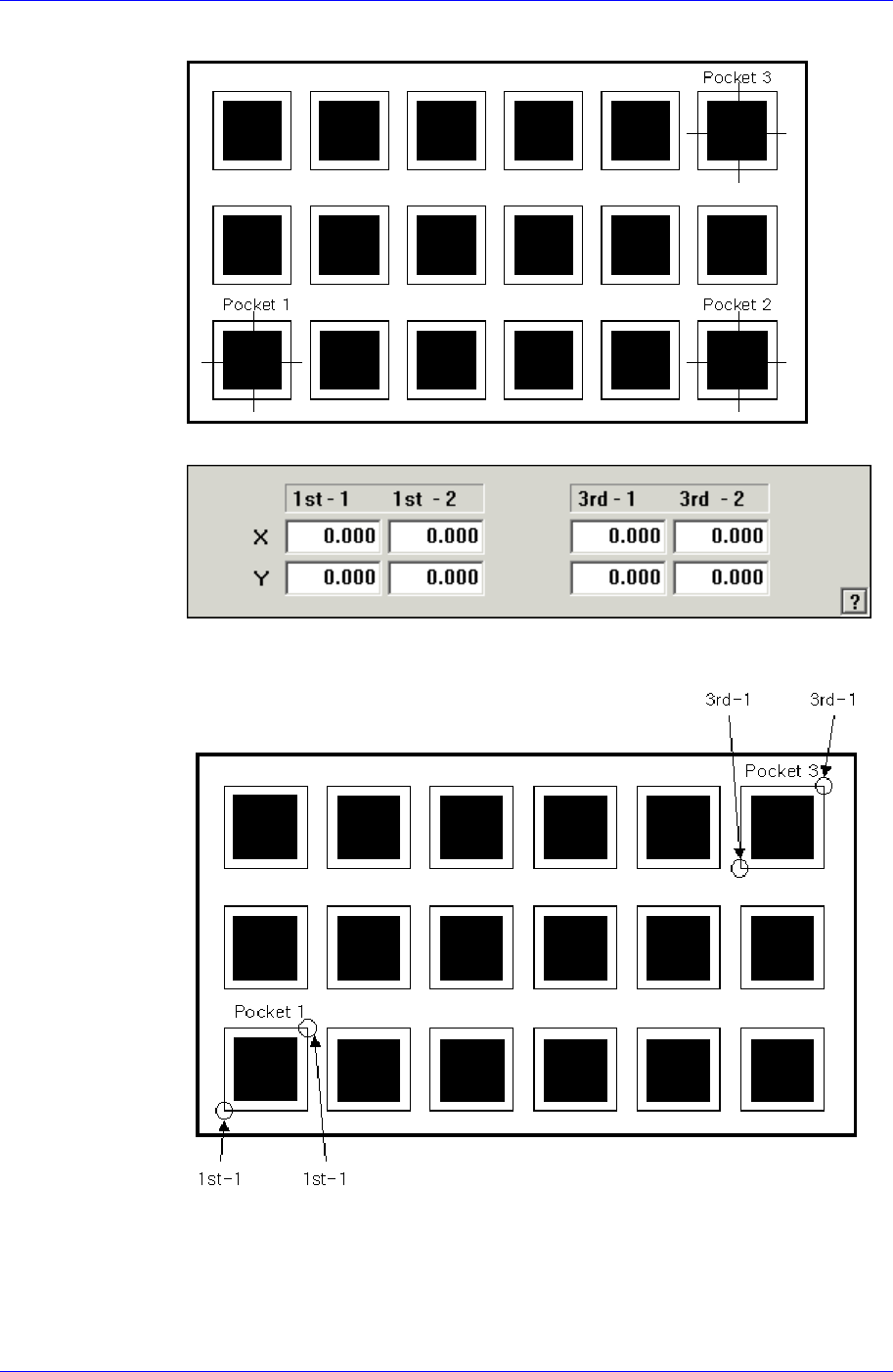
<2Pocket Diagonal>
As per the following figure, input two corner points of pocket No’s. 1, 2 and 3
that face each other diagonally.
<2Pocket X-Axis>
8-16