Administrator’s Guide(CP45FV) Eng.pdf - 第309页
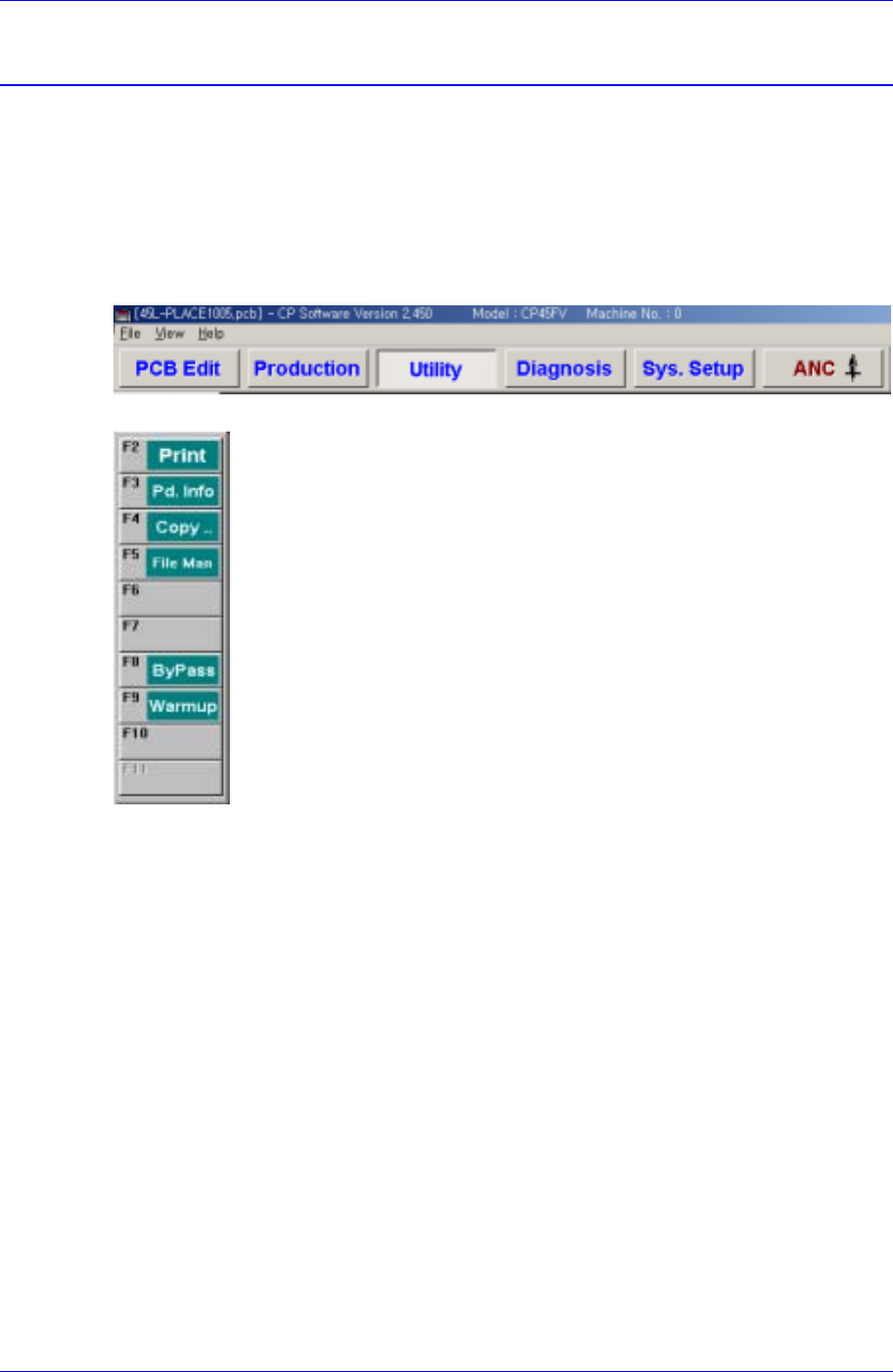
Utility Chapter 18. Utility 18-1 The utility menu is composed of 6 subm enus: Print, Production Information, Copy Between PCB Files, File Manager , Bypass, and W armup. This menu provides convenience of ope ration and pr…
Utility
Chapter 18. Utility
18-1
The utility menu is composed of 6 submenus: Print, Production Information, Copy
Between PCB Files, File Manager, Bypass, and Warmup.
This menu provides convenience of operation and provides product information when the
machine is started.
When a submenu of the <Utility> menu is selected, the corresponding dialog box is
displayed on the screen. While the dialog box corresponding to the submenu is displayed,
selecting the menu again activates the corresponding dialog box.
Figure 18-1. When the Utility command is selected
Figure 18-2. Submenus of the Utility command
18.1. Print... [F2]
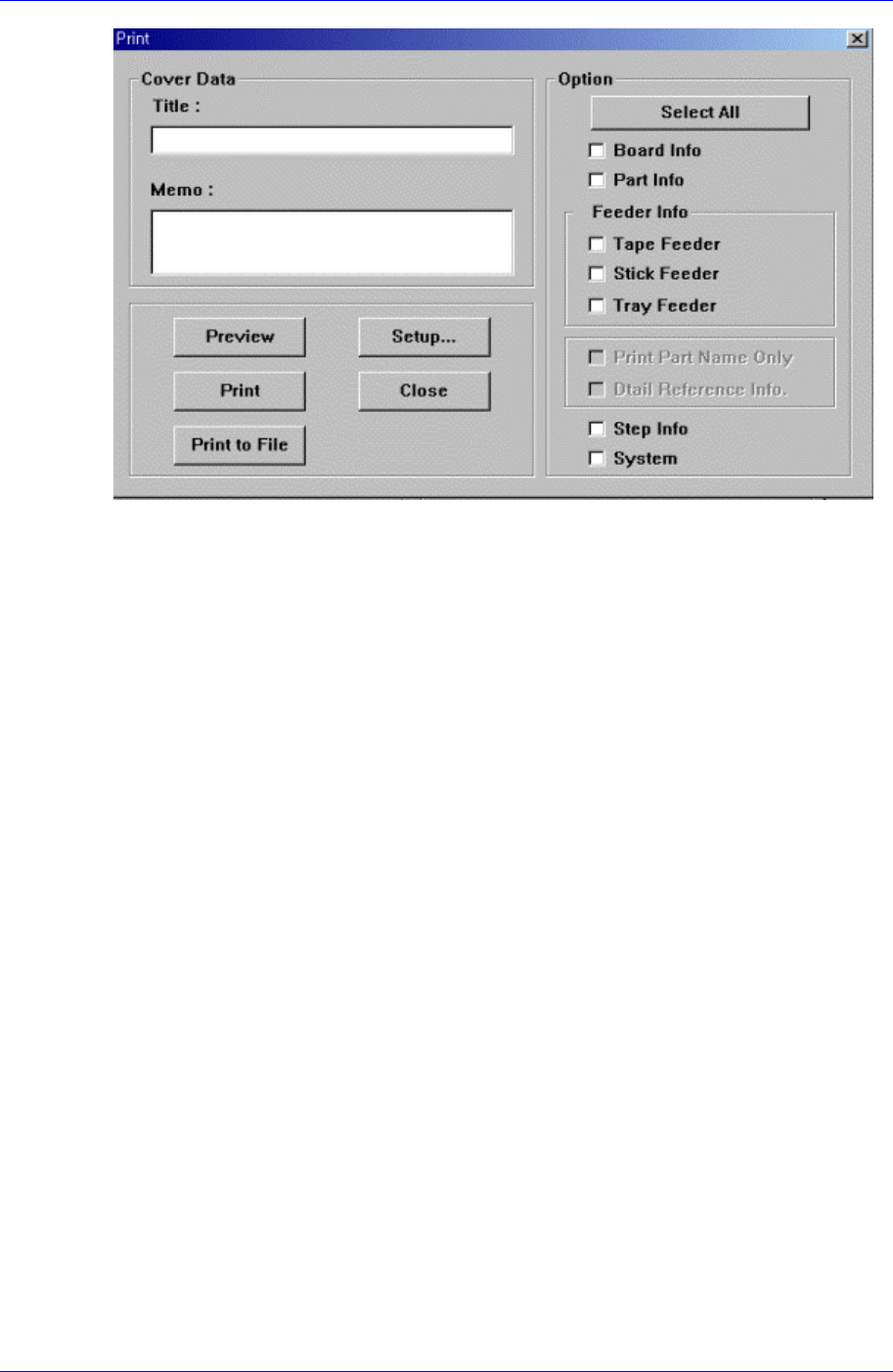
The <Print...> command is used to print PCB files. When this command is selected, the
following dialog box is displayed.
Samsung Component Placer CP45FV Administrator’ Guide
Figure 18-3. “Print “dialog box
<Cover Data> group
Used to enter necessary information when a cover for the output is wanted. Enter the
title of the output in the “Title” edit box, and enter a short message to be displayed on
the cover in the “Memo” edit box.
<Option> group
<Clear All.> button
Returns the displayed contents of the items to be output to the unchecked state.
<Board Info.>check box
Select the information on PCB Boards.
<Part Info.> check box
Select the information on components.
<Feeder Info> check box
Select the information on the feeder to print.
<Step Info.>check box
Select the information on operation sequence.
<System>check box
Select the information on the system parameter of the machine.
<Preview> button
Displays the content to be printed on the screen first.
<Setup…> button
Sets the printer.
<Print> button
Prints the checked content and closes the “Print “ dialog box.
<Cancel> button
Cancels the execution of <Print> command and closes the “Print “ dialog box.
18-2