N7201A618E00_0309.pdf - 第23页
NPM–W 2 EJM7DE-MB-02 -1T-00 Ref . page 2-1-1 -2 Error messages upon single stop error A A 1 Detail display of an error message (The Help window is displayed) B D C B C D Details of errors are displayed on the Help wind…
NPM–W2 EJM7DE-MB-02-1T-00
Error
Message
2-1-1-1
Troubleshooting
2-1-2
Troubleshooting
2-1-1
How to read error
messages 1
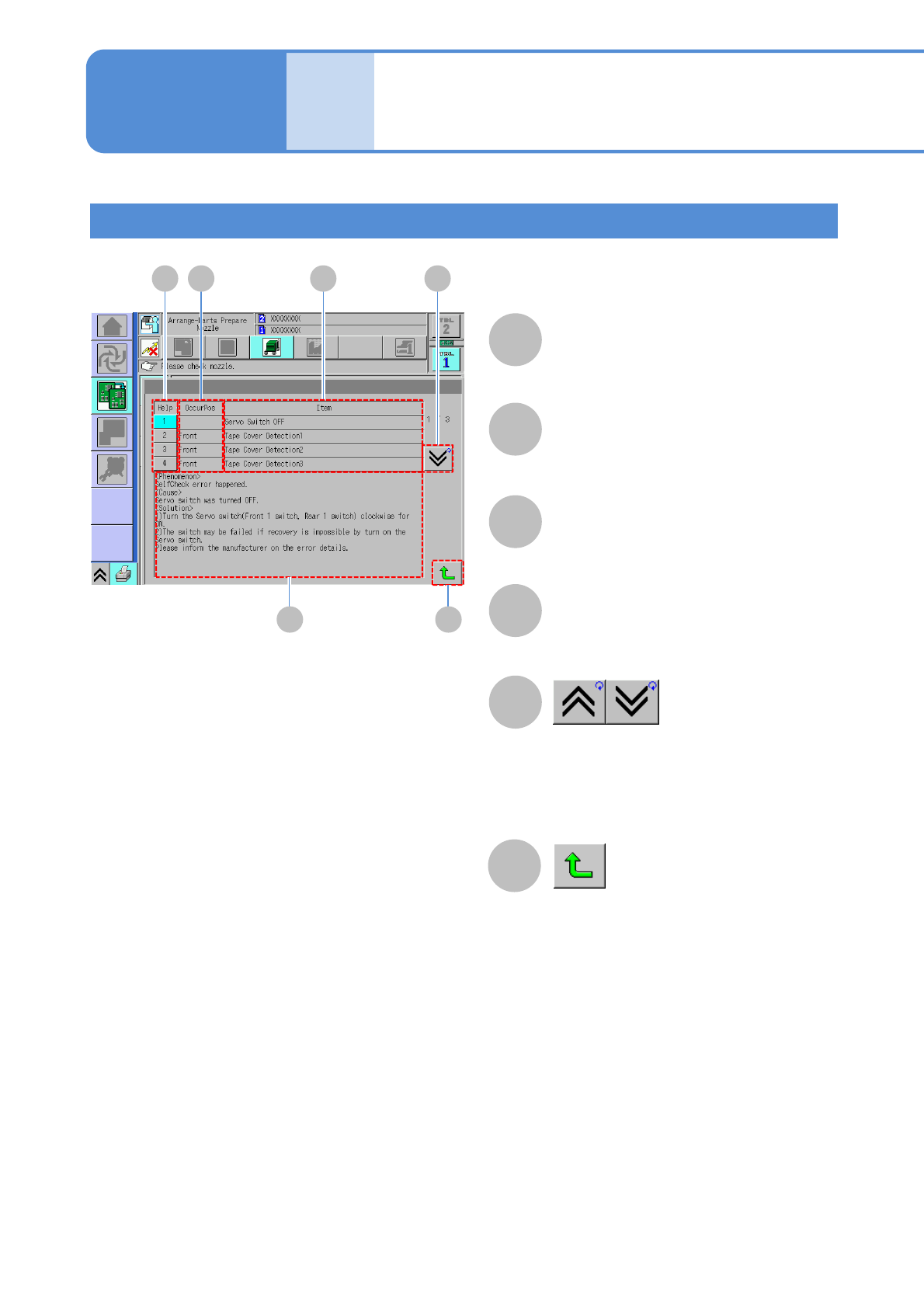
Error messages upon self-diagnosis errors
A
D
A B C E
F
B
C
D
E
F
Closes the error display screen.
Scrolls the page.
If more than five errors occur, you can
change the page to check error
information.
OccurPos
Displays where the error occurs.
Item
Displays the error information.
Help
Displays details of an error being
selected in the D area.
Phenomenon
Displays detailed error information
being selected in A.
NPM–W2 EJM7DE-MB-02-1T-00
Ref .page
2-1-1-2
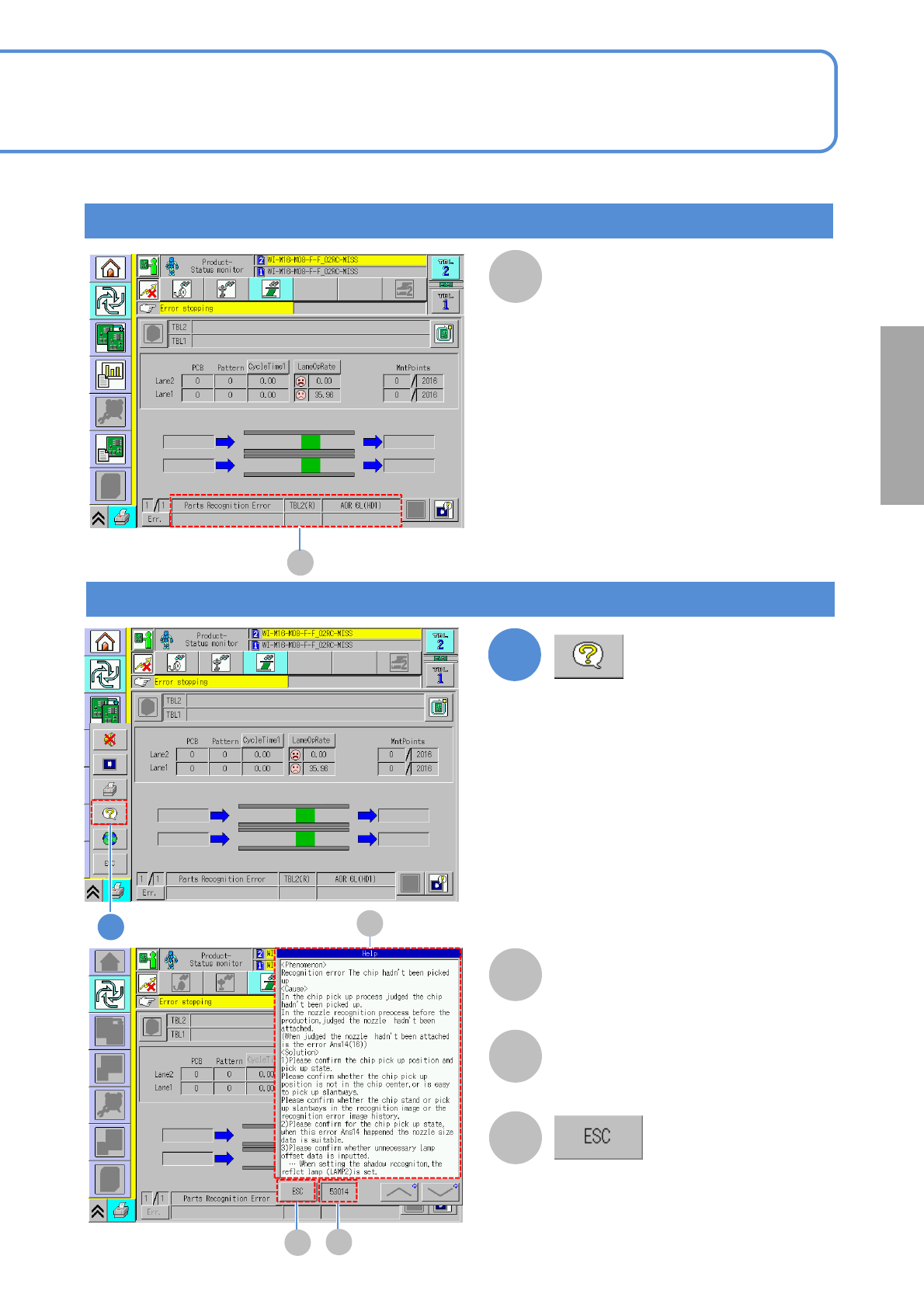
Error messages upon single stop error
A
A
1
Detail display of an error message
(The Help window is displayed)
B
D
C
B
C
D
Details of errors are displayed on
the Help window.
The error code is displayed.
(Close the Help window)
1
Error message upon single
stop error is displayed in this
area
Solutions to errors
NPM–W2 EJM7DE-MB-02-1T-00
Error
Message
2-1-1-3
Troubleshooting
2-1-2
Troubleshooting
2-1-1
How to read error
messages 2
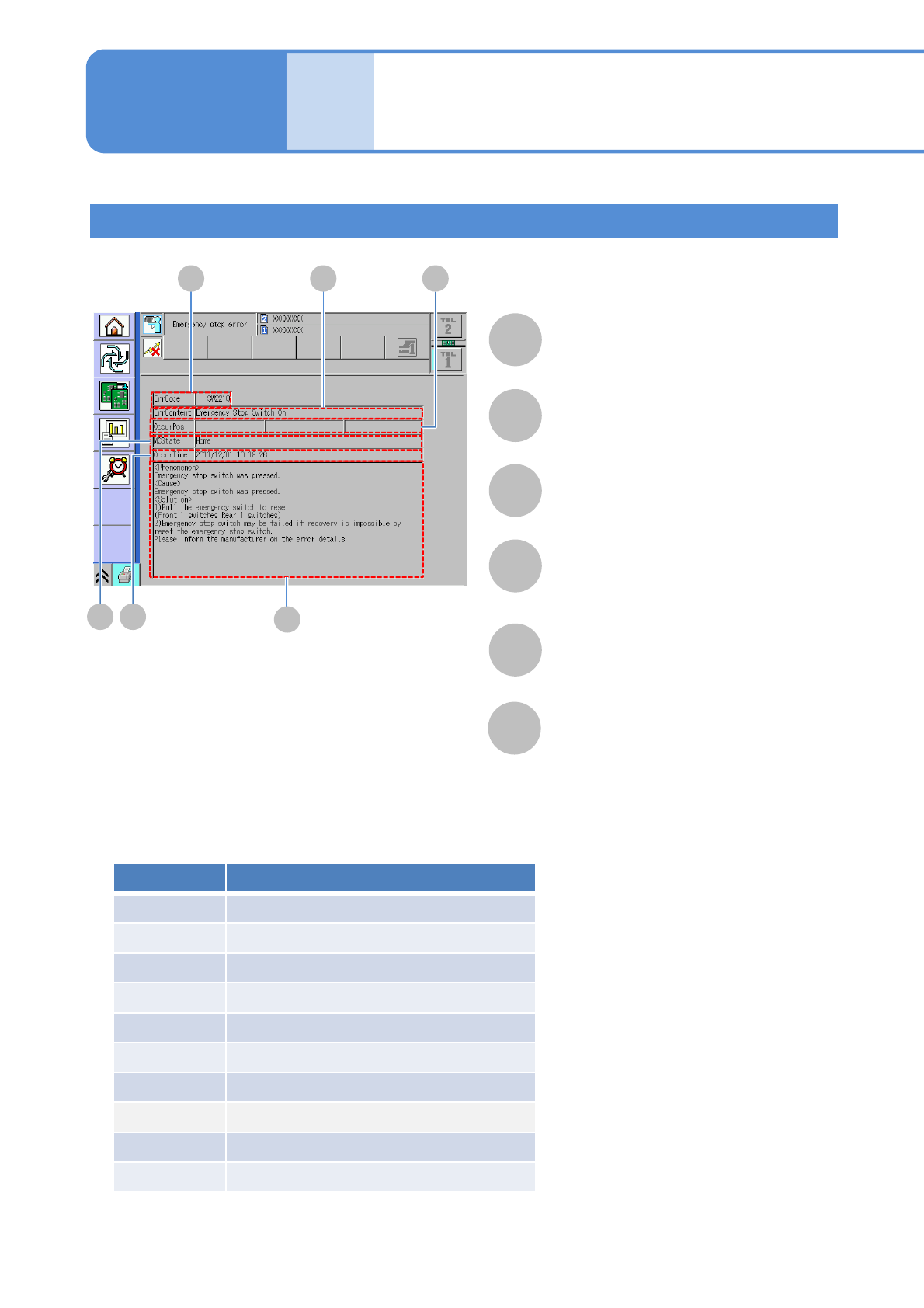
Error messages upon emergency stop error
F
A B
D
C
E
A
B
C
D
E
F
ErrContent
Displays the error information.
OccurPos
Displays where the error occurs.
ErrCode
Displays an error code.
MCState
Displays the machine status when error
occurs.
OccurTime
Displays the time when the error occurs.
Help
Displays phenomenon, cause and
solution of each error.
Category Description
SW
Software monitoring error
IL
Interlock error
XY XY unit error
HD Head unit error
FD Feeder unit error
CV Conveyor unit error
RC Recognition unit error
TR Tray unit error
AT Automatic operation error
OT Other unit errors
■ Category of emergency stop error