N7201A618E00_0309.pdf - 第289页
3 Solution to recognition
NPM–W2 EJM7DE-MB-02-1T-00
PartsDetectAfterMounting
(VLCOutputData out of
validRangeErr)
Error
Message
Troubleshooting
2-1-4
Emergency stop errors
60
Error Code
Error Message
Cause Inspection and Solution
Return the output value
which exceeds allowable
range from VLC unit.
(Error occurred in parts
detect after mounting.)
1. Please confirm that there are no
parts dropped on the PCB.
2. Please confirm that there is no
dust(Parts etc.) on the setting
side of nozzle holder set in
nozzle changer.
3. Please confirm there is no dust
adhered to VLC unit.
4. If it can't be solved by above
1,2,3, please calibrate the VLC
unit.
2226
2-1-4-119

3 Solution to recognition
NPM-W2 EJM7DE-MB-03T-00
Recog-
nition
informat
-ion
Troubleshooting
3-1-1
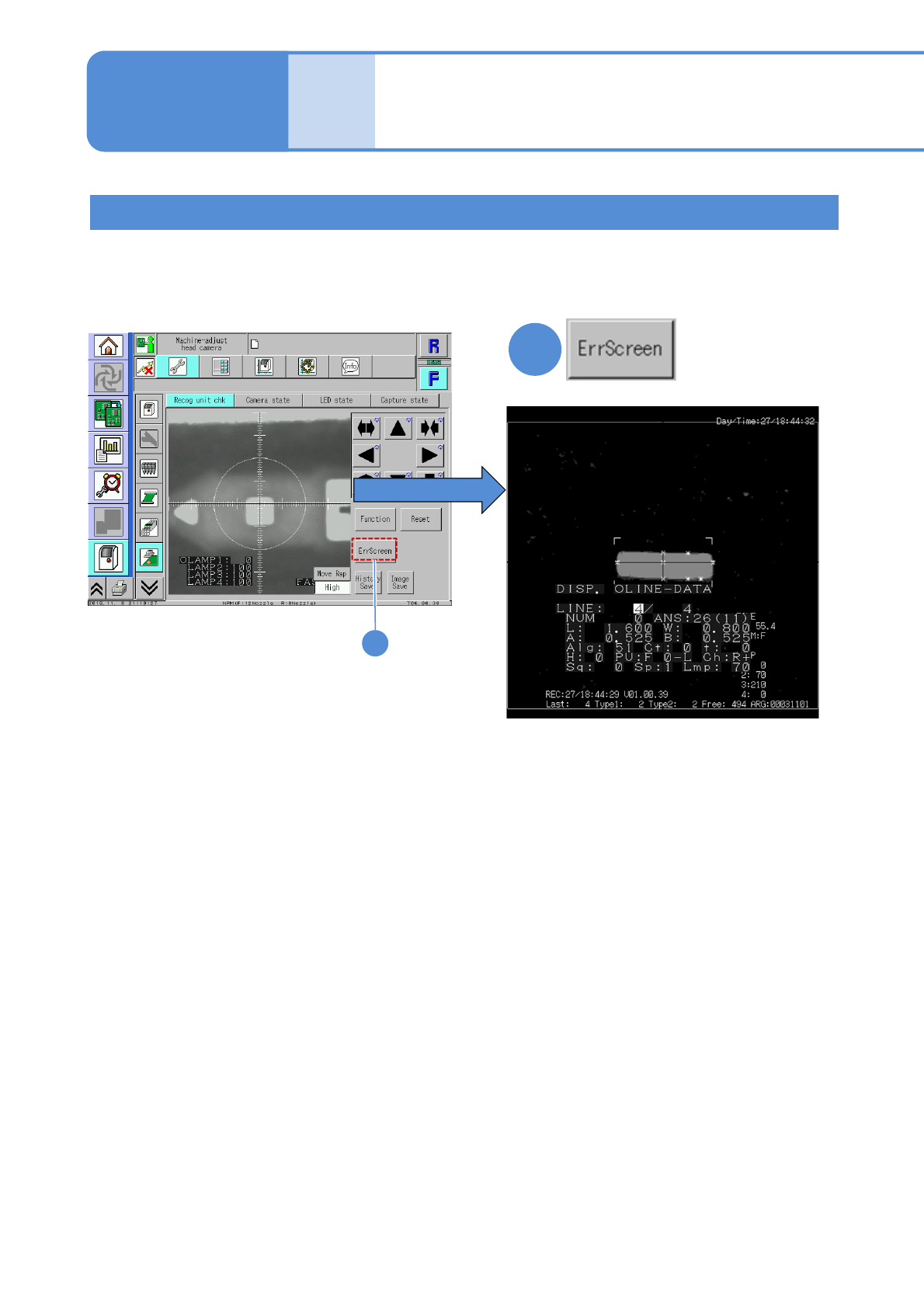
Because the machine stores past recognition errors, you can confirm error information after production has
finished. Please use stored information for your error solutions. (Up to 500 error images can be stored for a
stage.) For how to get and operate this screen, see P. 7-2-11 in the Operating procedure.
1
3-1-1-1
Pressing the [ErrScreen] causes the error
information to appear on the screen.
(To the next page)
Recognition error screen
1
Recognition information
after production
(memory function)