sh030106u.pdf - 第203页
6. NORM AL GAIN ADJ USTMENT 6 - 2 (2) Adjustme nt sequenc e an d mode usage 2 gain adjustment mode 1 (interpolation mode) Interpolation made for 2 or more axes? The l oad fluctuation is large during driving? Start End Ye…
6. NORMAL GAIN ADJUSTMENT
6 - 1
6. NORMAL GAIN ADJUSTMENT
POINT
In the torque control mode, you do not need to make gain adjustment.
Before making gain adjustment, check that your machine is not being operated
at maximum torque of the servo motor. If operated over maximum torque, the
machine may vibrate and may operate unexpectedly. In addition, make gain
adjustment with a safety margin considering characteristic differences of each
machine. It is recommended that generated torque during operation is under
90% of the maximum torque of the servo motor.
When you use a linear servo motor, replace the following words in the left to the
words in the right.
Load to motor inertia ratio → Load to motor mass ratio
Torque → Thrust
(Servo motor) speed → (Linear servo motor) speed
For the vibration suppression control tuning mode, the setting range of [Pr.
PB07] is limited. For the vibration suppression control tuning mode, the setting
range of [Pr. PB07] is limited. Refer to section 7.1.5 (4) for details.
6.1 Different adjustment methods
6.1.1 Adjustment on a single servo amplifier
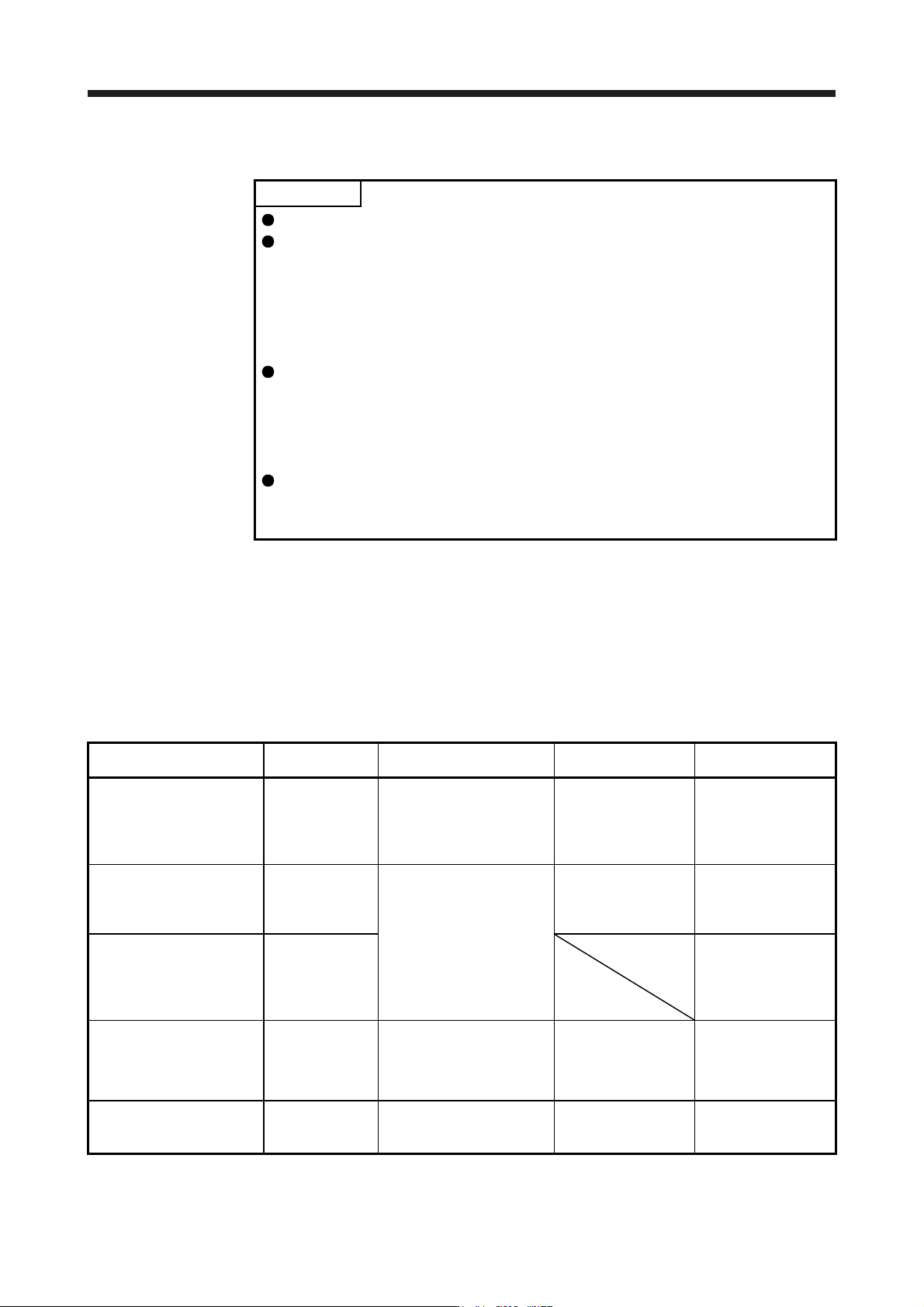
The following table shows the gain adjustment modes that can be set on a single servo amplifier. For gain
adjustment, first execute "Auto tuning mode 1". If you are not satisfied with the result of the adjustment,
execute "Auto tuning mode 2" and "Manual mode" in this order.
(1) Gain adjustment mode explanation
Gain adjustment mode [Pr. PA08] setting
Estimation of load to motor
inertia ratio
Automatically set
parameters
Manually set
parameters
Auto tuning mode 1
(initial value)
_ _ _ 1 Always estimated GD2 ([Pr. PB06])
PG1 ([Pr. PB07])
PG2 ([Pr. PB08])
VG2 ([Pr. PB09])
VIC ([Pr. PB10])
RSP ([Pr. PA09])
Auto tuning mode 2 _ _ _ 2 Fixed to [Pr. PB06] value PG1 ([Pr. PB07])
PG2 ([Pr. PB08])
VG2 ([Pr. PB09])
VIC ([Pr. PB10])
GD2 ([Pr. PB06])
RSP ([Pr. PA09])
Manual mode _ _ _ 3 GD2 ([Pr. PB06])
PG1 ([Pr. PB07])
PG2 ([Pr. PB08])
VG2 ([Pr. PB09])
VIC ([Pr. PB10])
2 gain adjustment mode 1
(interpolation mode)
_ _ _ 0 Always estimated GD2 ([Pr. PB06])
PG2 ([Pr. PB08])
VG2 ([Pr. PB09])
VIC ([Pr. PB10])
PG1 ([Pr. PB07])
RSP ([Pr. PA09])
2 gain adjustment mode 2 _ _ _ 4 Fixed to [Pr. PB06] value PG2 ([Pr. PB08])
VG2 ([Pr. PB09])
VIC ([Pr. PB10])
GD2 ([Pr. PB06])
PG1 ([Pr. PB07])
RSP ([Pr. PA09])
6. NORMAL GAIN ADJUSTMENT
6 - 2
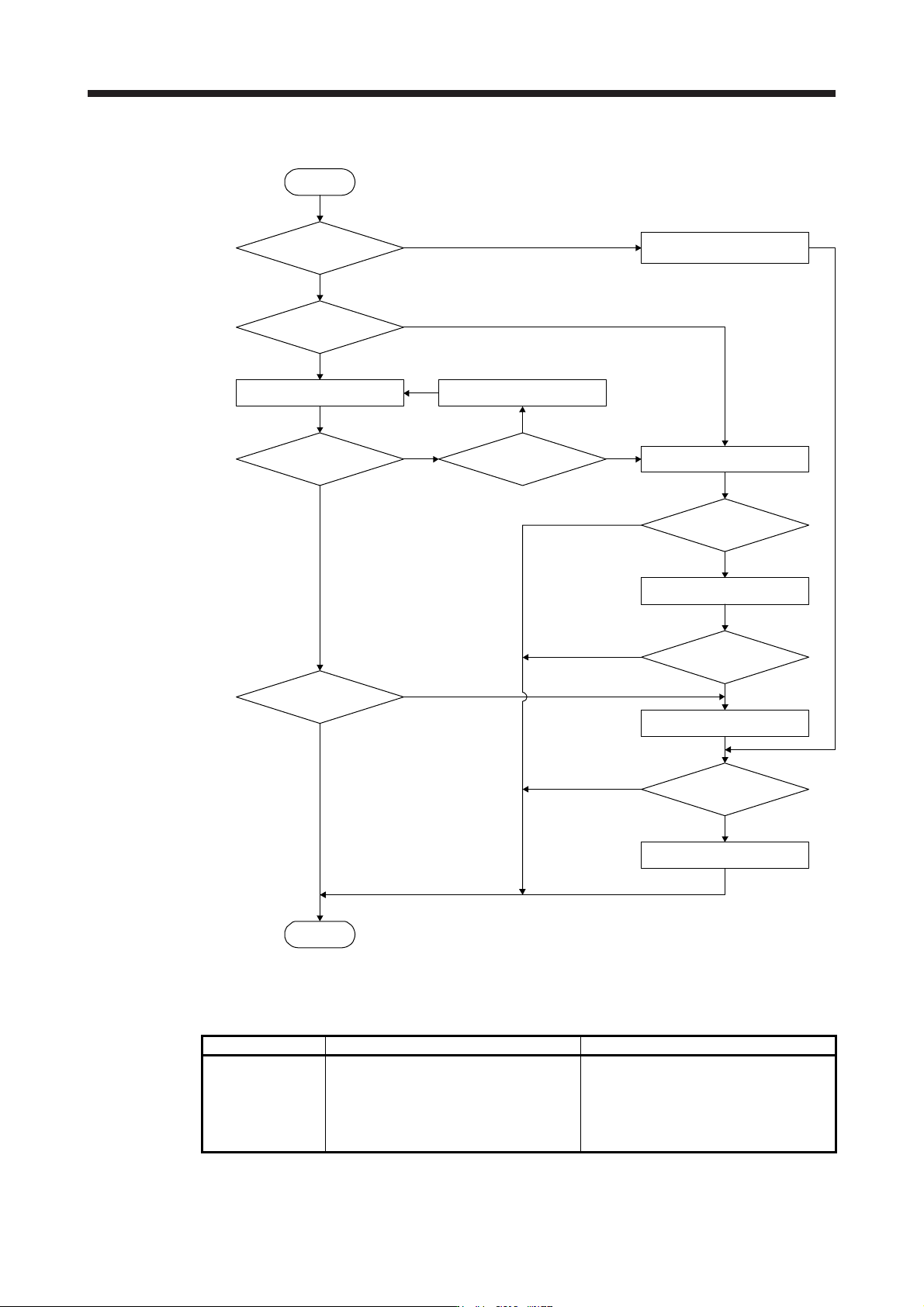
(2) Adjustment sequence and mode usage
2 gain adjustment mode 1
(interpolation mode)
Interpolation
made for 2 or more
axes?
The load fluctuation
is large during driving?
Start
End
Yes
No
Yes
No
Yes
No
No
Yes
One-touch tuning
Yes
Yes
Yes
Error handling
is possible?
Handle the error
Adjustment OK?
Finished normally?
2 gain adjustment mode 2
Manual mode
Auto tuning mode 1
Yes
Adjustment OK?
Auto tuning mode 2
No
No
No
Adjustment OK?
Adjustment OK?
No
6.1.2 Adjustment using MR Configurator2
This section explains the functions and adjustment using the servo amplifier with MR Configurator2.
Function Description Adjustment
Machine analyzer
With the machine and servo motor coupled,
the characteristic of the mechanical system
can be measured by giving a random
vibration command from a personal
computer to the servo and measuring the
machine response.
You can grasp the machine resonance
frequency and determine the notch
frequency of the machine resonance
suppression filter.
6. NORMAL GAIN ADJUSTMENT
6 - 3
6.2 One-touch tuning
POINT
After the one-touch tuning is completed, "Gain adjustment mode selection" in
[Pr. PA08] will be set to "2 gain adjustment mode 2 (_ _ _ 4)". To estimate [Pr.
PB06 Load to motor inertia ratio/load to motor mass ratio] again, set "Gain
adjustment mode selection" in [Pr. PA08] to "Auto tuning mode 1 (_ _ _ 1)".
When executing the one-touch tuning, check the [Pr. PA21 One-touch tuning
function selection] is "_ _ _ 1" (initial value).
At start of the one-touch tuning, only when "Auto tuning mode 1 (_ _ _ 1)" or "2
gain adjustment mode 1 (interpolation mode) (_ _ _ 0)" of "Gain adjustment
mode selection" is selected in [Pr. PA08], [Pr. PB06 Load to motor inertia ratio/
load to motor mass ratio] will be estimated.
Execute the one-touch tuning while the servo system controller and the servo
amplifier are connected.
When executing the one-touch tuning in the test operation mode (SW2-1 is on),
write the tuning result to servo parameters of the servo system controller, and
then connect the servo system controller and the servo amplifier.
The amplifier command method can be used with the servo amplifier with
software version C1 or later and MR Configurator2 with software version 1.45X
or later.
When the one-touch tuning is executed, MR Configurator2 is required.
The one-touch tuning includes two methods: the user command method and the amplifier command method.
(1) User command method
The user command method performs one-touch tuning by inputting commands from outside the servo
amplifier.
(2) Amplifier command method
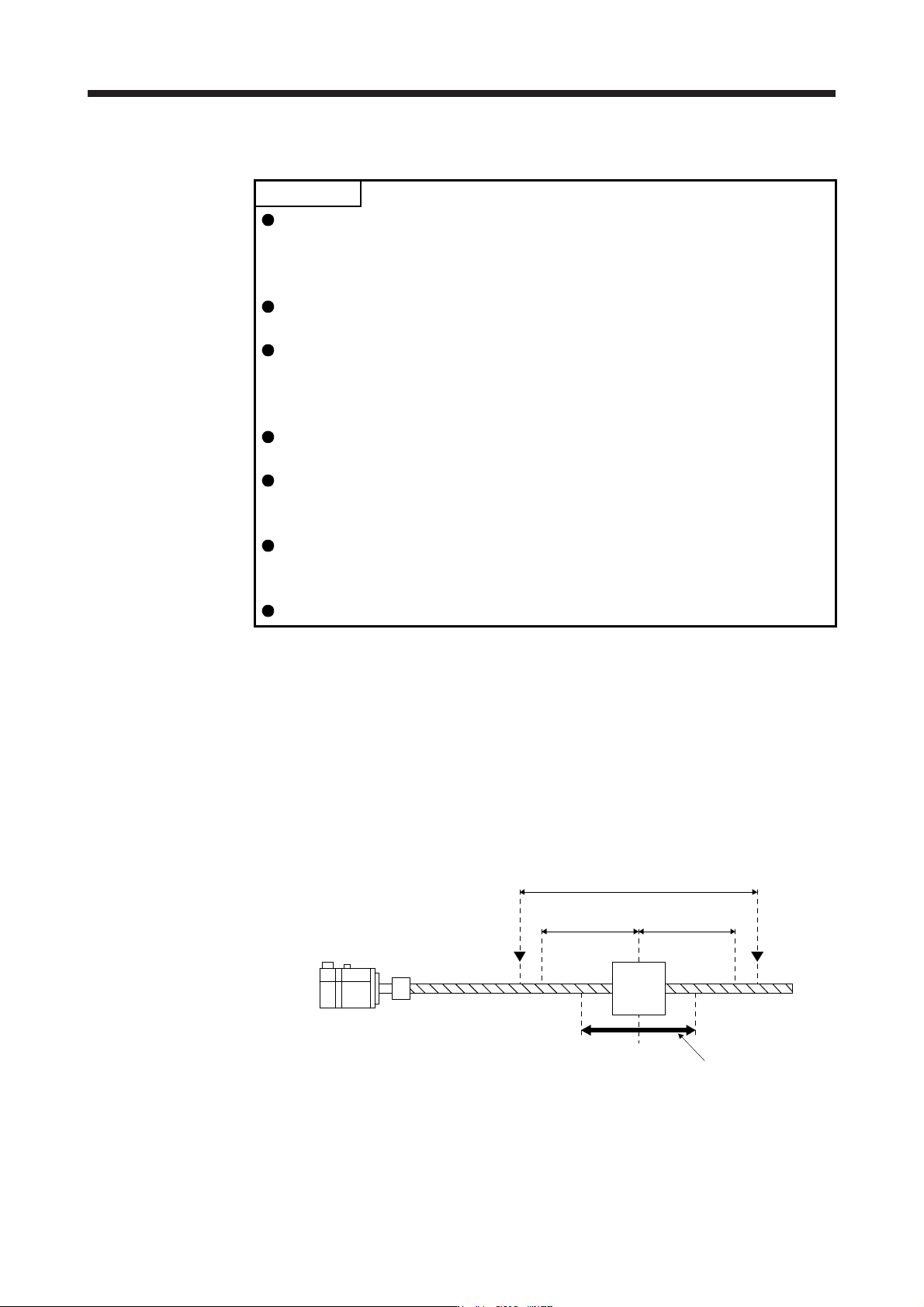
In the amplifier command method, when you simply input a travel distance (permissible travel distance)
that collision against the equipment does not occur during servo motor driving, a command for the
optimum tuning will be generated inside the servo amplifier to perform one-touch tuning.
Servo motor
Moving
part
Movable range
Tuning start position
Movable range at tuning
Permissible
travel distance
Limit switch
Permissible
travel distance
Limit switch