sh030106u.pdf - 第377页
11. OPT ION S AND P ERI PHER AL EQU IPMENT 11 - 56 11.8 Bat tery POINT Refer to app. 2 and 3 f or batte ry transporta tion a nd the new EU Bat tery Directive. This battery is use d to cons truct an abs olute pos ition d …

11. OPTIONS AND PERIPHERAL EQUIPMENT
11 - 55
11.7.2 Precautions for using USB communication function
Note the following to prevent an electric shock and malfunction of the servo amplifier.
(1) Power connection of personal computers
Connect your personal computer with the following procedures.
(a) When you use a personal computer with AC power supply
1) When using a personal computer with a three-core power plug or power plug with grounding wire,
use a three-pin socket or ground the grounding wire.
2) When your personal computer has two-core plug and has no grounding wire, connect the
personal computer to the servo amplifier with the following procedures.
a) Disconnect the power plug of the personal computer from an AC power socket.
b) Check that the power plug was disconnected and connect the device to the servo amplifier.
c) Connect the power plug of the personal computer to the AC power socket.
(b) When you use a personal computer with battery
You can use as it is.
(2) Connection with other devices using servo amplifier communication function
When the servo amplifier is charged with electricity due to connection with a personal computer and the
charged servo amplifier is connected with other devices, the servo amplifier or the connected devices
may malfunction. Connect the servo amplifier and other devices with the following procedures.
(a) Shut off the power of the device for connecting with the servo amplifier.
(b) Shut off the power of the servo amplifier which was connected with the personal computer and check
the charge lamp is off.
(c) Connect the device with the servo amplifier.
(d) Turn on the power of the servo amplifier and the device.
11. OPTIONS AND PERIPHERAL EQUIPMENT
11 - 56
11.8 Battery
POINT
Refer to app. 2 and 3 for battery transportation and the new EU Battery
Directive.
This battery is used to construct an absolute position detection system. Refer to chapter 12 for construction
of the absolute position detection system.
11.8.1 Selection of battery
The available batteries vary depending on servo amplifiers. Select a required battery.
(1) Applications of the batteries
Model Name Application Built-in battery
MR-BAT6V1SET Battery For absolute position data backup MR-BAT6V1
MR-BAT6V1BJ Battery for junction battery cable
For transporting a servo motor and
machine apart
MR-BT6VCASE Battery case
For absolute position data backup of
multi-axis servo motor
MR-BAT6V1
(2) Combinations of batteries and the servo amplifier
Model MR-J4-_B_(-RJ)
MR-BAT6V1SET
MR-BAT6V1BJ
MR-BT6VCASE
11.8.2 MR-BAT6V1SET battery
POINT
For the specifications and year and month of manufacture of the built-in MR-
BAT6V1 battery, refer to section 11.8.5.
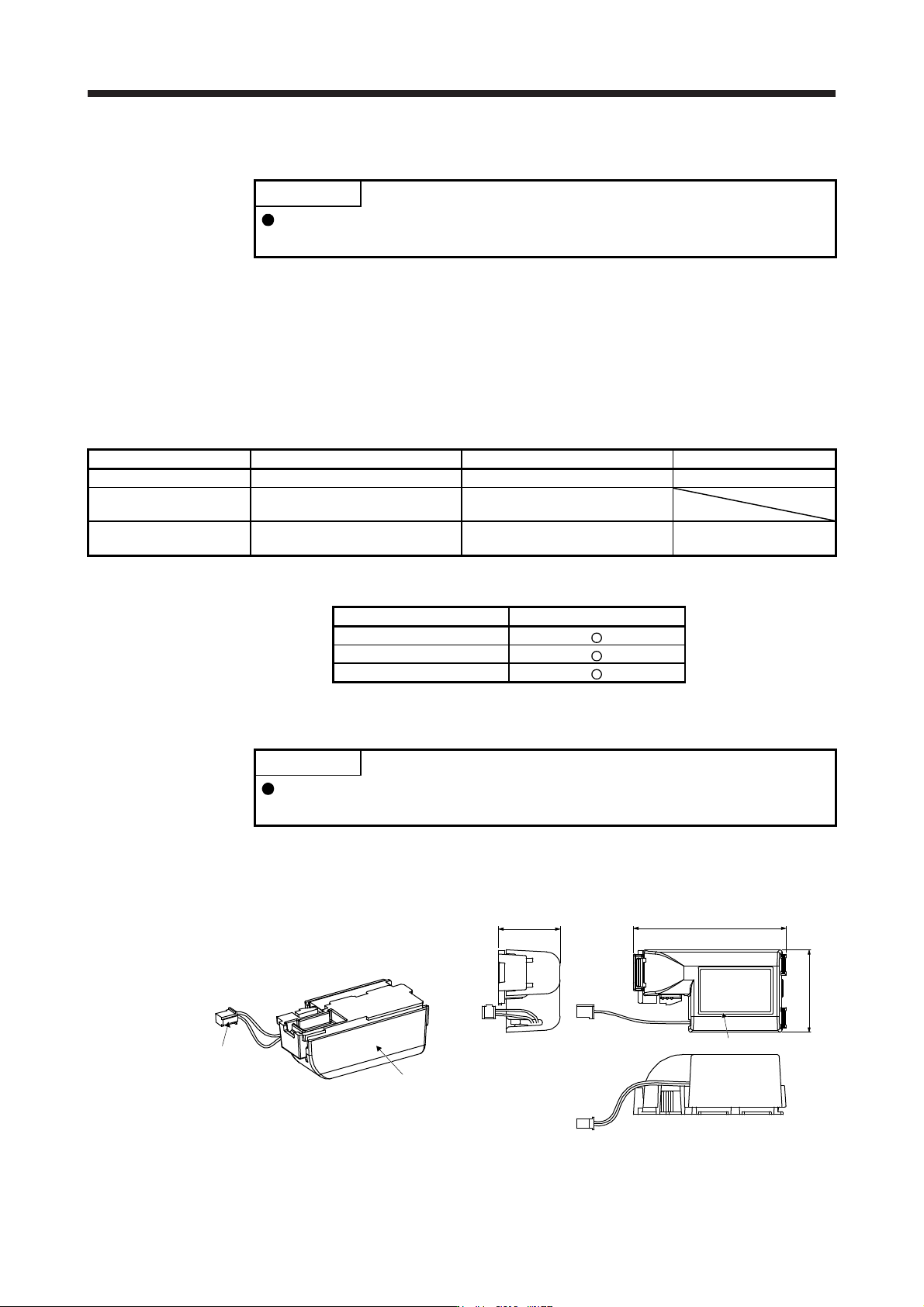
(1) Parts identification and dimensions
[Unit: mm]
Connector for servo amplifier
Case
Rating plate
28
69.3
38.5
Mass: 55 [
g
]
(
includin
g
MR-BAT6V1 batter
y)
11. OPTIONS AND PERIPHERAL EQUIPMENT
11 - 57
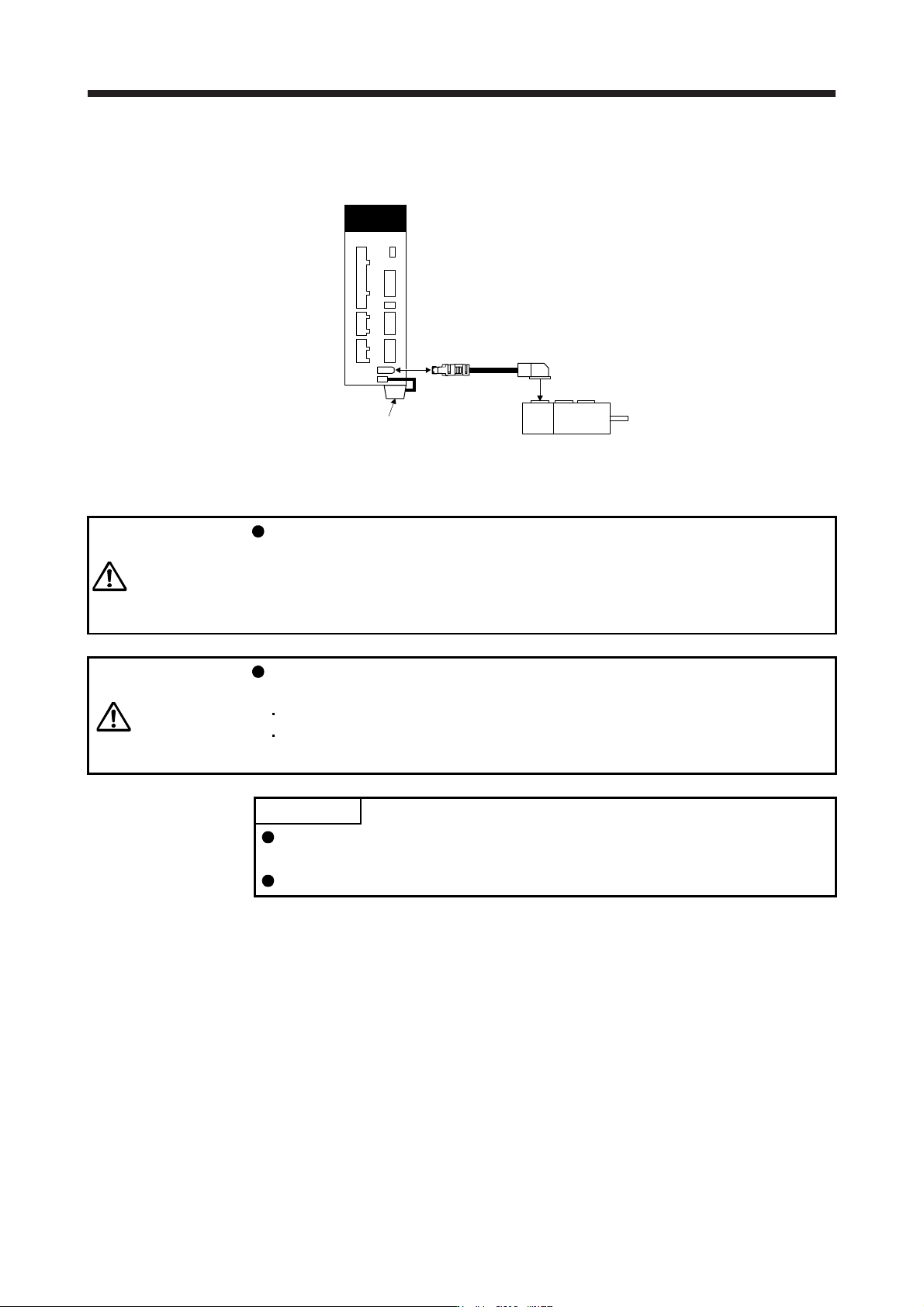
(2) Battery mounting
Connect as follows.
CN2
CN4
Servo amplifier
Encoder cable
Servo motor
MR-BAT6V1SET
(3) Battery replacement procedure
WARNING
Before replacing a battery, turn off the main circuit power and wait for 15 minutes
or longer until the charge lamp turns off. Then, check the voltage between P+ and
N- with a voltage tester or others. Otherwise, an electric shock may occur. In
addition, when confirming whether the charge lamp is off or not, always confirm it
from the front of the servo amplifier.
CAUTION
The internal circuits of the servo amplifier may be damaged by static electricity.
Always take the following precautions.
Ground human body and work bench.
Do not touch the conductive areas, such as connector pins and electrical parts,
directly by hand.
POINT
Replacing battery with the control circuit power off will erase the absolute
position data.
Before replacing batteries, check that the new battery is within battery life.
Replace the battery while only control circuit power is on. Replacing battery with the control circuit power
on triggers [AL. 9F.1 Low battery]. However, the absolute position data will not be erased.