sh030106u.pdf - 第582页
17. APPLICATIO N OF FUNCTIONS 17 - 31 b) Amplifier c omma nd met hod Input a p ermissi ble trav el dis tance. Input it in t he loa d-side reso lutio n unit for th e fully c losed loop contr ol mode , and i n the ser vo m…
17. APPLICATION OF FUNCTIONS
17 - 30
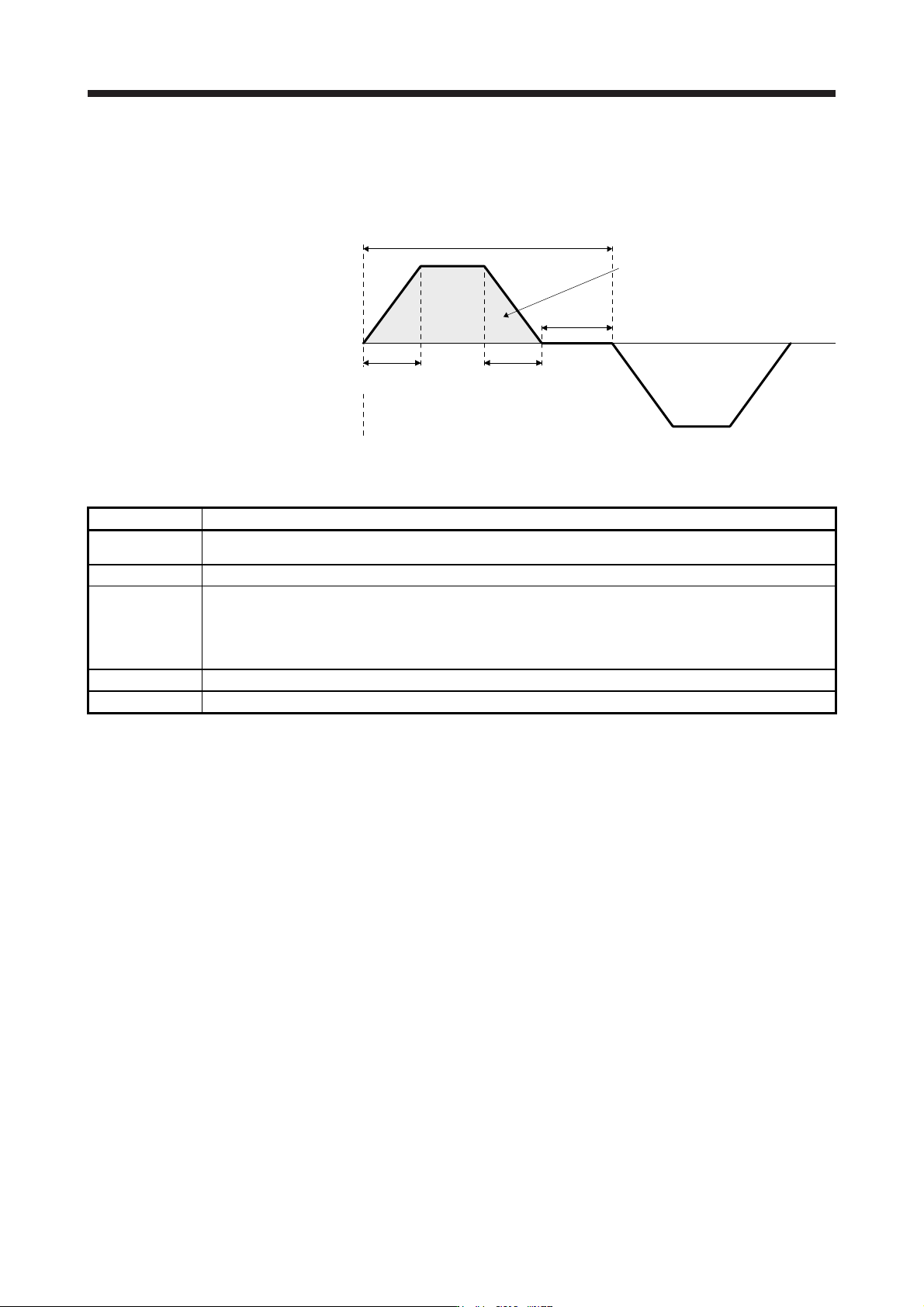
a) User command method
It is recommended to input commands meeting the following conditions to the servo amplifier.
If one-touch tuning is executed while commands which do not meet the conditions are inputted
to the servo amplifier, the one-touch tuning error may occur.
Servo motor
speed
Forward
rotation
0 r/min
Reverse
rotation
One cycle time
Dwell time
Deceleration
time constant
Travel distance
Acceleration
time constant
Fig. 17.1 Recommended command for one-touch tuning in the user command method
Item Description
Travel distance
Set 100 pulses or more in encoder unit. Setting less than 100 pulses will cause the one-touch tuning error
"C004".
Servo motor speed Set 150 r/min (mm/s) or higher. Setting less than 150 r/min (mm/s) may cause the one-touch tuning error "C005".
Acceleration time
constant
Deceleration time
constant
Set the time to reach 2000 r/min (mm/s) to 5 s or less.
Set an acceleration time constant/deceleration time constant so that the acceleration/deceleration torque is 10%
or more of the rated torque.
The estimation accuracy of the load to motor inertia ratio is more improved as the acceleration/deceleration
torque is larger, and the one-touch tuning result will be closer to the optimum value.
Dwell time Set 200 ms or more. Setting a smaller value may cause the one-touch tuning error "C004".
One cycle time Set 30 s or less. Setting over 30 s will cause the one-touch tuning error "C004".
17. APPLICATION OF FUNCTIONS
17 - 31
b) Amplifier command method
Input a permissible travel distance. Input it in the load-side resolution unit for the fully closed
loop control mode, and in the servo motor-side resolution unit for other control modes. In the
amplifier command method, the servo motor will be operated in a range between "current
value ± permissible travel distance". Input the permissible travel distance as large as possible
within a range that the movable part does not collide against the machine. Inputting a small
permissible travel distance decreases the possibility that the moving part will collide against
the machine. However, the estimation accuracy of the load to motor inertia ratio may be lower,
resulting in improper tuning.
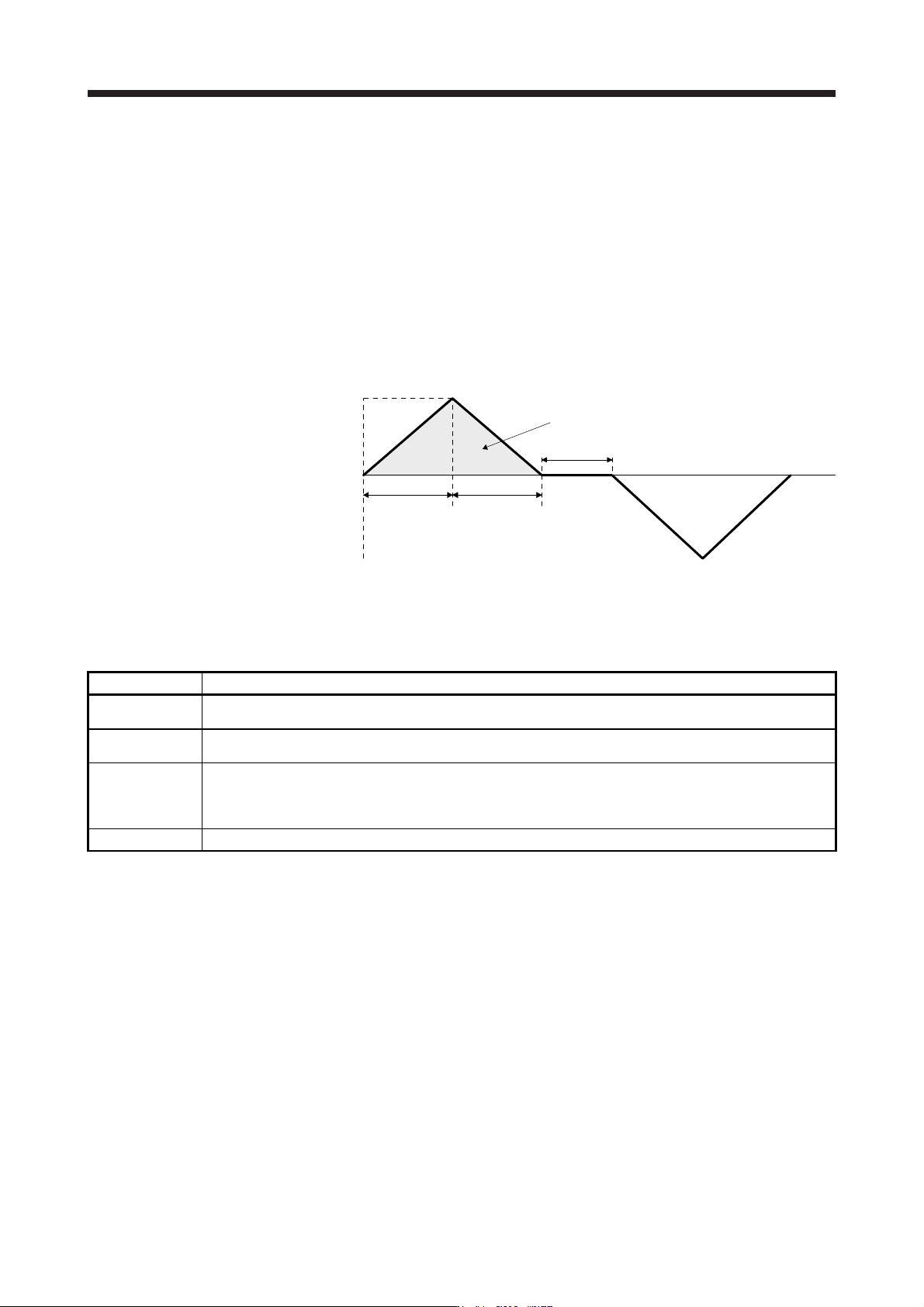
Also, executing the one-touch tuning in the amplifier command method will generate a
command for the following optimum tuning inside the servo amplifier to start the tuning.
Servo motor
speed
Servo motor
speed (Note)
Forward
rotation
0 r/min
Reverse
rotation
Dwell time (Note)
Deceleration
time constant
(Note)
Travel distance (Note)
Acceleration
time constant
(Note)
Note. It will be automaticall
y
g
enerated in the servo amplifier.
Fig. 17.2 Command generated by one-touch tuning in the amplifier command method
Item Description
Travel distance
An optimum travel distance will be automatically set in the range not exceeding the user-inputted permissible
travel distance with MR Configurator2.
Servo motor speed
A speed not exceeding 1/2 of the rated speed and overspeed alarm detection level ([Pr. PC08]) will be
automatically set.
Acceleration time
constant
Deceleration time
constant
An acceleration time constant/deceleration time constant will be automatically set so as not to exceed 60% of the
rated torque and the torque limit value set at the start of one-touch tuning in the amplifier command method.
Dwell time A dwell time in which the one-touch tuning error "C004" does not occur will be automatically set.
17. APPLICATION OF FUNCTIONS
17 - 32
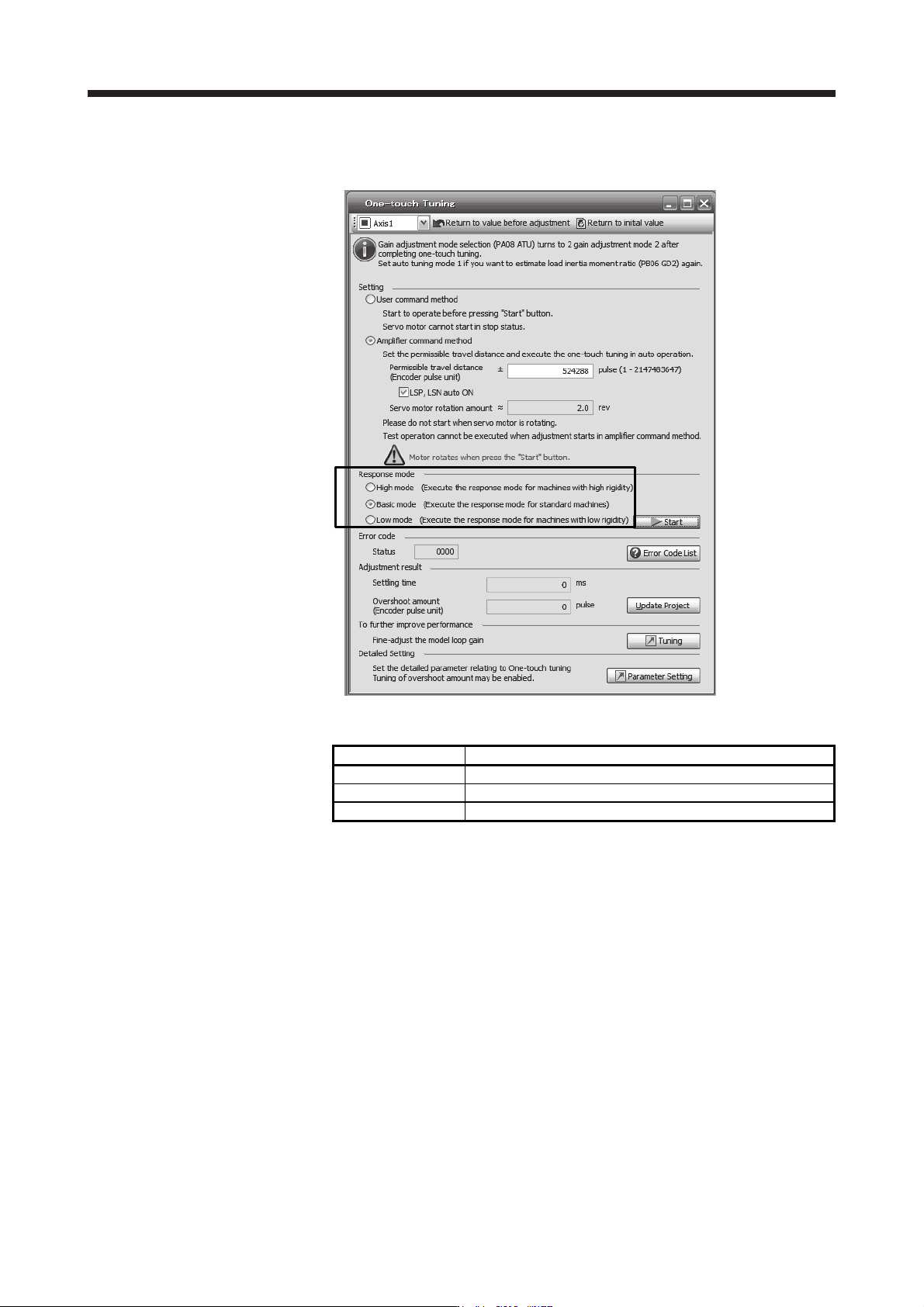
2) Response mode selection
Select a response mode from 3 modes in the one-touch tuning window of MR Configurator2.
Table 17.6 Response mode explanations
Response mode Explanation
High mode This mode is for high-rigid system.
Basic mode This mode is for standard system.
Low mode This mode is for low-rigid system.