sh030106u.pdf - 第580页
17. APPLICATIO N OF FUNCTIONS 17 - 29 (b) Display transit ion an d oper ation pr ocedur e of o ne-touch tun ing 1) Command method select ion Select a co mmand method from tw o methods in the one-touc h tunin g w indow of…
17. APPLICATION OF FUNCTIONS
17 - 28
2) Amplifier command method
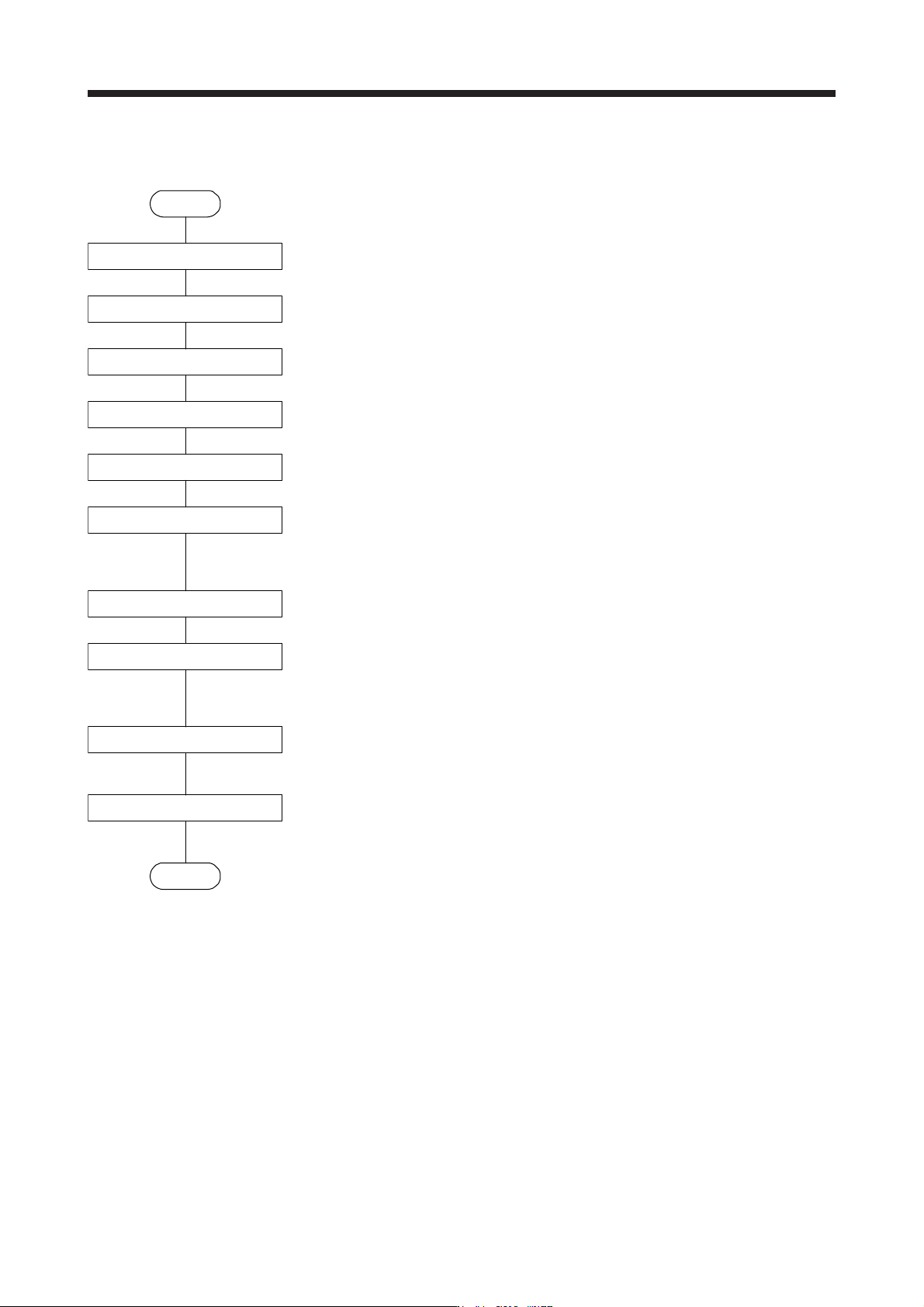
Make one-touch tuning as follows.
Start
Startup of the system
Movement to tuning start position
One-touch tuning start,
mode selection
Input of permissible
travel distance
Response mode selection
One-touch tuning execution
One-touch tuning completion
Tuning result check
One-touch tuning in progress
Controller reset
Servo amplifier power cycling
End
Start a system referring to chapter 4.
Move the moving part to the center of a movable range.
Start one-touch tuning of MR Configurator2, and select "Amplifier command method".
In the one-touch tuning window of MR Configurator2, input a maximum travel distance to move
the moving part at one-touch tuning.
Select a response mode (High mode, Basic mode, and Low mode) in the one-touch tuning
window of MR Configurator2.
While the servo motor is stopped, click "Start" to start one-touch tuning. After the tuning is
started, the servo motor will reciprocate automatically. Executing one-touch tuning during servo
motor rotation will cause an error. After one-touch tuning is executed using the amplifier
command method, control will not be performed by commands from the controller.
Gains and filters will be adjusted automatically. During processing of tuning, the tuning progress
will be displayed in % in MR Configurator2.
One-touch tuning will be completed automatically after the tuning. When one-touch tuning is
completed normally, the parameters described in table 17.5 will be updated automatically.
When the tuning is not completed normally, the tuning error will be displayed. (Refer to (4) (b) 5)
in this section.))
Check the tuning result.
When the tuning result is not satisfactory, you can return the parameter to the value before the
one-touch tuning or the initial value. (Refer to (4) (b) 8) in this section.))
After executing the one-touch tuning, resetting the controller or cycling the power of the servo
amplifier returns to the state in which control is performed from the controller.
17. APPLICATION OF FUNCTIONS
17 - 29
(b) Display transition and operation procedure of one-touch tuning
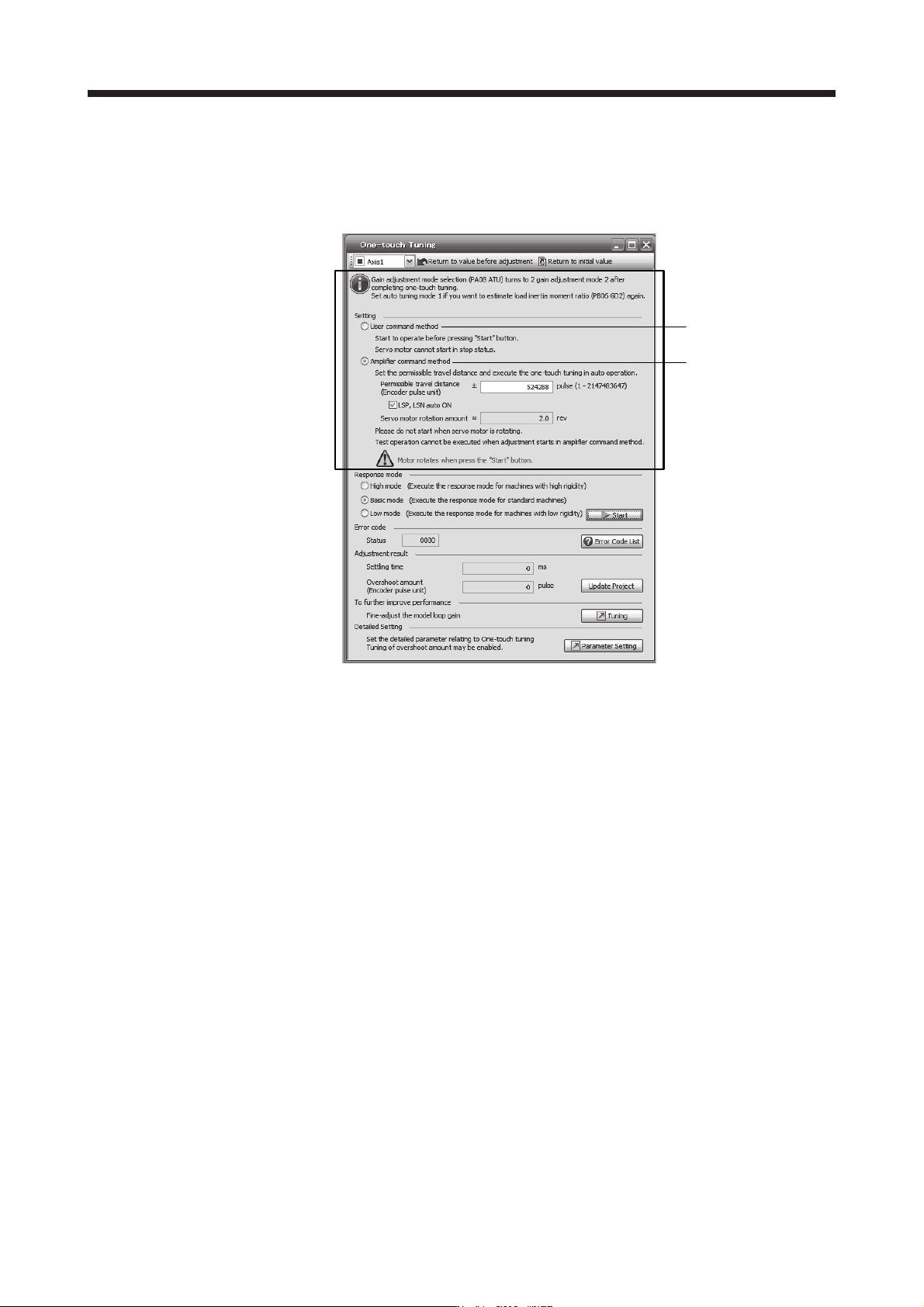
1) Command method selection
Select a command method from two methods in the one-touch tuning window of MR
Configurator2.
a)
b)
17. APPLICATION OF FUNCTIONS
17 - 30
a) User command method
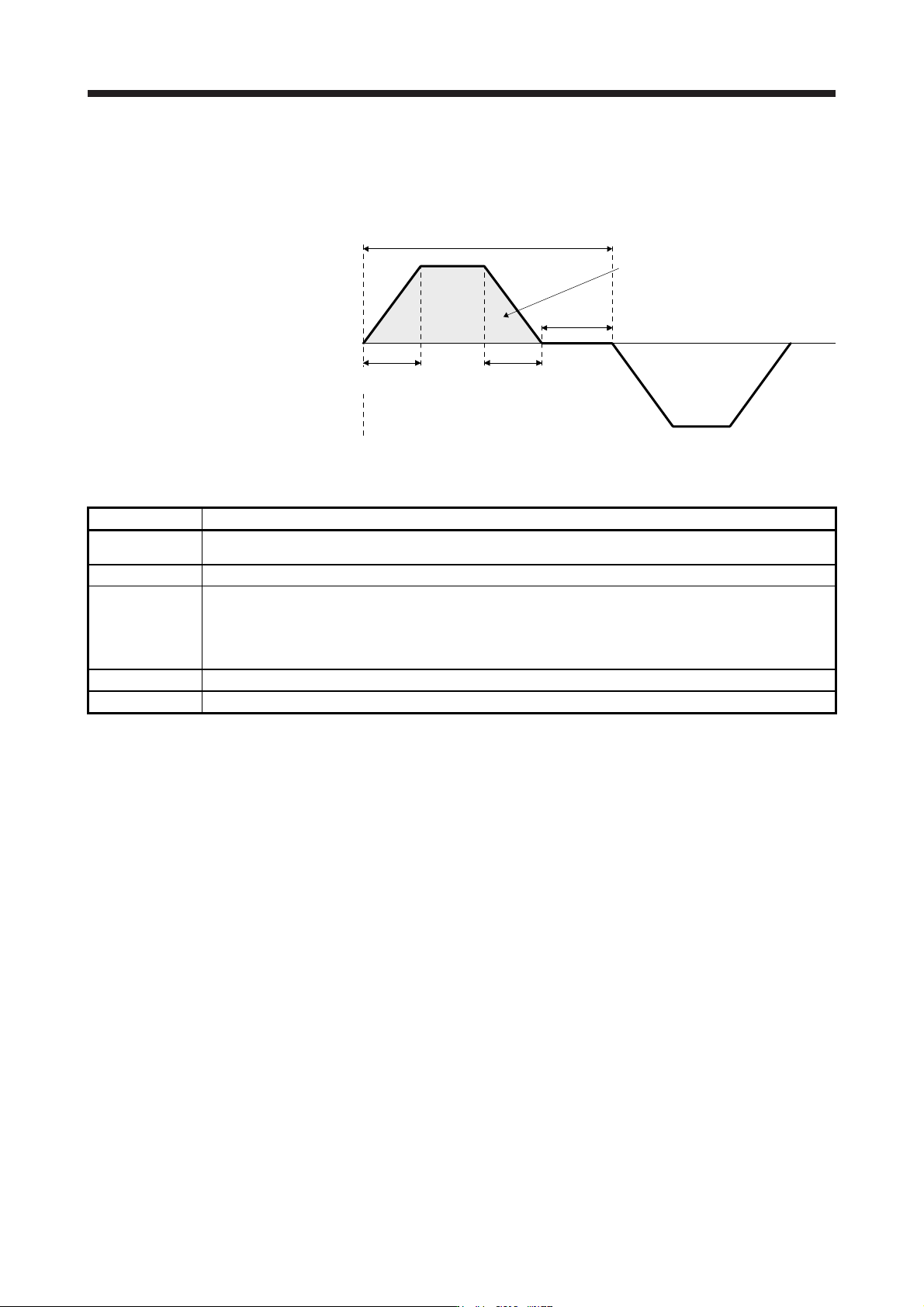
It is recommended to input commands meeting the following conditions to the servo amplifier.
If one-touch tuning is executed while commands which do not meet the conditions are inputted
to the servo amplifier, the one-touch tuning error may occur.
Servo motor
speed
Forward
rotation
0 r/min
Reverse
rotation
One cycle time
Dwell time
Deceleration
time constant
Travel distance
Acceleration
time constant
Fig. 17.1 Recommended command for one-touch tuning in the user command method
Item Description
Travel distance
Set 100 pulses or more in encoder unit. Setting less than 100 pulses will cause the one-touch tuning error
"C004".
Servo motor speed Set 150 r/min (mm/s) or higher. Setting less than 150 r/min (mm/s) may cause the one-touch tuning error "C005".
Acceleration time
constant
Deceleration time
constant
Set the time to reach 2000 r/min (mm/s) to 5 s or less.
Set an acceleration time constant/deceleration time constant so that the acceleration/deceleration torque is 10%
or more of the rated torque.
The estimation accuracy of the load to motor inertia ratio is more improved as the acceleration/deceleration
torque is larger, and the one-touch tuning result will be closer to the optimum value.
Dwell time Set 200 ms or more. Setting a smaller value may cause the one-touch tuning error "C004".
One cycle time Set 30 s or less. Setting over 30 s will cause the one-touch tuning error "C004".