3OM-1075-002.pdf - 第108页
(2) When a parameter is entered through keyboard navigation and the [Enter] key is pressed, it is set in the text box. Fig. 3B151 • • • • • How to enter a string of characters A string of characters can be entered by sel…
How to enter a parameter through keyboard navigation
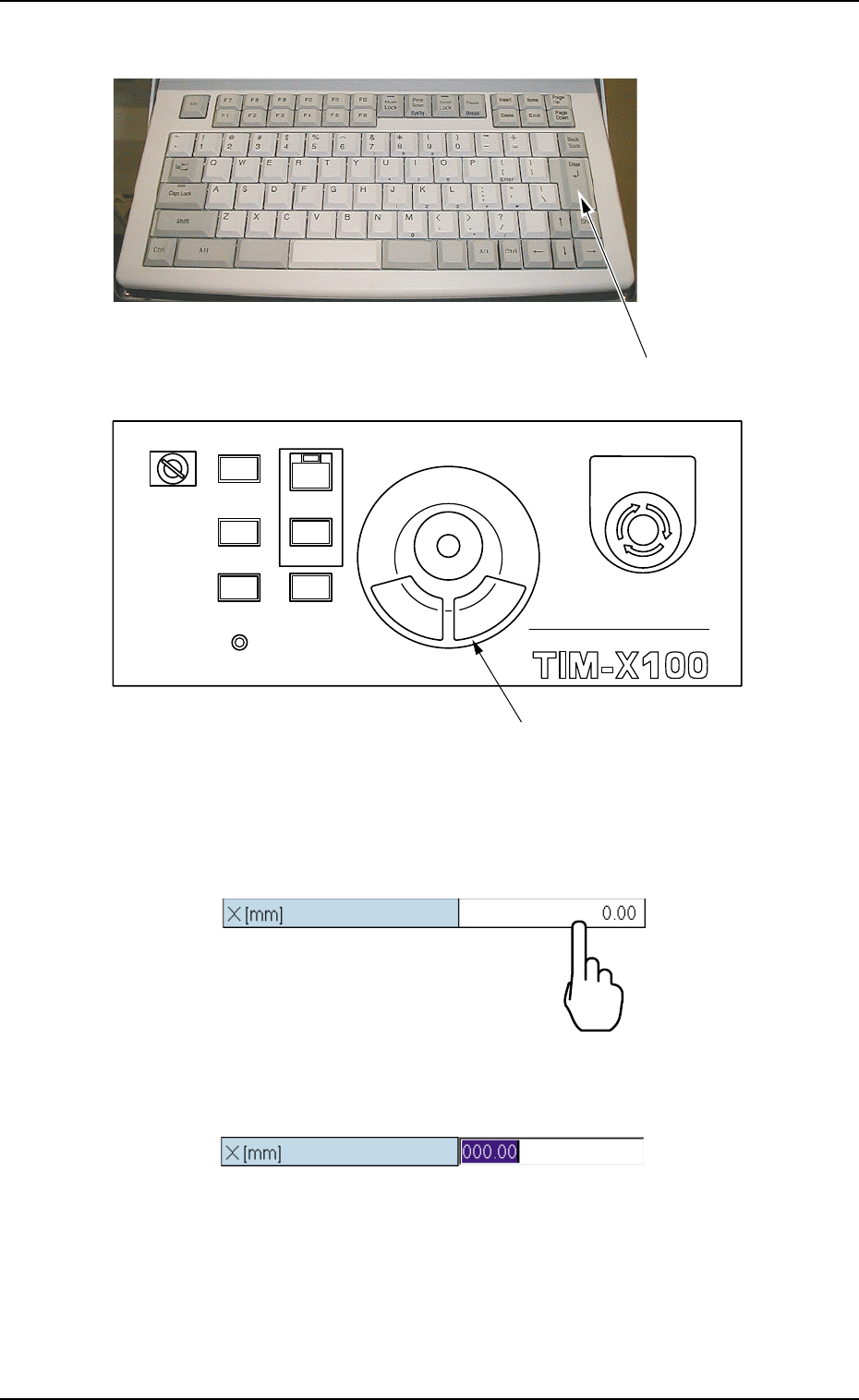
Fig. 3B147 Keyboard
Fig. 3B148 Pointing Device
(1) To enter a parameter, press the text box quickly twice. Or, double-
click the text box with the pointing device.
Fig. 3B149
The text box is set ready for data entry.
Fig. 3B150
4.1 Basic Operations
0308-003 2-88 AHB01EDTP
[ENTER] key
MULTI FUNCTIONAL MOUNTER
STOP
LOCK
OPERATION
RUN SETUP
START
ENABLE
PNL CHANGE
READY
POWER ON
EMERGENCY
Pointing Device
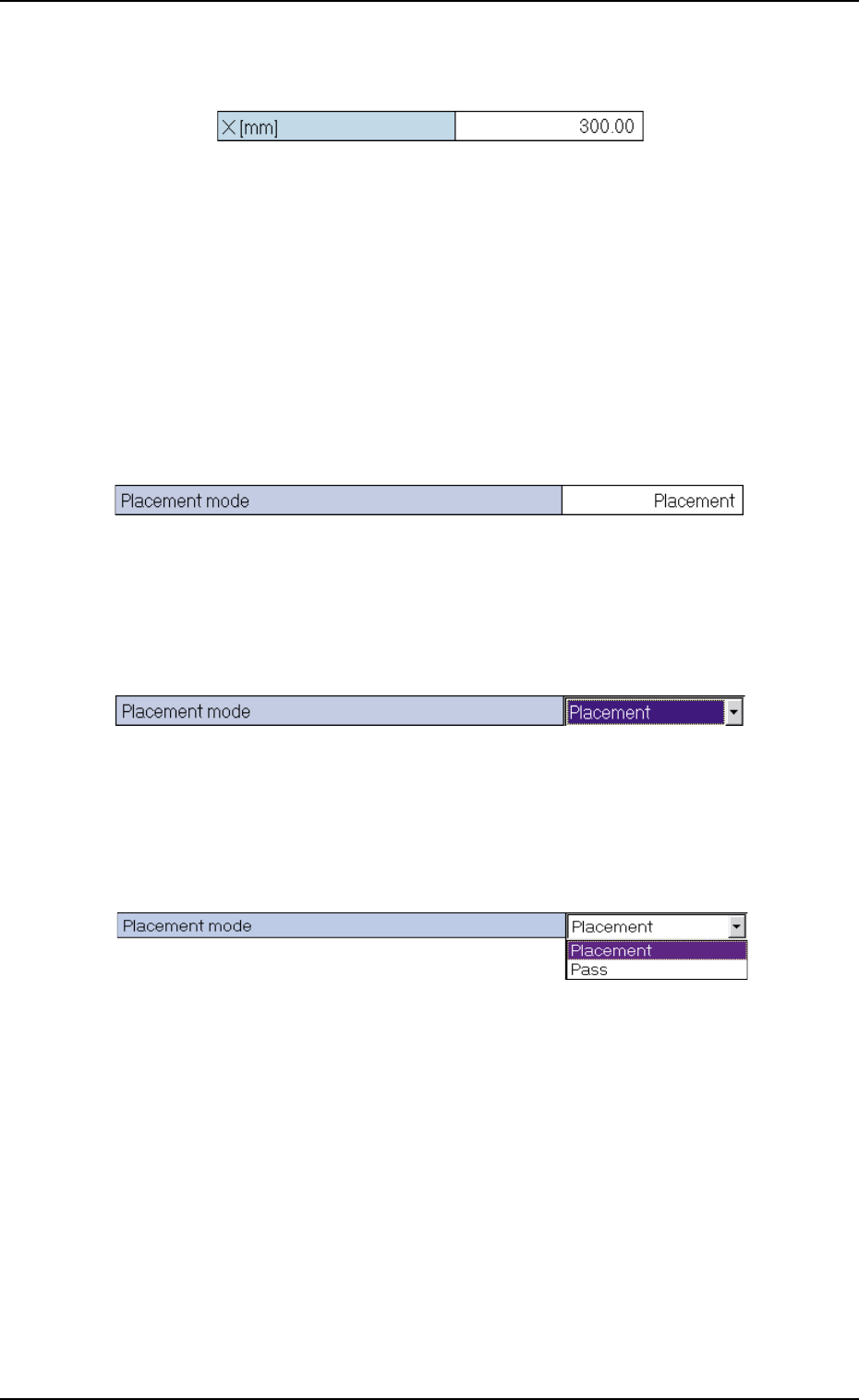
(2) When a parameter is entered through keyboard navigation and the
[Enter] key is pressed, it is set in the text box.
Fig. 3B151
••
••
• How to enter a string of characters
A string of characters can be entered by selecting an item from the
drop-down list.
Selection of Option in Drop-Down List
(1) To enter a string of characters, press the text box quickly twice. Or,
double-click the text box with the pointing device.
Fig. 3B152
The text box is changed to a combo box that has a down arrow on
the right side.
Fig. 3B153
(2) Press the down arrow. Or, click the down arrow with the pointing
device. The drop-down list box opens.
Fig. 3B154
4.1 Basic Operations
0206-001 2-89 AHB01EDTP
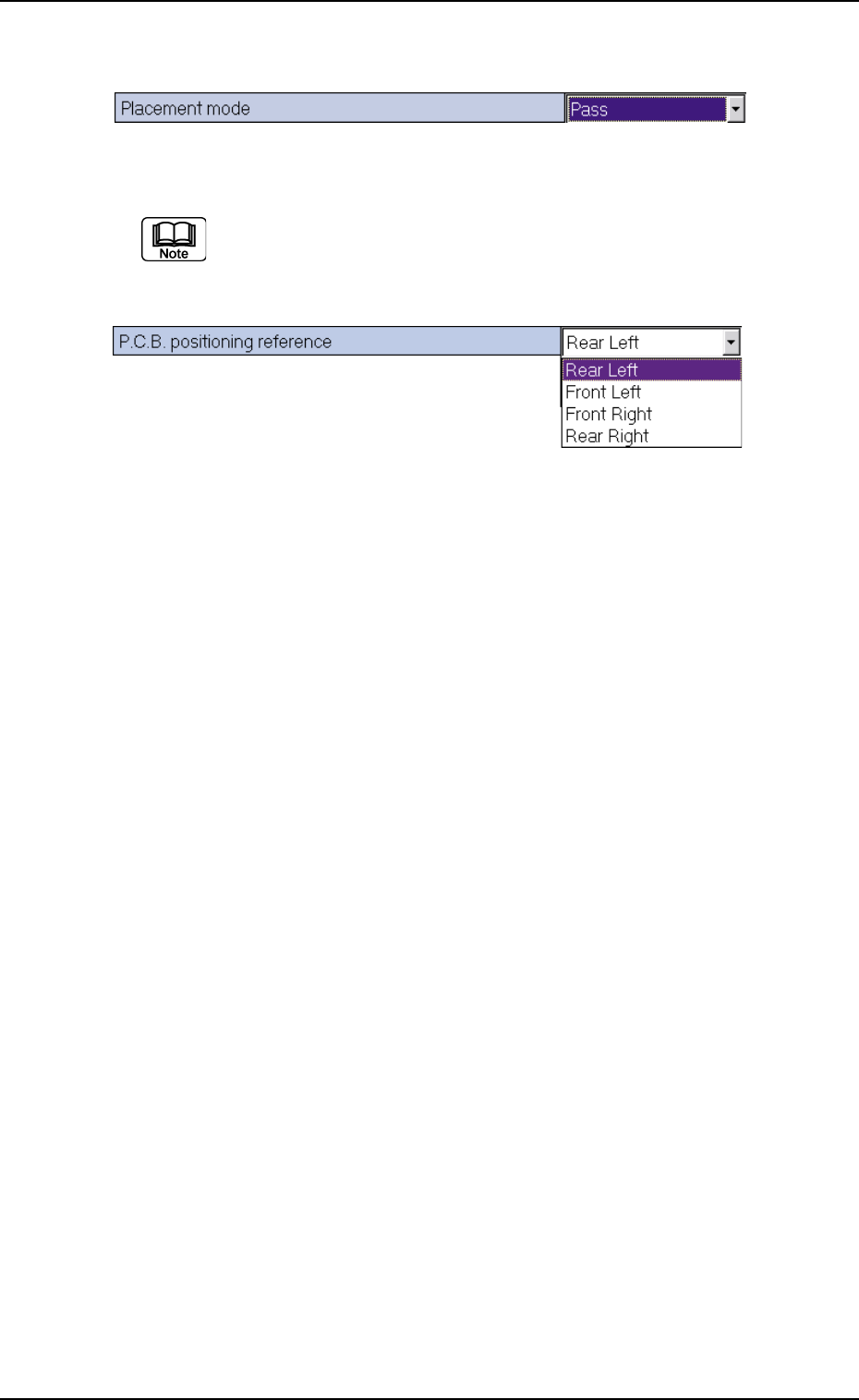
(3) When the desired option in the list is pressed, it is set in the text box.
Fig. 3B155
When there are many options, a scrollbar appears beside the
list. To make more options visible, scroll down the list and se-
lect the desired option.
Fig. 3B156
How to enter a parameter through keyboard navigation
A pattern program name, component IDs, and comments, etc., can be
entered through keyboard navigation.
(1) When a text box in which a pattern program name, a component ID,
and a comment, etc., is pressed quickly twice, it is set ready for
data entry. Or, double-click the text box with the pointing device.
(2) When a parameter is entered through keyboard navigation and the
[Enter] key is pressed, it is set in the text box.
4.1 Basic Operations
0206-001 2-90 AHB01EDTP