3OM-1075-002.pdf - 第306页
01 12-001 5-74 AHB01EDTP 2.2 "Auto Operation" T ab This function is based on the concept that it will not be necessary to continue automatic operation of the machine when there is no P .C.B. on the machine and …
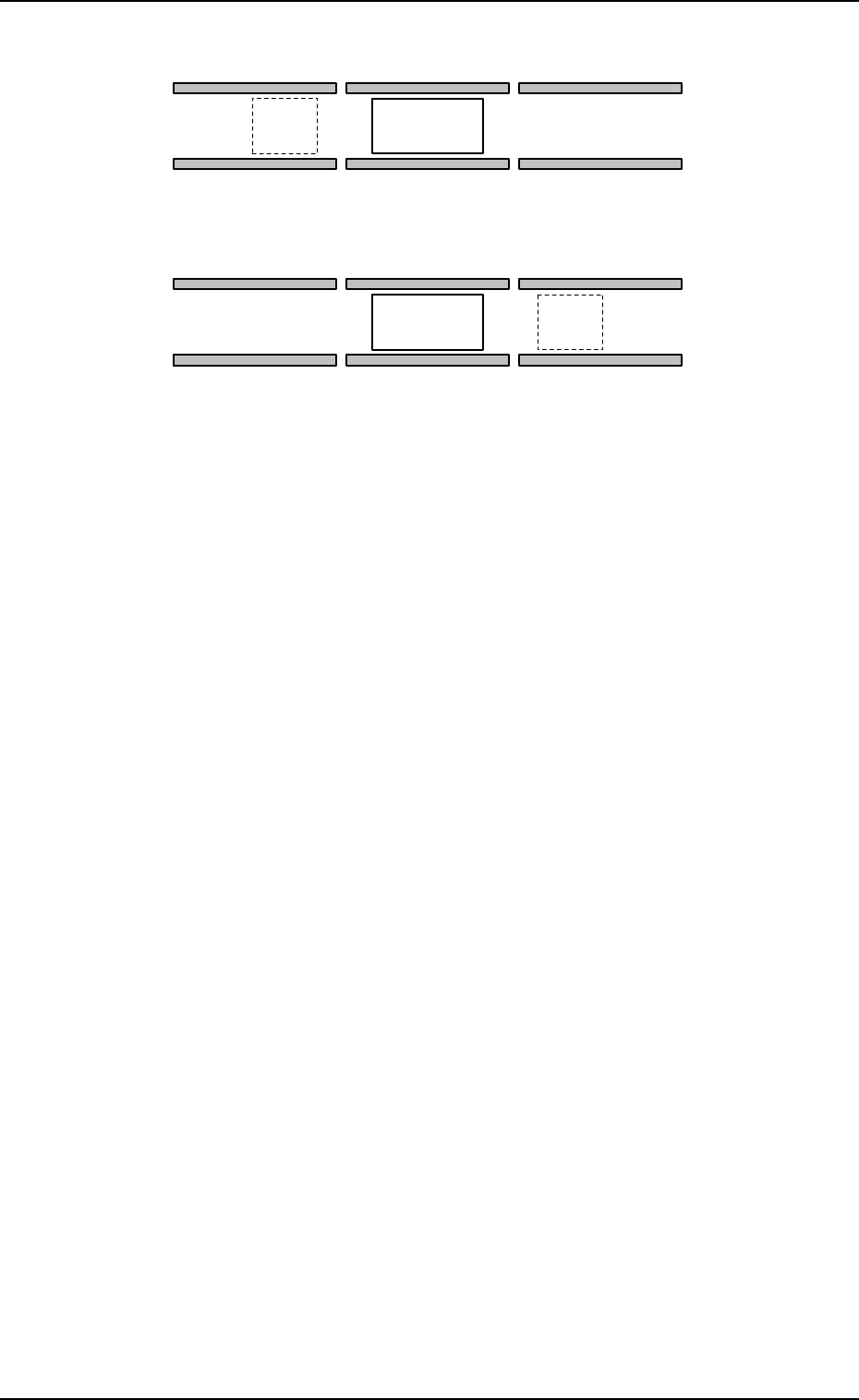
Fig. 3E67
The finished P.C.B. on the P.C.B. positioning section is set in the
standby mode until the subsequent P.C.B. comes to "Area A"
shown in the figure.
When "Enable" is set in the "Auto transfer mode" text box,
P.C.B.’s are transferred as follows.
When the components are placed completely on the P.C.B. in
the P.C.B. positioning section, no P.C.B. is located on (A), and
the conveyor transfer is not started up, the P.C.B. transfer func-
tion is activated and the finished P.C.B. is discharged to the out-
put machine.
This function works efficiently to avoid finished P.C.B. stagnation
on the P.C.B. positioning section when the line balance between
the machine and the input machine is not good.
Auto stop mode
"Enable" or "Disable" can be set in this text box to determine
whether or not the automatic stop function should be used.
When "Enable" (standard mode) is set in the text box, the
automatic stop function works in the following cases.
The machine stops when the automatic operation is started by
pressing the [START] button with the machine in the initialized
mode (no P.C.B. on the machine), the machine is waiting for a
P.C.B. to be sent from the input machine and detects that "RUN"
signal has stopped coming from the input machine, and the ma-
chine is kept in the condition for 2 seconds.
0206-002 5-73
AHB01EDTP
2.2 "Auto Operation" Tab
A
A
P.C.B. Transfer Direction [L → R]
P.C.B. Positioning Section
P.C.B. Positioning Section
P.C.B. Transfer Direction [R → L]

01 12-001 5-74 AHB01EDTP
2.2 "Auto Operation" Tab
This function is based on the concept that it will not be necessary
to continue automatic operation of the machine when there is no
P.C.B. on the machine and the input machine is not running auto-
matically because it is apparent that no P.C.B. can be transferred
to the machine anymore.
The machine stops automatically when a P.C.B. on the machine
is processed without unprocessed P.C.B. left on the machine
and the input machine is stopped after the last processed P.C.B.
on the machine has been transferred to the output machine.
When the machine is connected to another machine
manufactured by another company, this function may not
be activated.
Input mode
Select a parameter according to the P.C.B. unloading system of
the input machine.
Conveyor
The input machine is activated to receive a P.C.B. from the input
machine when the P.C.B. transfer signal is received from the
input machine.
Pusher
The pusher of the input machine forces a P.C.B. out to the input
conveyor of the machine.
When the P.C.B. detection sensor (for the pusher) is not pro-
vided at the inlet side of the input conveyor, do not set "Pusher" in
the text box.
SMEMA
(Not Available)
P.C.B.’s are transferred according to the "SMEMA" standard.
Conveyor #2
The P.C.B. on the conveyor can be transferred only when a P.C.B.
request signal is received.

01 12-001 5-75 AHB01EDTP
2.2 "Auto Operation" Tab
Input conveyor
Timer #1 [sec], Timer #2 [sec], Buffer setup, Bfr pos const
transfer, and Bfr pos const transfer offset [mm]
Set each parameter to specify how the input conveyor should work.
Timer #1 [sec]
Set the time to limit the operating time (P.C.B. reception from the
input machine) of the input conveyor.
This timer measures the operating time of the input conveyor
and is used to detect an interrupted P.C.B.
(a) Add 2 seconds (approx.) to the time required for
P.C.B. reception from the input machine and set the
time in the text box.
(b) The data input range is "0 to 99 seconds".
Timer #2 [sec]
Set the time to limit the operating time of the input conveyor to
transfer a P.C.B. on the main machine side.
This timer measures the operating time of the input conveyor
and is used to detect an interrupted P.C.B.
The data input range is "0 to 99 seconds".
Buffer setup
Determine whether or not the P.C.B.’s should be buffered on
the input conveyor.
Set "Enable" or "Disable" in the text box.
Bfr pos const transfer
Determine whether or not the constant P.C.B. transfer system
should be used or not. When the system is used, the constant
number of P.C.B.’s (detected by the P.C.B. detection L1 sen-
sor) are transferred to the buffering position on the input con-
veyor without the P.C.B. detection L2 sensor being used.
Set "Enable" or "Disable" in the text box.
"Enable" improves the productivity.