3OM-1075-002.pdf - 第85页
(4) Placement Data (P-data) U01 • • • • • Unit Control Follow the same procedure as described in "3.1 Single Pattern". • • • • • Unit P .C.B. Fiducial Follow the same procedure as described in "3.1 Single …
(2) Creation of Operation Data
••
••
• P.E.C. Data
Follow the same procedure as described in "3.1 Single Pattern".
••
••
• P.E.C. Recognition Data
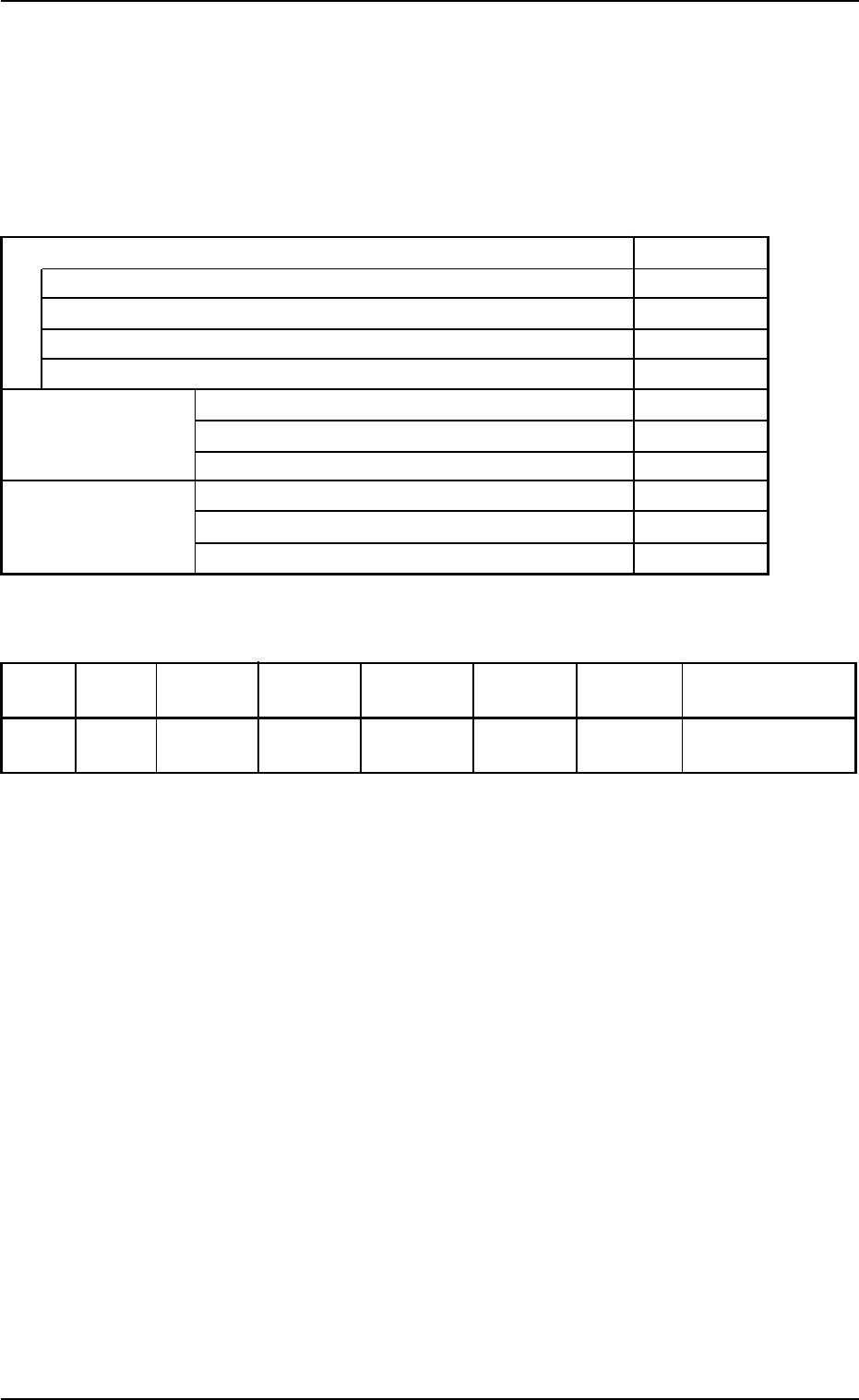
Tabl 3B22
P.E.C. recognition function Enable
P.E.C. recognition mode Global 2 Point
P.E.C. recognition mode Image Disable
P.E.C. recognition mode Local Disable
P.E.C. recognition head Both Heads
Fiducial mark #1 X location [mm] (Horizontal) FX
1
Y location [mm] (Vertical) FY
1
Mark # 1
Fiducial mark #2 X location [mm] (Horizontal) FX
2
Y location [mm] (Vertical) FY
2
Mark # 1
••
••
• P.E.C. Recognition Mark Data
Tabl 3B23
Mark # Mark Mark Size Mark Size Window Mark Type Level Recog Algo
Type D1 [mm] D2 [mm] Size [mm] Image
1 Round 1.00 0.00 05.0 Bright High Pattern
(Normal)
••
••
• Setup Data
Create this data when the automatic setup function is used.
(3) Placement Feeder Location
Follow the same procedure as described in "3.1 Single Pattern".
3.2 Single Pattern (P.E.C. Recognition Function Enabled)
0206-002 2-65 AHB01EDTP

(4) Placement Data (P-data) U01
••
••
• Unit Control
Follow the same procedure as described in "3.1 Single Pattern".
••
••
• Unit P.C.B. Fiducial
Follow the same procedure as described in "3.1 Single Pattern".
••
••
• Placement Data (P-data)
Follow the same procedure as described in "3.1 Single Pattern".
(5) Placement Data (O-data) U01
Do not create this data.
3.2 Single Pattern (P.E.C. Recognition Function Enabled)
0206-002 2-66 AHB01EDTP
3.3 Repetitive Patterns
(1) Information on Pattern Program Creation
••
••
• P.C.B. Size and Packaged Posture & IDs of Components
Follow the same procedure as described in "3.1 Single Pattern".
••
••
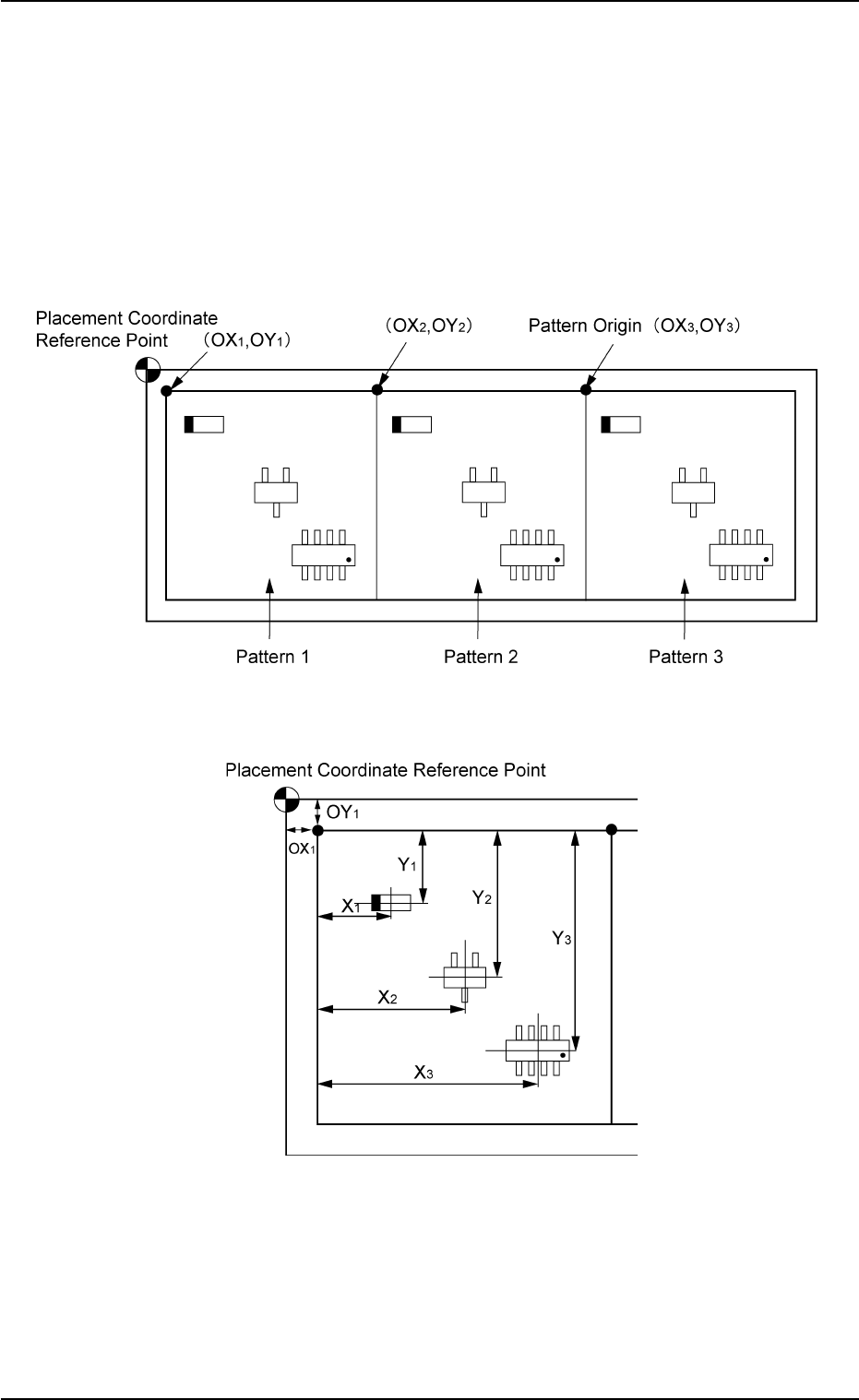
• Placement Coordinates and Angles (Z=Theta)
Fig. 3B131 General View
Fig. 3B132 Pattern 1 (Magnified View)
3.3 Repetitive Patterns
0206-003 2-67 AHB01EDTP