3OM-1075-002.pdf - 第277页
2.1.6 "Camera" T ab • Sheet Layout When the "Camera" tab is pressed in the "Offset Data" tab sheet, the following tab sheet appears. Fig. 3E47 "Camera" T ab Sheet • Sheet Compositi…
2.1.5.5 "Nozzle Tip Position" Tab
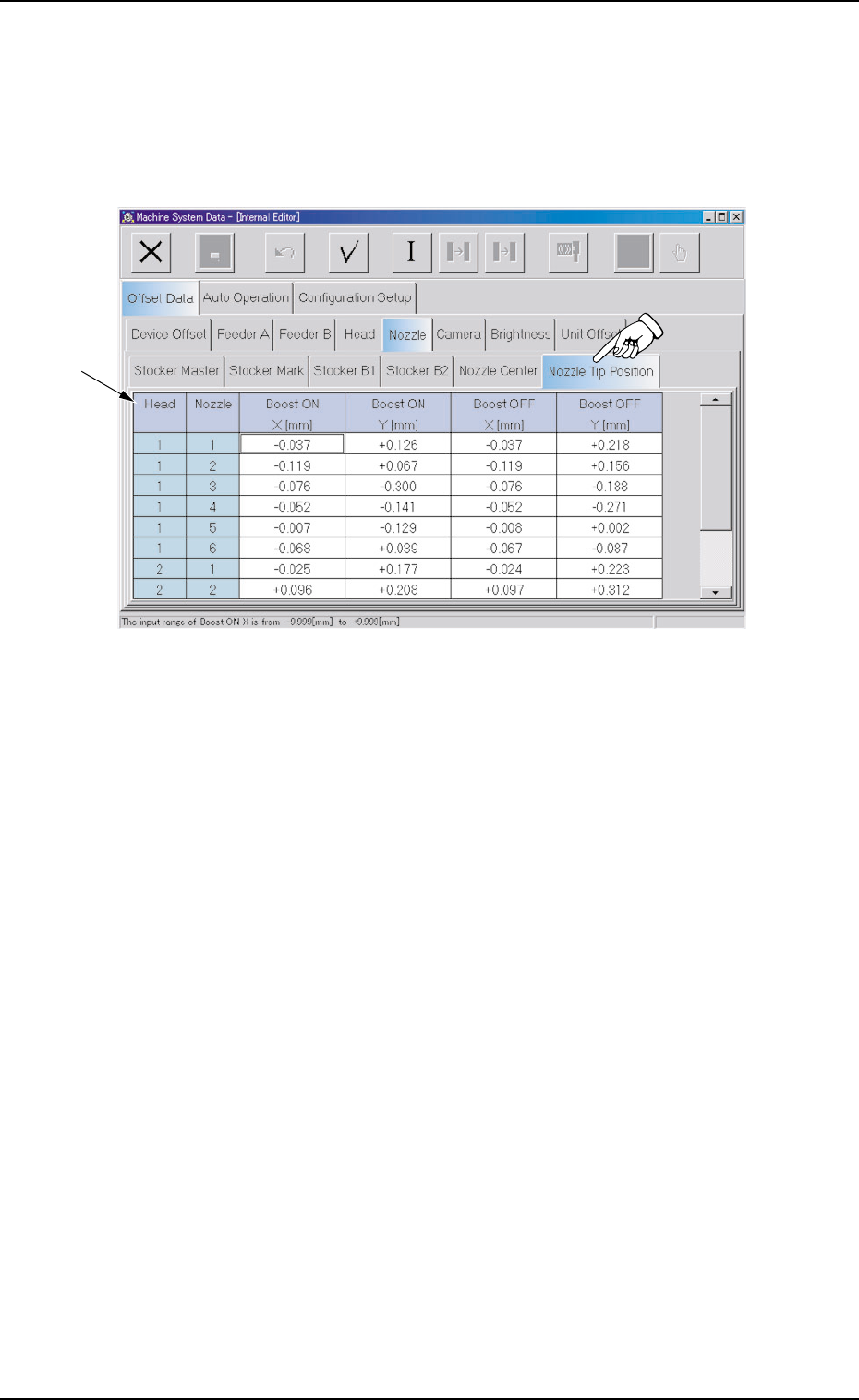
• Sheet Layout
When the "Nozzle Tip Position" tab is pressed in the "Nozzle" tab
sheet, the following tab sheet appears.
Fig. 3E46 "Nozzle Tip Position" Tab Sheet
• Sheet Composition
*1 Offset Items
Set the following offset values.
Head (1 and 2) and Nozzle (1 through 6)
Boost ON X [mm] (Horizontal) and Y [mm] (Vertical)
Boost OFF X [mm] (Horizontal) and Y [mm] (Vertical)
Set the offset data to adjust the deviations between the head rota-
tional center and the nozzle tips.
2.1 "Offset Data" Tab
0308-004 5-44 AHB01EDTP
*1
2.1.6 "Camera" Tab
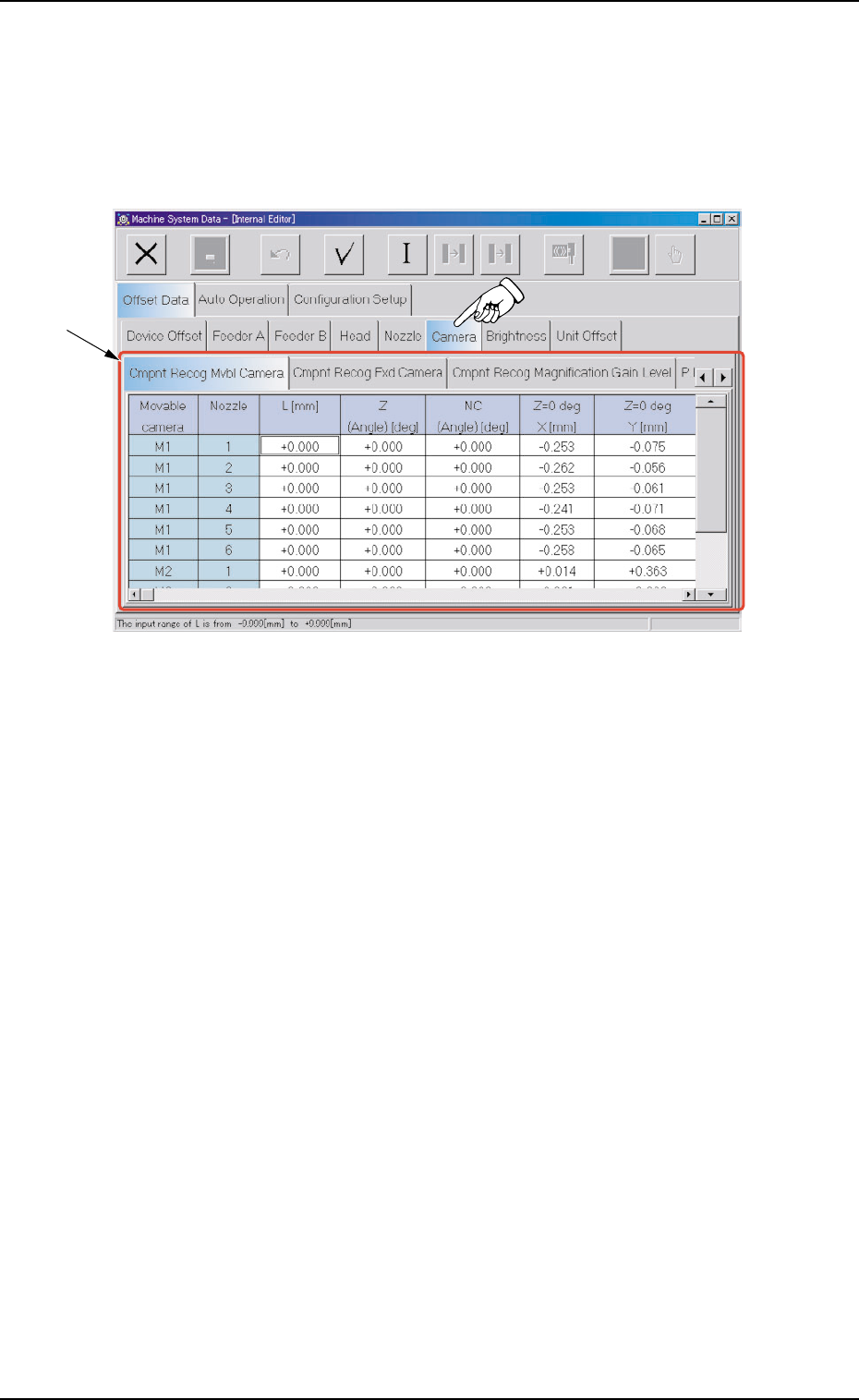
• Sheet Layout
When the "Camera" tab is pressed in the "Offset Data" tab sheet, the
following tab sheet appears.
Fig. 3E47 "Camera" Tab Sheet
• Sheet Composition
*1 Tabs and Tab Sheets
The "Camera" tab sheet is provided with the following 4 tabs.
When each tab is pressed, the corresponding tab sheet appears.
2.1 "Offset Data" Tab
0308-004 5-45 AHB01EDTP
*1

Table 3E8
Tabs Description
Component Recog The corresponding tab sheet enables the operator to set the offset
Movable Camera data for adjustment of positional and angular deviations compared
with the design dimensions of the component recognition movable
camera center position (viewed from the P.C.B. positioning X/Y coor-
dinates).
Component Recog The corresponding tab sheet enables the operator to set the offset
Fixed Camera data for adjustment of positional and angular deviations compared
with the design dimensions of the component recognition fixed cam-
era center position (viewed from the P.C.B. positioning X/Y coordi-
nates).
Component Recog The corresponding tab sheet enables the operator to set the magnifi-
Magnification cations of the component recognition cameras and the gain and level
Gain Level (the amplification at which the image signals captured by the camera
is converted into picture information, representing brightness) of each
camera.
P.E.C. Recog Camera The corresponding tab sheet enables the operator to set the offset
data for horizontal swing adjustment of the P.E.C. recognition cam-
era.
2.1 "Offset Data" Tab
0206-003 5-46 AHB01EDTP