3OM-1075-002.pdf - 第176页
AHB01EDTP 0206-003 3-40 • • • • • Sheet Composition Each parameter is displayed or can be entered. Refer to "4.1.3 Basic Usage of T ext Boxes" in "Section 2" for the detailed information on how to ent…
AHB01EDTP
3.5 "Carrier Data" Tab
••
••
• Sheet Layout
When the "Carrier Data" tab is pressed, the "Carrier Data" tab sheet
appears.
The "Carrier Data" tab sheet is divided into the following three kinds
of sheets according to the parameter selected in the "Type" text box
of the label "Carrier data".
••
••
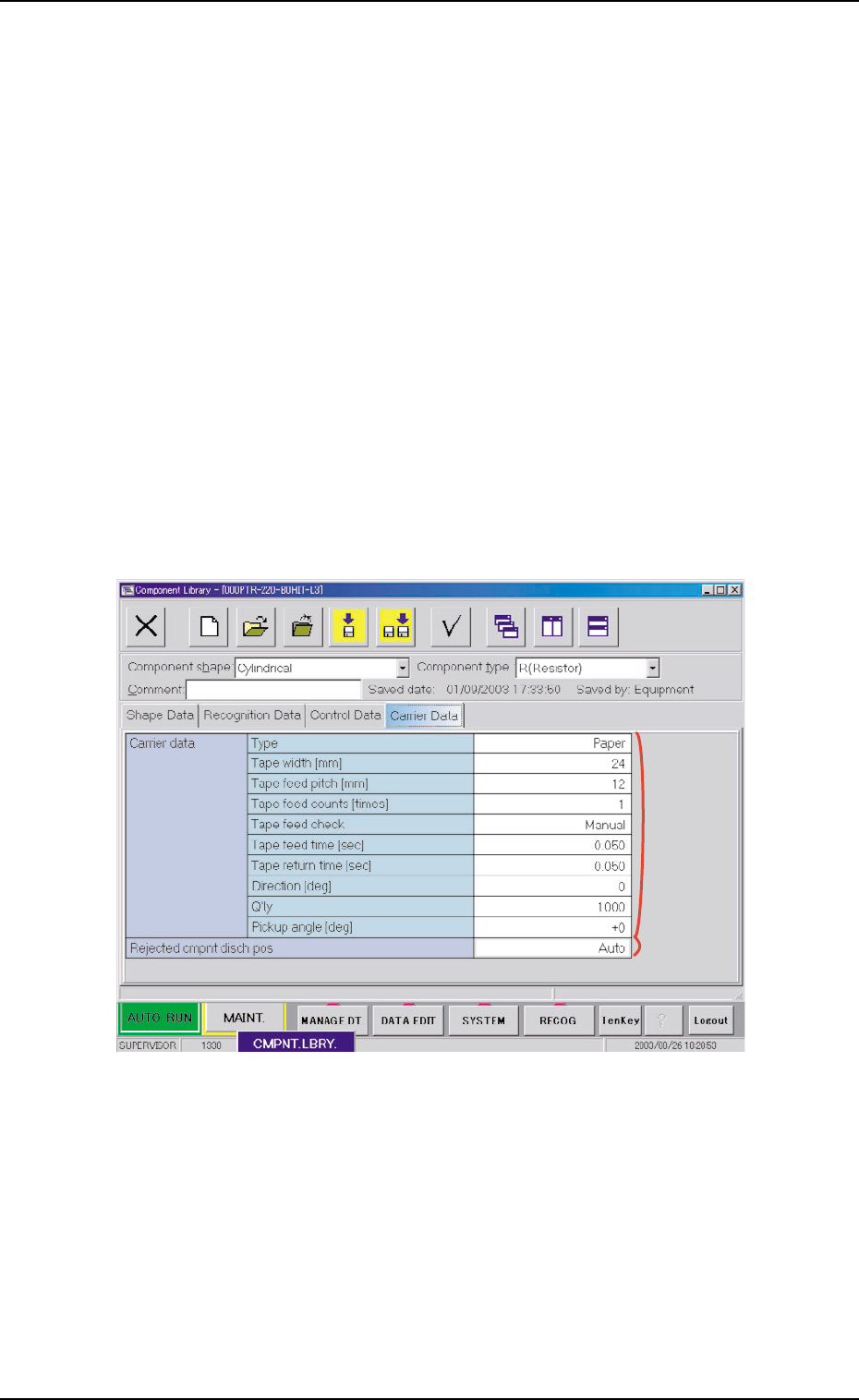
• "Carrier Data" Tab Sheet (Taped Components)
Paper, Embossed, Adhesive, Stick, MS, Bulk, Pack, TCM, Bulk2
••
••
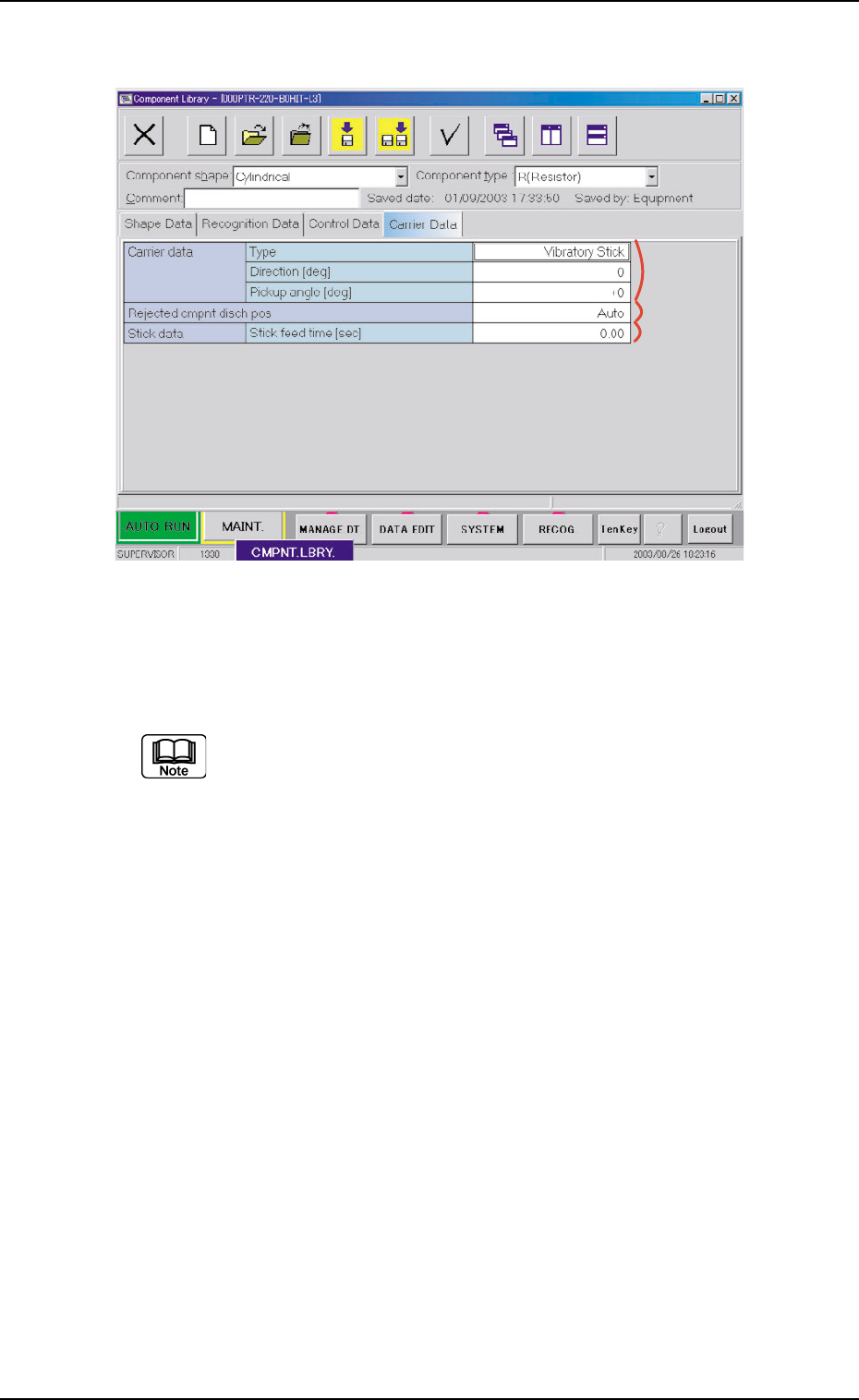
• "Carrier Data" Tab Sheet (Vibratory Stick Components)
Vibratory Stick
••
••
• "Carrier Data" Tab Sheet (Tray Components)
Tray, FC Fixed Tray
3.5.1 "Carrier Data" Tab Sheet (Taped Components)
Fig. 3C27 Example of "Carrier Data" Tab Sheet (Taped Components)
3.5 "Carrier Data" Tab
0308-004 3-39
*1
*2

AHB01EDTP
0206-003 3-40
••
••
• Sheet Composition
Each parameter is displayed or can be entered.
Refer to "4.1.3 Basic Usage of Text Boxes" in "Section 2" for the
detailed information on how to enter parameters.
*1 Carrier Data
Type, Tape width [mm], Tape feed pitch [mm], Tape feed counts
[times], Tape feed check, Tape feed time [sec], Tape return time
[sec], Direction, Q’ty, Pickup angle
*2 Rejected cmpnt disch pos
3.5 "Carrier Data" Tab
AHB01EDTP
3.5.2 "Carrier Data" Tab Sheet (Vibratory Stick Components)
Fig. 3C28 Example of "Carrier Data" Tab Sheet (Vibratory Stick Components)
••
••
• Sheet Composition
Each parameter is displayed or can be entered.
Refer to "4.1.3 Basic Usage of Text Boxes" in "Section 2" for the
detailed information on how to enter parameters.
*1 Carrier data
Type, Direction, Pickup angle
*2 Rejected cmpnt disch pos
*3 Stick data
Stick feed time [sec]
3.5 "Carrier Data" Tab
*1
*2
*3
0308-004 3-41