3OM-1075-002.pdf - 第326页
0206-002 5-93 AHB01EDTP 3.2 "Nozzle Data" T ab 3 . 2 "Nozzle Data" T ab • • • • • Sheet Layout When the "Nozzle Data" tab is pressed in the "Nozzle Data" window , the following tab…
••
••
• Operation Procedure
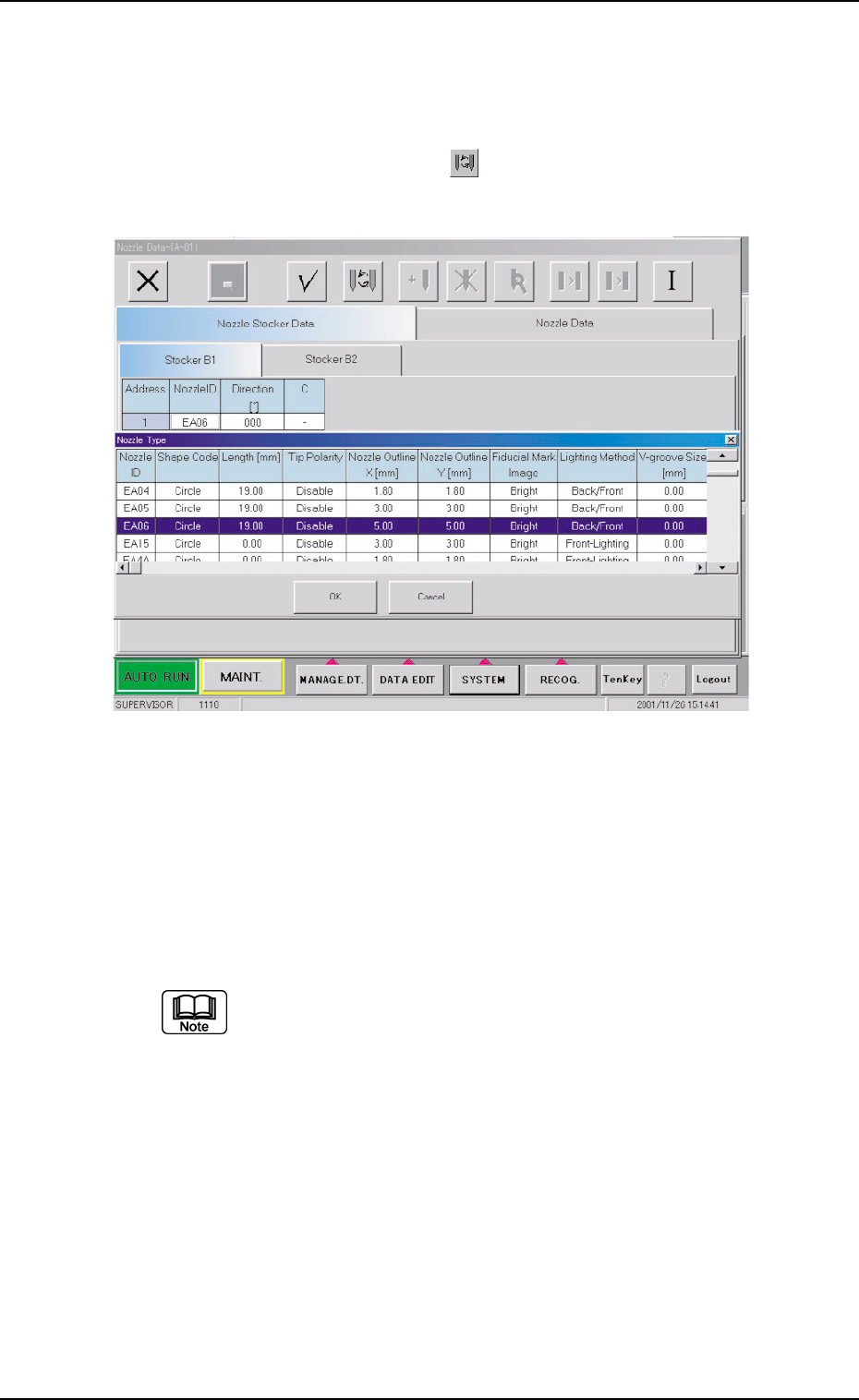
Nozzle Type Change Operation
(1) Select the nozzle ID in the address where the nozzle type must
be changed and press the [ ] icon.
The "Nozzle Type" window opens.
Fig. 3E80 "Nozzle Type" Window
The line of the nozzle ID selected in (1) is highlighted in the "Nozzle
Type" window.
(2) Select the nozzle type to be allocated and press the [OK] button.
The source nozzle type is changed to the selected one.
It is recommended for better efficiency that the nozzles for
Head #1 be stored in Nozzle Stocker B1 and the nozzles for
Head #2 in Nozzle Stocker B2.
0206-002 5-92
AHB01EDTP
3.1 "Nozzle Stocker Data" Tab
0206-002 5-93 AHB01EDTP
3.2 "Nozzle Data" Tab
3.2 "Nozzle Data" Tab
••
••
• Sheet Layout
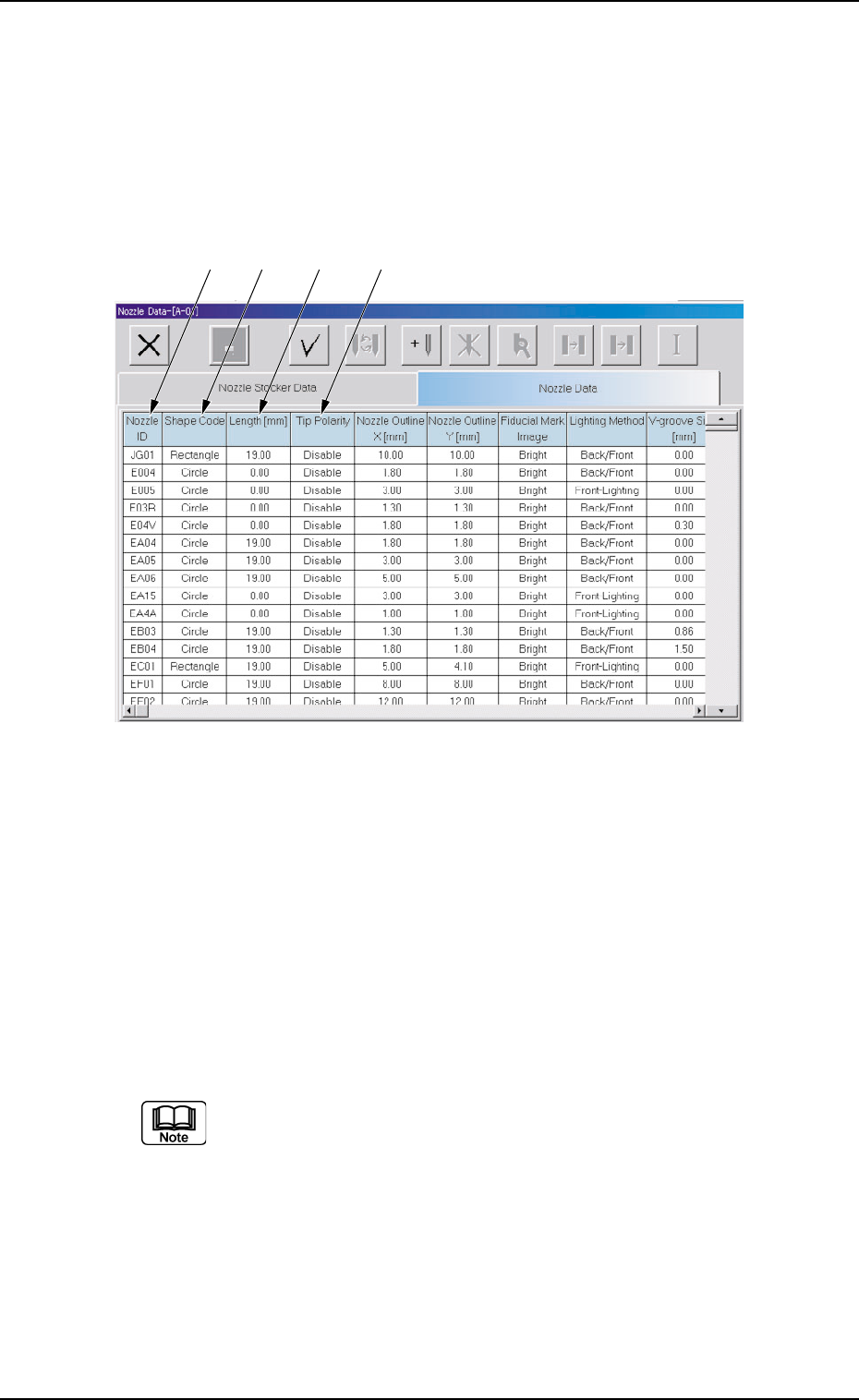
When the "Nozzle Data" tab is pressed in the "Nozzle Data" window,
the following tab sheet appears inside the window.
Fig. 3E81 "Nozzle Data" Tab Sheet
••
••
• Sheet Composition
*1 Nozzle ID
Shown are the nozzle IDs (names).
*2 Shape Code
Set a nozzle shape in each text box.
"Circle" or "Rectangle" can be selected.
In the case of a rectangular nozzle, the pre-rotational pick-up
control (control based on the parameter set in the "Pickup angle
[ ° ]" text box in the "Component Library" edit window) may be
required depending on the packaged posture of a component.
Refer to the instruction manual of the component library for de-
tails.
*3 Length [mm]
Set the nozzle length in this text box.
*1 *2 *3 *4
0206-002 5-94 AHB01EDTP
*4 Tip Polarity
Set the polarity of the nozzle tip (shape).
Enable : Special Nozzle with Polarity (Asymmetrical)
Disable : Round Nozzle or the like without Polarity
Fig. 3E82
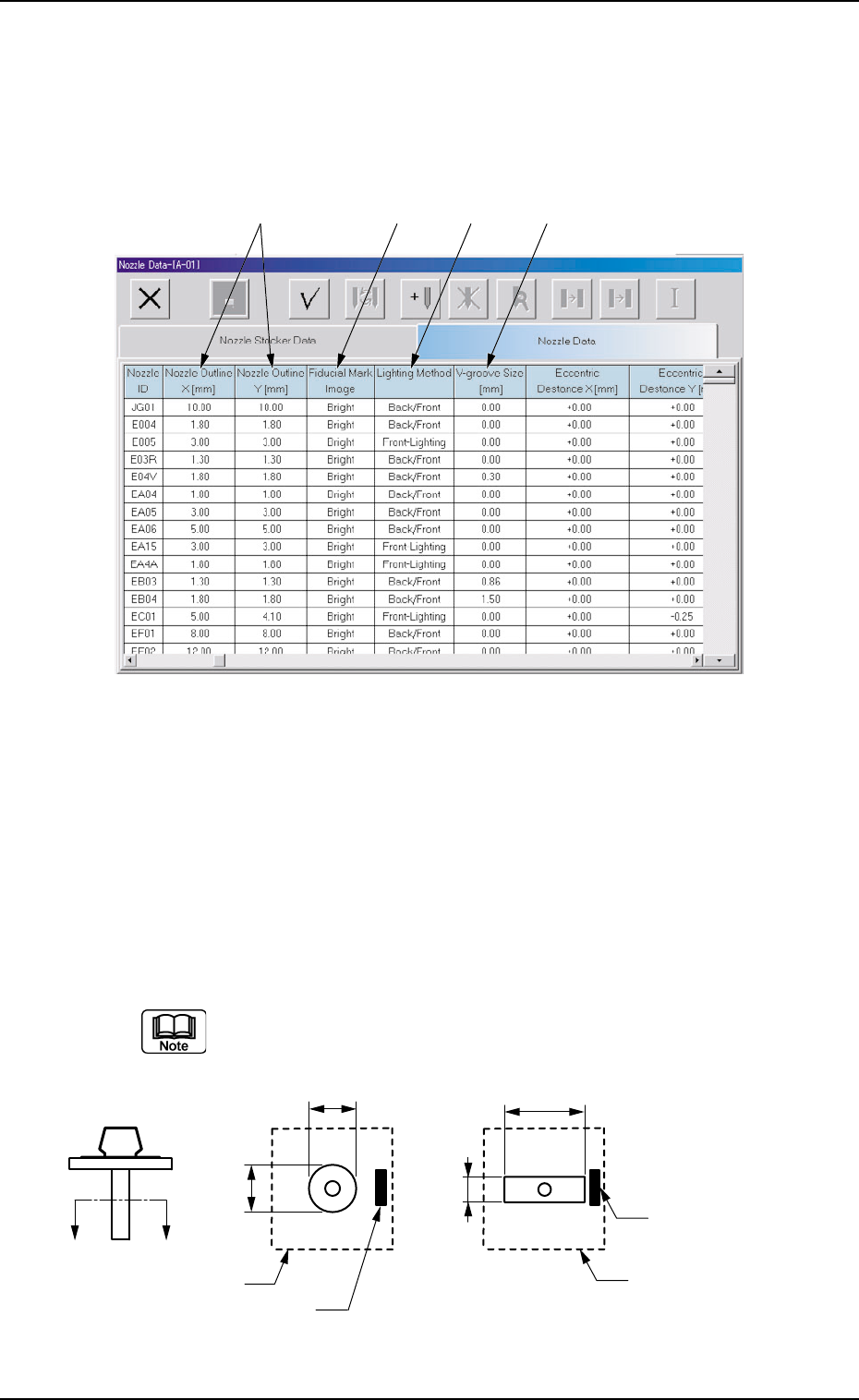
*5 Nozzle Outline X [mm] (Horizontal), Nozzle Outline Y [mm]
(Vertical)
Set the outer dimensions of the nozzle tip section.
Data Input Range
X: 0.00 to 18.00
Y: 0.00 to 18.00
In the case of "Circle", set the same dimensions for "X" and "Y".
In the case of "Rectangle", set Dimensions X and Y.
Fig. 3E83
3.2 "Nozzle Data" Tab
*5 *6 *7 *8
X
Y
X
Y
A′
A
Imprinted Nozzle ID
Imprinted Nozzle ID
Diffusion Plate
Diffusion Plate