3OM-1075-002.pdf - 第50页
(A03_04) Window Size [mm] Set the recognition area (complete square) for the P .E.C. recognition function. Unit: mm Set preferably small values to avoid false recognition and shorten recognition time. Fig. 3B53 (A03_05) …
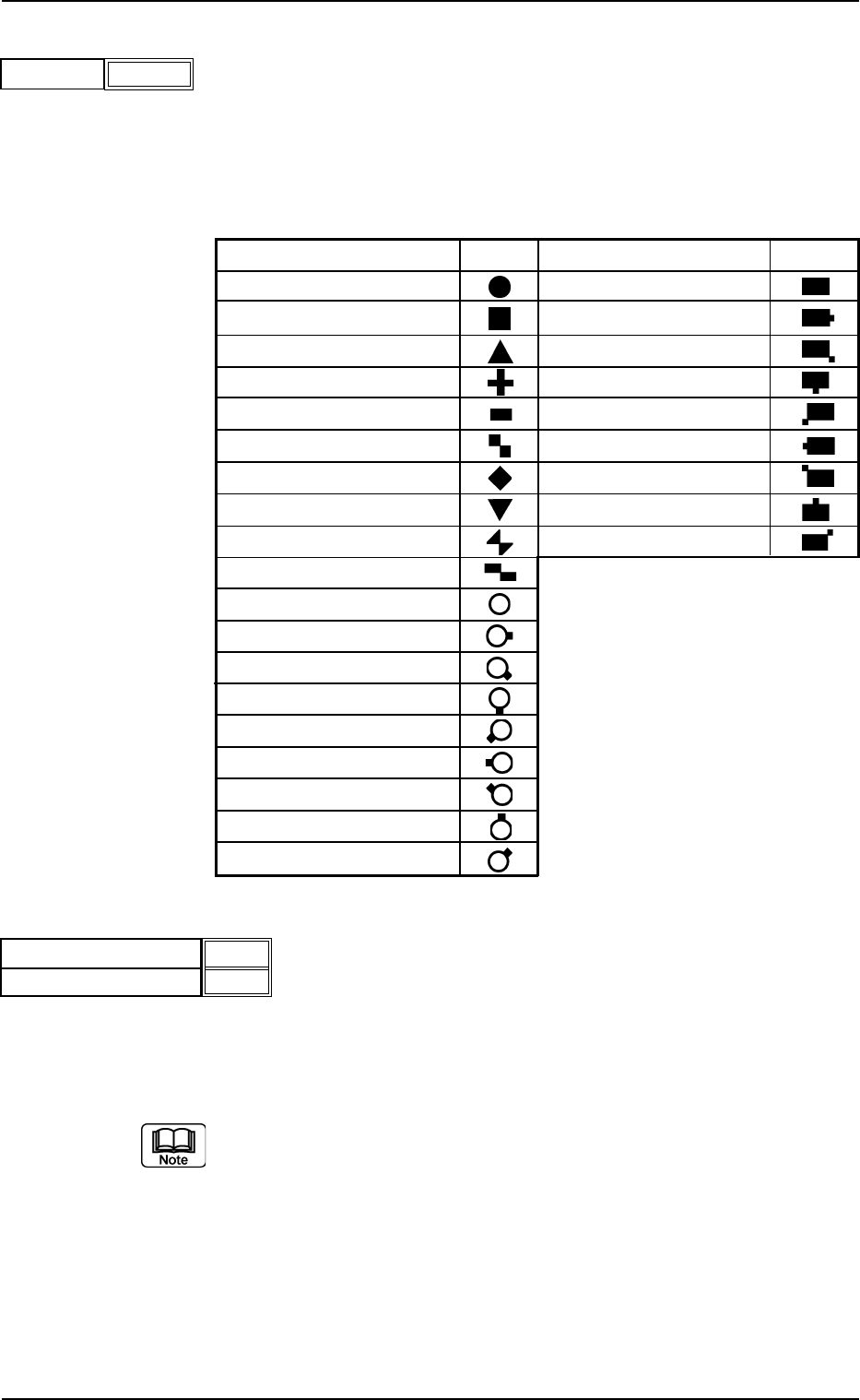
(A03_02) Mark Type
The following options can be selected as shapes of fiducial
marks.
Table 3B15
MarkType Shape Mark Type Shape
Round Pad Mark/No Land
Square Pad Mark/Land (E)
Equilateral Triangle (Upturned) Pad Mark/Land (SE)
Cross Pad Mark/Land (S)
Rectangle Pad Mark/Land (SW)
Checker (Square) Pad Mark/Land (W)
Diamond Pad Mark/Land (NW)
Equilateral Triangle (Down) Pad Mark/Land (N)
Bow Tie Corner land (NE)
Checker (Rectangle)
Thru Hole/No Land
Thru Hole/Land (E)
Thru Hole/Land (SE)
Thru Hole/Land (S)
Thru Hole/Land (SW)
Thru Hole/Land (W)
Thru Hole/Land (NW)
Thru Hole/Land (N)
Thru Hole/Land (NE)
(A03_03) Mark Size D1 [mm], Mark Size D2 [mm]
Set the dimensions of fiducial marks.
Unit: mm
Refer to "(A03_08) Fiducial Marks" for details.
0206-003 2-30
AHB01EDTP
2.3 Operation Data
Mark Type
Fig. 3B50
Round
Mark Size D1 [mm]
Fig. 3B51
2.00
0.00
Mark Size D2 [mm]
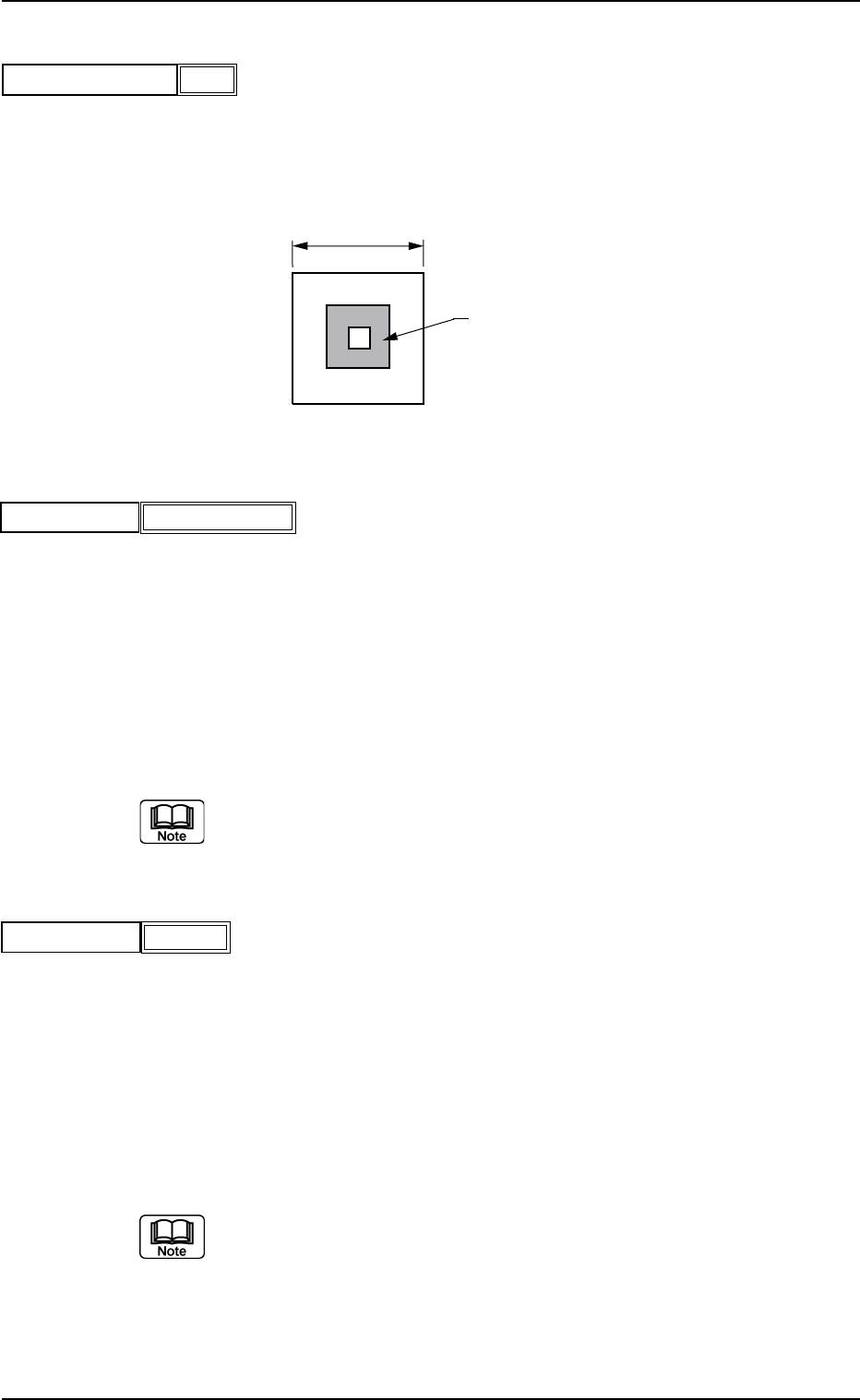
(A03_04) Window Size [mm]
Set the recognition area (complete square) for the P.E.C.
recognition function.
Unit: mm
Set preferably small values to avoid false recognition and
shorten recognition time.
Fig. 3B53
(A03_05) Mark Image
Select one of the following options as an image of the mark
pattern to be captured by the camera.
Select either mode according to the difference in contrast
between a mark pattern and its surroundings to get a clear
fiducial images.
Bright : Bright Fiducial/Dark Background
Dark : Dark Fiducial/Bright Background
Wrong mode selection causes malfunction of the recognition.
(A03_06) Type Level
Set the threshold levels of the fiducial marks.
High : Both identity and similarity between the shape of a
fiducial mark and the real image are detected on a
high level.
Middle : Either identity or similarity between the shape of a
fiducial mark and the real image are detected on a
middle level.
Low : Both identity and similarity between the shape of a
fiducial mark and the real image are detected on a
low level.
(a) Identity
Identity between the shapes of the specified mark and the
real image (including the size)
(b) Similarity
Similarity between the shapes of the specified mark and
the real image
0206-003 2-31
AHB01EDTP
2.3 Operation Data
5.0
Window Size [mm]
Fig. 3B52
Fig. 3B55
Type Level
High
Mark Image
Fig. 3B54
Bright
Window Size
Fiducial Mark
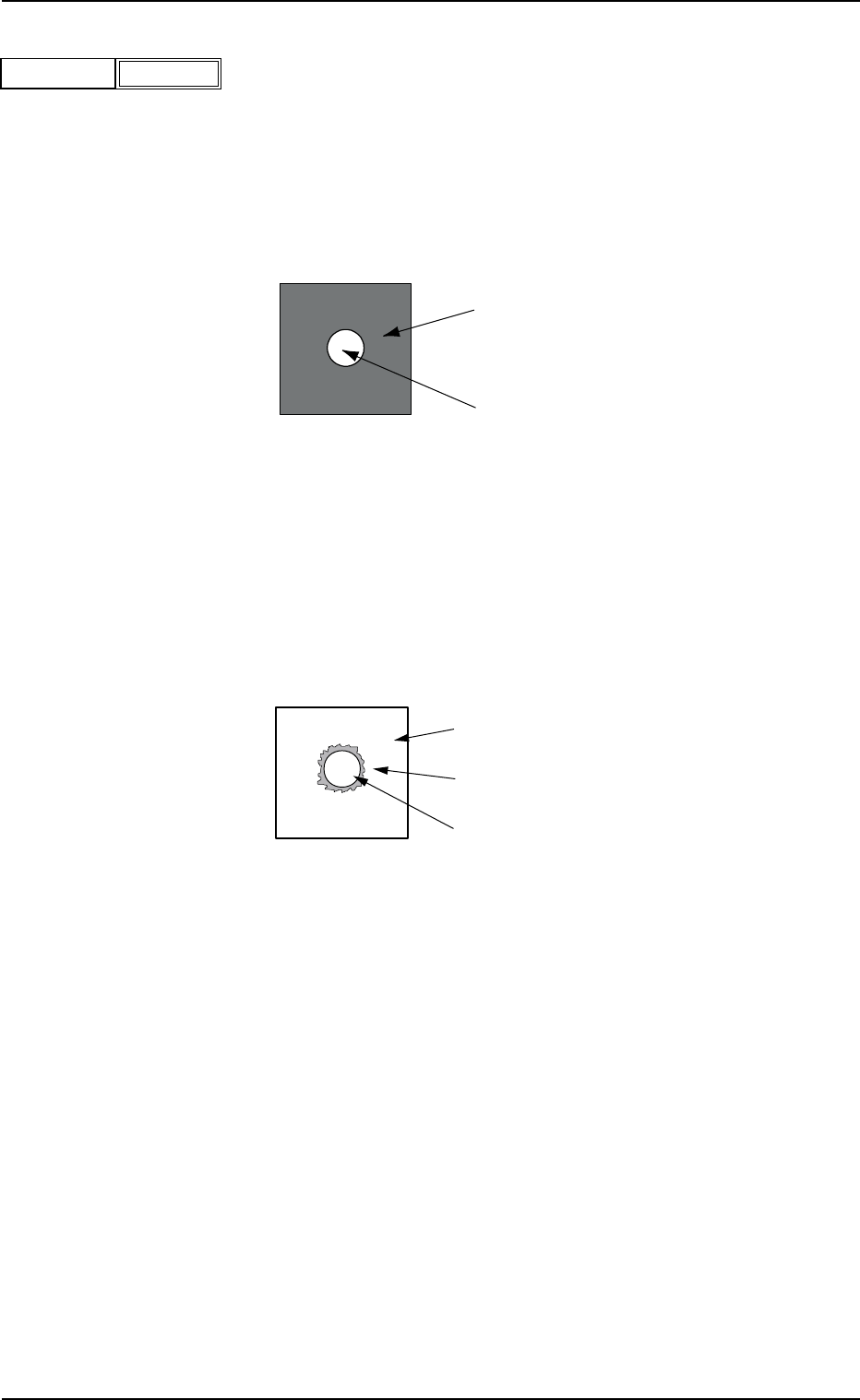
(A03_07) Recog Algo
Select "Pattern" or "Edge" as a P.C.B. recognition algorithm.
In normal cases, select "Pattern".
Pattern : Select this when there is enough difference in con-
trast between a fiducial mark and a P.C.B. (Rec-
ognition by Pattern Matching Method).
Fig. 3B57
Edge : Select this when there is not much difference in
contrast between a fiducial mark and a P.C.B. and
the shadow of the fiducial mark is cast around
the mark. (Correction by Mark Edge Detection
Method).
Fig. 3B58
P.C.B.
Fiducial Mark (Bright)
P.C.B. (Bright)
Shadow of Fiducial Mark
Fiducial Mark (Bright)
2.3 Operation Data
Recog Algo
Fig. 3B56
Pattern
0206-002 2-32 AHB01EDTP