3OM-1075-002.pdf - 第336页
0206-002 5-103 AHB01EDTP 4.2 "Password" T ab 4.2 "Password" T ab The corresponding tab sheet enables the operator to set a password and the scope of authority according to the given authority . The &q…
0206-002 5-102 AHB01EDTP
4.1 "Display Set" Tab
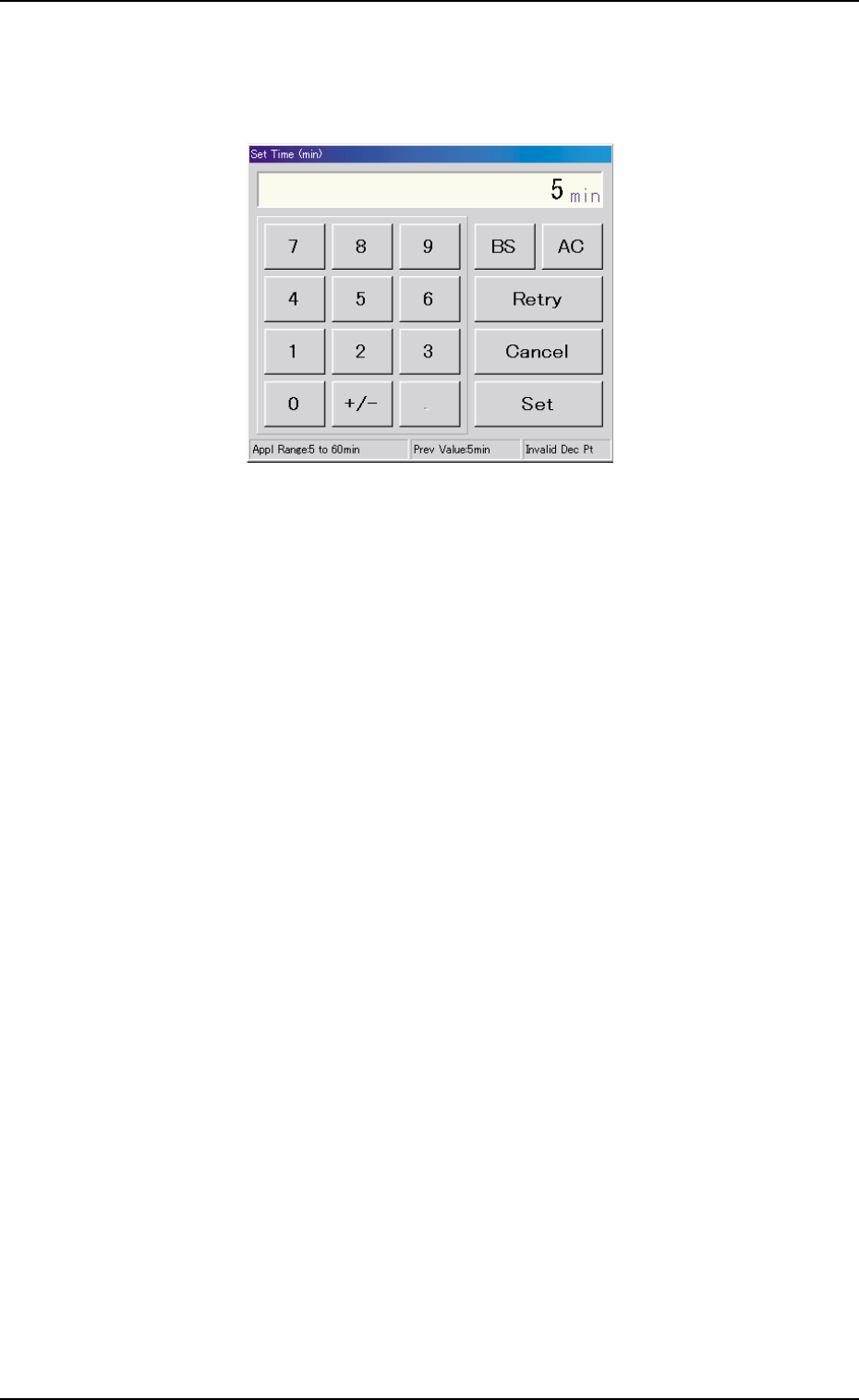
(2) When the [Set Time (min)] button is pressed with the [Enable]
button being selected (the button turns green), the following "Set
Time (min)" edit window opens.
Fig. 3E92 "Set Time (min)" Edit Window
Enter the number of minutes (5 to 60 minutes) you want the screen
to be idle before the screen saver function is activated and press
the [Set] button.
*2 Unit of Length
Press either the [inch] or the [mm] button to select the US cus-
tomary system (inches) or the metric system for the dimensions
to be displayed on the screen.
The selected button turns green, indicating that it is selected.
*3 Language
Press either the [English] or the [Japanese] button to select the
language to be used on the screen.
The selected button turns green, indicating that it is selected.
*4 [Set] Button
The selections in "*1", "*2", and "*3" are determined.
0206-002 5-103 AHB01EDTP
4.2 "Password" Tab
4.2 "Password" Tab
The corresponding tab sheet enables the operator to set a password
and the scope of authority according to the given authority.
The "Password" tab sheet is provided with the following 3 tab sheets.
When a tab is pressed, the corresponding tab sheet appears.
Table 3E15
Tabs Description
Password Set The corresponding tab sheet enables the operator to set a password
according to the given authority.
Available Area Set (1/2) The corresponding tab sheet enables the operator to specify the scope
of authority to use the described functions ("Operation Mode (Modify)"
through "Placement Head/Noz Data").
Available Area Set (2/2) The corresponding tab sheet enables the operator to specify the scope
of authority to use the described functions ("Unit Adjustment" through
"Machine Set-up").
4.2.1 "Password Set" Tab Sheet
••
••
• Sheet Layout
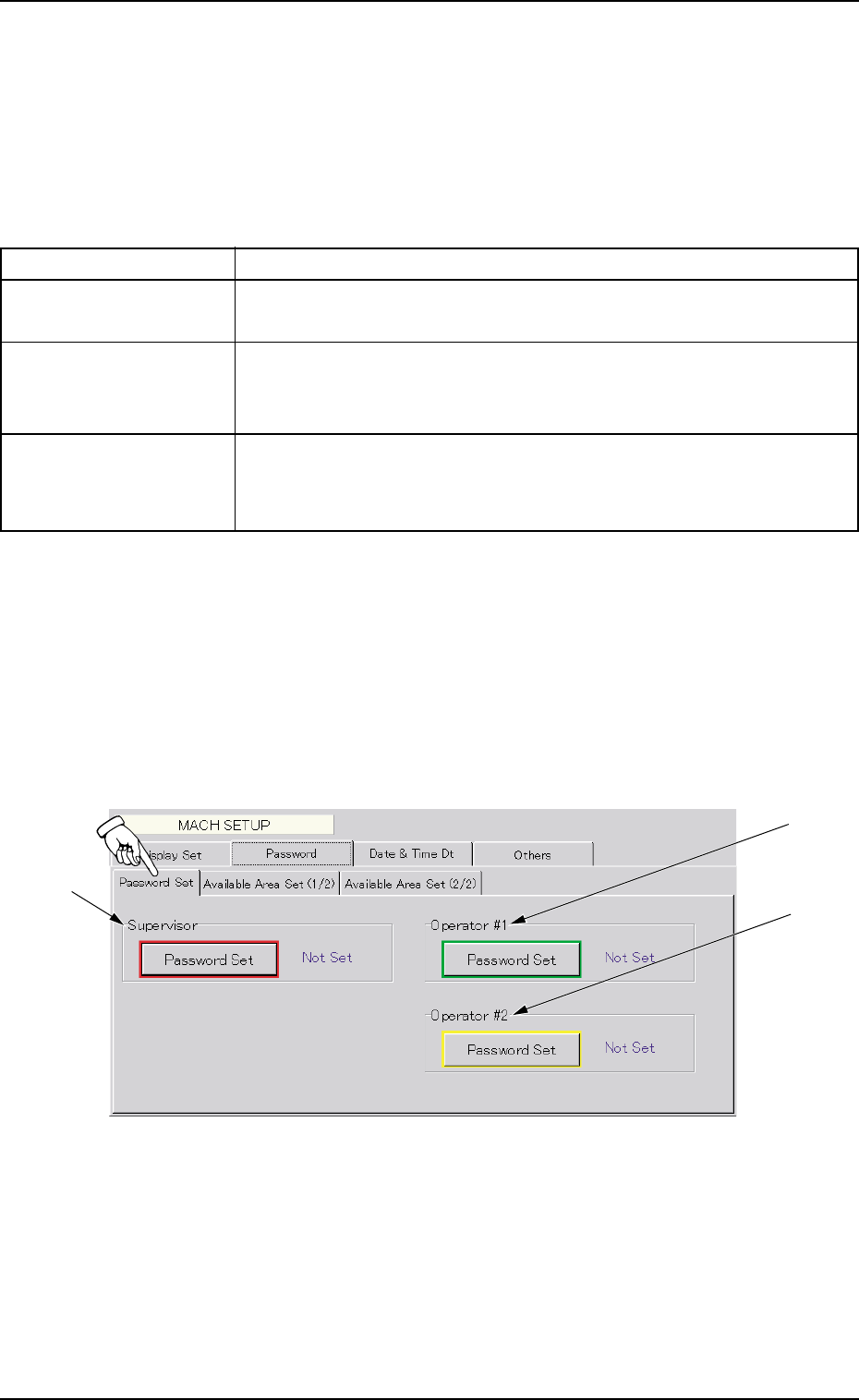
When the "Password Set" tab is pressed, the following tab sheet ap-
pears.
Fig. 3E93 "Password Set" Tab Sheet
*1
*2
*3
0206-002 5-104 AHB01EDTP
••
••
• Sheet Composition
*1 Supervisor
A password can be set in this group box for the user who has the
scope of authority as "Supervisor".
*2 Operator #1
A password can be set in this group box for the user who has the
scope of authority as "Operator #1".
*3 Operator #2
A password can be set in this group box for the user who has the
scope of authority as "Operator #2".
••
••
• How to set or change a password
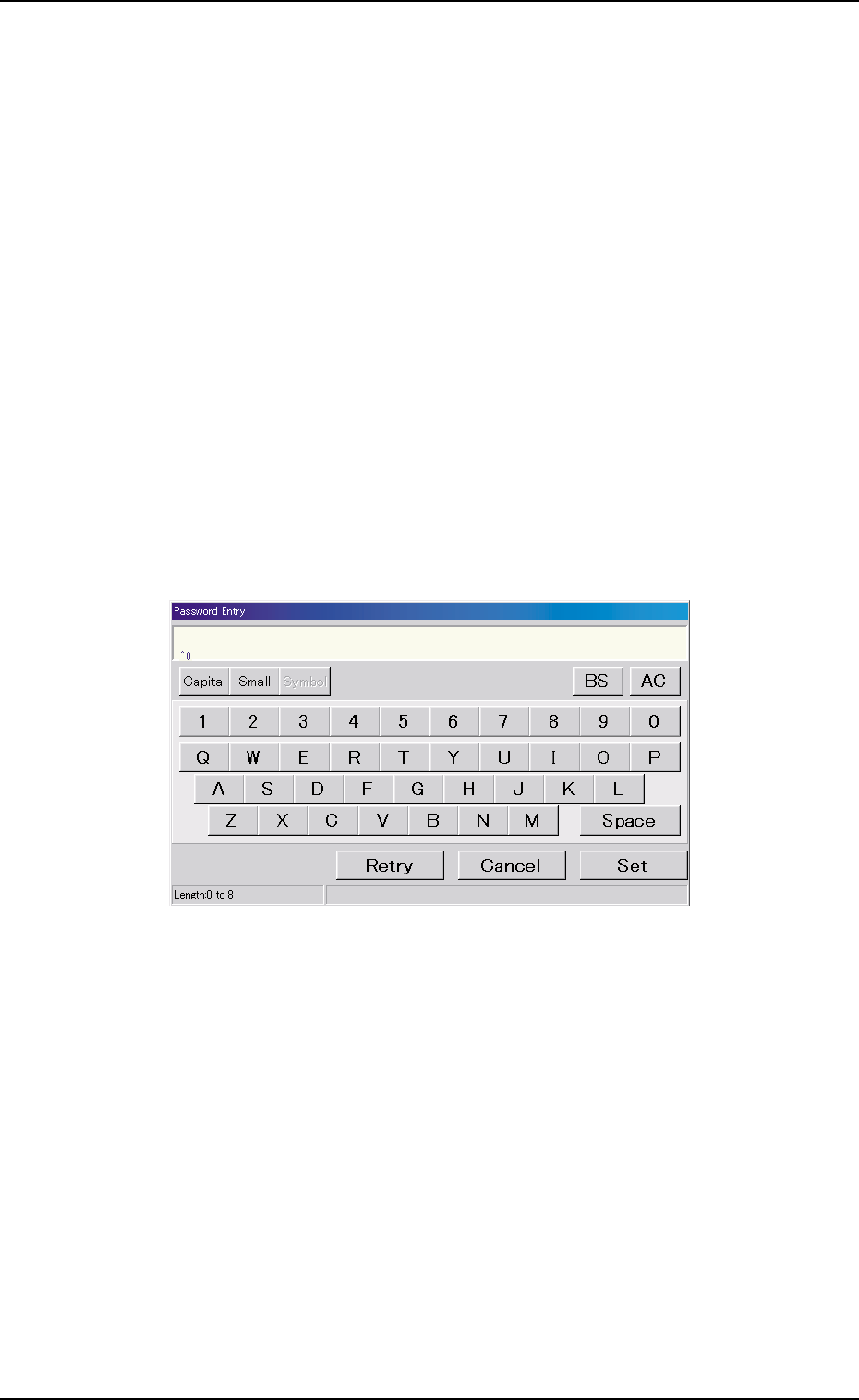
(1) When the [Password Set] button is pressed according to the
given authority, the "Password Entry" edit window opens.
Fig. 3E94 "Password Entry" Edit Window
(2) Enter a password and press the [Set] button. the "Password Re-
entry" edit window opens. Enter the same password again and
press the [Set] button.
The password is set or changed and "Set" appears in red on the
right side of the [Password Set] button.
••
••
• How to cancel the set password
(1) To cancel the set password, press the [Password Set] button
according to the given authority. The "Password Entry" edit win-
dow opens.
4.2 "Password" Tab