3OM-1075-002.pdf - 第280页
X [mm] (Horizontal), Y [mm] (V ertical), and Z [° ] for "Z=0° " (Z Axis) or "Z=180° (Z Axis)" The set offset parameters are used to adjust the positional and an- gular deviations compared with the des…
2.1.6.1 "Component Recog Movable Camera" Tab
• Sheet Layout
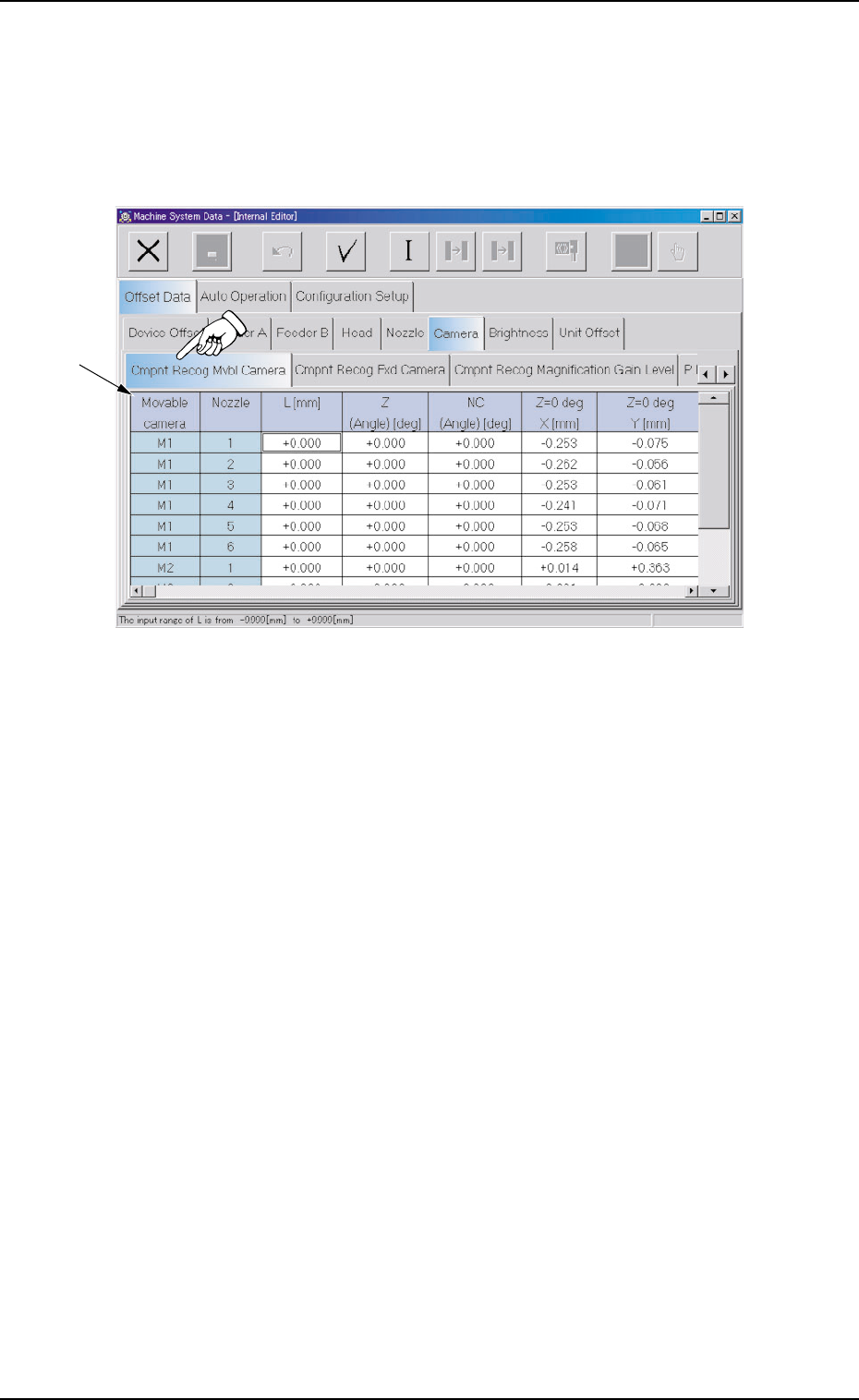
When the "Component Recog Movable Camera" tab is pressed in
the "Camera" tab sheet, the following tab sheet appears.
Fig. 3E48 "Component Recog Movable Camera" Tab Sheet
• Sheet Composition
*1 Offset Items
Set the offset values related to each nozzle (1 through 6) for the
movable cameras (M1 and M2).
L [mm] (Height), Z (Angle) [deg], and NC (Angle) [deg]
(Not Available)
This offset data is used to optimize the component recognition that
will be made, using the movable cameras.
2.1 "Offset Data" Tab
0308-004 5-47 AHB01EDTP
*1
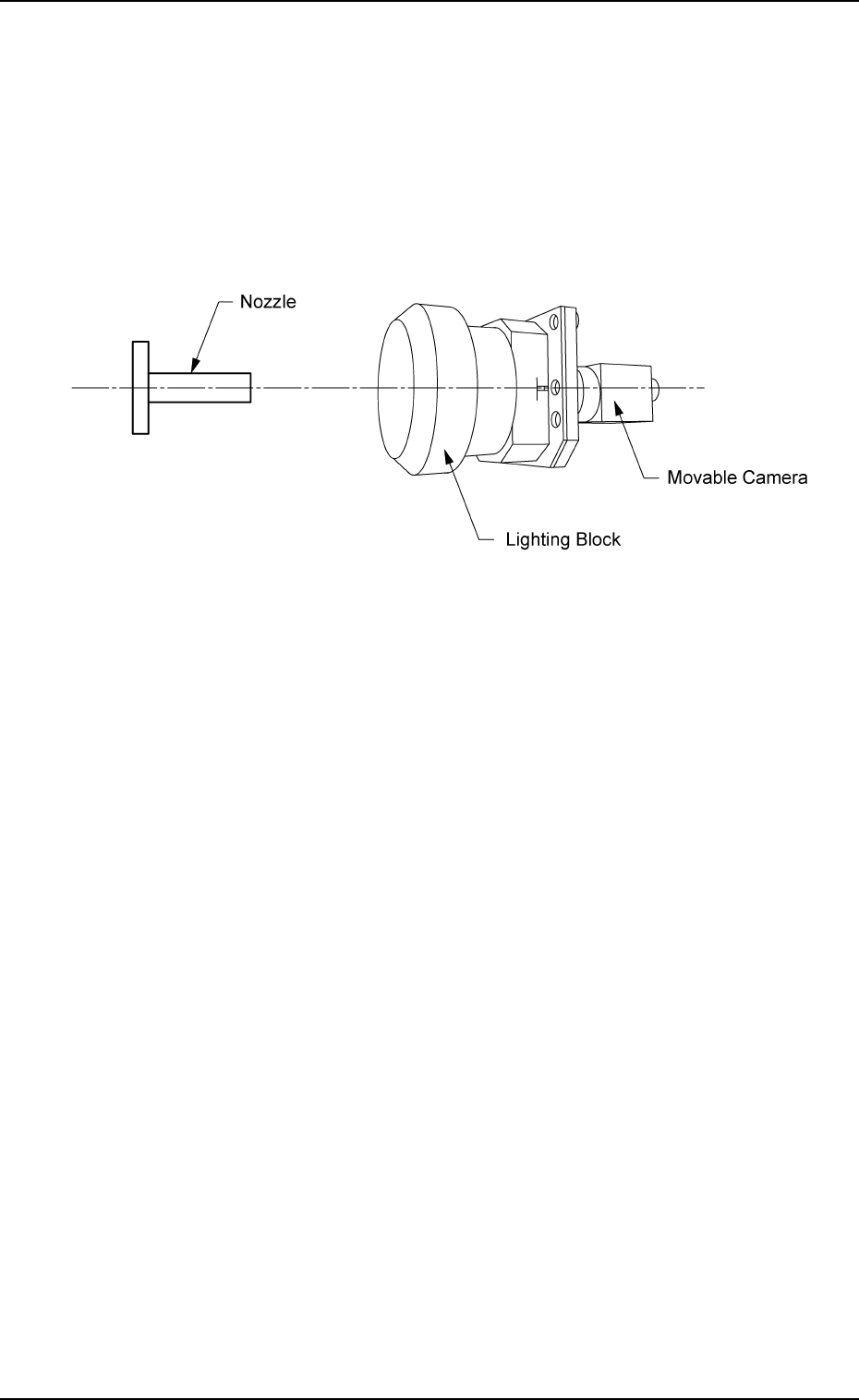
X [mm] (Horizontal), Y [mm] (Vertical), and Z [° ] for "Z=0° " (Z
Axis) or "Z=180° (Z Axis)"
The set offset parameters are used to adjust the positional and an-
gular deviations compared with the design dimensions of the com-
ponent recognition movable cameras (viewed from the nozzle posi-
tion where the NC axis is rotated by 90° from the angle at which a
component is picked up to be recognized).
(X: Horizontal, Y: Vertical, and Z: Angle)
Fig. 3E49
2.1 "Offset Data" Tab
0206-003 5-48 AHB01EDTP
2.1.6.2 "Component Recog Fixed Camera" Tab
• Sheet Layout
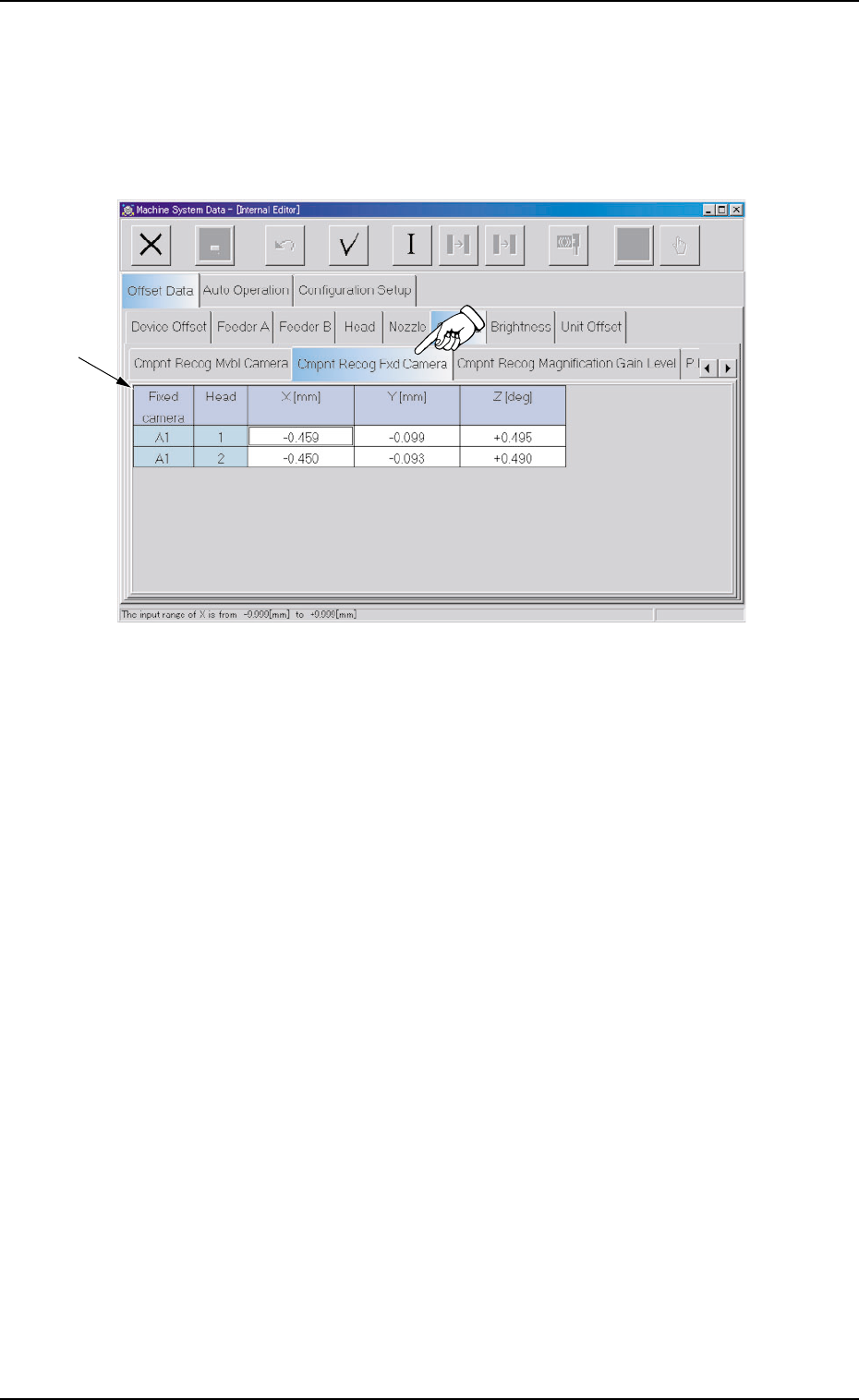
When the "Component Recog Fixed Camera" tab is pressed in the
"Camera" tab sheet, the following tab sheet appears.
Fig. 3E50 "Component Recog Fixed Camera" Tab Sheet
• Sheet Composition
*1 Offset Items
Set the offset values for Heads #1 and #2 related to Fixed Camera
A1.
2.1 "Offset Data" Tab
0308-004 5-49 AHB01EDTP
*1