3OM-1075-002.pdf - 第55页
(A04) Setup Data Fig. 3B61 Edit Window (Example) Unless "Enable" is selected for a device to be set up, the ma- chine does not perform any setup operation on the device. (A04_01) Conveyor width Set "Disabl…
(a) A through hole or a pad mark should have only one land
which is directed in increments of 45°.
Consult our marketing department for details such as di-
mensions, etc.
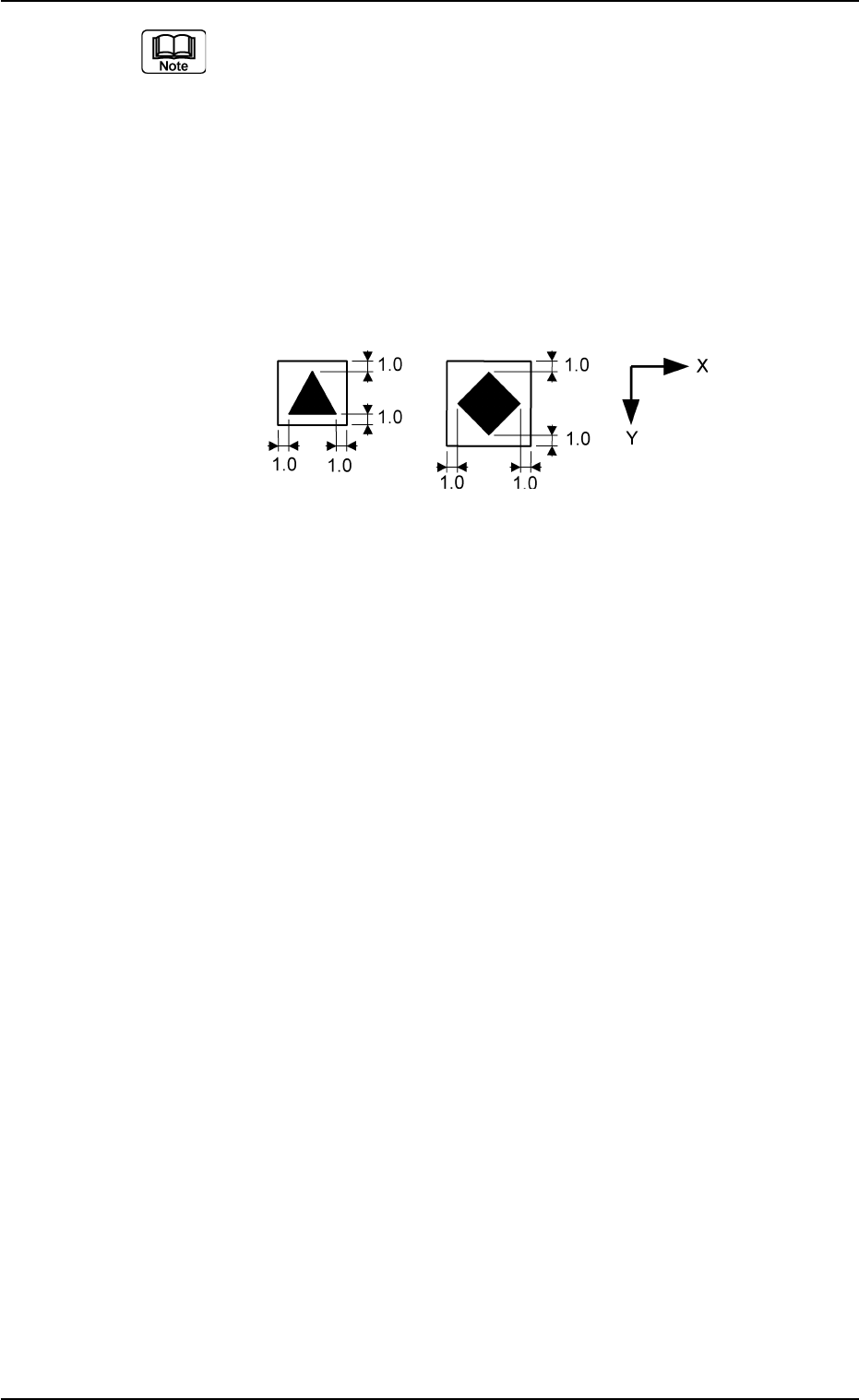
(b) A copper leaf, a resist, a coating, a silk print, and a punched
hole should not exist in the range of 1.0 mm in both X and
Y directions from the outermost edges of a fiducial mark.
They may cause false recognition.
Example:
Unit: mm
(Front Side of Machine)
Fig. 3B60
(c) The shape of P.C.B. (a cutout, a punched hole), the exter-
nal elements (light reflected from a structure, light emitted
from an external device, etc.) may sometimes interfere with
recognition. Consult our marketing department for details.
(d) A fiducial mark should make ample contrast with the sur-
roundings. (To prevent false recognition)
(e) Anything resembling a pattern similar to a fiducial mark
should not exist in the designated window. If one exists, it
may cause false recognition.
(f) A test may be required when the fiducial mark cannot be
recognized because of the extreme warpage of the P.C.B.
0206-003 2-35 AHB01EDTP
2.3 Operation Data
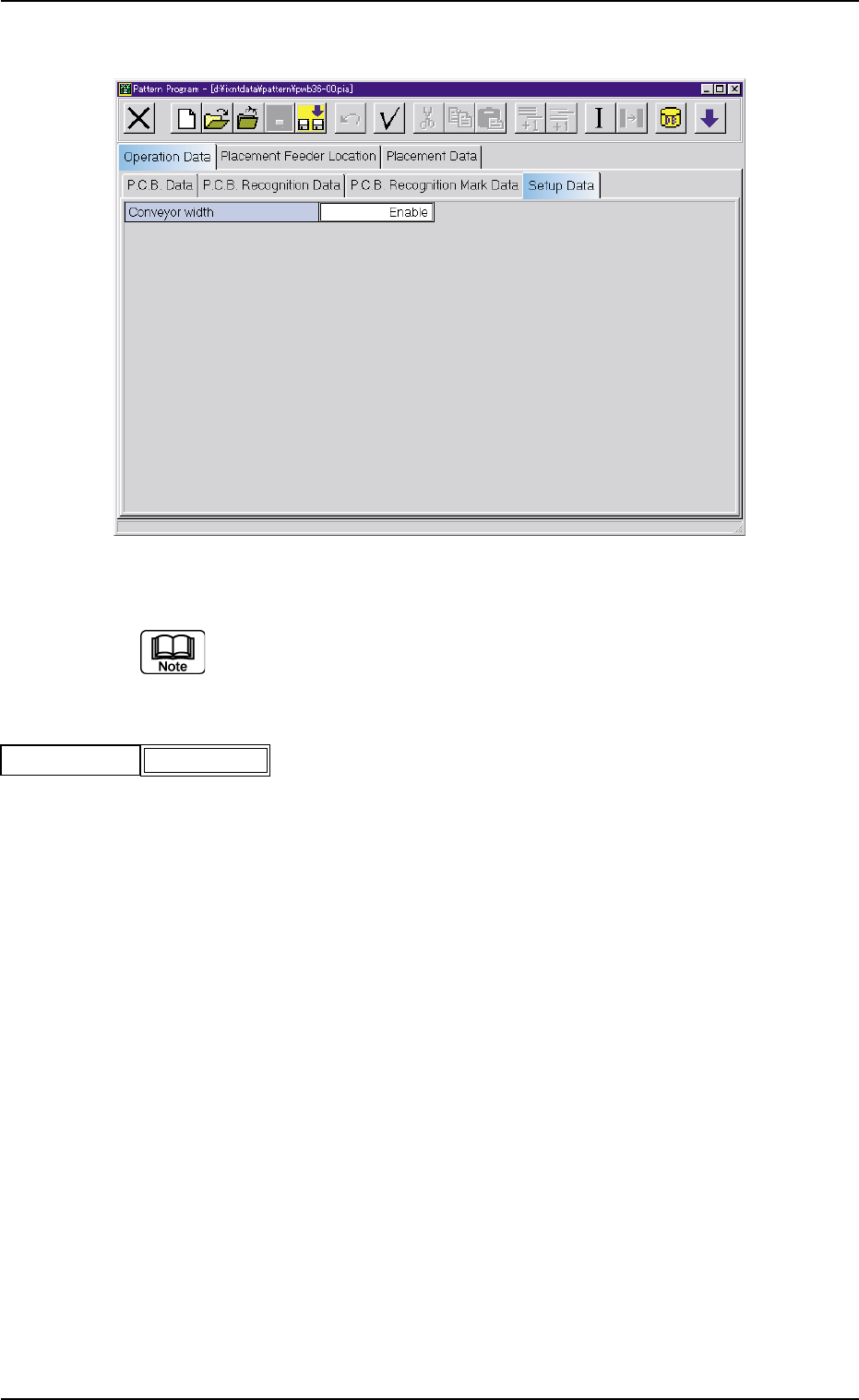
(A04) Setup Data
Fig. 3B61 Edit Window (Example)
Unless "Enable" is selected for a device to be set up, the ma-
chine does not perform any setup operation on the device.
(A04_01) Conveyor width
Set "Disable" or "Enable" in the text box.
0206-002 2-36 AHB01EDTP
2.3 Operation Data
Conveyor width
Fig. 3B62
Enable
2.4 Placement Feeder Location Data
(B01) Feeder Base #1, #3, #4
It can be determined which components must be used and
which feeder base (Fdr. No.) must be loaded with the se-
lected components.
The feeder bases can be loaded with tape and vibratory stick
feeders.
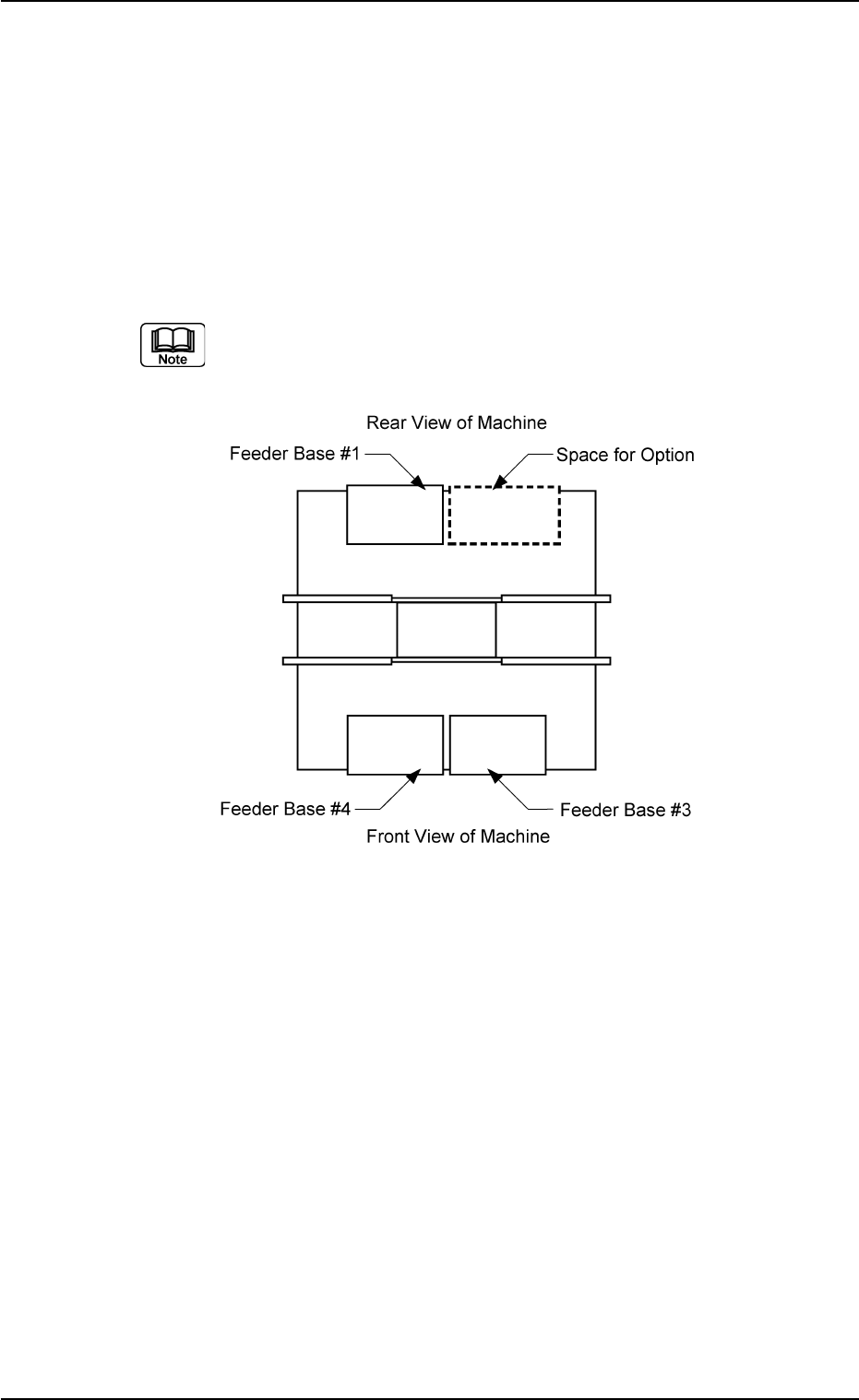
(a) The following shows the positional relation between the
feeder bases.
Fig. 3B63
(b) The multi-layer tray feeder (option) or Feeder Base #2 (op-
tion) can be installed in the option space.
Check which option is installed and then create the data.
(c) Refer to the instruction manual of the multi-layer tray feeder
for the placement feeder location data of the multi-layer
tray feeder (option).
(d) Refer to the instruction manual of Feeder Base #2 (Op-
tion) for the placement feeder location data of Feeder Base
#2.
0206-002 2-37 AHB01EDTP
2.4 Placement Feeder Location Data